Remote workers
Improve outgoing and incoming call clarity while retaining useful notes.
Independent tool overview
Krisp combines real-time audio cleanup with transcription, recording, summaries and follow-up tools for meetings.
Visit the official Krisp site ↗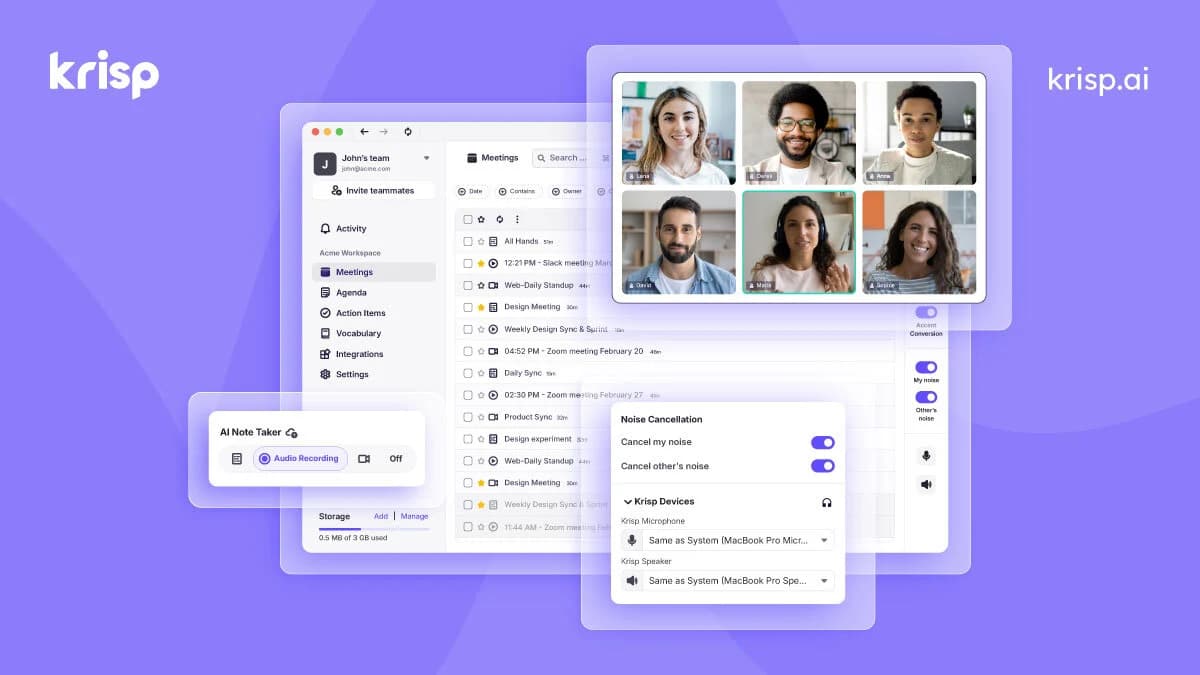
Overview
Krisp is no longer only a noise-removal utility. Its meeting assistant can capture calls, produce transcripts and identify action items while its audio tools reduce background distractions during the conversation. Desktop and mobile features differ, so evaluate the surface used by the team.
The company also sells contact-center products and developer voice technology. Those are separate offerings: subscribing to the meeting assistant does not automatically include a contact-center platform or SDK license.
Use cases
The strongest fit depends on the job you need the product to complete, not the size of its feature list.
Improve outgoing and incoming call clarity while retaining useful notes.
Collect decisions and action items across recurring conversations.
Compare meeting-assistant licensing with separate call-center requirements.
Capabilities
Reduce background sounds, echo and competing voices in supported calling setups.
Record and transcribe calls without requiring a visible note-taking participant in supported workflows.
Turn a transcript into reviewable notes and a list of follow-ups.
Paid plans include accent conversion with plan-specific allowances.
Send meeting outputs to supported business applications and manage recurring meeting context.
Process
Step 1
Install the relevant app and choose the appropriate audio and recording settings.
Step 2
Check microphone routing, cleanup quality and participant recording consent.
Step 3
Correct names, technical vocabulary and decisions before relying on the summary.
Step 4
Move validated notes and action items into the team’s normal workflow.
Cost
The pricing page presents Core, Advanced and Enterprise plans, with discounted and undiscounted amounts together. Confirm the active billing interval and offer at checkout. Contact-center and developer products have separate terms.
Displayed at $8–$16 per user/month
For individuals and smaller teams.
Displayed at $15–$30 per user/month
Adds administrative controls and expanded accent capabilities.
Custom
For organization-wide administration.
Pricing checked . Check current pricing at the source ↗
Assessment
Compare
The right alternative depends on the specific output, workflow, controls and budget your project requires.
Project Management
Consider Granola when meeting notes and personal context are the main goal.
Explore Granola →Project Management
Consider Fathom for recording, summaries and sharing in an AI meeting assistant.
Explore Fathom →Project Management
Consider Otter for collaborative transcripts and meeting retrieval.
Explore Otter.ai →Questions
No. It also offers meeting transcription, recordings, summaries, action items and connected workflows.
The current official FAQ says the mobile app supports recording and transcription but does not yet include noise cancellation.
The meeting assistant advertises bot-free capture. Test the setup on the operating system and calling app you use.
No. The meeting assistant, call-center platform and developer voice technology are separate offerings.
Bottom line
Krisp is worth evaluating when poor call audio and meeting documentation are both recurring problems. Use real calls to assess cleanup, transcription and the exact platform features before choosing a plan.
Visit Krisp website ↗
Visual automation platform for connecting apps, routing data, and building AI-assisted workflows.
Moonshot AI assistant for chat, web research, files, presentations, and agent tasks.
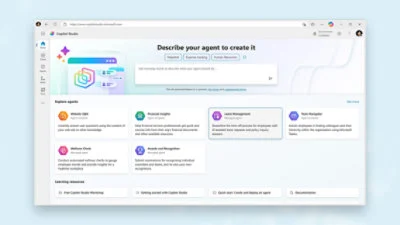
Build and publish business agents with knowledge sources, connected tools and managed workflows in Microsoft Copilot Studio.
Writing assistance for spelling, clarity, tone and AI rewrites across apps.

Get access to all our AI courses, hundreds of real-world AI use cases, live expert-led workshops, an exclusive network of AI early adopters, and more.
Get unlimited access to all of our current & upcoming industry-specific AI courses for the duration of your subscription.
To keep up with the rapid pace of AI, our team publishes AI implementation guides daily. Our library contains 300+ practical use cases to automate real-world work.
Join weekly, live, interactive sessions with industry leaders who are at the forefront of AI for hands-on implementation guidance and exclusive insights.
Network with an exclusive community of AI-first professionals who are working smarter with AI. Learn how early adopters are using AI in their work and businesses.