Recurring remote meetings
Automatically capture, transcribe, summarize, and distribute notes from supported calendar meetings.
Independent tool overview
Otter.ai is an AI meeting notetaker and conversational knowledge platform. It captures meetings through a visible Notetaker bot or bot-free desktop recording, creates live multilingual transcripts and summaries, identifies speakers and action items, and lets users search or automate work across recorded conversations.
Visit the official Otter.ai site ↗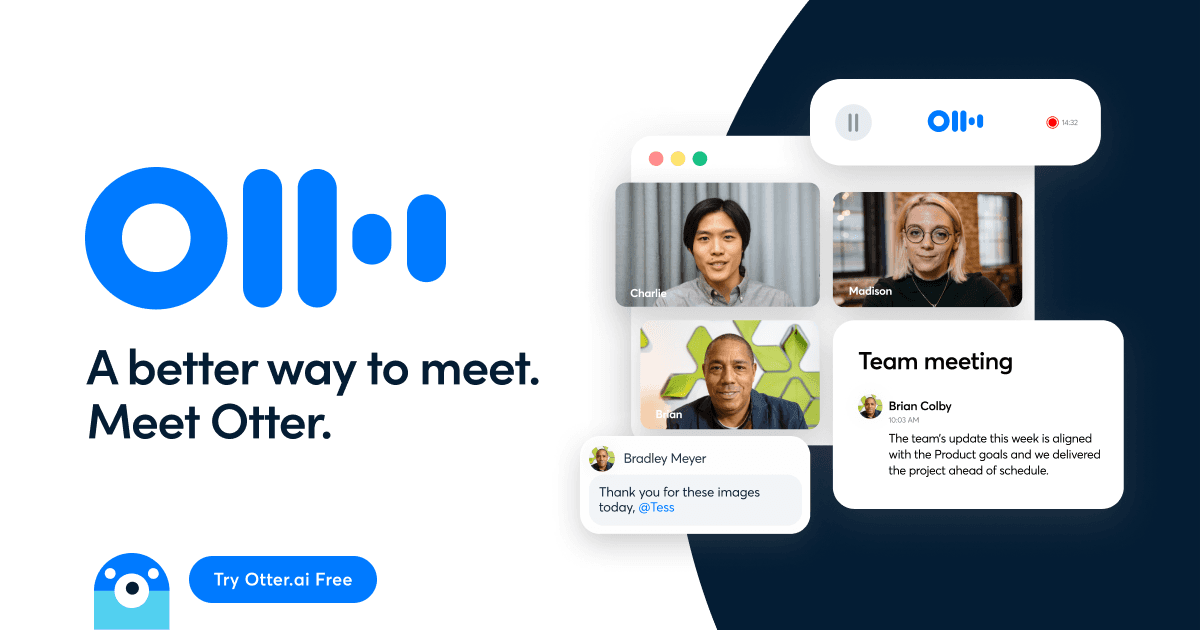
Overview
Otter can automatically join scheduled Zoom, Google Meet, and Microsoft Teams calls after a calendar is connected, or record locally through its Mac and Windows desktop apps without adding a bot participant. Web and mobile recording and audio or video file imports cover in-person conversations and existing media.
During and after a meeting, Otter produces a time-aligned transcript, speaker labels, summaries, outlines, decisions, and action items. AI Chat can answer questions across one or many meetings, draft follow-ups and reports, and trigger supported workflows. Channels organize shared meeting knowledge, while integrations can push sales details, tasks, and notes into CRM, chat, document, and automation tools.
Recording creates legal, privacy, and trust obligations. Otter explicitly makes the account holder responsible for participant notice and any required consent. Use visible and advance disclosures, honor objections, restrict auto-join and auto-share, correct important names and decisions against the audio, set retention rules, and never assume HIPAA coverage unless the Enterprise add-on and required agreements are actually in place.
Use cases
The strongest fit depends on the job you need the product to complete, not the size of its feature list.
Automatically capture, transcribe, summarize, and distribute notes from supported calendar meetings.
Extract deal details, objections, decisions, next steps, and follow-up drafts, then sync approved fields to a CRM.
Record with consent, search long conversations, identify speakers, and return to the original audio when quoting.
Follow live captions, revisit recordings and summaries, and search a personal archive while respecting classroom rules.
Turn distributed meeting history into organized Channels and a searchable knowledge source for approved teams and AI tools.
Capabilities
Joins supported calendar meetings as a visible guest to record, transcribe, summarize, and share under configured settings.
Captures system meeting audio on Mac or Windows without adding a separate bot participant, including while headphones are used.
Displays words as they are spoken, identifies speakers, preserves audio playback, and supports six currently listed languages.
Generates concise meeting recaps, outlines, takeaways, decisions, and assigned next steps from the transcript.
Answers questions within or across meetings and creates follow-ups, reports, status updates, and other content from conversation context.
Uses templates and custom extraction or action workflows to move approved meeting outcomes into connected tools.
Groups meetings by team, project, or topic so authorized members can search, comment, tag, and collaborate.
Connects calendars, meeting platforms, Dropbox, Slack, Salesforce, HubSpot, Zapier, documents, and supported AI clients through an MCP server.
Process
Step 1
Define which meetings may be captured, who can start recording, required notice and consent, auto-share rules, retention, and sensitive-meeting exclusions.
Step 2
Use the visible Notetaker for transparent remote calls or the desktop app when bot-free recording is appropriate and separately disclosed.
Step 3
Send advance notice, keep the in-meeting announcement enabled, confirm consent where required, and provide a reasonable no-recording path.
Step 4
Confirm the right meeting, language, speakers, audio source, and participant visibility before relying on the transcript.
Step 5
Correct names, decisions, quotes, dates, owners, and action items against the recording before sharing notes or writing to another system.
Step 6
Restrict Channels and integrations, remove recordings on schedule, disconnect unused data sources, and audit who can query meeting history through AI or MCP.
Cost
Otter's standard US prices are Basic free, Pro at $16.99 per user monthly or $8.33 per user per month with annual billing, Business at $30 per user monthly or $19.99 per user per month annually, and custom Enterprise pricing. Time-limited checkout promotions may show lower introductory amounts. Eligible students and teachers with a .edu address receive 20% off Pro: $13.59 monthly or $79.99 annually.
Free
Entry plan for testing live transcription, AI Chat, workflows, and meeting capture.
$16.99/month or $8.33/month annually
Individual and small-team plan with higher limits and advanced meeting tools.
$30/month or $19.99/month annually
Team plan with longer meetings, custom workflows, administration, and more concurrency.
Custom
Large-organization plan with identity, security, integration, API, and specialist workflow options.
Pricing checked . Check current pricing at the source ↗
Assessment
Compare
The right alternative depends on the specific output, workflow, controls and budget your project requires.
Project Management
A bot-free meeting-note alternative that focuses on improving a participant's own notes with transcript context.
Explore Granola →Business Operations
A broad meeting-intelligence competitor with recording, summaries, conversation analytics, integrations, and searchable team history.
Explore Fireflies AI →Project Management
A straightforward alternative for recording supported video calls and quickly generating summaries, clips, and follow-up notes.
Explore Fathom →Questions
Otter.ai records and transcribes conversations, identifies speakers, creates summaries and action items, and lets users search or automate work from meeting history.
Basic is free. Standard US pricing is $16.99 monthly or $8.33 per month annually for Pro, and $30 monthly or $19.99 per month annually for Business. Enterprise is custom.
The current Basic plan includes 300 transcription minutes per month and three lifetime audio or video file imports.
Otter Notetaker can join Zoom, Google Meet, and Microsoft Teams. Users can also record on desktop, web, or mobile and import supported audio or video files.
Yes. Its Mac and Windows desktop apps support bot-free system-audio recording. The user still must notify participants and obtain any consent required by law or policy.
The current pricing page lists English, Spanish, French, German, Japanese, and Chinese, while product pages describe the Chinese option as Mandarin.
HIPAA compliance is listed as an Enterprise add-on. A regular free, Pro, Business, or unconfigured Enterprise workspace should not be assumed to satisfy healthcare requirements.
Requirements vary by jurisdiction and context, but Otter recommends notice and consent and states that the recorder is responsible. A universal advance-notice and affirmative-permission process is the safer operational standard.
Bottom line
Otter.ai is one of the more complete meeting systems because it connects capture, live transcription, searchable knowledge, summaries, and downstream actions rather than ending at a transcript. It is strongest for teams with many recurring conversations and a clear governance program. The software cannot solve the two hardest problems automatically: earning legitimate participant permission and verifying that the resulting record is accurate enough to drive decisions.
Visit Otter.ai website ↗
Get access to all our AI courses, hundreds of real-world AI use cases, live expert-led workshops, an exclusive network of AI early adopters, and more.
Get unlimited access to all of our current & upcoming industry-specific AI courses for the duration of your subscription.
To keep up with the rapid pace of AI, our team publishes AI implementation guides daily. Our library contains 300+ practical use cases to automate real-world work.
Join weekly, live, interactive sessions with industry leaders who are at the forefront of AI for hands-on implementation guidance and exclusive insights.
Network with an exclusive community of AI-first professionals who are working smarter with AI. Learn how early adopters are using AI in their work and businesses.


