Individual meeting-heavy work
Consultants, founders, researchers, and project leads who want searchable notes and follow-ups without manually transcribing every call.
Independent tool overview
Fathom records or transcribes online meetings, produces searchable transcripts and summaries, extracts action items, and can send meeting data into team systems. Its unusually capable free plan is attractive, but teams should configure consent, sharing, retention, and AI-training choices before using it for sensitive conversations.
Visit the official Fathom site ↗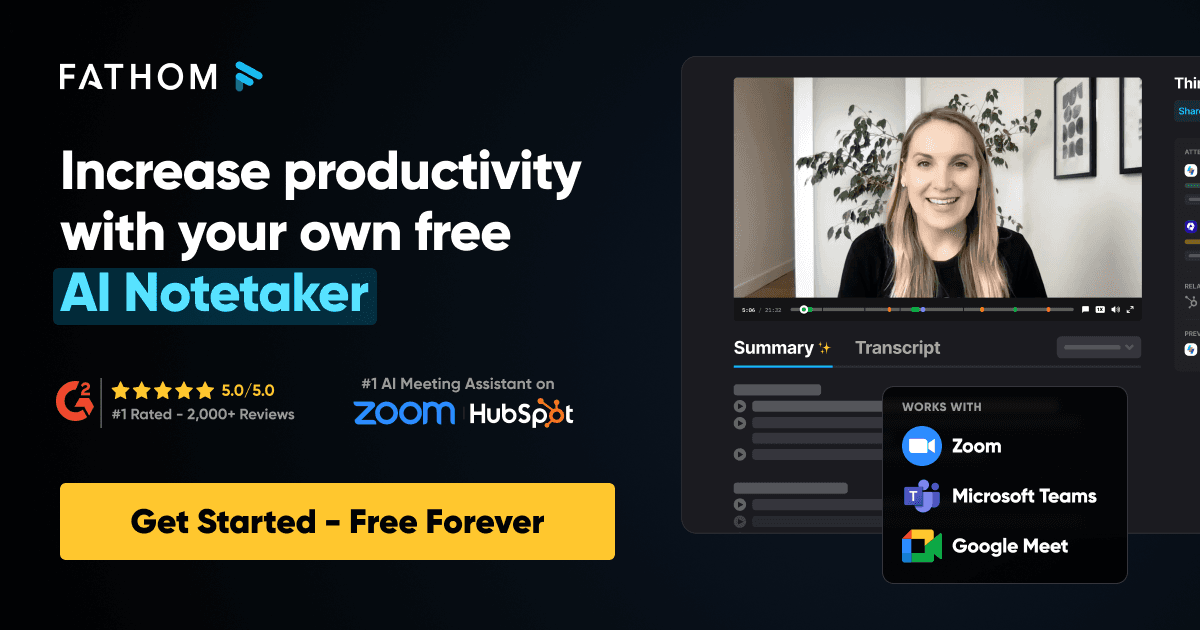
Overview
Fathom is an AI meeting assistant for Zoom, Google Meet, and Microsoft Teams. It can capture calls with a visible meeting bot or, for eligible Mac users in its newer experience, create a transcript or audio capture without a bot. After a call, it generates a searchable transcript, summary, action items, and shareable clips.
The individual product is useful for people who want to stay engaged in a conversation instead of writing line-by-line notes. Team and Business plans add shared call libraries, CRM workflows, coaching scorecards, trackers, and organization controls for sales, customer success, consulting, recruiting, and project work.
Fathom's output is a working record, not an authoritative one. Names, numbers, decisions, deadlines, and contractual commitments should be checked against the recording or participants before they are copied into a CRM, project plan, candidate evaluation, or customer follow-up.
Recording transparency remains the user's responsibility. Fathom provides visible bots, recording notices, in-app prompts, and optional advance consent emails, but those mechanisms do not replace the consent required by company policy or applicable law. Administrators should also review default sharing, retention, connected apps, and the setting that allows de-identified meeting data to improve Fathom's in-house models.
Use cases
The strongest fit depends on the job you need the product to complete, not the size of its feature list.
Consultants, founders, researchers, and project leads who want searchable notes and follow-ups without manually transcribing every call.
Teams that need call summaries, CRM fields, deal context, trackers, and coachable conversation examples in a shared workspace.
Companies prepared to configure consent, access, sharing, retention, connected apps, and human review before scaling meeting capture.
Capabilities
Captures Zoom, Meet, and Teams calls, with a visible bot or an eligible bot-free Mac workflow. The newer experience offers transcript-only, audio-only, and bot-based audio-and-video modes.
Produces post-meeting summaries, searchable transcripts, highlighted moments, and suggested next steps. Users can apply different summary templates to different call types.
Lets users question an individual call or search across accessible meetings for themes, decisions, objections, and follow-ups.
Turns transcript moments into shareable clips or playlists and can notify teams when selected keywords or concepts appear in external calls.
Connects meeting output to systems including Salesforce, HubSpot, Slack, Notion, Asana, Zapier, and Make. A public API and MCP connection support additional workflows.
Paid team plans add shared libraries, AI scorecards, coaching views, access controls, and higher-tier administration such as SSO, SCIM, and custom retention.
Process
Step 1
Sign in with Google or Microsoft, connect the relevant conferencing tools, and limit auto-capture to the meeting types the organization has approved.
Step 2
Choose the bot or eligible bot-free mode, enable recording notices and advance consent requests, and establish a verbal fallback for meetings that do not receive an advance email.
Step 3
Check the transcript and summary against the recording, especially for names, numbers, decisions, risks, and assigned owners.
Step 4
Edit the summary, remove sensitive material, and confirm the audience before sending a link, clip, CRM update, or project task.
Step 5
Periodically review default visibility, retention, download permissions, integrations, model-improvement opt-out, former employees, and recordings that no longer need to be kept.
Cost
Fathom keeps unlimited recording and transcription on its individual Free plan. Listed paid prices are per user; the lower figures below are monthly equivalents when billed annually. Team and Business require at least two users.
$0
Individual meeting capture and notes without a recording-hour cap.
$16/user/month annually or $20 monthly
Adds more advanced AI and individual productivity features.
$15/user/month annually or $19 monthly
A shared workspace for small teams that need centralized meeting knowledge.
$25/user/month annually or $34 monthly
Adds deeper team intelligence, coaching, and workflow capabilities.
Custom quote
For organizations needing procurement, governance, and compliance controls.
Pricing checked . Check current pricing at the source ↗
Assessment
Compare
The right alternative depends on the specific output, workflow, controls and budget your project requires.
Business Operations
Consider Fireflies AI for another bot-centered meeting assistant with transcription, search, conversation intelligence, and workflow integrations.
Explore Fireflies AI →Project Management
Consider Otter.ai for live transcription, meeting notes, and a familiar collaborative transcript workflow.
Explore Otter.ai →Project Management
Consider Granola if you prefer an assistant that enhances a participant's own notes and emphasizes a less visible meeting experience.
Explore Granola →Questions
Yes. The individual Free plan lists unlimited recordings and transcriptions, instant summaries, clips, playlists, and search. Premium, Team, Business, and Enterprise add more advanced features, collaboration, intelligence, and governance.
It can. The classic workflow uses a visible Fathom participant. Fathom's newer experience also offers bot-free transcript-only or audio-only capture for eligible Mac users with English-language meetings; full audio-and-video capture still uses a bot.
Fathom says its supported workflows always provide some visibility or consent mechanism, such as a visible bot, meeting-platform notice, chat recording notice, or in-app prompt. The account owner must still obtain every consent required by law, contract, and company policy.
Fathom states that it supports HIPAA use and offers a blanket or signed BAA; Enterprise also lists BAA and custom-retention options. That does not automatically make a customer's workflow compliant. A covered organization should execute the appropriate agreement, restrict access and integrations, set retention, and avoid recording unnecessary protected health information.
Fathom says external AI providers are not authorized to train on customer meeting content. Its terms and privacy materials say Fathom may use de-identified meeting-content data to train, customize, or improve its own models depending on settings, with user and organization opt-outs available.
Accuracy varies with audio quality, accents, overlapping speakers, jargon, names, and meeting structure. Treat the transcript and summary as a draft: verify material decisions, quotes, numbers, deadlines, and commitments before relying on them.
Fathom's current privacy policy says it uses commercially reasonable efforts to delete personal information within 30 days after account deletion, subject to legal and operational exceptions. Its help center separately says recording data and metadata are removed and backups follow after an additional seven days. Enterprise customers can configure retention controls.
Bottom line
Fathom is a strong choice for individuals and teams that want capable meeting notes with a generous free entry point and useful downstream workflows. Its value rises when summaries feed a disciplined CRM or project process. The safe rollout is deliberate: obtain real consent, review consequential output, narrow default sharing, set retention, audit integrations, and make an explicit choice about de-identified data use before recording sensitive calls.
Visit Fathom website ↗
Create and manage your creative projects easily.

Claude: Is an ai assistant by anthropic focused on safe, helpful, and honest interactions for writing and reasoning tasks.

Connects meetings and tasks across multiple platforms.
Slack: an AI-powered work hub and communication platform.

Get access to all our AI courses, hundreds of real-world AI use cases, live expert-led workshops, an exclusive network of AI early adopters, and more.
Get unlimited access to all of our current & upcoming industry-specific AI courses for the duration of your subscription.
To keep up with the rapid pace of AI, our team publishes AI implementation guides daily. Our library contains 300+ practical use cases to automate real-world work.
Join weekly, live, interactive sessions with industry leaders who are at the forefront of AI for hands-on implementation guidance and exclusive insights.
Network with an exclusive community of AI-first professionals who are working smarter with AI. Learn how early adopters are using AI in their work and businesses.