Sales and customer-success teams
Keep calls searchable, track topics and push follow-up information into connected systems.
Independent tool overview
Fireflies.ai is an AI meeting assistant that captures conversations, produces transcripts and summaries, makes meetings searchable and can route action items into the rest of a team's workflow.
Visit the official Fireflies AI site ↗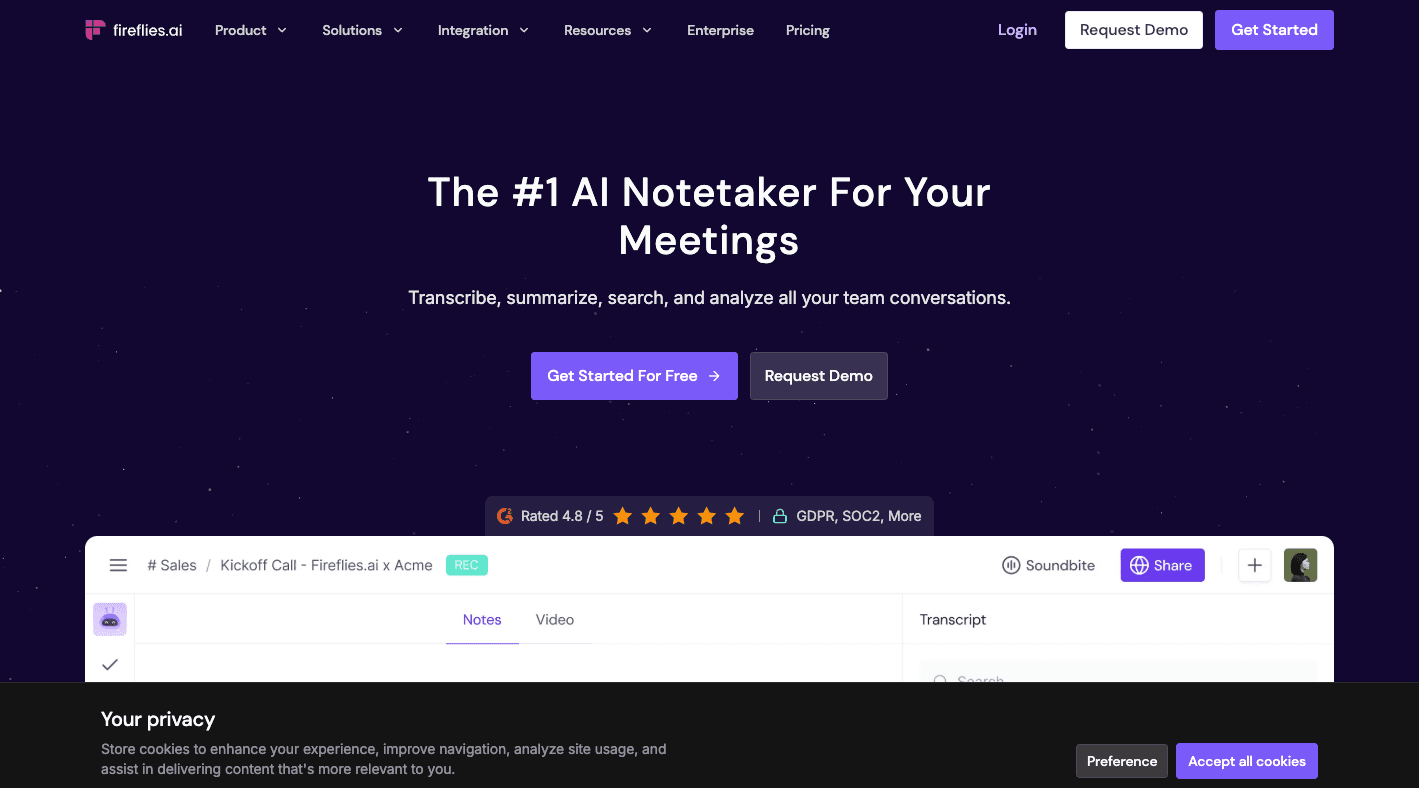
Overview
Fireflies.ai is built for teams that want a searchable record of meetings without assigning a person to take exhaustive notes. It can join supported video calls as a notetaker, capture through its desktop or mobile tools, or transcribe uploaded audio and video.
Its value extends beyond the transcript. Fireflies can create summaries, surface action items, answer questions through AskFred, organize meeting content and connect notes with CRM, collaboration and project-management systems.
The important operational work is governance: decide which meetings may be captured, notify participants, restrict access and define retention. Transcription and summaries are useful drafts, but names, figures, commitments and legal or medical details still need human verification.
Use cases
The strongest fit depends on the job you need the product to complete, not the size of its feature list.
Keep calls searchable, track topics and push follow-up information into connected systems.
Create structured records and action items from interviews, while applying appropriate access and retention controls.
Turn recurring meetings into summaries, decisions and assigned follow-ups instead of scattered personal notes.
Capabilities
Records supported calls through the Fireflies notetaker and offers desktop, mobile, browser and upload workflows.
Produces time-linked transcripts, condensed notes, key topics and action items after a meeting.
Searches across meeting content and answers natural-language questions about captured conversations.
Lets teams comment, bookmark, organize meetings in channels and share selected moments.
Connects meeting outputs to CRM, communication and project tools; paid tiers unlock broader automation.
Business and Enterprise tiers add team analytics and conversation insights for coaching and oversight.
Process
Step 1
Connect the calendar, choose which meetings Fireflies may join and configure consent, access and retention settings.
Step 2
Admit the notetaker to a supported call or use an approved desktop, mobile or file-upload method.
Step 3
Correct important transcript errors and confirm the summary, decisions and action items with the source recording.
Step 4
Send approved notes to participants or connected tools while keeping sensitive meetings appropriately restricted.
Cost
Fireflies prices paid plans per seat. Annual billing lowers Pro and Business rates; advanced AI actions can consume separate AI credits.
$0
Core meeting transcription and summaries for individuals getting started.
$10/seat/month annually; $18 monthly
For professionals and small teams that need exports, video, automation and integrations.
$19/seat/month annually; $29 monthly
For growing teams that need unlimited storage and management analytics.
$39/seat/month, annual only
Adds organization-wide security, administration and compliance controls.
Pricing checked . Check current pricing at the source ↗
Assessment
Compare
The right alternative depends on the specific output, workflow, controls and budget your project requires.
Project Management
A streamlined meeting assistant known for recording, summaries and shareable call highlights.
Explore Fathom →Project Management
A strong alternative for live transcription, notes and searchable meeting conversations.
Explore Otter.ai →Project Management
Better suited to people who want AI to enhance their own notes without a visible meeting bot.
Explore Granola →Questions
Yes. The Free plan lists unlimited transcription and AI summaries with 400 minutes of team storage and plan-specific limits. Exports, video recording, unlimited integrations and other workflow features require paid tiers.
Pro is $10 per seat per month when billed annually or $18 per seat on monthly billing. Pricing is per workspace seat.
Yes. Fireflies lists support for those platforms and additional meeting services, along with desktop, mobile, Chrome-extension and file-upload capture options.
You are responsible for informing participants and following the laws and policies that apply to the meeting. Fireflies provides consent and notification controls, but enabling the tool does not replace that responsibility.
No transcript system is perfect. Review names, numbers, commitments and sensitive statements against the audio or video before relying on them.
They meter advanced features such as AI Skills and certain assistant actions. Standard transcription is not charged in AI credits, while credit use for advanced requests can vary with complexity.
Bottom line
Fireflies.ai is a capable end-to-end meeting intelligence platform for teams that need more than a basic transcript. Its biggest payoff comes when summaries and action items feed a real workflow, but that value depends on disciplined consent, transcript review and information governance.
Visit Fireflies AI website ↗
Guidde: Creates ai-powered step-by-step video documentation from your screen recordings and voice prompts.

Zapier: Connects your favorite apps and automates workflows with no-code simplicity.

Writer: Is an enterprise-grade ai writing assistant built for supervising AI agents in the enterprise.

Speechify: Turns text into natural-sounding speech, making it easier to listen to documents, articles, and pdfs.

Get access to all our AI courses, hundreds of real-world AI use cases, live expert-led workshops, an exclusive network of AI early adopters, and more.
Get unlimited access to all of our current & upcoming industry-specific AI courses for the duration of your subscription.
To keep up with the rapid pace of AI, our team publishes AI implementation guides daily. Our library contains 300+ practical use cases to automate real-world work.
Join weekly, live, interactive sessions with industry leaders who are at the forefront of AI for hands-on implementation guidance and exclusive insights.
Network with an exclusive community of AI-first professionals who are working smarter with AI. Learn how early adopters are using AI in their work and businesses.