Fast visual iteration
Use Draft or lower-resolution generations to test prompts and composition before spending more credits on 1080p or HDR.
Independent tool overview
Luma Ray3.14, also called Ray3 Pi, is a fast generative-video model in the Luma creative platform for text-to-video, image-to-video, keyframes, and video modification.
Visit the official Ray3.14 site ↗
Overview
Ray3.14 launched in January 2026 as a faster and less expensive update to Luma's Ray3 video model. It improved prompt and style adherence, frame-to-frame coherence, native 1080p generation, and video modification while preserving Luma's HDR and professional EXR workflow.
The model remains available in Luma, but it is no longer the company's newest flagship: Luma identifies Ray3.2, released in June 2026, as its current video model. Ray3.14 still matters when its established speed, credit cost, stylized-video performance, or Modify workflow fits a project better.
Ray3.14 creates short clips rather than finished long-form videos. It can generate five- or ten-second text-to-video clips, five-second image-to-video clips, modify source footage up to 18 seconds, and extend generations to roughly 30 seconds. Audio is added as a separate step rather than generated natively with the video.
Use cases
The strongest fit depends on the job you need the product to complete, not the size of its feature list.
Use Draft or lower-resolution generations to test prompts and composition before spending more credits on 1080p or HDR.
Create 2D, cartoon, anime, and other illustrated looks where Luma specifically highlights stronger style adherence.
Generate polished shots with controlled prompts, aspect ratios, keyframes, and high-resolution output.
Transform an existing performance, environment, lighting setup, or visual style while retaining the source motion.
Generate scene-referred HDR material and export 16-bit EXR for color and compositing workflows.
Capabilities
Create five- or ten-second clips from a written prompt at Draft, 540p, 720p, or 1080p.
Animate a source image into a five-second shot, including start- and end-frame keyframe workflows.
Restyle or transform common video formats such as MP4 and MOV, with Ray3.14 support documented up to 18 seconds.
Luma positions the model as more consistent across subjects, objects, environments, and visual style than Ray3.
Generate at 1080p rather than relying only on upscaling from a lower native resolution.
Text- and image-to-video can use HDR; the professional EXR path uses 16-bit half-float, scene-referred linear output in ACES 2065-1.
Loop is available at 540p, 720p, and 1080p, while generated clips can be extended to about 30 seconds.
Finished 540p, 720p, and 1080p generations can be upscaled to 4K as a separate utility.
Ray3.14 is available within Luma's creative workspace and is also listed among the models on Luma's current API product page; API billing is separate.
Process
Step 1
Compare Ray3.14 with the newer Ray3.2 and third-party models inside Luma based on motion, control, audio, cost, and output requirements.
Step 2
Test subject, motion, camera direction, composition, and style at the lowest practical credit cost.
Step 3
Describe the subject, action, camera, environment, lighting, and style in a few clear sentences rather than stacking contradictory instructions.
Step 4
Use a source image, start and end keyframes, or source footage when precise composition and motion matter more than open-ended generation.
Step 5
Move to 720p or 1080p and enable HDR only when the creative direction is stable, because both resolution and HDR increase credit use.
Step 6
Review frame continuity, add or mix audio, correct color, composite EXR material when needed, and disclose synthetic media where required.
Cost
Ray3.14 is paid through Luma subscriptions and credits. Current individual plans start at $30 per month; generation cost rises sharply with resolution, HDR, and video-to-video work. Luma App credits and API credits are separate.
$0 to try
Limited Ray3.14 use in Draft Mode for evaluation.
$30 per month or $300 billed yearly
Entry paid plan with Luma and third-party image and video models.
$90 per month or $900 billed yearly
Higher-usage individual plan.
$300 per month or $3,000 billed yearly
Highest listed individual plan.
Custom
Organization plans with shared management and enterprise options.
4–192 credits per second before HDR
Current app usage rates vary by workflow and resolution.
Pricing checked . Check current pricing at the source ↗
Assessment
Compare
The right alternative depends on the specific output, workflow, controls and budget your project requires.
Content Creator
Consider Runway Gen-4.5 for a dedicated professional video platform with its own control and editing ecosystem.
Explore Runway Gen-4.5 →Content Creator
Consider Kling 3.0 when longer clips, native audio, or Kling's motion and consistency profile better fit the project.
Explore Kling 3.0 →Content Creator
Consider Google Veo 3.1 for high-end text/image video generation with native audio workflows.
Explore Veo 3.1 →Content Creator
Consider Sora 2 when OpenAI's video workflow, physics behavior, and ChatGPT-adjacent ecosystem are priorities.
Explore Sora 2 →Questions
Ray3.14, also called Ray3 Pi, is Luma's January 2026 video model for text-to-video, image-to-video, keyframes, and video-to-video modification.
Yes. Luma still lists Ray3.14 in its creative ecosystem and pricing. It is no longer the newest flagship, because Luma now identifies Ray3.2 as its current video model.
Text-to-video supports five or ten seconds, image-to-video supports five seconds, and Modify Video is documented up to 18 seconds. Generated clips can be extended to about 30 seconds.
It generates natively at up to 1080p. Draft, 540p, 720p, and 1080p outputs can be upscaled to 4K as a separate operation.
No. Ray3.14 does not generate native audio with the video, although Luma lets users add generated audio after the clip is complete.
Yes for text-to-video and image-to-video. HDR and HDR-plus-EXR are not supported in Ray3.14 Modify Video.
Current base rates for text or image video are 4 credits per second at Draft, 10 at 540p, 20 at 720p, and 80 at 1080p. Video-to-video rates are higher, and HDR multiplies the base text/image rate by four.
Luma's current Plus, Pro, and Ultra pricing lists commercial use. Free-use generations do not have the same rights, and users remain responsible for third-party rights and applicable disclosure rules.
Luma's current API page lists Ray3.14 among available video models. API billing and credits are separate from Luma App subscriptions, and the current API terms govern data use.
Bottom line
Ray3.14 remains a useful Luma model for fast short-form generation, stylized motion, native 1080p, HDR/EXR output, and video modification. It should not be evaluated as Luma's latest model, and its lack of native audio, short base clips, missing Character Reference, and rising high-resolution credit cost are meaningful constraints. The most efficient workflow is to test at Draft resolution, compare the approved direction with Ray3.2 and other models, and reserve 1080p or HDR renders for final shots.
Visit Ray3.14 website ↗
Qwen3-TTS - Alibaba's new family of open-source, SOTA AI text-to-speech models

Z-Image - Alibaba Tongyi's full base version of its Z-Image Turbo, which ranked as the top open-source image model in December.

Remotion - Create and edit videos with AI
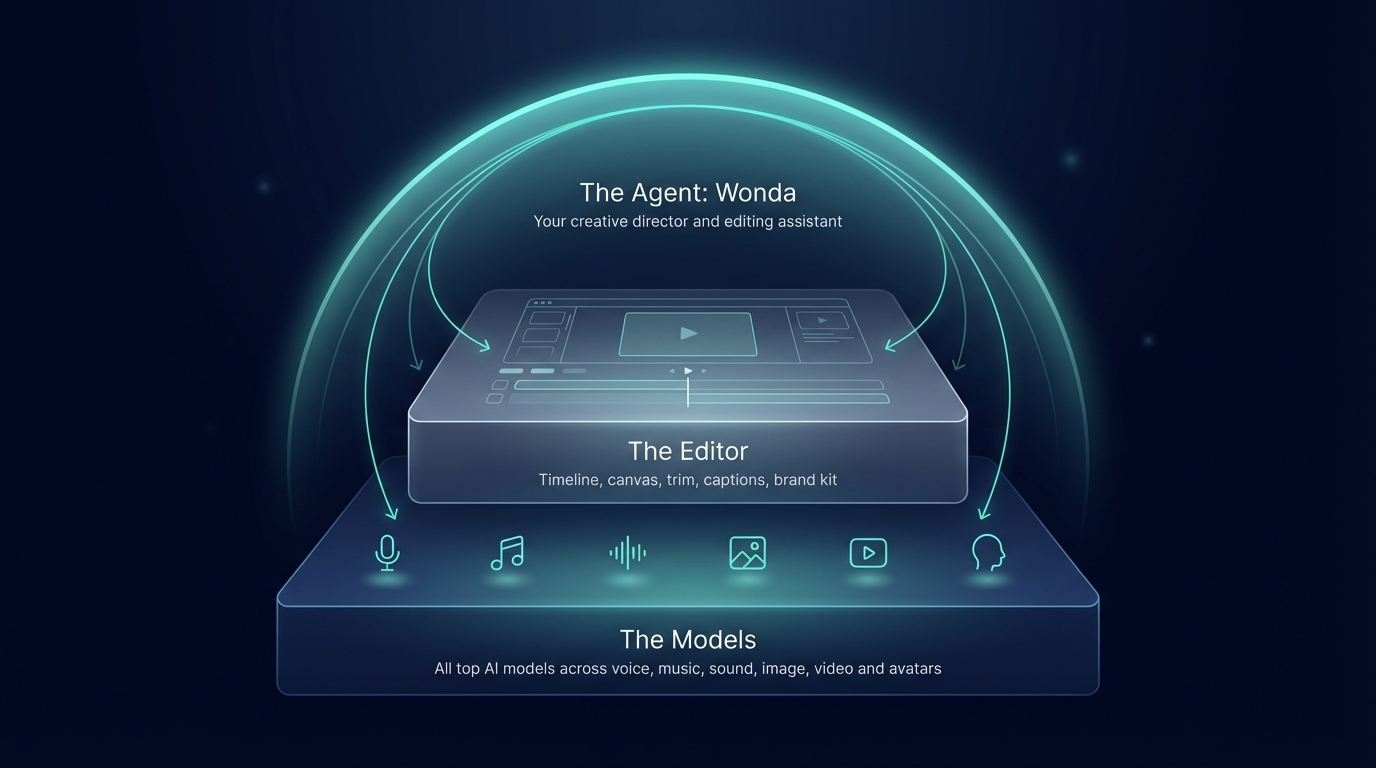
Wonda - Wondercraft's AI agent for video editing and creative direction

Get access to all our AI courses, hundreds of real-world AI use cases, live expert-led workshops, an exclusive network of AI early adopters, and more.
Get unlimited access to all of our current & upcoming industry-specific AI courses for the duration of your subscription.
To keep up with the rapid pace of AI, our team publishes AI implementation guides daily. Our library contains 300+ practical use cases to automate real-world work.
Join weekly, live, interactive sessions with industry leaders who are at the forefront of AI for hands-on implementation guidance and exclusive insights.
Network with an exclusive community of AI-first professionals who are working smarter with AI. Learn how early adopters are using AI in their work and businesses.