Short narrative scenes
Create a 15-second sequence with automatic or explicitly timed shot changes and dialogue.
Independent tool overview
Kling 3.0 is Kuaishou's multimodal video model series for generating and editing longer, multi-shot clips with reference consistency and native dialogue, music, and sound.
Visit the official Kling 3.0 site ↗
Overview
Kling 3.0 is a family of video and image models inside Kling AI. The video models combine text-to-video, image-to-video, start-and-end-frame generation, reference-to-video, and in-video editing in one workflow. The series includes Video 3.0, Video 3.0 Omni, Image 3.0, and Image 3.0 Omni.
Video 3.0 can generate clips from 3 to 15 seconds, automatically plan multiple shots, or follow a custom shot list. Creators can bind character, object, and scene references, including a character's voice, to improve continuity through camera and scene changes.
Native audio supports dialogue in Chinese, English, Japanese, Korean, and Spanish, plus selected accents and dialects. Since the original release, Kuaishou has added native 4K output for professional use and a lower-cost Kling 3.0 Turbo variant, so creators should compare the exact model options in the live generator before committing credits.
Use cases
The strongest fit depends on the job you need the product to complete, not the size of its feature list.
Create a 15-second sequence with automatic or explicitly timed shot changes and dialogue.
Reuse visual and voice references to keep a spokesperson or fictional character more consistent.
Animate product imagery while preserving important subjects and visible text more reliably.
Generate dialogue and audiovisual output together in five supported languages.
Turn a shot plan or reference frames into a quick visual prototype before full production.
Capabilities
Automatically plans framing and transitions or lets the creator specify each shot and its duration.
Supports flexible clip lengths instead of restricting every generation to one fixed duration.
Binds characters, objects, and scenes from multiple images or a video reference for stronger continuity.
Generates dialogue, ambient sound, music, and synchronized visual performance in one pass.
Associates dialogue and an optional stored voice tone with the intended character in multi-person scenes.
Supports Chinese, English, Japanese, Korean, and Spanish, including mixed-language scenes.
Aims to retain signs, captions, logos, and lettering from reference images more accurately.
The 3.0 series now includes native 4K output aimed at film, television, and advertising workflows.
Process
Step 1
Set aspect ratio, duration, language, resolution, and whether the clip needs native audio.
Step 2
Prepare clean character, product, scene, and voice references with usage rights.
Step 3
Compare standard, Omni, and Turbo based on control needs, speed, and credit cost.
Step 4
Describe each shot, camera move, action, speaker, line, and approximate duration.
Step 5
Validate identity, motion, dialogue, and text at a lower duration or resolution before scaling.
Step 6
Check anatomy, product details, lip sync, brand text, audio artifacts, and transitions.
Step 7
Edit timing, mix audio, add verified captions, color-grade, and archive the approved master.
Cost
Kling 3.0 is metered in credits per second. The official Video 3.0 guide publishes model costs, while subscription prices and included credit bundles are shown in Kling's live account checkout and may vary by billing term, region, or promotion.
6 credits/sec at 720p; 8 credits/sec at 1080p
For silent clips or projects that will add sound in post-production.
9 credits/sec at 720p; 12 credits/sec at 1080p
For synchronized dialogue, music, ambience, and visual output.
+2 credits/sec
An additional charge when applying voice tone control to native-audio video.
Live checkout pricing
Kling sells individual subscriptions and has introduced a collaborative Team Plan.
Pricing checked . Check current pricing at the source ↗
Assessment
Compare
The right alternative depends on the specific output, workflow, controls and budget your project requires.
Content Creator
Choose Runway Gen-4.5 for a competing cinematic video model within Runway's broader editing platform.
Explore Runway Gen-4.5 →Content Creator
Evaluate Sora 2 for OpenAI's video-generation workflow and its own audiovisual capabilities.
Explore Sora 2 →Content Creator
Consider Hailuo 2.3 for another model focused on expressive motion, realism, and character performance.
Explore Hailuo 2.3 →Content Creator
Use Luma Dream Machine for a different web-based video workflow with generation and creative controls.
Explore Luma AI (formerly Dream Machine) →Questions
It is Kuaishou's multimodal model series for video and image generation. Its video models support text, images, video references, editing, multiple shots, and optional native audio.
The official Video 3.0 guide supports flexible durations from 3 to 15 seconds per generation.
Yes. Native-audio mode can generate dialogue, ambience, music, and synchronized performance with the video.
Official documentation lists Chinese, English, Japanese, Korean, and Spanish for dialogue, plus selected Chinese dialects and English accents.
Without audio it costs 6 credits per second at 720p or 8 at 1080p. Native audio costs 9 or 12 credits per second, and voice tone control adds 2 credits per second.
It can bind image or video elements and a voice tone to improve consistency, but creators should still review every generated shot for identity drift.
Yes. Kuaishou announced native 4K output for the Kling 3.0 series in 2026, aimed at professional film and advertising use.
It is a newer 3.0-series variant designed to preserve dynamic quality and audiovisual synchronization while improving speed and reducing production cost.
Bottom line
Kling 3.0 is a strong option when a short video needs multiple shots, recurring characters, and synchronized dialogue in one generation. Its official per-second credit table is unusually useful for budgeting, but an approved 15-second native-audio clip can consume substantial credits after retries. Test identity, motion, text, and lip sync with a short proof before committing to a full-resolution campaign, and compare standard, Omni, and Turbo in the live product.
Visit Kling 3.0 website ↗
Ace-Step-1.5 - Powerful open-source AI music generation model that creates songs in under two seconds.

Krea Realtime - Krea's real-time, long-form AI video generation model

Eleven v3 - ElevenLabs’ most expressive AI voice model, now commercially available
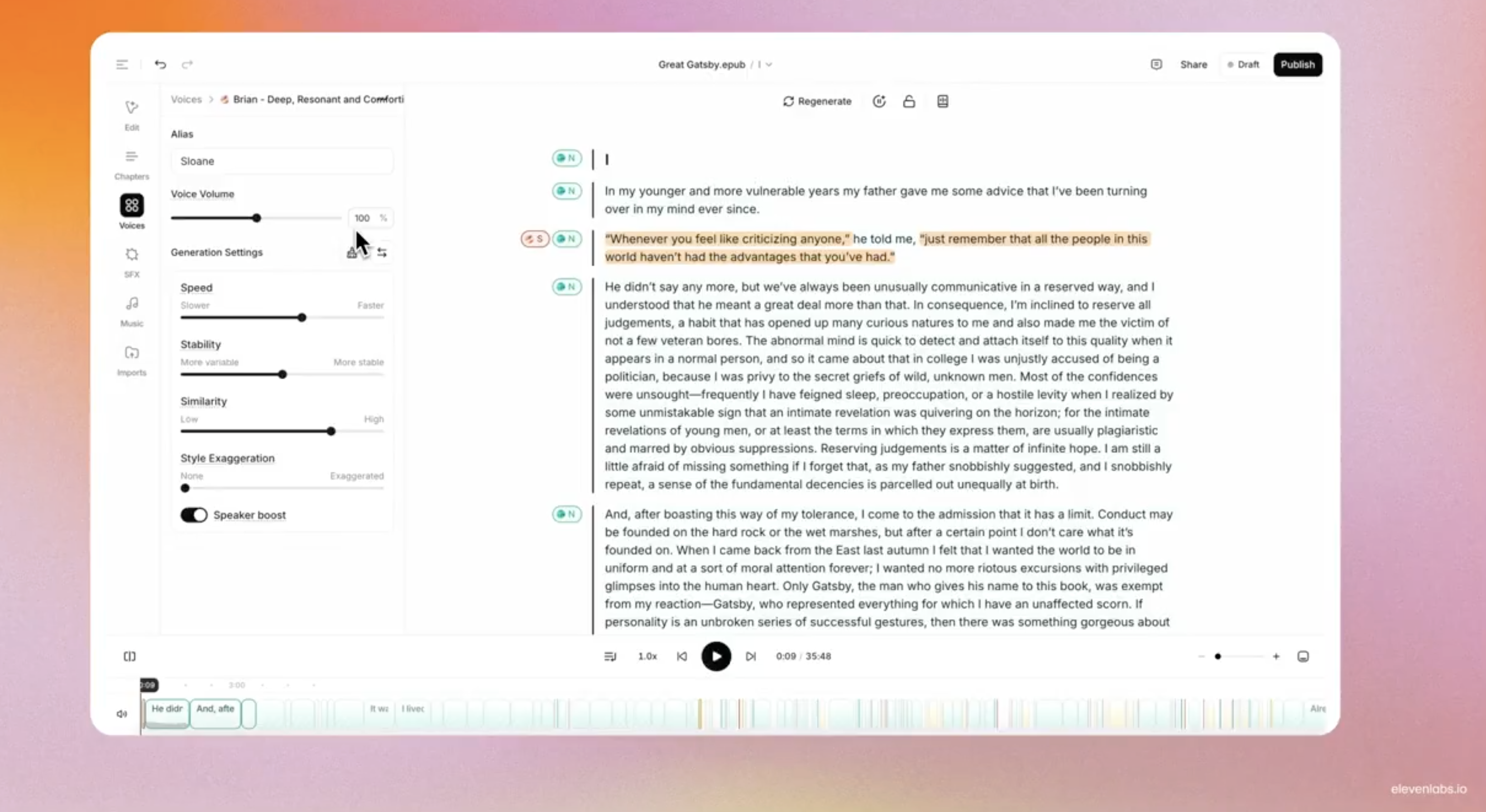
Audiobooks - ElevenLab's full production suite powered by AI-generated narration for authors to streamline audiobook creation and distribution.

Get access to all our AI courses, hundreds of real-world AI use cases, live expert-led workshops, an exclusive network of AI early adopters, and more.
Get unlimited access to all of our current & upcoming industry-specific AI courses for the duration of your subscription.
To keep up with the rapid pace of AI, our team publishes AI implementation guides daily. Our library contains 300+ practical use cases to automate real-world work.
Join weekly, live, interactive sessions with industry leaders who are at the forefront of AI for hands-on implementation guidance and exclusive insights.
Network with an exclusive community of AI-first professionals who are working smarter with AI. Learn how early adopters are using AI in their work and businesses.