Data-driven video
Generating many videos from structured data while preserving one tested visual and motion system.
Independent tool overview
Remotion is a React framework for creating videos and motion graphics with code. Developers can parameterize compositions, preview them in a browser, render files locally or at scale, embed interactive videos in applications, and use coding agents or visual tools while keeping source code authoritative.
Visit the official Remotion site ↗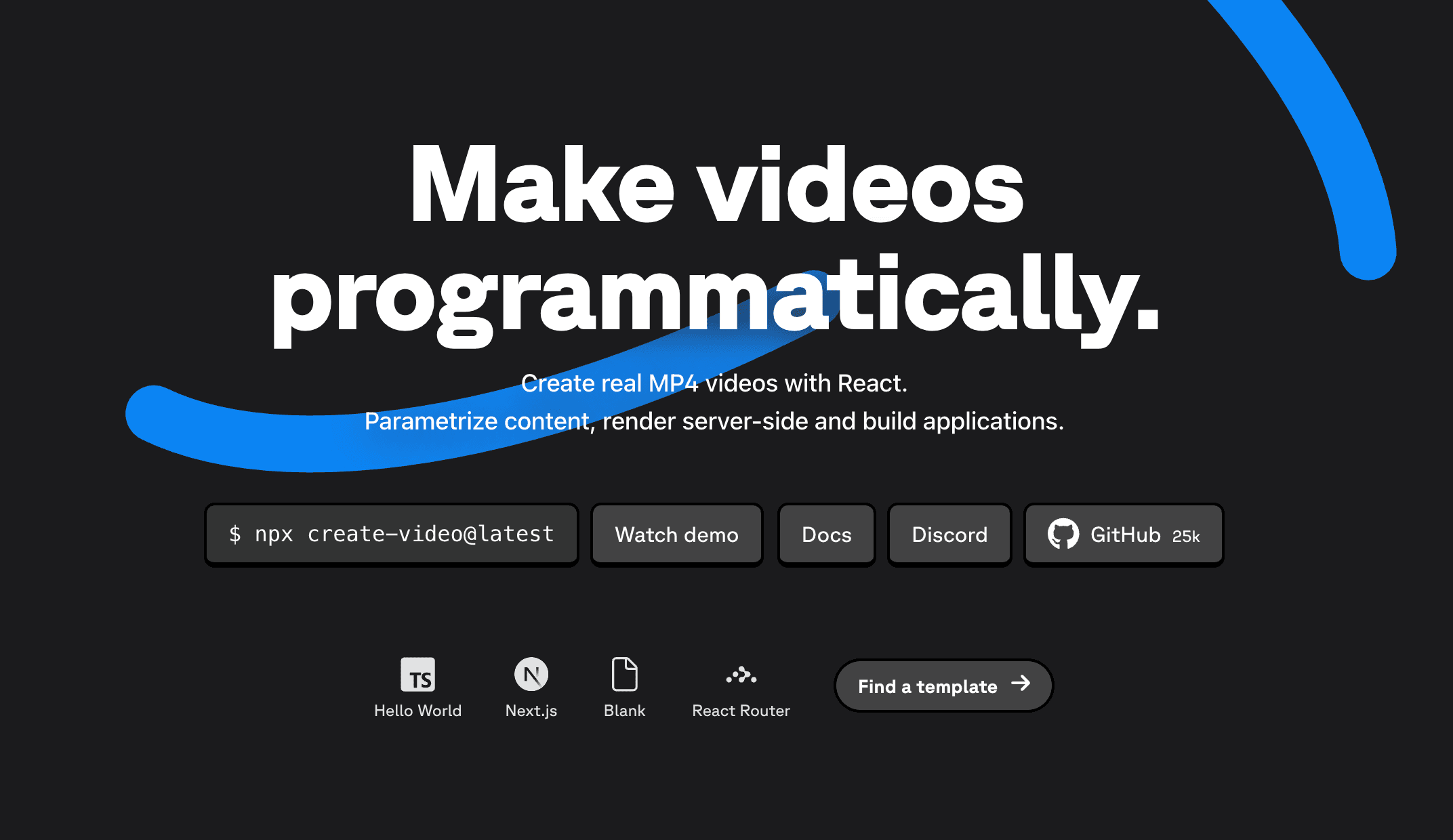
Overview
Remotion represents video scenes, animation, data, audio, and timing as React components. That makes it well suited to repeatable templates, personalized videos, data-driven reports, product demos, captions, social variations, and video applications where many outputs share the same design system.
AI is optional. Remotion publishes Agent Skills and instructions for tools such as ChatGPT, Claude Code, Codex, and OpenCode, allowing a coding agent to scaffold or modify the project. Remotion Studio and Elements also add visual editing, but changes can still be saved back to code.
Rendering happens on infrastructure the user operates, including local or server-side environments, AWS Lambda, Cloud Run, and client-side paths. The license is free for individuals and organizations of up to three people; larger organizations pay for creator seats, automated renders, or an enterprise agreement, in addition to infrastructure costs.
Use cases
The strongest fit depends on the job you need the product to complete, not the size of its feature list.
Generating many videos from structured data while preserving one tested visual and motion system.
Creating customer, product, market, language, or format variations from shared React compositions.
Building a custom editor, prompt-to-video product, embedded player, or other workflow on top of programmable components.
Teams comfortable with React that want animation, version control, reviewable diffs, reusable components, and automation.
Capabilities
Uses familiar React components and web technologies to define visuals, animation, audio, timing, and reusable motion systems.
Remotion Studio provides live refresh, timeline scrubbing, and composition previews during development.
Official skills and prompts help coding agents create and modify Remotion projects with framework-specific guidance.
Studio and Elements support interactive editing and drag-and-drop workflows while retaining code as the source of truth.
Accepts data and props so one composition can produce many names, metrics, assets, formats, languages, or story variants.
Supports local and server-side rendering, browser-side approaches, AWS Lambda, and Cloud Run depending on workload constraints.
Embeds a composition in a React application and lets the app customize video content at runtime.
Templates, Player, Editor Starter, Timeline, media tools, and APIs can be combined into a custom video product.
Process
Step 1
Specify formats, frame rate, duration, brand rules, fonts, assets, data schema, accessibility, and expected volume.
Step 2
Scaffold a template manually, use a coding-agent prompt with Remotion Skills, or begin from an official app starter.
Step 3
Separate design components, timing, data validation, asset loading, copy, and aspect-ratio variants.
Step 4
Scrub the timeline, test boundary data, inspect fonts and media, check audio, and render sample frames and full videos.
Step 5
Compare local, server, Lambda, Cloud Run, or client rendering for duration, scale, codec, region, security, and cost needs.
Step 6
Queue renders, validate input, restrict assets, monitor failures and costs, store outputs safely, and review representative final files.
Cost
Remotion's free license covers individuals and organizations of up to three people, including commercial use under its terms. Organizations of four or more use a Company License priced by creator seats and automated renders, with a $100 monthly minimum for automation. Cloud compute, storage, bandwidth, fonts, media, and other providers are separate.
Free
For individuals and organizations of up to three people.
$25/seat/month
Company-license seat for people creating videos manually or building motion systems locally.
$0.01/render; $100/month minimum
For batch rendering, embedded Player use, and automated video products.
From $500/month
For advanced support, commercial, and compliance requirements.
Pricing checked . Check current pricing at the source ↗
Assessment
Compare
The right alternative depends on the specific output, workflow, controls and budget your project requires.
Content Creator
LTX Studio is a more visual, generative option for planning and producing narrative videos without building the full workflow in React.
Explore LTX Studio →Content Creator
Runway Gen-4.5 is an alternative when the primary need is generative video footage rather than deterministic programmatic composition.
Explore Runway Gen-4.5 →Content Creator
Morph Studio offers a creator-facing AI video workflow for users who prefer an editing interface over a code-first pipeline.
Explore Morph Studio →Questions
Remotion is a React framework for creating video and motion graphics with code, data, reusable components, browser previews, and programmable rendering.
Not by itself. Remotion is the composition and rendering framework. Coding agents can generate or edit Remotion code, and developers can connect generative media models as inputs.
It is free under its license for individuals and organizations of up to three people, including commercial use. Larger organizations need a Company or Enterprise License.
Current company pricing is $25 per creator seat per month and $0.01 per automated render with a $100 monthly automation minimum. Enterprise starts at $500 per month.
Remotion documents local and server-side rendering, AWS Lambda, Cloud Run, client-side rendering, and application-specific options. The right choice depends on scale, duration, codec, security, and infrastructure constraints.
Bottom line
Remotion is an excellent choice when video should behave like software: driven by data, reused across many outputs, reviewed as code, and integrated into a product. It is excessive for someone who only wants a few generative clips. The key buying questions are React capability, render volume, infrastructure ownership, and the exact license required by the organization.
Visit Remotion website ↗
GLM-Image - Z AI's new open-source image generation model

Qwen3-TTS - Alibaba's new family of open-source, SOTA AI text-to-speech models
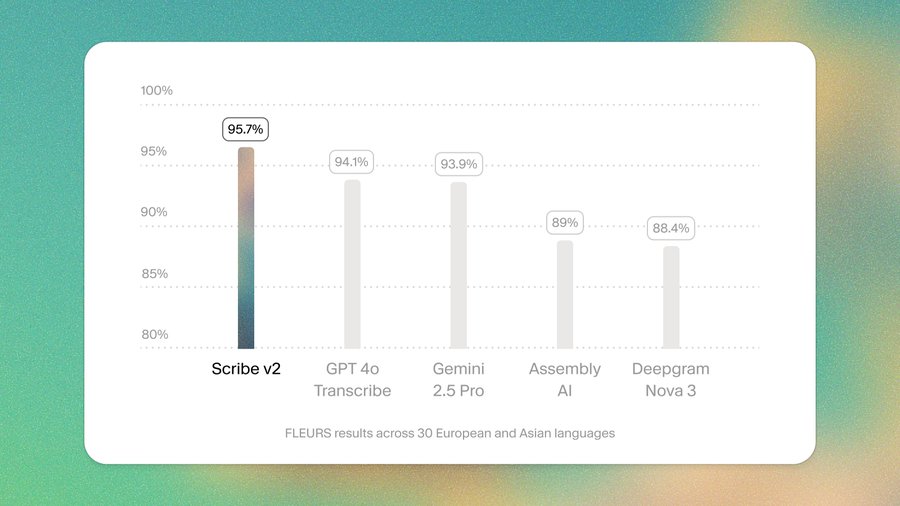
Scribe v2 - ElevenLabs' SOTA transcription model with top accuracy, multi-language support, keyterm prompting, and more
Ray 3.14 - Luma’s upgraded video model for professional creative workflows

Get access to all our AI courses, hundreds of real-world AI use cases, live expert-led workshops, an exclusive network of AI early adopters, and more.
Get unlimited access to all of our current & upcoming industry-specific AI courses for the duration of your subscription.
To keep up with the rapid pace of AI, our team publishes AI implementation guides daily. Our library contains 300+ practical use cases to automate real-world work.
Join weekly, live, interactive sessions with industry leaders who are at the forefront of AI for hands-on implementation guidance and exclusive insights.
Network with an exclusive community of AI-first professionals who are working smarter with AI. Learn how early adopters are using AI in their work and businesses.