Design engineers
Explore interfaces visually while keeping the design artifact versioned beside the implementation.
Independent tool overview
Pencil has rebranded to pen.dev, an AI-native design canvas whose .pen files live beside application code and can be edited by coding agents.
Visit the official Pencil (now pen.dev) site ↗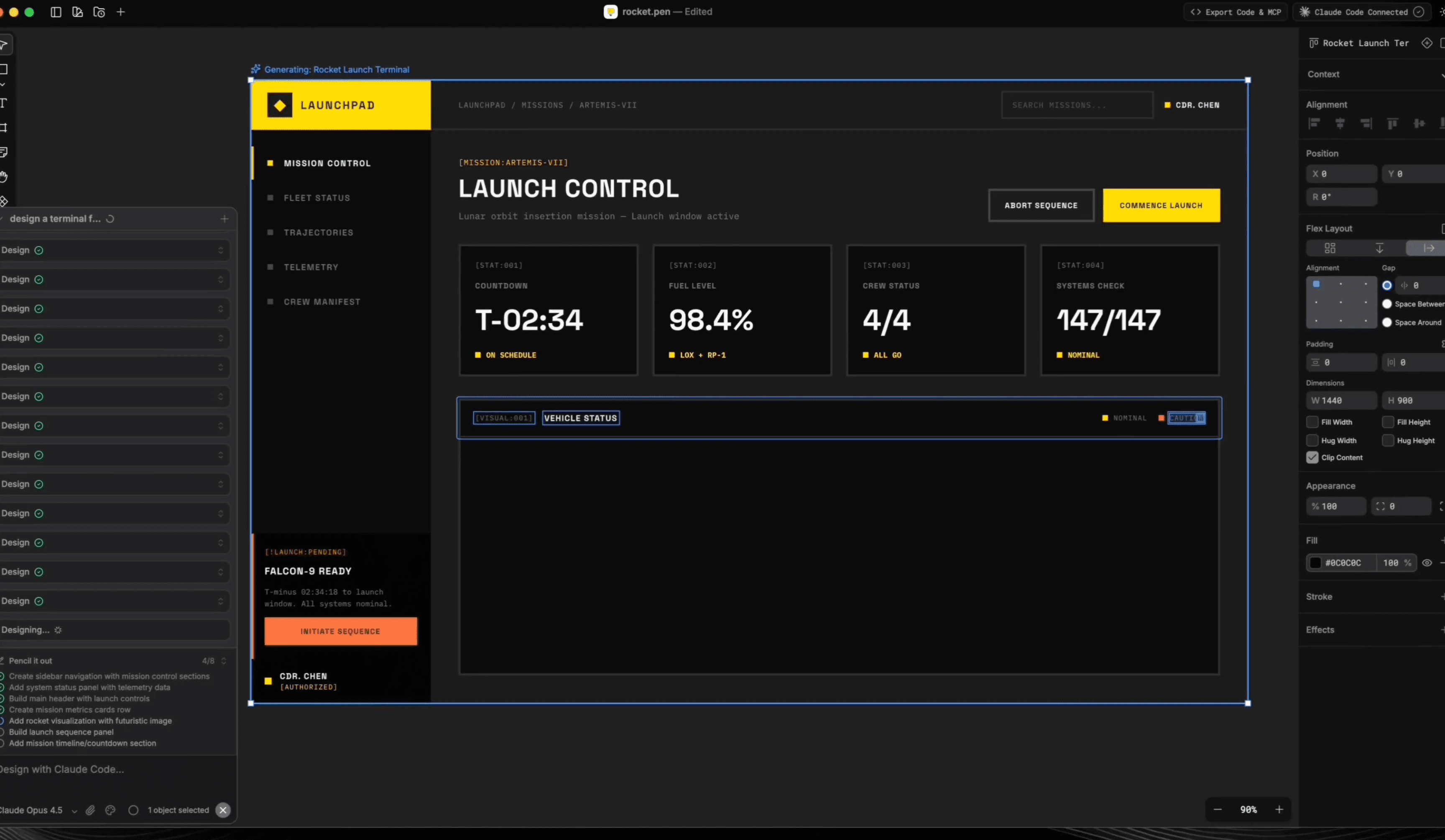
Overview
Pencil is now called pen.dev. The product remains active: it is an infinite design canvas available as a desktop app, VS Code or Cursor extension, and command-line tool.
The core idea is to keep design and code in the same workspace. An agent can read or modify a structured .pen design file through a local MCP server, import an existing component onto the canvas, and generate code from an approved layout without relying on screenshot handoffs.
pen.dev is best suited to designers and developers who already work with coding agents and want visual iteration inside that workflow. It is not yet a drop-in replacement for every mature collaborative design feature, and generated code still needs normal accessibility, responsive and production review.
Use cases
The strongest fit depends on the job you need the product to complete, not the size of its feature list.
Explore interfaces visually while keeping the design artifact versioned beside the implementation.
Let Claude Code, Codex, Cursor or another MCP-capable assistant create and revise design nodes.
Build reusable components, variables and themes that can be translated between design and code.
Generate several screens or directions, refine them on canvas and move the chosen result toward code.
Capabilities
Provides familiar frames, layers, properties and direct manipulation for interface design.
Runs an MCP server on the user's machine so supported AI assistants can read and modify open .pen files.
Agents can turn selected components or full pages into code for frameworks and libraries specified in the prompt.
Existing components can be recreated on the canvas when the .pen file and source live in the same workspace.
Supports reusable components, design variables, themes and synchronization with CSS design tokens.
Works through standalone apps, editor extensions or a headless CLI for batch and automated design tasks.
Exports selected work as PNG, JPEG, WebP or PDF; the CLI also supports HTML output.
Process
Step 1
Use the desktop app, VS Code or Cursor extension, or install the pen.dev CLI and complete email activation.
Step 2
Keep the design file in the application repository so the agent can see both the canvas structure and source code.
Step 3
Run pen.dev and verify its local MCP server is available to Claude Code, Codex, Cursor or another supported assistant.
Step 4
Ask for a screen or component, inspect the canvas visually, then make targeted manual or agent-driven adjustments.
Step 5
Specify the framework and component library, generate the implementation, then test responsiveness, accessibility and behavior in the real app.
Cost
pen.dev is currently free. The company says it may introduce paid features or plans later; any AI model, coding-agent or IDE subscription costs are separate.
Free
Current access to the canvas, desktop apps, extensions and tooling.
Pricing checked . Check current pricing at the source ↗
Assessment
Compare
The right alternative depends on the specific output, workflow, controls and budget your project requires.
Design
A more established collaborative design environment with AI features and broad team workflows.
Explore Figma AI →Design
A strong option when the priority is generating working web UI and application code directly.
Explore Vercel v0 →Coding
A broader prompt-to-application builder for users who want a hosted product workflow beyond a design canvas.
Explore Lovable →Questions
Yes. The official site states that pencil.dev is now pen.dev. It is the same active product under a shorter name.
Yes, pen.dev currently says the product is free. Separate costs may apply for the coding assistant, model API or IDE used with it.
No. Its documentation lists Claude Code, Claude Desktop, Cursor, Windsurf, Codex CLI, Antigravity and OpenCode as supported MCP clients, although some built-in AI setup documentation specifically requires Claude Code authentication.
Yes. An agent can generate components or pages from a .pen design and target React, Next.js, Vue, Svelte, HTML/CSS and common styling or component libraries.
Yes. When the design file and source are in the same workspace, the agent can recreate existing component structure, layout and styling on the canvas.
The official AI-integration documentation says the MCP design server runs locally and design files stay on the user's machine. Account and any connected third-party AI services have their own data practices.
It can replace parts of the design-to-code loop for agent-heavy product teams. Teams that depend on mature real-time collaboration, governance or established plugin workflows should evaluate those needs separately.
Bottom line
pen.dev is one of the more coherent attempts to make design a first-class artifact in an agentic codebase. It is especially attractive while free for design engineers who want agents to work on structured files instead of screenshots, but teams should still validate collaboration, output quality and production code before standardizing on it.
Visit Pencil (now pen.dev) website ↗![FLUX.2 [klein]](https://cdn.prod.website-files.com/67ab272a36622522cbb3bac1/696d3ab90fa358b40187952c_Screenshot%202026-01-18%20at%201.55.31%E2%80%AFPM.png)
FLUX.2 Klein - BFL's new ultra-fast AI image editing model

Riverflow 2.0 - Sourceful's new SOTA image editing model
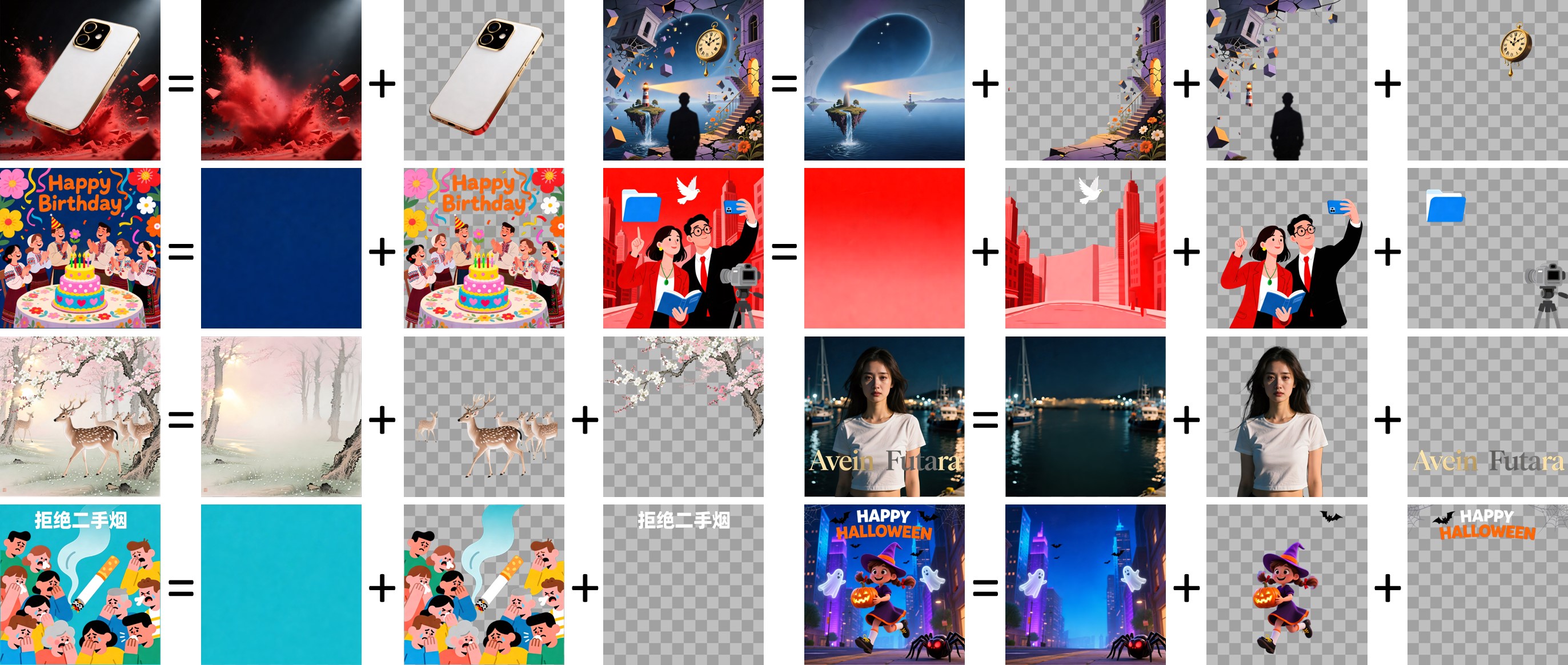
Qwen Image Layered - AI image model variant that breaks outputs into layers for edibility

Qwen Image 2.0 - Alibaba's new unified image generation and editing model with native 2K resolution and 1K-token text rendering

Get access to all our AI courses, hundreds of real-world AI use cases, live expert-led workshops, an exclusive network of AI early adopters, and more.
Get unlimited access to all of our current & upcoming industry-specific AI courses for the duration of your subscription.
To keep up with the rapid pace of AI, our team publishes AI implementation guides daily. Our library contains 300+ practical use cases to automate real-world work.
Join weekly, live, interactive sessions with industry leaders who are at the forefront of AI for hands-on implementation guidance and exclusive insights.
Network with an exclusive community of AI-first professionals who are working smarter with AI. Learn how early adopters are using AI in their work and businesses.