Turning flat art into editable components
Creates a practical starting stack for repositioning, recoloring or removing major visual elements.
Independent tool overview
Qwen-Image-Layered is a 20-billion-parameter open image model from the Qwen team that predicts multiple editable RGBA layers from a single flat RGB image.
Visit the official Qwen Image Layered site ↗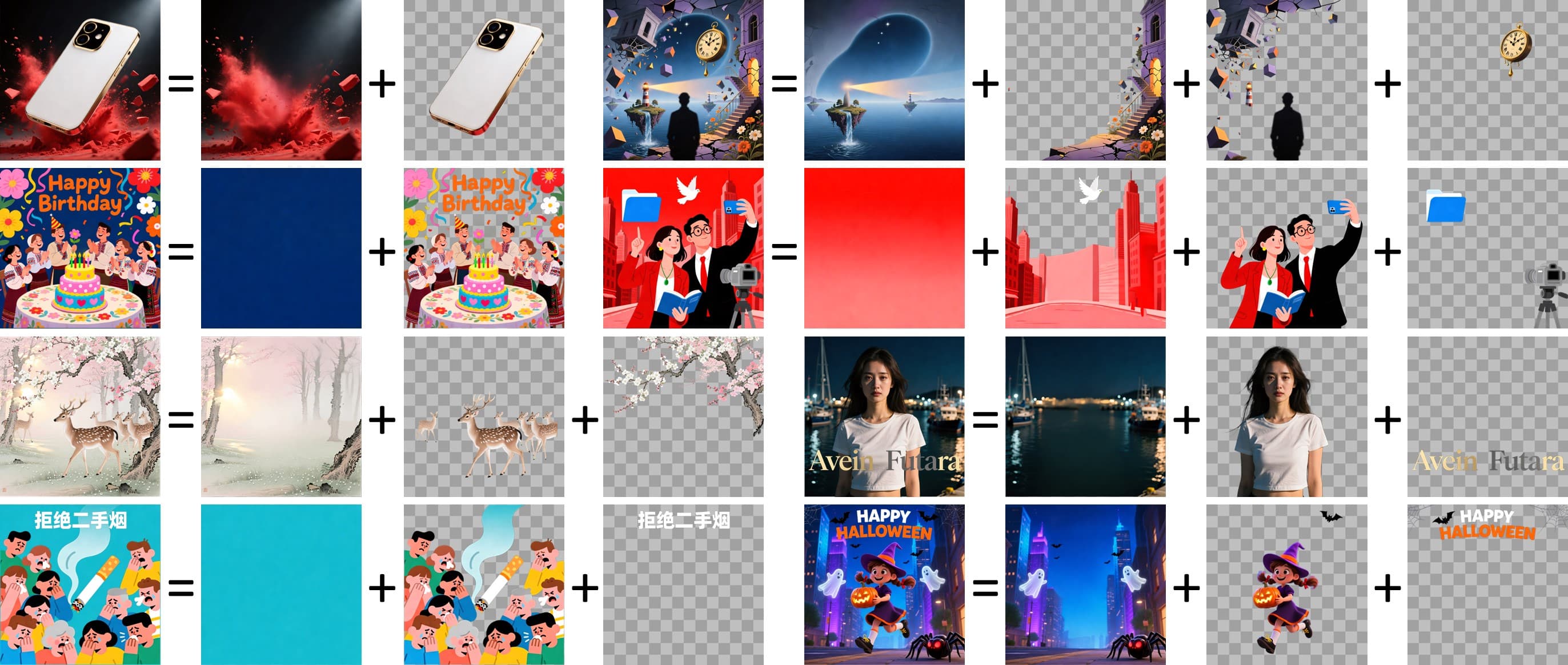
Overview
Qwen-Image-Layered addresses a specific design problem: raster images normally fuse every object, texture and background into one canvas. The model decomposes an input image into a variable number of transparent RGBA layers so users can move, resize, recolor, remove or separately edit components.
The released repository includes model weights, Diffusers inference code and a Gradio interface that can export layer results as PSD, PPTX or ZIP files. It also supports recursive decomposition, where a predicted layer can be run through the model again for finer separation.
This is a developer-oriented model, not automatic recovery of an image's original design file. Layer boundaries, ordering and content are model predictions; pixels hidden behind foreground objects may be synthesized, and complex transparency, shadows, reflections, text and fine edges can require manual repair.
Use cases
The strongest fit depends on the job you need the product to complete, not the size of its feature list.
Creates a practical starting stack for repositioning, recoloring or removing major visual elements.
Useful to developers testing layer-aware editing interfaces, presentation exports or creative pipelines.
Separating a target element can reduce unintended changes to the rest of a composition during later edits.
Capabilities
Predicts multiple transparent layers whose composite approximates the original RGB image.
Supports different requested decomposition depths rather than a single fixed output count.
A selected layer can be decomposed again to create a finer hierarchy.
Predicted elements can be moved, resized, hidden or recolored without directly changing other layer files.
The repository's Gradio application can package output for downstream editing and presentation workflows.
A prompt can describe the overall image and partially occluded content, but is not intended to specify each layer's semantics directly.
Weights, example code, paper and Apache-2.0 repository are publicly available.
Process
Step 1
Use an image you may process and modify; avoid confidential or personal imagery in third-party demos.
Step 2
Install the documented Transformers and Diffusers versions plus the export dependencies, then load the BF16 model on suitable hardware.
Step 3
Choose layer count, resolution and a factual overall-image prompt, including important content that may be partly hidden.
Step 4
Check edges, transparency, ordering, duplicated details, synthesized occlusions, text and whether the recomposite matches the source.
Step 5
Edit or recursively decompose selected layers, recompose for QA, then export PSD, PPTX or ZIP while retaining the original image.
Cost
The official code and weights are available under Apache 2.0 with no model-license fee listed. Real cost comes from GPU hardware or hosted compute, storage, engineering and any third-party demo or deployment service; Qwen does not publish a standalone paid plan for this repository.
Free under Apache 2.0
Download and run the official repository subject to the license.
Free, limited availability
Try the linked Hugging Face Space or ModelScope Studio when capacity is available.
Compute-dependent
Run locally or on cloud GPU infrastructure.
Pricing checked . Check current pricing at the source ↗
Assessment
Compare
The right alternative depends on the specific output, workflow, controls and budget your project requires.
Design
A hosted creative suite for users who value integrated editing and commercial workflows over self-hosting an experimental layer model.
Explore Adobe Firefly →Design
A broader Qwen image-generation model when creating and rendering new images matters more than decomposing an existing raster into layers.
Explore Qwen-Image-3.0 →Questions
It takes a flat RGB image and predicts multiple transparent RGBA layers that can be independently moved, resized, recolored, removed or edited.
The official repository and weights are published under Apache 2.0 with no model-license fee listed. Users still pay for hardware, cloud compute, storage and engineering.
No. It predicts a useful layered representation; it cannot know the original layer names, masks, groups, adjustment settings, vectors, fonts or artist intent.
Yes. The repository's Gradio application supports PSD, PPTX and ZIP export, but the predicted layers may need manual cleanup.
The model supports a variable requested count, and the official examples show different decompositions such as three and eight layers. Layers can also be recursively decomposed.
The released weights accept text conditioning, but Qwen explicitly says text-to-multi-RGBA performance is limited because the model is fine-tuned for image decomposition.
The official model card lists a 20B-parameter BF16 model and CUDA-oriented sample code. Exact memory and speed depend on resolution, layer count, steps, precision and implementation.
Do not assume so. Content that was occluded in the source must be inferred, so it may look plausible while being invented.
Bottom line
Qwen-Image-Layered is a compelling open building block for turning flat assets into editable approximations. It is most valuable to technical creative teams that can supply GPU infrastructure and manual QA; it should not be marketed as exact source-file recovery or factual reconstruction of hidden content.
Visit Qwen Image Layered website ↗
Stitch - Google's experimental tool for turning ideas into UI designs for mobile and web applications
![FLUX.2 [klein]](https://cdn.prod.website-files.com/67ab272a36622522cbb3bac1/696d3ab90fa358b40187952c_Screenshot%202026-01-18%20at%201.55.31%E2%80%AFPM.png)
FLUX.2 Klein - BFL's new ultra-fast AI image editing model
.jpeg)
Nano Banana Pro - Google's image generation model with unprecedented control, improved text rendering and enhanced world knowledge.
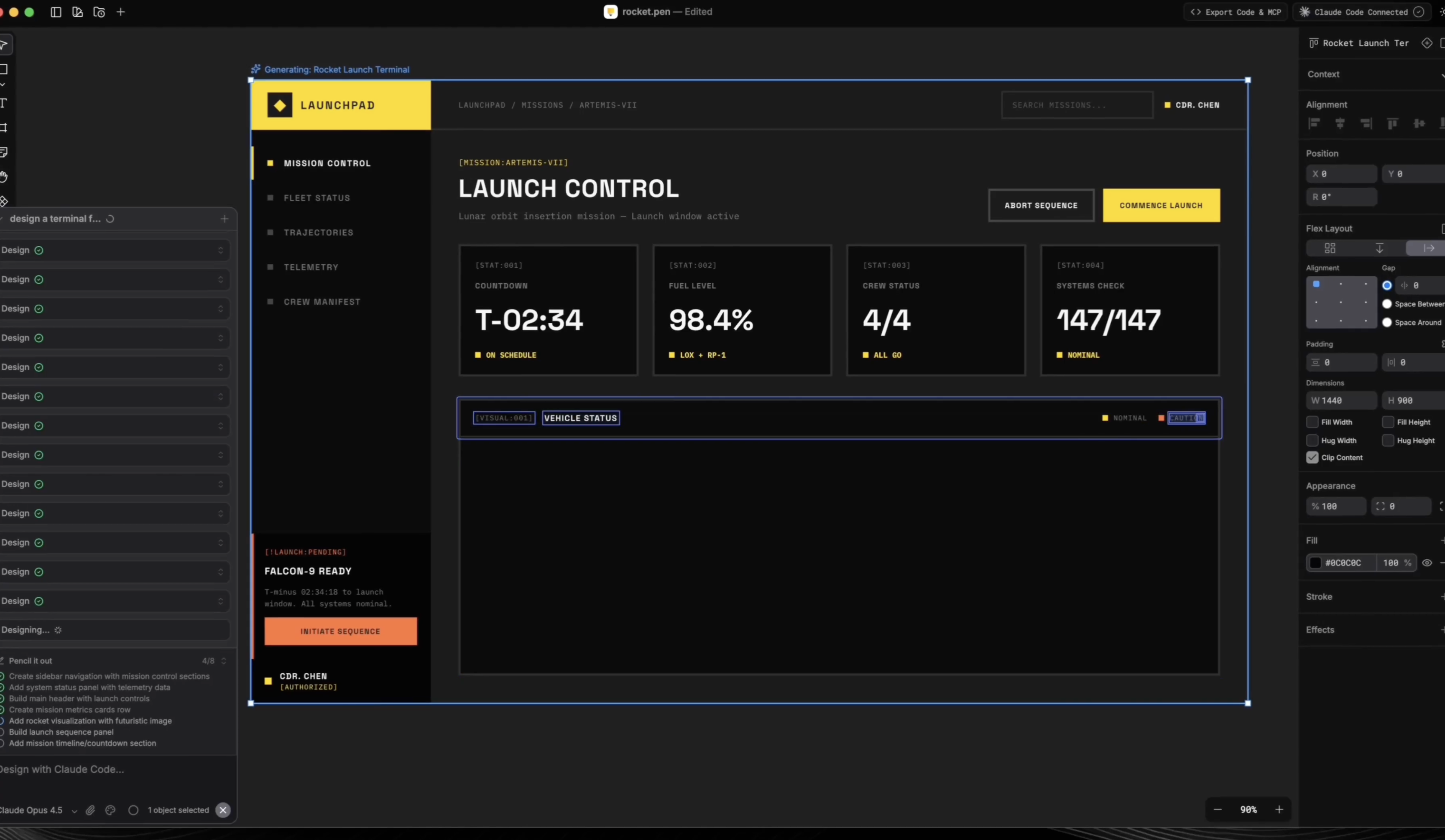
Pencil - An infinite design canvas for Claude Code

Get access to all our AI courses, hundreds of real-world AI use cases, live expert-led workshops, an exclusive network of AI early adopters, and more.
Get unlimited access to all of our current & upcoming industry-specific AI courses for the duration of your subscription.
To keep up with the rapid pace of AI, our team publishes AI implementation guides daily. Our library contains 300+ practical use cases to automate real-world work.
Join weekly, live, interactive sessions with industry leaders who are at the forefront of AI for hands-on implementation guidance and exclusive insights.
Network with an exclusive community of AI-first professionals who are working smarter with AI. Learn how early adopters are using AI in their work and businesses.