Busy individual contributors
Pull assignments and follow-ups into one place, then turn them into a realistic time-blocked day.
Independent tool overview
OFFLIGHT is an AI daily planner that collects tasks from connected work tools, schedules them around a calendar, and helps users execute through its Offy assistant. It combines task management, time blocking, time tracking, and lightweight AI actions.
Visit the official OFFLIGHT site ↗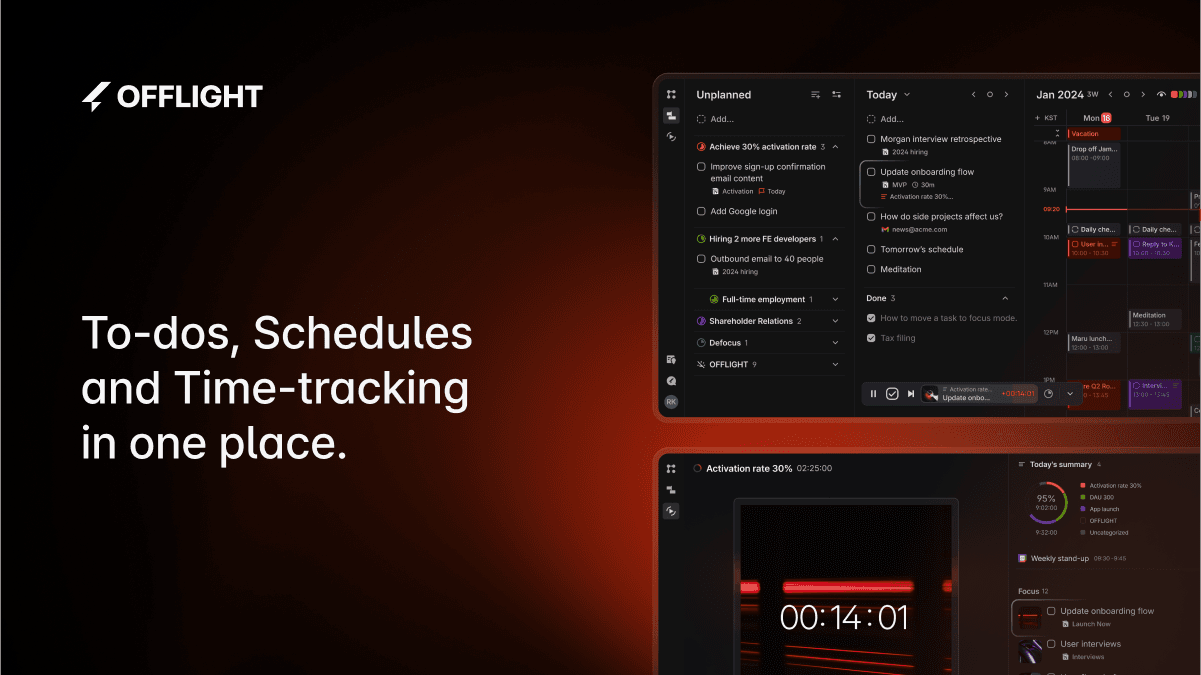
Overview
OFFLIGHT is built for people whose work arrives across email, chat, calendars, and project tools. It turns those inputs into one task system, prioritizes the backlog, and places work into available time.
Its current product direction centers on Offy, an AI assistant that can plan a day, split work into smaller tasks, summarize connected context, search the web, work with attached files, and draft Gmail responses for user review.
The core tradeoff is maturity. OFFLIGHT is still labeled beta, its current pricing page describes one Pro tier, and its public changelog says the product is being maintained by a solo developer. Test sync, support, export, and automation behavior before making it the only system for critical work.
Use cases
The strongest fit depends on the job you need the product to complete, not the size of its feature list.
Pull assignments and follow-ups into one place, then turn them into a realistic time-blocked day.
Balance work from multiple channels, client communication, goals, and personal commitments in one planner.
Estimate task duration, place work on the calendar, track actual time, and re-plan when the day changes.
Capabilities
Chat about work, create and split tasks, remember preferences, search the web, and work with PDF, Word, Excel, image, email, and calendar context.
Collect work from Gmail, Slack, Linear, Notion, Todoist, and other integrations instead of manually recreating every follow-up.
Let OFFLIGHT place tasks around calendar availability or disable auto-planning and control time blocks yourself.
Organize outcome-based goals and sub-goals separately from flexible tags, then track progress and prioritize tasks.
Create and edit events, block time for tasks, track work sessions, and use sync indicators to confirm changes have reached the server.
Turn email into tasks, summarize connected messages, draft replies, edit them, and send only after review.
Use the planner on web, desktop, mobile, and the iPad three-panel layout.
The current Pro page advertises the ability to connect external context or tools through remote MCP integrations.
Process
Step 1
Start with the calendar and one task-producing source such as Gmail or Slack. Confirm exactly which data and actions each integration can access.
Step 2
Convert genuine commitments into tasks, add deadlines and duration estimates, and remove messages that do not require action.
Step 3
Let Offy suggest a schedule or arrange blocks manually, leaving buffer for meetings, breaks, and unexpected work.
Step 4
Start the timer, complete tasks, review suggested email replies, and re-plan when priorities or calendar events change.
Step 5
Check goal progress, overdue work, sync status, and recurring tasks so automation does not quietly create an unrealistic backlog.
Cost
OFFLIGHT's current site presents a single Pro beta plan at $9 per month when billed annually and advertises a 20% annual discount. A stable permanent free tier is not clearly documented; verify the monthly price, trial, included credits, and renewal terms in checkout.
$9/month billed annually
For individual task, calendar, and AI planning workflows.
Pricing checked . Check current pricing at the source ↗
Assessment
Compare
The right alternative depends on the specific output, workflow, controls and budget your project requires.
Project Management
Choose Reclaim AI when calendar-first automatic scheduling and team calendar coordination are the main priorities.
Explore Reclaim AI →Project Management
Choose Notion AI when tasks need to live alongside a broader team knowledge base, projects, documents, and databases.
Explore Notion AI →Business Operations
Choose Lindy when the priority is building broader AI automations and agents across business tools rather than managing a personal daily plan.
Explore Lindy →Questions
OFFLIGHT is a task and calendar planner with an AI assistant called Offy. It collects work from connected tools, helps prioritize it, schedules tasks, and supports execution with timers and suggested actions.
The current site lists Pro beta at $9 per month when billed annually. It advertises a 20% annual discount but does not clearly expose the monthly price in the public page text, so verify checkout before subscribing.
The homepage offers a free AI schedule entry point, but it does not clearly document a permanent limited free plan. Treat Pro as the published ongoing plan and confirm current trial or free-use terms during signup.
Offy can discuss and create tasks, split work for scheduling, search the web, summarize connected context, work with supported file attachments, remember preferences, and draft Gmail responses for review.
Yes. It can place work around calendar availability and update plans as conditions change. Users can also disable automatic planning and arrange tasks manually.
Its published materials list Google Calendar, Gmail, Slack, Linear, Notion, Todoist, Zapier, and remote MCP connections. Integration behavior and permissions should be verified in the live app.
Bottom line
OFFLIGHT has a thoughtful personal-execution loop: gather work, plan it against real time, then complete it with AI and calendar context close at hand. It is most attractive to individuals who want more action than a basic to-do list provides. Because the product is beta and solo-operated, run a real trial with your integrations, test sync and export behavior, and keep a recovery path for critical commitments.
Visit OFFLIGHT website ↗
Get access to all our AI courses, hundreds of real-world AI use cases, live expert-led workshops, an exclusive network of AI early adopters, and more.
Get unlimited access to all of our current & upcoming industry-specific AI courses for the duration of your subscription.
To keep up with the rapid pace of AI, our team publishes AI implementation guides daily. Our library contains 300+ practical use cases to automate real-world work.
Join weekly, live, interactive sessions with industry leaders who are at the forefront of AI for hands-on implementation guidance and exclusive insights.
Network with an exclusive community of AI-first professionals who are working smarter with AI. Learn how early adopters are using AI in their work and businesses.


