Personal social graphics
Creating low-stakes posts, announcements and event visuals for personal, non-commercial use.
Independent tool overview
Microsoft Designer is an active consumer graphic-design and image-editing app for generating images, social posts, stickers, invitations, cards and other visual assets from prompts, then refining them in a canvas. It also offers generative erase, background removal or blur, restyling, framing, resizing, text and resolution enhancement, with selected capabilities appearing across Microsoft 365, OneDrive and Photos. A free tier includes monthly AI credits, while Microsoft 365 Personal and Family each provide 60 shared AI credits per month and Premium advertises extensive image usage. The decisive limitation is licensing: Microsoft's current official FAQ says Designer under a personal Microsoft account is for personal, non-commercial use. Do not use it for client, employer, advertising, merchandise or other commercial work without separate written rights that apply to the exact product and account.
Visit the official Microsoft Designer site ↗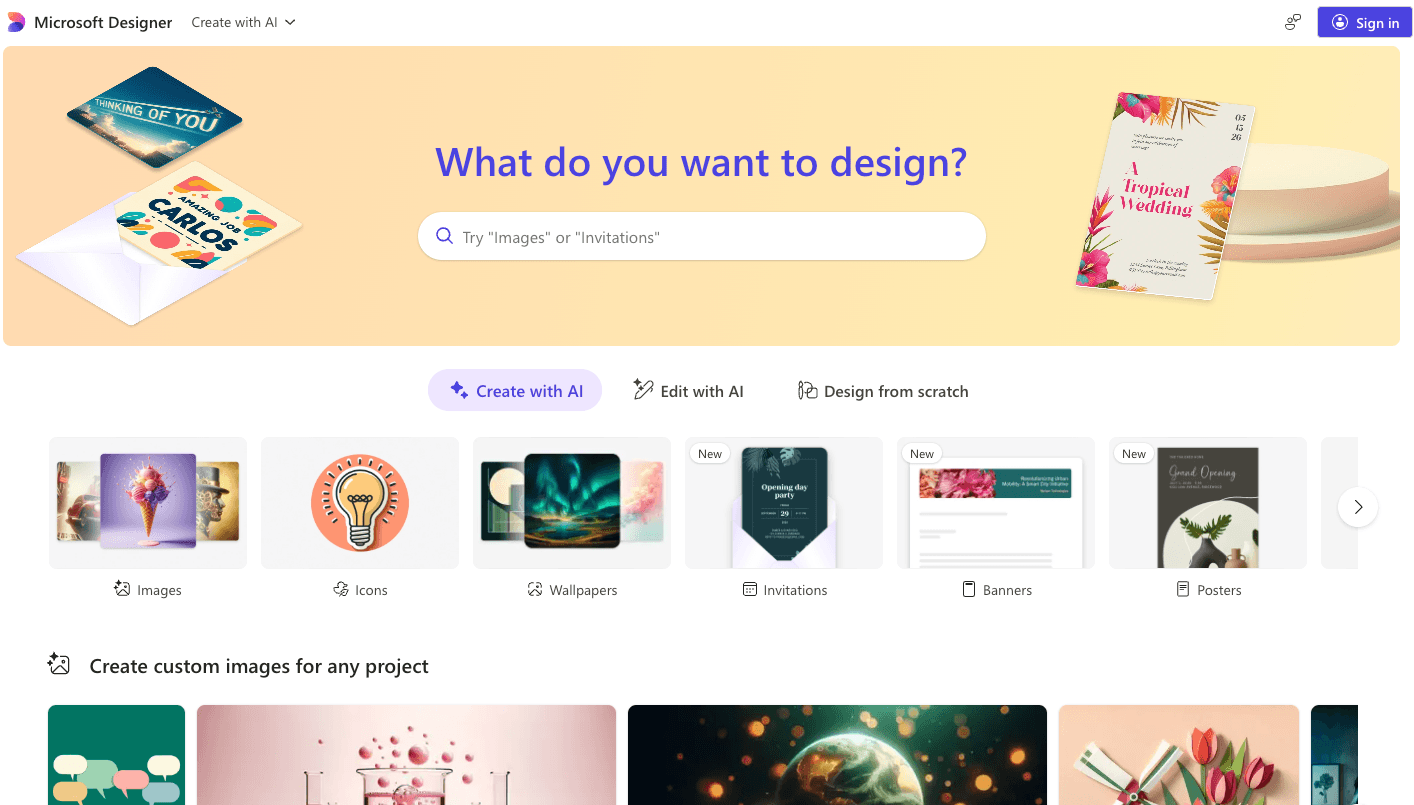
Overview
Microsoft Designer is a prompt-led graphic design and photo-editing product available on the web, mobile and through selected Microsoft app integrations. It is intended to help non-designers move from an idea to an editable visual quickly.
Create tools cover custom images, stickers, greeting cards, invitations, collages, banners, social posts, monograms, avatars, emojis, clip art and wallpapers. The result can be downloaded, copied, shared or opened in the canvas for manual edits.
Editing tools include generative erase, moving or removing objects, background removal or blur, restyling, framing, cropping, resizing, text, filters and resolution enhancement. Every generated or AI-edited image is supposed to carry C2PA-based content credentials.
Designer is integrated into parts of Word, PowerPoint, OneDrive, Photos and the Microsoft 365 Copilot app, but exact availability varies by plan, device, language, region and account type.
Microsoft retired the legacy Designer visual editor in October 2025 and migrated users to a newer editor. Its support page said legacy stock-video and saved-brand-kit access would be removed, while other current pages still mention brand-kit creation; verify the feature in the signed-in account before depending on it.
The current free plan includes monthly AI credits, but Microsoft's U.S. pricing page does not state the exact free quantity. It says a credit is deducted for an AI interaction and that credits refresh monthly.
Microsoft 365 Personal and Family currently provide 60 shared AI credits per month across Designer and other Microsoft 365 or Windows AI features. Premium uses an extensive-usage allowance rather than publishing a simple unlimited promise.
On Family and Premium, the AI benefits belong only to the subscription owner; they are not shared with the other family members. This makes the plan name easy to misread for a household design workflow.
Microsoft's official Designer FAQ states that the consumer product is licensed for personal, non-commercial use. Conflicting community answers and older product-specific documents are not a safe basis for commercial rights.
Microsoft collects Designer prompts, uploaded images and information about model responses for abuse monitoring and to provide, support and improve the service. Do not upload confidential client material, unreleased campaigns, private photos or third-party content without permission.
AI-generated text inside images can be misspelled or appear in the wrong language. Faces, hands, logos, factual details and erased areas can also be distorted, so every asset needs visual, factual, accessibility and rights review.
Content credentials improve provenance but do not prove accuracy, consent, copyright ownership or permission to use a person's likeness. Preserve the metadata and keep source licenses and approvals separately.
Use cases
The strongest fit depends on the job you need the product to complete, not the size of its feature list.
Creating low-stakes posts, announcements and event visuals for personal, non-commercial use.
Generating a first draft, then correcting names, dates, spelling and accessibility in the canvas.
Removing a distracting object, changing a background or reframing a personal image.
Adding personal-use images to Word or PowerPoint while using the same monthly AI-credit pool.
Testing visual directions and layouts before rebuilding a final asset in a commercially licensed workflow.
Creating AI-assisted visuals that retain Microsoft-issued content credentials when the file path preserves them.
Capabilities
Turns a written description into several image options powered by Microsoft's image-generation stack.
Creates editable compositions with imagery and text for common visual formats.
Generates platform-ready draft graphics that still require copy, dimension and safe-area checks.
Combines generated imagery with personalized event or greeting copy.
Produces small-format decorative graphics and personal symbols.
Reconstructs selected image areas after an unwanted object or distraction is masked.
Removes or blurs a background to isolate the subject.
Transforms the visual treatment of an image or adds a generated frame.
Supports crop, rotation, adjustments, filters, text and other manual refinements.
Upscales an image for a cleaner result without restoring factual detail that was never present.
Brings selected Designer creation and editing features into Word, PowerPoint, OneDrive, Photos and Microsoft 365 Copilot.
Adds C2PA provenance metadata to identify AI-generated or AI-edited imagery.
Process
Step 1
Do not use the consumer Designer app for a client, employer, paid promotion, merchandise or other commercial purpose under the current published license.
Step 2
Confirm region, device, signed-in account, monthly credits and whether the desired feature survived the editor migration.
Step 3
Upload only images you own or are authorized to process, and obtain consent from identifiable people.
Step 4
Keep private addresses, medical or financial details, children's data, confidential documents and unreleased assets out of prompts and uploads.
Step 5
Define subject, composition, style, color, aspect ratio and negative constraints; plan to add exact text manually.
Step 6
Use AI for composition and mood, then choose the result with the fewest anatomy, object and brand errors.
Step 7
Correct layout, crop, contrast and hierarchy in the canvas; treat generative erase and restyle as reconstruction, not factual restoration.
Step 8
Manually type and proofread every name, date, URL, price and call to action because embedded text may be wrong.
Step 9
Check faces, skin tone, age, disability, cultural details, stereotypes and consent before sharing.
Step 10
Check trademarks, copyrighted characters, distinctive styles, stock licenses and publicity rights even for personal sharing.
Step 11
Verify contrast, readable type, non-color cues and useful alt text for the final destination.
Step 12
Export through the supported flow, retain content credentials and save prompts, source files and permissions separately.
Cost
U.S. pricing checked August 31, 2026 lists free Designer access with monthly AI credits, Microsoft 365 Personal at $9.99/month or $99.99/year, Family at $12.99/month or $129.99/year and Premium at $19.99/month or $199.99/year. Personal and Family each provide the subscription owner 60 AI credits per month shared across Designer and other Microsoft AI features. Premium advertises extensive usage beyond standard credit limits rather than an unlimited quantity. Prices, taxes, trials and availability vary by market.
$0
Consumer web and mobile design access with a monthly AI-credit allowance.
$9.99/month or $99.99/year
One-person Microsoft 365 plan with AI creation and editing credits.
$12.99/month or $129.99/year
Household Microsoft 365 plan, but the included AI benefit belongs only to the subscription owner.
$19.99/month or $199.99/year
Higher-tier household plan with broader Copilot access and extensive image usage.
Pricing checked . Check current pricing at the source ↗
Assessment
Compare
The right alternative depends on the specific output, workflow, controls and budget your project requires.
Design
A broader collaborative design suite with commercial plans, team workflows and extensive templates.
Explore Canva AI (Magic Studio) →Design
Better suited to creative professionals who need Adobe integrations and clearer enterprise or commercial workflows.
Explore Adobe Firefly →Content Creator
A conversational image-generation and editing workspace for iterative concept development.
Explore ChatGPT Images →Design
A focused image generator often chosen for typography-heavy visuals, subject to its current commercial terms.
Explore Ideogram →Content Creator
A specialized image-generation alternative for highly stylized visual exploration.
Explore Midjourney →Content Creator
An accessible image-creation alternative for testing different generative workflows and licensing.
Explore Playground AI →Questions
It is Microsoft's consumer AI graphic-design and photo-editing app for creating images, layouts, cards, invitations, social posts and other personal visuals.
Yes. Microsoft publishes a free consumer tier with monthly AI credits, but its current U.S. pricing page does not state the exact free-credit count.
Designer benefits are bundled with Microsoft 365: Personal is $9.99 monthly or $99.99 yearly, Family is $12.99 monthly or $129.99 yearly and Premium is $19.99 monthly or $199.99 yearly in the U.S.
Personal and Family each provide 60 monthly AI credits to the subscription owner. Premium advertises extensive image usage beyond standard limits without publishing a simple unlimited number.
No. Microsoft says the AI benefits in Family and Premium are available only to the subscription owner and cannot be shared with other plan members.
Not under the current consumer guidance. Microsoft's official Designer FAQ says the product is licensed for personal, non-commercial use with a Microsoft account. Obtain separate written rights for any business use.
Microsoft's consumer terms say it does not claim ownership of prompts or creations, but that does not create copyright protection, clear third-party rights or override the non-commercial license.
Microsoft says prompts, supplied images and model-response data undergo abuse monitoring and are used to provide, support and improve the Designer service. Avoid sensitive or unauthorized material.
Microsoft retired boosts as a speed distinction. It says every image is now automatically created at the quickest available speed, while monthly AI credits still govern usage.
Microsoft says generated and AI-edited images receive C2PA-based content credentials. Keep the original export because some downstream processing can strip metadata.
Microsoft warns that image-generation technology can produce spelling errors or the wrong language. Add critical text manually in the canvas and proofread it.
The standalone consumer app and its license center on personal Microsoft accounts. Some Designer capabilities appear in Microsoft 365 products, but organizational availability and data protections depend on the exact account, license and administrator settings.
Microsoft's documentation is inconsistent after the October 2025 editor migration: one support page says legacy brand kits were removed while other current pages still describe them. Check the signed-in product before planning a workflow around the feature.
Bottom line
Microsoft Designer is a polished personal creativity tool, especially for people already paying for Microsoft 365 and wanting quick generation plus lightweight editing. The free tier is useful, and the 60-credit Personal or Family allowance is clear. It is not the right default for business design: Microsoft's own current FAQ says consumer Designer is non-commercial, Family AI credits do not extend to other members and prompts or uploads are processed for monitoring and improvement. Use it for personal drafts, proofread everything, preserve provenance and choose a commercially licensed alternative for client, employer or revenue-generating work.
Visit Microsoft Designer website ↗
Background Eraser: Remove Backgrounds in Seconds!

Canva AI: Supercharges your graphic design workflow with magic tools for text, image, and layout automation.

https://hailuoai.com/video?ref=therundown

Imagen 4: Google’s SOTA text-to-image model, now available via API & Google AI Studio

Get access to all our AI courses, hundreds of real-world AI use cases, live expert-led workshops, an exclusive network of AI early adopters, and more.
Get unlimited access to all of our current & upcoming industry-specific AI courses for the duration of your subscription.
To keep up with the rapid pace of AI, our team publishes AI implementation guides daily. Our library contains 300+ practical use cases to automate real-world work.
Join weekly, live, interactive sessions with industry leaders who are at the forefront of AI for hands-on implementation guidance and exclusive insights.
Network with an exclusive community of AI-first professionals who are working smarter with AI. Learn how early adopters are using AI in their work and businesses.