Marketers and social teams
Generate campaign concepts, resize and translate assets and produce variations while keeping work inside one editor.
Independent tool overview
Canva Magic Studio has evolved into Canva's broader AI suite, bringing conversational design, writing, image and video generation, editing and bulk content tools into the Canva editor.
Visit the official Canva AI (Magic Studio) site ↗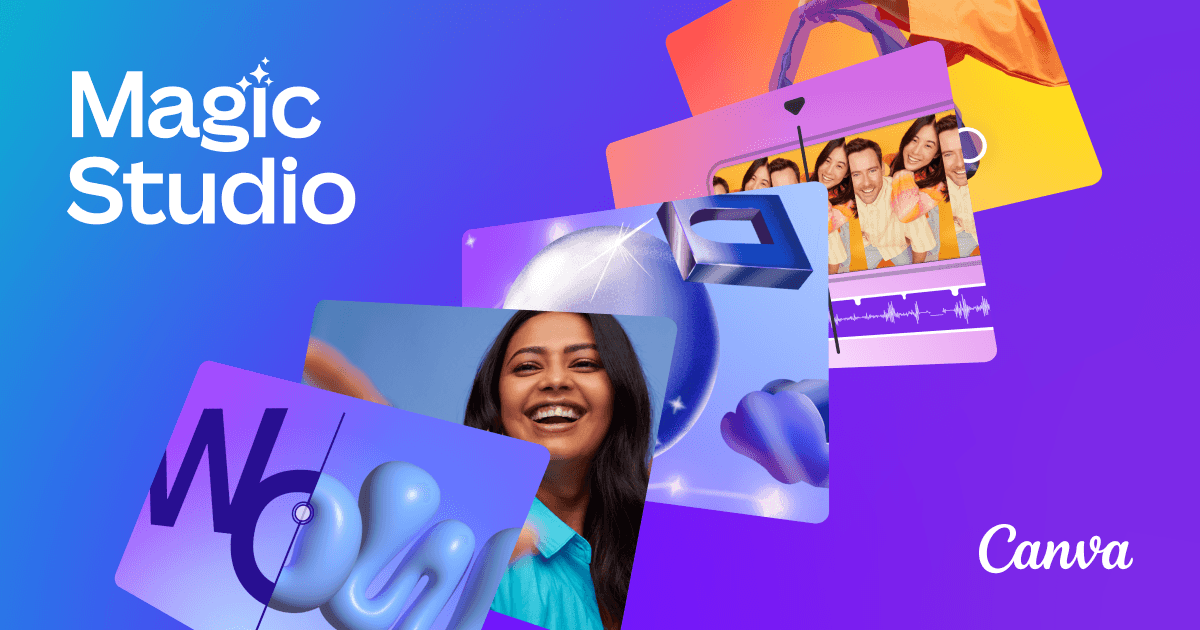
Overview
Canva Magic Studio is the name Canva introduced for its integrated collection of AI creative tools. The current destination redirects to Canva AI, where those Magic tools now sit alongside Canva AI 2.0, Canva Code and AI-powered Canva Sheets.
The suite covers the creative process from first draft to final asset: generate editable layouts, write or rewrite copy, create images and short video, remove or replace objects, resize and translate designs and apply brand controls. Results remain editable in Canva rather than arriving only as flat exports.
Access depends on the user's Canva plan and a shared monthly AI allowance. Canva Free includes limited AI use, while Pro, Business and Enterprise increase allowances and unlock more premium creative, brand and collaboration features.
Use cases
The strongest fit depends on the job you need the product to complete, not the size of its feature list.
Generate campaign concepts, resize and translate assets and produce variations while keeping work inside one editor.
Start from a prompt or AI-suggested template and edit a structured Canva design without learning professional creative software.
Use Brand Kits, approvals and bulk generation to create repeatable, on-brand content at larger scale.
Capabilities
Acts as a conversational creative partner that can generate designs and perform multiple editing actions from natural-language instructions.
Suggests editable layouts for presentations, social posts, video and documents based on a prompt or supplied media.
Drafts, summarizes, expands and rewrites copy across Canva Docs, presentations, whiteboards and other formats.
Generates images, graphics and short video clips from text prompts inside the editor.
Removes, replaces, expands or separates visual elements with tools such as Magic Eraser, Magic Edit, Magic Expand and Magic Grab.
Uses Canva Sheets, Magic Switch, Translate, Resize and bulk workflows to turn structured content into many branded assets.
Creates interactive experiences from prompts and lets them live alongside other Canva content.
Process
Step 1
Start with the actual deliverable—such as a presentation, ad, social post, document or video—so Canva selects relevant tools.
Step 2
Use Canva AI, Magic Design or an AI template with a detailed prompt and any brand or source material.
Step 3
Refine text, layouts, imagery and timing directly in Canva instead of treating the AI output as final.
Step 4
Use Brand Kits, Translate, Resize or Sheets-powered bulk generation to create consistent versions.
Step 5
Check copy, visual details, licenses, disclosures and brand compliance before publishing or exporting.
Cost
Magic Studio and Canva AI are included within Canva plans rather than sold as a separate subscription. AI tools share a monthly allowance, and higher-cost Premium or Ultra tools consume more of it.
$0
Core design tools with a limited shared AI allowance.
$144/year for one person
Premium creative tools, content and higher individual AI limits.
$250/year per person
Adds collaboration, stronger brand controls and more AI capacity.
Custom
Organization-wide visual communication with advanced security and administration.
Paid add-on
Optional recurring allowance expansion for Pro or Business.
Pricing checked . Check current pricing at the source ↗
Assessment
Compare
The right alternative depends on the specific output, workflow, controls and budget your project requires.
Design
A strong alternative for creators centered on Adobe's professional editing ecosystem and generative media workflows.
Explore Adobe Firefly →Content Creator
Better suited to rapid visual experimentation, model choice and real-time image or video iteration.
Explore Krea →Consulting
A more focused option for quickly generating presentations, documents and shareable narrative pages.
Explore Gamma →Questions
Magic Studio is Canva's integrated collection of AI creative tools. Its current product page redirects to the broader Canva AI suite, which includes the Magic tools and newer capabilities such as Canva AI 2.0 and Canva Code.
Canva Free includes limited AI usage. Canva currently estimates up to 200 Standard AI uses or 20 Premium AI uses per month, with no Ultra AI access.
Canva lists Pro at $144 per year for one person in the United States. Taxes and regional pricing may differ.
It can help create and edit designs, documents, presentations, copy, images, graphics, short video, spreadsheet-driven content and interactive experiences.
The tools remain part of Canva, but the Magic Studio URL now leads to Canva AI. The suite has expanded rather than becoming an inactive product.
Canva pools usage across Standard, Premium and Ultra AI tools. The number of completed tasks varies because higher-tier and more complex tools consume more of the shared allowance.
Bottom line
Canva AI is one of the strongest all-in-one choices for non-designers and marketing teams because generation, editing, branding and publishing share the same workspace. Its biggest tradeoff is the pooled allowance system, so frequent image or video users should measure real monthly consumption before choosing a plan.
Visit Canva AI (Magic Studio) website ↗
Get access to all our AI courses, hundreds of real-world AI use cases, live expert-led workshops, an exclusive network of AI early adopters, and more.
Get unlimited access to all of our current & upcoming industry-specific AI courses for the duration of your subscription.
To keep up with the rapid pace of AI, our team publishes AI implementation guides daily. Our library contains 300+ practical use cases to automate real-world work.
Join weekly, live, interactive sessions with industry leaders who are at the forefront of AI for hands-on implementation guidance and exclusive insights.
Network with an exclusive community of AI-first professionals who are working smarter with AI. Learn how early adopters are using AI in their work and businesses.


