Marketing visuals
Draft social graphics, campaign concepts, product scenes, and visual variations from a conversational brief.
Independent tool overview
ChatGPT Images 2.0 is OpenAI's current image generator and editor inside ChatGPT, built for conversational creation, targeted revisions, readable text, and reusable image history.
Visit the official ChatGPT Images site ↗
Overview
ChatGPT Images 2.0 lets you create an image from a written brief, upload an existing image for changes, and refine the result through the same conversation. It is available across ChatGPT's web, iOS, and Android apps, with every generated image saved to a dedicated Images library.
The strongest reason to use it is iteration. You can ask for a new composition, change a selected region, add or remove an object, rewrite visible text, switch aspect ratios, or request a transparent background without rebuilding the prompt from scratch. OpenAI also offers Images with thinking on eligible paid plans for more complex image work.
ChatGPT Images is the current consumer product, while GPT-Image-2 is the separate API model for developers. A ChatGPT subscription does not include API usage. OpenAI is also retiring the official DALL·E GPT on August 30, 2026, so older DALL·E instructions and comparisons should not be treated as the current workflow.
Use cases
The strongest fit depends on the job you need the product to complete, not the size of its feature list.
Draft social graphics, campaign concepts, product scenes, and visual variations from a conversational brief.
Upload or generate an image, then revise a selected area or describe the next change in plain language.
Create posters, mockups, diagrams, and graphics where readable words and prompt adherence matter.
Explore styles, compositions, aspect ratios, and alternatives before moving a chosen concept into a design tool.
Capabilities
Describe the subject, composition, style, lighting, text, and format in a normal ChatGPT conversation.
Upload an existing image or reopen a generated one and describe what should be added, removed, or changed.
Highlight a region in the editor for more targeted changes, with undo, redo, cancel, and save controls.
Choose an aspect ratio in the editor or request one in the prompt for square, horizontal, vertical, and other compositions.
Can add visible text, preserve detailed instructions, and generate transparent backgrounds when requested.
Automatically saves generated images so they can be revisited, copied, downloaded, shared, or edited later.
Eligible paid plans can use additional reasoning for more complex or accurate image creation.
Process
Step 1
Specify the subject, audience, composition, style, required text, aspect ratio, and details that must not change.
Step 2
Create the image in a ChatGPT conversation or from the dedicated Images space while continuing other work.
Step 3
Inspect faces, hands, spelling, logos, counts, object placement, and any factual or brand-sensitive elements.
Step 4
Select the relevant area or describe one focused revision at a time to reduce unintended changes elsewhere.
Step 5
Download the strongest result and use a design or photo editor for exact typography, dimensions, color values, and production exports.
Cost
ChatGPT Images 2.0 is available on every ChatGPT tier, but speed, limits, and access to Images with thinking vary. API generation with GPT-Image-2 is a separate usage-based product and is not included in a ChatGPT subscription.
$0
Try ChatGPT Images with limited and slower image generation.
$20/month
Expanded access and more complex image creation for individual users.
From $100/month
Higher individual usage for frequent image creation and other advanced ChatGPT work.
$25/user monthly or $20/user monthly billed annually
A managed workspace for teams, with a minimum of two paid seats.
Usage-based
Programmatic image generation and editing for products and automated workflows.
Pricing checked . Check current pricing at the source ↗
Assessment
Compare
The right alternative depends on the specific output, workflow, controls and budget your project requires.
Content Creator
Choose Midjourney when distinctive visual style and art-direction exploration are more important than a general chat workflow.
Explore Midjourney →Design
Choose Ideogram for a dedicated image workspace with strong typography, design controls, and model-specific creative tooling.
Explore Ideogram →Design
Choose Adobe Firefly when integration with Photoshop, Illustrator, and Adobe's commercial creative workflow matters most.
Explore Adobe Firefly →Questions
It is OpenAI's current image generation and editing experience inside ChatGPT, released in April 2026 and available across all ChatGPT tiers.
Yes. Free users can create images, but generation is limited and may be slower. Paid plans provide higher limits, and eligible tiers add Images with thinking.
Yes. Upload an image or reopen a prior generation, then describe the edit or select a region before giving the instruction.
Yes. OpenAI documents transparent-background generation, though the result should be checked before production use.
ChatGPT automatically saves them in the Images library. Deleting the conversation that created an image also removes it from that library.
No. ChatGPT Images is the consumer interface included with ChatGPT plans. GPT-Image-2 is the separately billed developer model for API integrations.
No. ChatGPT Images is the current path. OpenAI says the official DALL-E GPT will retire on August 30, 2026, while user-created GPTs with image generation can continue.
Use it for concepts and production drafts, but verify rights, logos, text, color, factual details, and brand consistency in a professional editor before publishing.
Bottom line
ChatGPT Images 2.0 is one of the easiest high-quality image tools for people who already work in ChatGPT. Its conversational editing, text handling, transparent backgrounds, and saved library make it especially useful for marketers and general creators. It still needs human review and a precision design tool for final production, while developers should evaluate GPT-Image-2 through the separately billed API.
Visit ChatGPT Images website ↗
Wan 2.6 - Alibaba's new native multimodal model for image and video generation
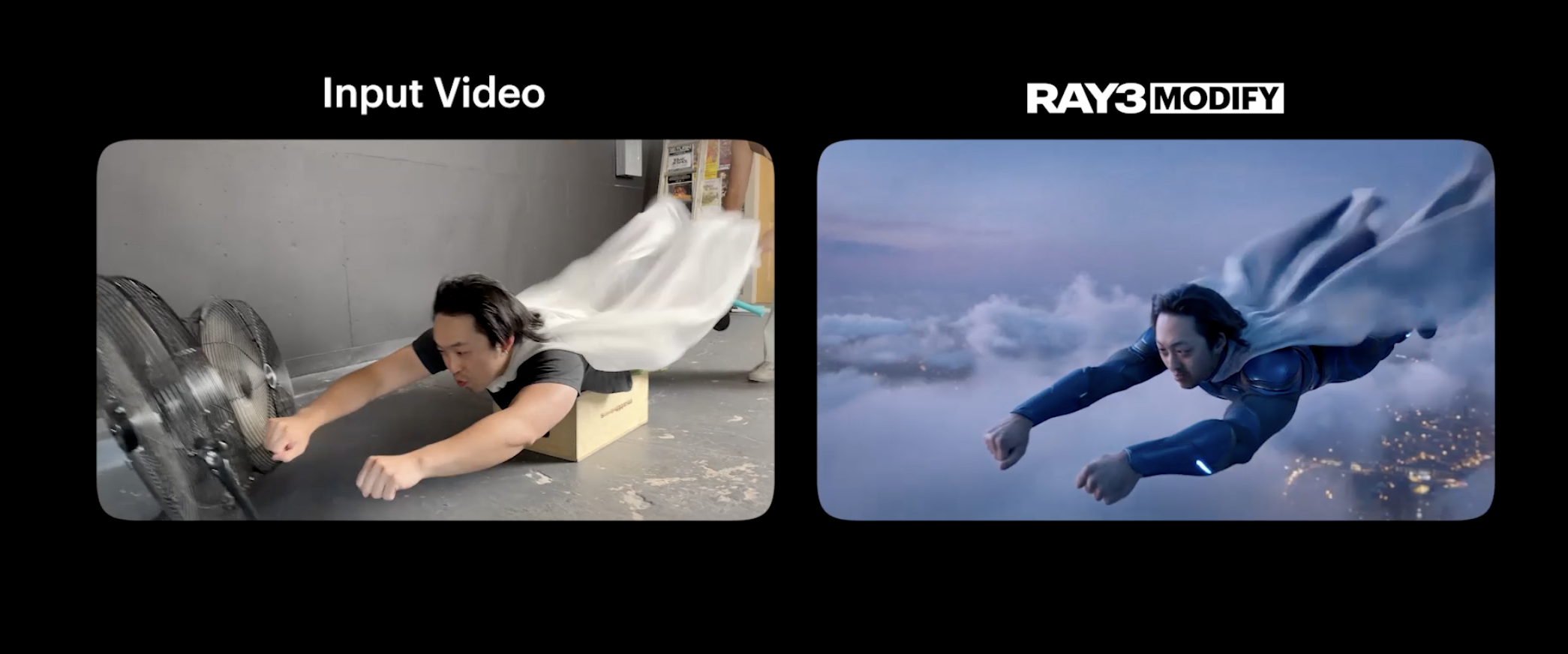
Ray3 Modify - Edit and reimagine videos with precise keyframe and character reference controls

Kling AI: Enables you to generate imaginative videos and images with cutting-edge generative models.
Hunyuan Motion 1.0 - Tencent's open-source model for 3D character animations from text prompts

Get access to all our AI courses, hundreds of real-world AI use cases, live expert-led workshops, an exclusive network of AI early adopters, and more.
Get unlimited access to all of our current & upcoming industry-specific AI courses for the duration of your subscription.
To keep up with the rapid pace of AI, our team publishes AI implementation guides daily. Our library contains 300+ practical use cases to automate real-world work.
Join weekly, live, interactive sessions with industry leaders who are at the forefront of AI for hands-on implementation guidance and exclusive insights.
Network with an exclusive community of AI-first professionals who are working smarter with AI. Learn how early adopters are using AI in their work and businesses.