Adobe creative workflows
Generate or edit an asset in Firefly and continue refining it in Photoshop, Illustrator or Express without rebuilding the project elsewhere.
Independent tool overview
Adobe Firefly is a multi-model creative AI studio for generating and editing images, video, audio, vectors and designs, with direct handoff into Adobe creative applications.
Visit the official Adobe Firefly site ↗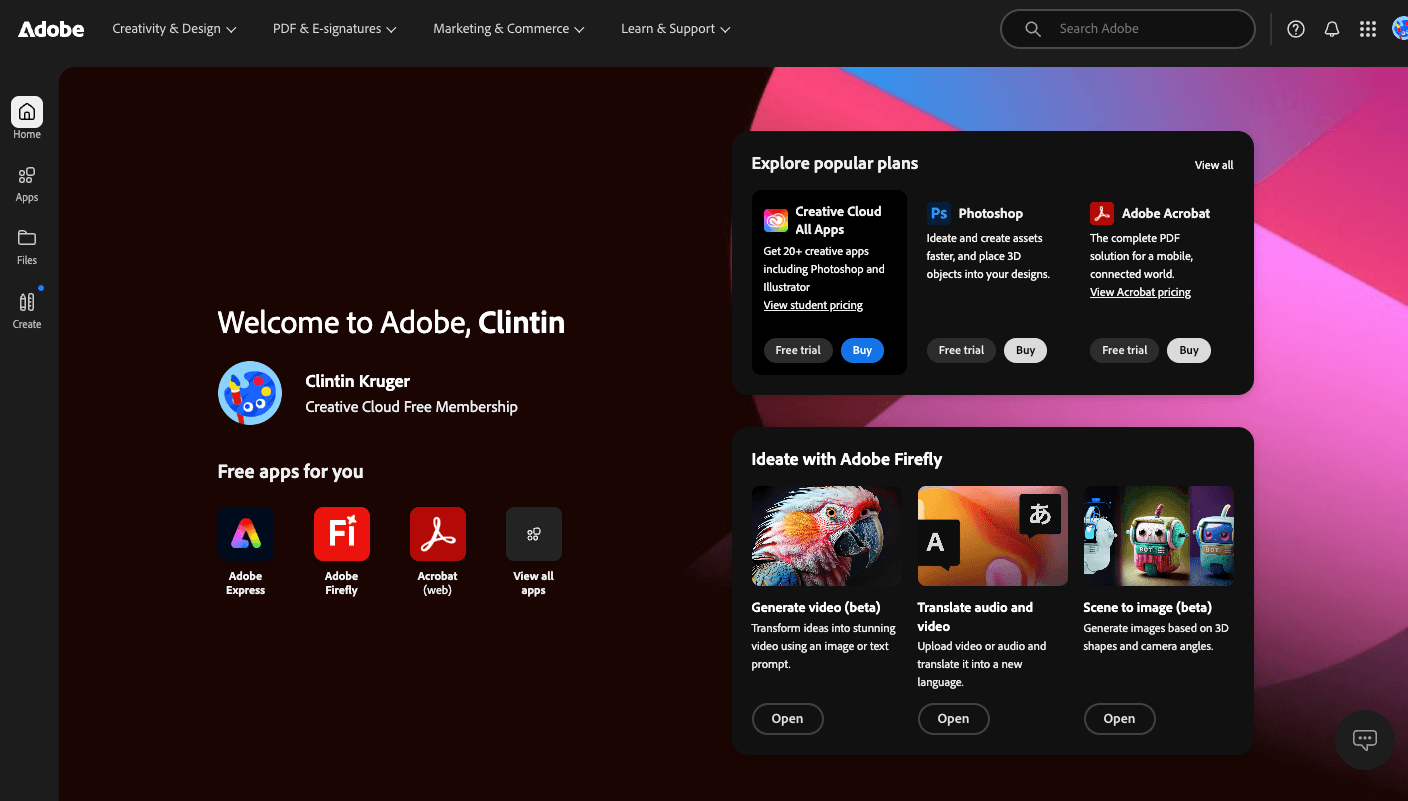
Overview
Adobe Firefly combines image generation and editing, video creation, audio tools, vector generation, design workflows and collaborative moodboards in one web and mobile creative studio. Firefly features also appear across Adobe applications such as Photoshop, Illustrator and Express.
Creators can choose Adobe's own Firefly models or supported partner models from companies such as Google, OpenAI, Black Forest Labs, Luma and Runway. That model choice is useful, but Adobe's commercial-safety positioning and legal terms for its own models should not automatically be assumed to cover every partner model or preview feature.
Paid Firefly plans include unlimited use of standard image features and a monthly pool of generative credits for premium work such as video, audio and partner models. Because different models and output settings consume credits at different rates, the practical limit is a mix of plan allowance, model choice, resolution and media type.
Use cases
The strongest fit depends on the job you need the product to complete, not the size of its feature list.
Generate or edit an asset in Firefly and continue refining it in Photoshop, Illustrator or Express without rebuilding the project elsewhere.
Use Adobe Firefly models trained on licensed and public-domain material when source transparency and commercial-use positioning matter.
Compare Adobe and partner image or video models inside one interface instead of maintaining separate accounts for every model.
Use Firefly Boards to collect references, generate variations and explore a visual direction collaboratively before production.
Capabilities
Creates images from prompts and supports generative fill, background expansion, object removal, compositing, style references and upscaling.
Generates short clips from text or images using Adobe and partner models, with model-specific aspect ratios, references and controls.
Generates sound effects, speech and soundtracks and translates audio or video while preserving the speaker's voice characteristics.
Provides an infinite moodboarding canvas for references, asset generation, remixing, comparison and collaborative ideation.
Makes selected external image and video models available through Firefly's model picker and credit system.
Moves generated assets into supported Adobe applications for detailed editing, layout, animation and delivery.
Process
Step 1
Start with image, video, audio, vector or a Board, then select an Adobe Firefly model or an eligible partner model based on the job.
Step 2
Write a specific prompt and, where supported, attach composition, style, image, video or canvas references to reduce random iteration.
Step 3
Review several candidates, compare models when useful and watch the displayed credit cost before running high-resolution or premium generations.
Step 4
Use Firefly's editing tools for targeted changes, then open the result in Photoshop, Illustrator, Express or the video editor for production work.
Step 5
Confirm the selected model's commercial terms, inspect people, logos and text for errors, and retain Content Credentials or project records when provenance matters.
Cost
Adobe offers limited free daily generations plus four monthly individual plans: Standard at $9.99 with 2,000 credits, Pro at $19.99 with 4,000, Pro Plus at $49.99 with 10,000, and Premium at $199.99 with 50,000. Promotional prices change; the figures below use Adobe's regular US monthly prices.
$0
For trying image, video and audio generation with daily limits.
$9.99/month
For regular image work and light premium-media experimentation.
$19.99/month
For creators who want more premium credits plus web and mobile editing apps.
$49.99/month
For higher-volume image and video generation.
$199.99/month
For heavy video use and the largest individual credit pool.
Pricing checked . Check current pricing at the source ↗
Assessment
Compare
The right alternative depends on the specific output, workflow, controls and budget your project requires.
Content Creator
Choose Midjourney when distinctive image aesthetics and a focused generation community matter more than Creative Cloud integration.
Explore Midjourney →Design
Choose Ideogram for image generation with strong prompt adherence and text rendering in graphic and marketing concepts.
Explore Ideogram →Design
Choose Canva Magic Studio when fast, template-driven social, presentation and marketing design is the primary workflow.
Explore Canva AI (Magic Studio) →Questions
Adobe Firefly is a family of creative generative AI models and a standalone creative studio for generating and editing images, video, audio, vectors and designs. Firefly-powered features also appear in Adobe creative applications.
Yes. The Free plan provides limited daily generations across selected image, video and audio features. Paid plans add monthly premium credits and unlimited access to standard image features.
Regular US individual pricing is $9.99 per month for Standard, $19.99 for Pro, $49.99 for Pro Plus and $199.99 for Premium. Adobe frequently displays time-limited offers, so renewal pricing should be checked before purchase.
Adobe designs its released Firefly models for commercial use and trains them on licensed and public-domain material. Partner models have their own terms and may not receive the same protections, so check the selected model before commercial use.
Adobe says it does not train Firefly generative AI models on Creative Cloud subscribers' personal content. Adobe Stock contributor content may be used under the Stock contributor agreement.
Paid users retain unlimited access to eligible standard generations, but premium features require the next monthly reset, a higher plan or an additional credit plan. Credits renew monthly and do not roll over.
Bottom line
Adobe Firefly is one of the strongest choices for creators who need generative media to flow into professional editing and want Adobe's approach to training data and provenance. It is less straightforward as a pure generation bargain: premium credit usage varies widely, and partner-model outputs require separate rights review.
Visit Adobe Firefly website ↗
Microsoft Designer: Is a canva-like tool that uses ai to generate visuals and social content quickly.

Canva AI: Supercharges your graphic design workflow with magic tools for text, image, and layout automation.

Background Eraser: Remove Backgrounds in Seconds!

Imagen 4: Google’s SOTA text-to-image model, now available via API & Google AI Studio

Get access to all our AI courses, hundreds of real-world AI use cases, live expert-led workshops, an exclusive network of AI early adopters, and more.
Get unlimited access to all of our current & upcoming industry-specific AI courses for the duration of your subscription.
To keep up with the rapid pace of AI, our team publishes AI implementation guides daily. Our library contains 300+ practical use cases to automate real-world work.
Join weekly, live, interactive sessions with industry leaders who are at the forefront of AI for hands-on implementation guidance and exclusive insights.
Network with an exclusive community of AI-first professionals who are working smarter with AI. Learn how early adopters are using AI in their work and businesses.