UI regression testing
Run realistic user journeys across browser, mobile, or desktop interfaces and capture where flows diverge, fail, or produce unexpected screens.
Independent tool overview
Gemini Computer Use is a preview Gemini API tool that lets supported models inspect screenshots and propose clicks, typing, scrolling, and other interface actions for browser, mobile, and desktop automation.
Visit the official Gemini Computer Use site ↗
Overview
Gemini Computer Use is a developer capability for building agents that operate graphical interfaces when a reliable API is unavailable or insufficient. An application sends a goal, current screenshot, environment type, and interaction history to Gemini; the model returns a proposed UI action; the application executes that action with a browser or device automation layer; and the updated screenshot is sent back for the next step. This loop can power form entry, web research, UI testing, legacy-system work, and cross-platform task automation.
This page originally covered the standalone Gemini 2.5 Computer Use preview model. That model is now labeled legacy. Google moved computer use into its general Gemini 3.x models, and the current documentation recommends the generally available `gemini-3.7-flash` model. Gemini 3.x expands the tool from browser-only use to browser, mobile, and desktop, adds human-readable action intents, configurable safety policies, and optional prompt-injection detection. The computer-use tool itself remains Preview, so important workflows need tight scopes, sandboxing, least-privilege accounts, confirmation before consequential actions, and deterministic verification.
Use cases
The strongest fit depends on the job you need the product to complete, not the size of its feature list.
Run realistic user journeys across browser, mobile, or desktop interfaces and capture where flows diverge, fail, or produce unexpected screens.
Operate systems that expose important business workflows only through a graphical interface and do not have a usable API.
Navigate predictable forms and transfer reviewed information between systems while retaining human confirmation for submissions and irreversible changes.
Visit multiple sites, apply filters, collect visible details, and return structured findings when direct APIs or feeds do not cover the task.
Evaluate whether screenshot-based control can handle a bounded workflow before investing in custom integrations or a broader automation platform.
Capabilities
Uses screenshots and conversation history to interpret the current interface state instead of depending on a site-specific DOM or API schema.
Gemini 3.x models expose action sets for three environment types, broadening the capability beyond the original browser-focused 2.5 model.
Can propose clicks, multi-clicks, pointer movement, scrolling, typing, key presses, drag-style interactions, and other predefined actions supported by the selected environment.
Returns coordinates on a 0-to-999 scale so the client can translate actions to the actual screen or viewport dimensions.
Gemini 3.x responses include an `intent` explaining why each action was selected, helping developers log and review the agent's immediate objective.
An internal policy layer can classify proposed actions as allowed, requiring confirmation, or blocked before the client executes them.
Gemini 3.x integrations can tune defined safety categories and overrides for the application rather than relying on one fixed action policy.
Offers opt-in screenshot scanning intended to identify adversarial instructions embedded in the interface the agent is viewing.
Preserves model and function responses across steps so the agent can plan and adapt through a multi-screen task.
Works with the developer's chosen automation stack—such as Playwright for browsers—so the application controls isolation, credentials, action execution, screenshots, and logging.
Supports the recommended Gemini 3.7 Flash, cost-focused Gemini 3.5 Flash-Lite, previous Gemini 3.5 Flash, Gemini 3 Flash Preview, and the legacy Gemini 2.5 Computer Use model.
Can be combined with Gemini reasoning, function calling, Search or Maps grounding, and application-defined tools when UI control is only one part of the workflow.
Process
Step 1
Define allowed sites or applications, data classes, actions, completion criteria, time and step limits, and every point that requires a person to approve.
Step 2
Use a sandboxed browser, device, or desktop session with a dedicated low-privilege account, restricted network access, controlled downloads, and no unrelated secrets.
Step 3
Send the user goal, active screenshot, target environment, tool configuration, and safety settings to a supported Gemini model.
Step 4
Check the action name, coordinates, intent, safety decision, current page, and local allowlists; pause for confirmation before submissions, messages, purchases, deletions, permissions, or other consequences.
Step 5
Run the accepted action through the client automation layer, wait for the interface to settle, take a fresh screenshot, and return the function result to Gemini.
Step 6
Stop at the configured boundary, confirm the final state with deterministic checks or source-system data, preserve an audit log, and clean up the isolated session and credentials.
Cost
Computer Use has no separate tool fee on current Gemini 3.x models; it is billed as the model's regular input and output tokens, including screenshots, action history, and thinking tokens. The tool is not available on the free tier. Multi-step loops can consume far more tokens than a single prompt, and any connected Search or Maps grounding can add its own usage fees.
$0.75 input · $3.75 output / 1M tokens
Current recommended GA model for Computer Use, at introductory standard pricing through December 31, 2026.
$0.30 input · $2.50 output / 1M tokens
Lower-cost GA option for high-volume, simpler computer-use workloads.
$1.50 input · $9 output / 1M tokens
Previous stable Gemini Flash model with built-in computer use.
$1.25–$2.50 input · $10–$15 output / 1M tokens
Legacy browser-focused preview model retained for existing integrations.
Pricing checked . Check current pricing at the source ↗
Assessment
Compare
The right alternative depends on the specific output, workflow, controls and budget your project requires.
Agents
ChatGPT Agent is a user-facing managed agent with its own computer and tools; it is easier for end users but less like a low-level developer API for embedding custom UI-control loops.
Explore ChatGPT Agent →Agents
Gemini Managed Agents are a better fit when the priority is a hosted background agent and sandbox with remote tools rather than maintaining a screenshot-and-action runtime yourself.
Explore Gemini Managed Agents →Coding
Codex is better when the task can be completed through code, files, terminal tools, tests, or APIs; use visual computer control only for the portions that truly require a graphical interface.
Explore Codex →Questions
It is a Gemini API tool for building agents that inspect screenshots and propose interface actions such as clicking, typing, scrolling, and key presses across supported browser, mobile, and desktop environments.
No. Google labels the standalone `gemini-2.5-computer-use-preview-10-2025` model as legacy. Current documentation recommends `gemini-3.7-flash`, where computer use is a built-in tool.
No. Your application receives action calls from the model and must execute them in a client-side browser, mobile, or desktop automation environment, capture the new screenshot, and continue the loop.
Current Gemini 3.x computer use is charged at the selected model's normal input and output token rates without a separate tool fee. The recommended Gemini 3.7 Flash is $0.75 input and $3.75 output per million tokens through December 31, 2026, then doubles to its announced standard rate.
No. Google's pricing table says the Computer Use tool is not available on the free tier, even though some supported Gemini models offer free usage for other capabilities.
Yes with supported Gemini 3.x models and a compatible client executor. The legacy Gemini 2.5 Computer Use model is browser-focused.
Gemini can return a safety decision requiring confirmation, but the application must implement the pause, show the user the exact proposed consequence, receive authorization, refresh state, and only then execute.
No. It is an additional signal, not a complete defense. Strong deployments also isolate sessions, restrict sites and actions, minimize credentials, verify destinations, block sensitive operations, and require human approval at consequential boundaries.
Avoid it for critical decisions, unsupervised sensitive-data access, irreversible actions, or any workflow that a stable API or deterministic automation can perform more reliably and securely.
Bottom line
Gemini Computer Use is promising infrastructure for the awkward last mile where software exposes work only through a screen. The move into Gemini 3.7 Flash brings broader environments, action intents, and better safety controls while lowering the current token rate. But it remains a preview building block, not an autonomous employee: the buyer still owns the sandbox, credentials, policy, confirmation UI, prompt-injection defenses, error recovery, and proof of completion. Start with read-only or reversible workflows, compare against a direct integration, and expand authority only after measured reliability and adversarial testing.
Visit Gemini Computer Use website ↗
Petri - Anthropic's open-source agentic system for evaluating LLM safety

Agent Skills - Customize Claude with specialized capabilities

Agent Builder - OpenAI's visual canvas for creating and versioning multi-agent workflows
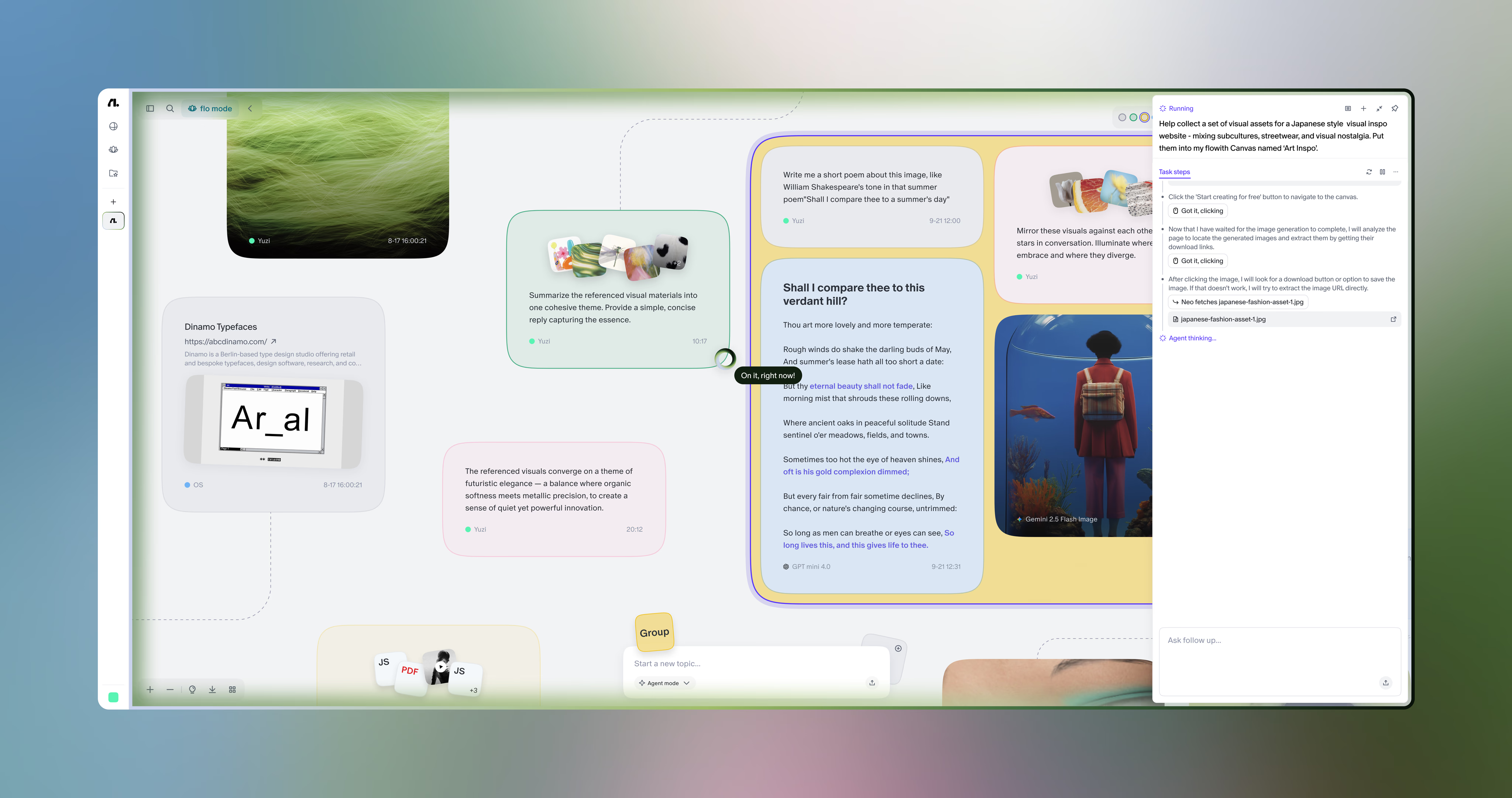
FlowithOS - An agentic workspace that connects your knowledge, creation, and execution in a single flow

Get access to all our AI courses, hundreds of real-world AI use cases, live expert-led workshops, an exclusive network of AI early adopters, and more.
Get unlimited access to all of our current & upcoming industry-specific AI courses for the duration of your subscription.
To keep up with the rapid pace of AI, our team publishes AI implementation guides daily. Our library contains 300+ practical use cases to automate real-world work.
Join weekly, live, interactive sessions with industry leaders who are at the forefront of AI for hands-on implementation guidance and exclusive insights.
Network with an exclusive community of AI-first professionals who are working smarter with AI. Learn how early adopters are using AI in their work and businesses.