Creative generalists
Marketers, social producers, and small teams that need several Adobe-style operations completed from one brief rather than one application at a time.
Independent tool overview
Adobe Firefly AI Assistant is a conversational creative agent inside the Firefly web app. It can plan and execute multi-step image, video, and design workflows with tools drawn from Adobe's creative ecosystem, but it remains a public beta with daily limits, plan and platform restrictions, and different commercial considerations for Adobe versus partner models.
Visit the official Adobe Firefly AI Assistant site ↗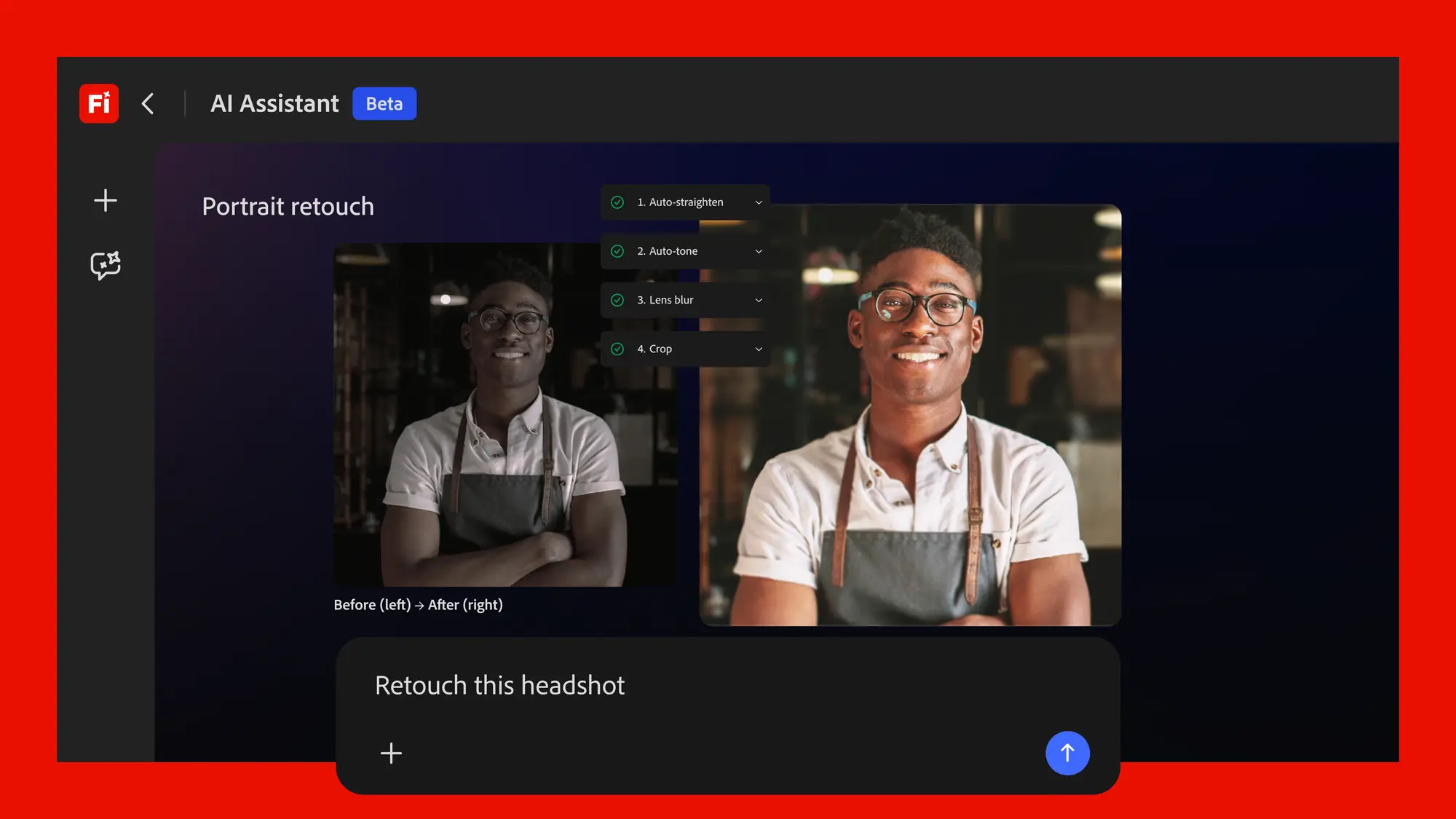
Overview
Adobe Firefly AI Assistant turns a creative brief into a conversational workflow. A user can upload assets or references, describe an outcome, and let the assistant select and sequence tools associated with Photoshop, Illustrator, Lightroom, Premiere, Firefly, and partner models. The user can accept, skip, refine, or redirect its proposed actions before downloading the result or continuing in Creative Cloud.
Its clearest advantage is orchestration. Instead of learning several application menus for a repeatable task, a creator can start with a ready-made Creative Skill such as portrait retouching, social-media resizing, product-photo preparation, or mockup creation and then refine the result in natural language.
The assistant is still a public beta in the Firefly web app. Adobe's current FAQ says access includes supported paid Firefly and Creative Cloud Pro plans, plus a limited experience for some free accounts in select regions. It is for adults, is not available in Adobe desktop or mobile Firefly apps, is unavailable for K-12, and is not optimized for every enterprise, higher-education, language, or regional setup.
Teams should distinguish an Adobe Firefly model from a partner model selected by the assistant. Adobe says it does not train Adobe or partner generative models on user content, but model suitability, output terms, provenance, and commercial risk can differ. Generated media still needs human review for brand accuracy, permissions, likenesses, trademarks, factual claims, and accessibility.
Use cases
The strongest fit depends on the job you need the product to complete, not the size of its feature list.
Marketers, social producers, and small teams that need several Adobe-style operations completed from one brief rather than one application at a time.
Creators making product-photo treatments, campaign crops, mockups, headshot edits, and other consistent multi-step variations.
People already comfortable with Creative Cloud who want a faster starting point while retaining the option to refine the result in the underlying apps.
Capabilities
Accepts a desired outcome, uploaded assets, and style references, then proposes and runs a sequence of creative actions.
Connects generation and editing capabilities associated with Firefly, Photoshop, Illustrator, Lightroom, Premiere, and other parts of Adobe's ecosystem inside one web conversation.
Provides prebuilt multi-step workflows for tasks such as portrait retouching, product-photo preparation, social variations, mockups, batch photo edits, and video transcoding.
Users can describe what is wrong, skip a suggested action, change direction, or ask for another pass without rebuilding the workflow from the beginning.
The assistant may automatically choose across Firefly and third-party models unless the user specifies a model, expanding the range of available generation styles and capabilities.
Results can be downloaded, saved in Creative Cloud storage, or opened in supported Creative Cloud apps for detailed manual work.
Process
Step 1
Open AI Assistant in the Firefly web app, confirm the account, region, age, plan, language, and organization are eligible, and avoid using it as a production dependency until the beta behavior is acceptable.
Step 2
Upload only assets the organization has permission to process, remove sensitive metadata where appropriate, and include brand references or usage constraints in the brief.
Step 3
Describe the deliverable, audience, dimensions, style, and prohibited changes. If model provenance matters, explicitly request an Adobe Firefly model instead of allowing automatic partner-model selection.
Step 4
Inspect crops, retouching, generated people, logos, text, product details, and edits before accepting the next step. Keep an untouched source copy.
Step 5
Verify rights, likeness consent, trademarks, factual claims, accessibility, model terms, Content Credentials, and brand requirements before publishing or delivering the asset.
Cost
AI Assistant is a beta entitlement rather than a separately priced subscription. Adobe's current FAQ lists access for Creative Cloud Pro and Firefly Standard, Pro, Pro Plus, and Premium subscribers, with limited free-account access in select regions. During beta, it uses a separate daily allowance instead of the subscriber's normal generative-credit balance.
$0 for eligible accounts
A subset of adult free Adobe accounts in select regions can try a limited AI Assistant experience.
$9.99/month
The entry paid Firefly plan is listed as eligible in Adobe's current AI Assistant FAQ.
$19.99/month
Adds a larger general Firefly allowance and bundled web and mobile creative products.
$49.99/month regular price
A higher-capacity Firefly plan that Adobe lists as AI Assistant eligible.
$69.99/month regular individual price
Provides more than 20 desktop creative apps plus Firefly access and AI Assistant eligibility.
Pricing checked . Check current pricing at the source ↗
Assessment
Compare
The right alternative depends on the specific output, workflow, controls and budget your project requires.
Design
Choose Canva AI for a simpler all-in-one design workspace with conversational generation, templates, and team-friendly publishing.
Explore Canva AI →Content Creator
Choose Krea AI for a model-rich visual generation and enhancement workspace with fast experimentation across images and video.
Explore Krea →Design
Choose FLORA for a visual, node-based creative workflow that makes model steps and branching more explicit.
Explore Flora AI →Questions
Yes, as a public beta in the Firefly web app. Adobe's current FAQ lists eligible paid plans and a limited experience for some adult free accounts in select regions, but access still varies by account, region, organization, and platform.
Adobe's August 2026 FAQ lists Creative Cloud Pro plus Firefly Standard, Pro, Pro Plus, and Premium. It also describes limited access for a subset of free Adobe accounts. Some enterprise, education, and legacy-plan combinations are excluded or not optimized.
Not during the current beta. Entitled users receive a separate complimentary daily allowance, while eligible free users receive a limited daily allowance. Those beta credits reset at midnight GMT and cannot be exchanged with the plan's normal Firefly credits.
Yes. Adobe says the assistant can automatically select across Firefly and partner models unless the user specifies a model. Review the chosen model and its terms before using the output in a commercial or sensitive project.
Adobe says outputs created with Firefly models inside the assistant are considered safe for commercial use, while users must decide whether partner-model outputs suit their project. Beta status, plan terms, source-asset rights, trademarks, likenesses, and the intended use still matter; commercial safety is not a blanket guarantee against every claim.
Adobe says it does not use customer content to train Adobe Firefly or partner generative AI models. Prompts and uploaded assets still must be processed to provide the service, so organizations should apply their normal confidentiality, data-classification, and vendor-review rules.
Creative Skills are prebuilt multi-step workflows that the assistant can invoke explicitly or infer from a request. Current examples include portrait retouching, product-photo preparation, social variations, mockups, and other recurring production tasks. Users cannot yet create their own custom skills.
Bottom line
Firefly AI Assistant is a promising workflow layer for creators who already work across Adobe products and want to move from a brief to a multi-step first draft faster. Its strongest use today is supervised acceleration, not autonomous publishing. Keep source files, constrain model selection when rights matter, verify every outward-facing detail, and treat plan access, daily limits, and beta behavior as changeable.
Visit Adobe Firefly AI Assistant website ↗
Ideogram Custom Models -Fine-tuning tool for training on-brand image models from your own assets
🎨 Step Image Edit 2 - StepFun's lightweight, fast image editing model that tops instruction editing benchmarks

ChatGPT Images 2.0 - OpenAI's new SOTA image generation model with next-generation text rendering, realism, and thinking capabilities
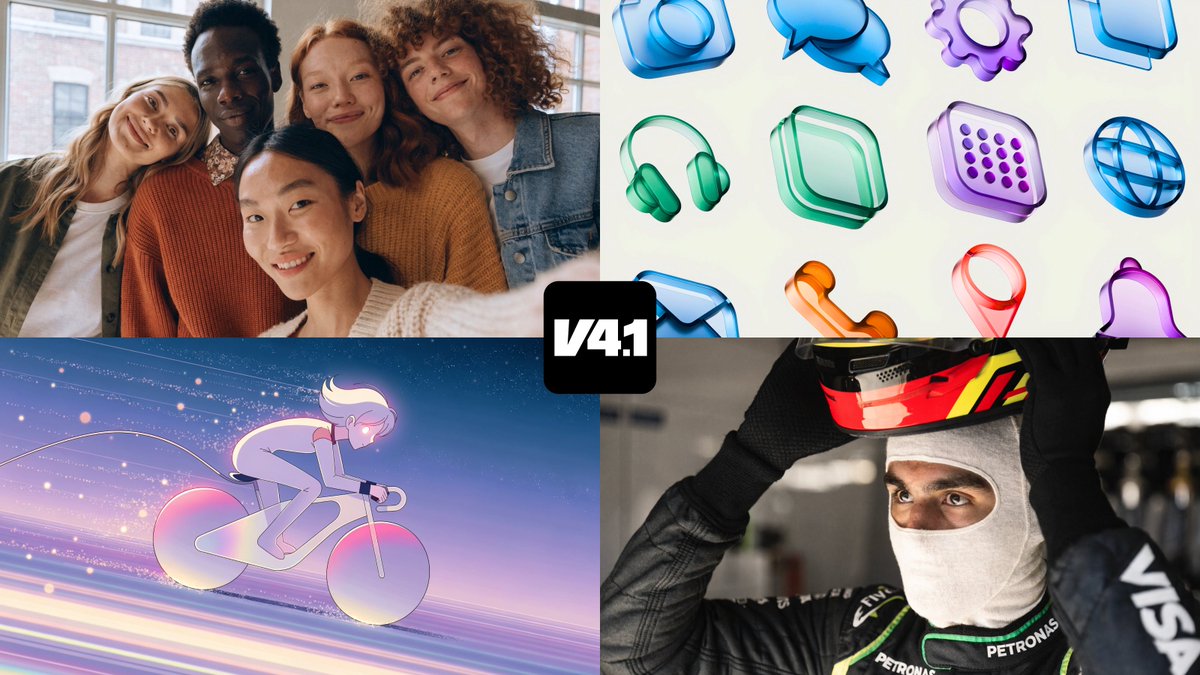
Recraft V4.1 - Upgraded image model with enhanced photorealism, illustration, and prompt adherence

Get access to all our AI courses, hundreds of real-world AI use cases, live expert-led workshops, an exclusive network of AI early adopters, and more.
Get unlimited access to all of our current & upcoming industry-specific AI courses for the duration of your subscription.
To keep up with the rapid pace of AI, our team publishes AI implementation guides daily. Our library contains 300+ practical use cases to automate real-world work.
Join weekly, live, interactive sessions with industry leaders who are at the forefront of AI for hands-on implementation guidance and exclusive insights.
Network with an exclusive community of AI-first professionals who are working smarter with AI. Learn how early adopters are using AI in their work and businesses.