Visual designers
Creators who want to iterate on an image while prompts, references and canvas changes update the result quickly.
Independent tool overview
Krea is an AI creative suite for real-time image generation, image and video models, enhancement, 3D, lip sync, model training and visual workflow automation.
Visit the official Krea site ↗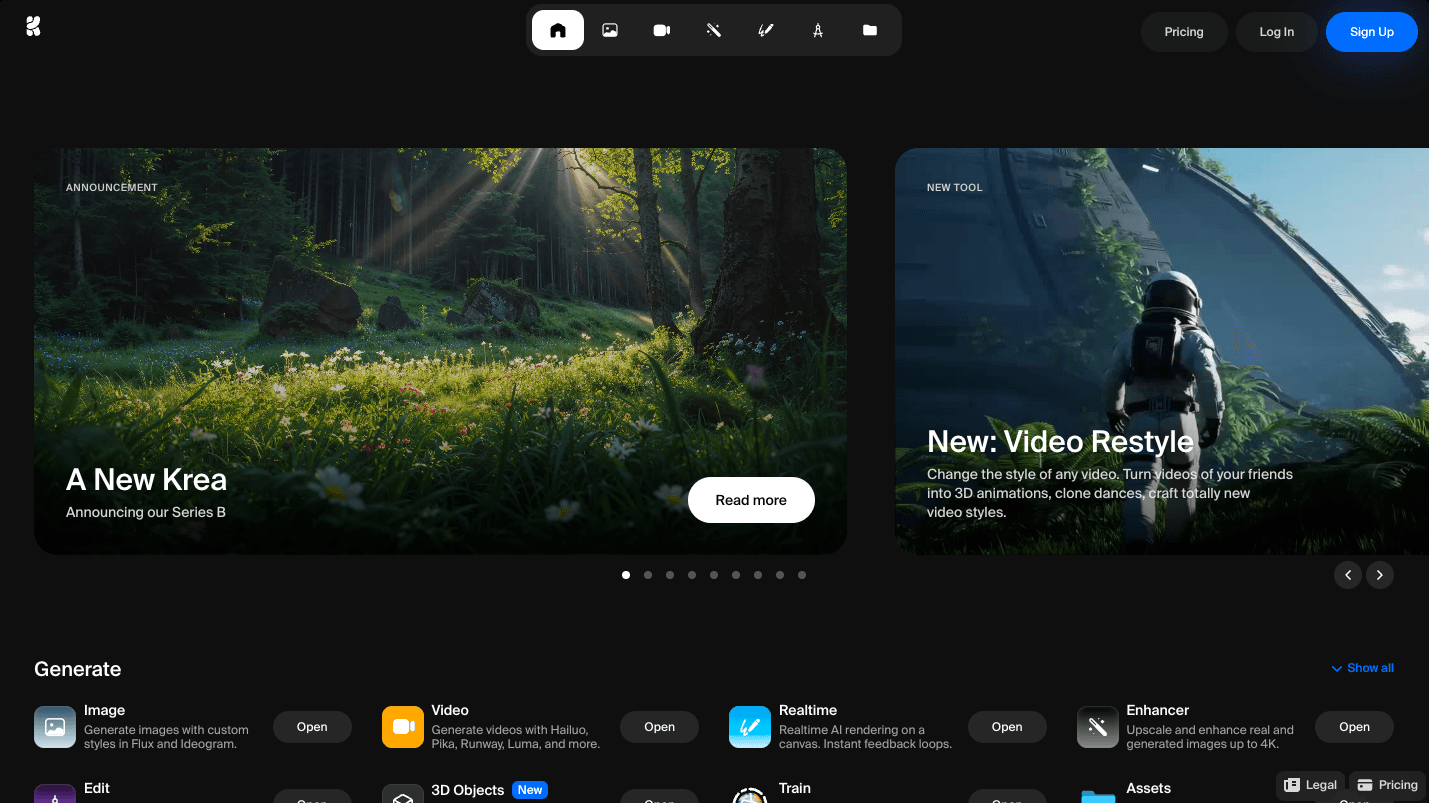
Overview
Krea is an AI creative suite for real-time image generation, image and video models, enhancement, 3D, lip sync, model training and visual workflow automation.
Krea brings many generation models into a streamlined web interface and adds its own real-time canvas, upscaling and workflow tools. App subscriptions use compute units, while the production API has a separate prepaid dollar balance and per-generation rates.
Use cases
The strongest fit depends on the job you need the product to complete, not the size of its feature list.
Creators who want to iterate on an image while prompts, references and canvas changes update the result quickly.
People who prefer one interface for curated image, video, 3D and enhancement models.
Teams building generation workflows visually and deploying them through Krea's separate API balance.
Capabilities
Updates visual output interactively as the creator changes prompts, references or composition.
Offers a curated selection of current models across several media categories.
Paid plans support large image enhancement outputs for more demanding presentation needs.
Lets users fine-tune reusable visual styles or subjects within plan-specific limits.
Pro workflows can chain models visually, automate steps and deploy a working flow to an API.
Process
Step 1
Start in real-time generation, a specific image or video model, enhancement, 3D or the node editor.
Step 2
Combine text, source images, style material and canvas composition to narrow the visual direction.
Step 3
Upscale the selected result, train a reusable style or convert the sequence into a repeatable node workflow.
Cost
Krea has a free tier and paid app plans starting at $9 per month. App compute units and Krea API funds are separate balances.
$0
Limited access for exploring Krea's main creative surfaces.
$9/month
Entry paid plan for individual creative work.
$35 / $105 monthly
Higher compute and automation for advanced or high-volume users.
Pricing checked . Check current pricing at the source ↗
Assessment
Compare
The right alternative depends on the specific output, workflow, controls and budget your project requires.
Design
Choose FLORA for a more collaborative spatial canvas, shared team assets and pooled dollar-denominated usage.
Explore Flora AI →Content Creator
Choose Morph Studio for lower-cost multi-model image and video creation centered on an open canvas.
Explore Morph Studio →Content Creator
Choose Midjourney when distinctive image generation quality matters more than an all-in-one production workflow.
Explore Midjourney →Questions
Krea is an AI creative suite for real-time image generation, image and video models, enhancement, 3D, lip sync, model training and visual workflow automation.
Krea has a free tier and paid app plans starting at $9 per month. App compute units and Krea API funds are separate balances.
Krea is best suited to designers and creators who want fast multi-model iteration.
Compute-unit cost varies by model and output, so plan capacity depends on the chosen workflow.
Use the official product and pricing links in the sources below. Pricing and product availability can change after this page's 2026-08-28 review date.
Bottom line
Krea is a strong general creative workstation for designers who value immediate visual feedback and model choice. Before committing, test the models your team actually needs and measure their compute consumption, because nominal monthly units do not translate into one fixed output count.
Visit Krea website ↗
Luma Labs: Uses ai to generate photorealistic 3d environments and videos from text or camera input.

Gemini: Is google’s advanced ai model for search, productivity, coding, and creative tasks.

Argil: Generate pre-edited video shorts using your AI-clone.

Flux: Is an ai design and collaboration tool that turns ideas into high-fidelity visual content.

Get access to all our AI courses, hundreds of real-world AI use cases, live expert-led workshops, an exclusive network of AI early adopters, and more.
Get unlimited access to all of our current & upcoming industry-specific AI courses for the duration of your subscription.
To keep up with the rapid pace of AI, our team publishes AI implementation guides daily. Our library contains 300+ practical use cases to automate real-world work.
Join weekly, live, interactive sessions with industry leaders who are at the forefront of AI for hands-on implementation guidance and exclusive insights.
Network with an exclusive community of AI-first professionals who are working smarter with AI. Learn how early adopters are using AI in their work and businesses.