Developers managing parallel agents
Track several local or cloud coding sessions from a shared command center instead of juggling separate browser tabs and terminals.
Independent tool overview
Devin Desktop is Cognition's agent-focused IDE and the successor to Windsurf, combining a full code editor with a command center for coordinating local and cloud coding agents.
Visit the official Devin Desktop site ↗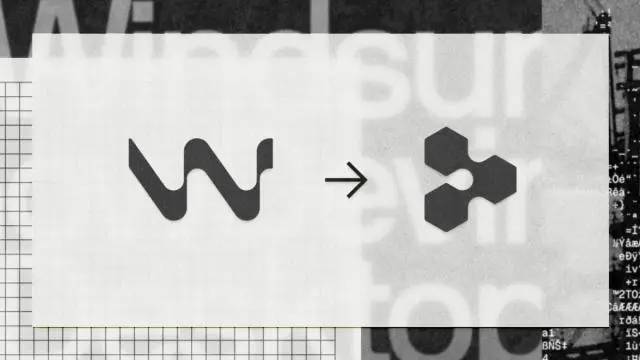
Overview
Devin Desktop is the next generation of Windsurf. Cognition kept the existing IDE, extensions, settings, keybindings, and workflows, then made its Agent Command Center the primary interface.
The product is designed for developers who delegate work to several coding agents at once. Its board and list views help users track sessions, pull requests, waiting tasks, and completed work without leaving the editor.
Spaces let related agents share context and Git worktrees. This makes Devin Desktop more useful for coordinated projects than an editor that treats every agent conversation as an isolated chat.
Agent Client Protocol support is intended to let compatible third-party agents run alongside Devin. Users can still inspect files, debug code, use a terminal, and make last-mile edits in the built-in IDE.
Devin Desktop can be downloaded free, but meaningful cloud-agent usage is governed by Cognition's Devin plans and quotas. Treat all agent-written code as a draft: review diffs, run tests, and keep branch protections in place before shipping.
Use cases
The strongest fit depends on the job you need the product to complete, not the size of its feature list.
Track several local or cloud coding sessions from a shared command center instead of juggling separate browser tabs and terminals.
Move to the renamed product through the standard update path while retaining IDE settings, extensions, workflows, and in-progress work.
Delegate implementation, inspect pull requests, debug changes, and take over manual edits from the same desktop workspace.
Use Spaces so related agents can share project context and Git worktrees rather than repeatedly rebuilding the same understanding.
Bring ACP-compatible agents into one interface and choose different tools for planning, implementation, review, or other stages.
Keep syntax highlighting, autocomplete, debugging, terminals, language servers, extensions, and direct code editing available beside agent workflows.
Capabilities
A board or list view organizes active, waiting, review-ready, and completed agent sessions.
Plan and start work locally, delegate longer tasks to cloud agents, and monitor both kinds of work from one surface.
Group related work so agents can share context and Git worktrees across a project.
Inspect, trace, edit, debug, and run code with an editor, terminal, autocomplete, syntax support, extensions, and language servers.
Run ACP-compatible agents inside Devin Desktop alongside Cognition's own agents.
Searches the codebase for files and lines relevant to a question or task.
Provides predictive code completion intended to anticipate the next edit rather than only complete the current line.
Review agent changes in the editor before accepting, pushing, or opening a pull request.
Send suitable tasks to cloud agents so work can continue when the local machine is closed.
Connect extensions, language servers, skills, plugins, and MCP servers for services such as Linear, Sentry, Figma, and Vercel.
Existing Windsurf installations receive Devin Desktop as an update while preserving plans, settings, extensions, and workflows.
Process
Step 1
Download Devin Desktop, or update an existing Windsurf installation and confirm that settings and extensions migrated correctly.
Step 2
Load the codebase in the IDE and verify the branch, dependencies, local commands, and repository permissions.
Step 3
Group related tasks when multiple agents need shared context or coordinated Git worktrees.
Step 4
Give the agent a concrete goal, relevant constraints, success criteria, test commands, and files that must not change.
Step 5
Keep quick, interactive work local or hand longer independent work to a cloud agent.
Step 6
Use the board or list to see which sessions are running, blocked, waiting for review, or complete.
Step 7
Review every change, verify assumptions, and check for unrelated edits, insecure patterns, or missing edge cases.
Step 8
Execute tests, linters, builds, and manual QA before accepting the agent's work.
Step 9
Use pull requests, required reviews, CI, and branch protections rather than granting an agent an unchecked path to production.
Cost
Cognition lists Free, Pro, Max, Teams, and Enterprise options. Paid quotas cover Devin sessions, Devin CLI, and Devin Desktop together; usage beyond included quotas can draw from prepaid on-demand credits. Exact quota quantities are shown in the account rather than the public plan table.
$0
For one person trying the Cognition product suite with limited Devin usage.
$20 per month
An individual plan with recurring usage allowances across Devin sessions, CLI, and Desktop.
$200 per month
An individual plan for heavier users who need a substantially larger allowance.
$80 per month minimum
A shared plan with unlimited members, paid full seats, free flex seats, and pooled on-demand credits.
Contact sales
For organizations needing enterprise administration, security, access controls, and deployment options.
Pricing checked . Check current pricing at the source ↗
Assessment
Compare
The right alternative depends on the specific output, workflow, controls and budget your project requires.
Coding
Consider Cursor for another agent-first editor with parallel coding agents and a mature desktop IDE workflow.
Explore Cursor 3 →Coding
Choose the Codex app if you want a dedicated interface for coordinating OpenAI coding agents across multiple tasks.
Explore Codex App →Coding
Choose Claude Code if you prefer a terminal-centered agent that fits into an existing editor rather than replacing it.
Explore Claude Code →Coding
Use our broader Windsurf and Devin Desktop listing for additional background on the product line, pricing, and rebrand.
Explore Devin Desktop (formerly Windsurf) →Questions
Devin Desktop is Cognition's agent-focused IDE and command center for managing local and cloud coding agents, reviewing their changes, and editing code in a full desktop development environment.
Devin Desktop is the new name and next generation of Windsurf. Cognition retained the Windsurf IDE foundation while making the Agent Command Center, Spaces, and multi-agent management central to the product.
Cognition says Devin Desktop arrives as a standard over-the-air update. Existing plans, settings, extensions, workflows, and in-progress work should carry over, though users can also download the current installer.
A Free plan and download are available. The free tier includes limited usage; Pro costs $20 per month, Max costs $200 per month, and Teams has an $80 monthly minimum.
Teams costs at least $80 per month. Full seats cost $40 per month and include Pro-equivalent quota plus Desktop access; free flex seats use shared on-demand credits and do not include Desktop access.
Cognition says Agent Client Protocol support allows ACP-compatible agents to run inside Devin Desktop alongside Devin. Availability and capabilities will depend on each agent's ACP implementation.
Spaces group related agent work and let agents share context and Git worktrees, reducing repeated setup and making coordinated tasks easier to manage.
It includes a full IDE with editing, syntax highlighting, autocomplete, debugging, terminals, extensions, and language servers. Its distinguishing feature is the agent-management layer built around that editor.
No agent-generated change should bypass normal engineering controls. Cognition itself warns that Devin can introduce bugs, hallucinate, or suggest insecure code, so teams should retain review, testing, CI, and branch protections.
Bottom line
Devin Desktop is most compelling for developers who have moved beyond one-agent chat and need to coordinate several coding tasks without giving up a full IDE. Existing Windsurf users get the clearest upgrade path, while teams should evaluate whether the command center and cloud handoff justify shared usage costs and the extra review burden. Start with a low-risk repository, constrain permissions, and judge it by accepted, tested changes rather than agent activity.
Visit Devin Desktop website ↗
Antigravity 2.0 - Google's standalone desktop app for orchestrating parallel agents

⚙️ North Mini Code - Cohere's first open-source agentic coding model

Composer 2.5 - Cursor's upgraded in-house coding model for longer agent sessions and more reliable behavior
Kimi-K2.7-Code - Moonshot's open-source coding model, 30% leaner on reasoning

Get access to all our AI courses, hundreds of real-world AI use cases, live expert-led workshops, an exclusive network of AI early adopters, and more.
Get unlimited access to all of our current & upcoming industry-specific AI courses for the duration of your subscription.
To keep up with the rapid pace of AI, our team publishes AI implementation guides daily. Our library contains 300+ practical use cases to automate real-world work.
Join weekly, live, interactive sessions with industry leaders who are at the forefront of AI for hands-on implementation guidance and exclusive insights.
Network with an exclusive community of AI-first professionals who are working smarter with AI. Learn how early adopters are using AI in their work and businesses.