Developers coordinating parallel work
Delegate codebase research, implementation, tests, debugging, and documentation to isolated background agents.
Independent tool overview
Google's standalone desktop command center for running and supervising multiple Gemini-powered agents across coding and knowledge-work projects.
Visit the official Antigravity 2.0 site ↗
Overview
Google Antigravity 2.0 is a standalone agent application for macOS, Windows, and Linux. Unlike the original Antigravity Agent Manager, it is not an IDE. It organizes work around agent conversations, projects, artifacts, permissions, and verification while letting multiple local agents run synchronously or asynchronously across coding and broader knowledge-work tasks.
Its central capability is orchestration. A main agent can dynamically create focused subagents, run them in parallel, and keep long-running work in the background. Projects can span multiple folders, use scoped settings, and create Git worktrees for isolation. Scheduled Tasks can launch recurring or one-time agent jobs, while Skills, MCP servers, JSON hooks, browser control, and voice transcription extend behavior.
Parallel autonomy increases both throughput and risk. Before granting access, define project boundaries, protect secrets, choose conservative permissions, isolate write-heavy work, review artifacts and diffs, and require tests or other verification. Scheduled and browser-enabled agents can act when you are not watching, so start with reversible tasks and explicit approval rules.
Use cases
The strongest fit depends on the job you need the product to complete, not the size of its feature list.
Delegate codebase research, implementation, tests, debugging, and documentation to isolated background agents.
Schedule repository, deployment, report, or operational tasks that produce reviewable artifacts.
Run research, file, browser, and multi-folder workflows from a desktop command center without living inside an IDE.
Capabilities
The main agent can define focused subagents at runtime, delegate independent work, and keep their context separate.
Long-running commands and agent tasks can continue in the background while the user or main agent works elsewhere.
Group conversations across multiple folders with project-specific settings, access boundaries, and agent behavior.
Create separate working folders for concurrent code changes and subagent tasks instead of colliding in one checkout.
Run a prompt once in the future or on a cron schedule, with results appearing as conversations for follow-up.
Agents communicate plans, changes, diagrams, recordings, and verification outcomes through reviewable deliverables.
Add reusable instructions and tools, connect outside services, and intercept agent behavior with configurable hooks.
Invoke browser work explicitly and monitor or approve desktop sessions from another browser where Remote Control is available.
Gemini Audio models turn spoken prompts into editable, clearly phrased text before submission.
Use the terminal-first CLI, build custom agents with the SDK, or keep the separate Antigravity IDE for editor-centered development.
Process
Step 1
Include only the folders and tools required for the outcome, then set the narrowest useful permissions.
Step 2
State the deliverable, constraints, tests, evidence, failure conditions, and actions that still require approval.
Step 3
Use subagents for tasks that can genuinely proceed in parallel, such as research, implementation, test coverage, and review.
Step 4
Use worktrees or separate projects when agents may edit overlapping code or files.
Step 5
Inspect plans, diffs, logs, screenshots, browser recordings, test results, and unresolved assumptions as agents progress.
Step 6
Require confirmation for credentials, production systems, external messages, purchases, deployments, destructive commands, and permission expansion.
Step 7
Manually validate a workflow first, then add a schedule with conservative access, clear output, failure alerts, and an owner.
Step 8
Reconcile parallel output, run the complete test and review suite, and confirm the real target environment before treating work as done.
Cost
Individual Google accounts receive a baseline Antigravity quota, including product features and supported Gemini models. Google AI Pro and Ultra provide higher limits; Pro and Ultra users can optionally spend purchased AI credits after baseline quota is exhausted. Enterprise usage is available through the Gemini Enterprise Agent Platform with consumption pricing. Google does not publish a fixed number of prompts because usage depends on work performed and capacity.
Included with a Google account
Meaningful weekly quota for evaluating the platform.
See current Google AI pricing
Higher Antigravity quota for frequent individual use.
See current Google AI pricing
Google's highest individual quota and broader model access.
Consumption-based
Team access under Google Cloud terms through Gemini Enterprise Agent Platform.
Pricing checked . Check current pricing at the source ↗
Assessment
Compare
The right alternative depends on the specific output, workflow, controls and budget your project requires.
Coding
A desktop alternative centered on supervising OpenAI coding agents across repositories and tasks.
Explore Codex App →Coding
Better when parallel agents should remain tightly integrated with an editor and code-navigation workflow.
Explore Cursor 3 →Coding
A terminal-first alternative for deep codebase work and agentic software-development tasks.
Explore Claude Code →Questions
No. Antigravity 2.0 is a standalone desktop command center for agents. Google maintains a separate Antigravity IDE for editor-centered development, plus CLI and SDK surfaces.
Depending on permissions, agents can run commands, read and write files, search the web, use browser tools, connect through Skills and MCP servers, create artifacts, invoke subagents, and work across multiple project folders.
Yes. The main agent can dynamically create subagents for focused tasks, run them asynchronously, and use isolated worktrees for concurrent code changes.
Individual Google accounts receive a baseline quota with product features. Google AI Pro and Ultra provide higher limits, and enterprise access uses Gemini Enterprise Agent Platform consumption pricing.
You define a one-time or recurring schedule and prompt. The agent runs in the background and the result appears as a conversation. Validate the workflow manually first and restrict access because it may execute while you are away.
Full-machine or unrestricted access materially increases risk. Prefer scoped projects and conservative permissions, isolate edits, exclude secrets, review artifacts and commands, and require approval for destructive, external, credentialed, or production actions.
Google's current plan documentation says bring-your-own keys and endpoints are not supported for additional rate limits.
Bottom line
Antigravity 2.0 is compelling for people whose bottleneck is no longer writing one prompt but coordinating many long-running agents. Its projects, subagents, worktrees, schedules, artifacts, and extensions form a serious control plane. The payoff depends on disciplined scoping and review: greater autonomy should come with narrower permissions, stronger verification, and clear ownership.
Visit Antigravity 2.0 website ↗
Composer 2.5 - Cursor's upgraded in-house coding model for longer agent sessions and more reliable behavior
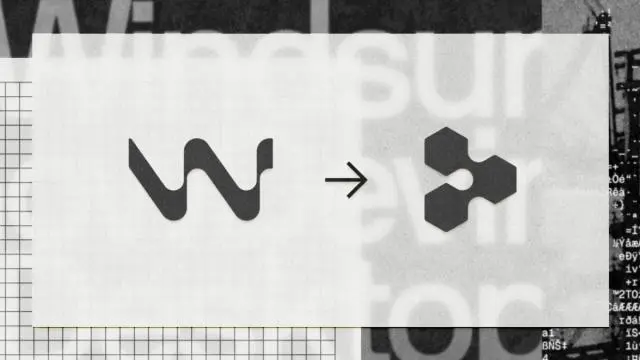
Devin Desktop - Cognition's Windsurf rebrand for managing all your coding agents in a single platform

Claude Security - Anthropic's code vulnerability scanner with scheduled scans, patches, and Jira/Slack export, now in public beta
⚙️ North Mini Code - Cohere's first open-source agentic coding model

Get access to all our AI courses, hundreds of real-world AI use cases, live expert-led workshops, an exclusive network of AI early adopters, and more.
Get unlimited access to all of our current & upcoming industry-specific AI courses for the duration of your subscription.
To keep up with the rapid pace of AI, our team publishes AI implementation guides daily. Our library contains 300+ practical use cases to automate real-world work.
Join weekly, live, interactive sessions with industry leaders who are at the forefront of AI for hands-on implementation guidance and exclusive insights.
Network with an exclusive community of AI-first professionals who are working smarter with AI. Learn how early adopters are using AI in their work and businesses.