Agentic coding in a desktop IDE
Ask an agent to explore a repository, edit multiple files, run commands, and iterate without leaving the editor.
Independent tool overview
Windsurf, the AI code editor originally launched by Codeium, is now Devin Desktop under Cognition. Existing installs continue updating through transitional Windsurf packages, but the current product name, documentation, account system, and plans are part of the Devin platform.
Visit the official Devin Desktop (formerly Windsurf) site ↗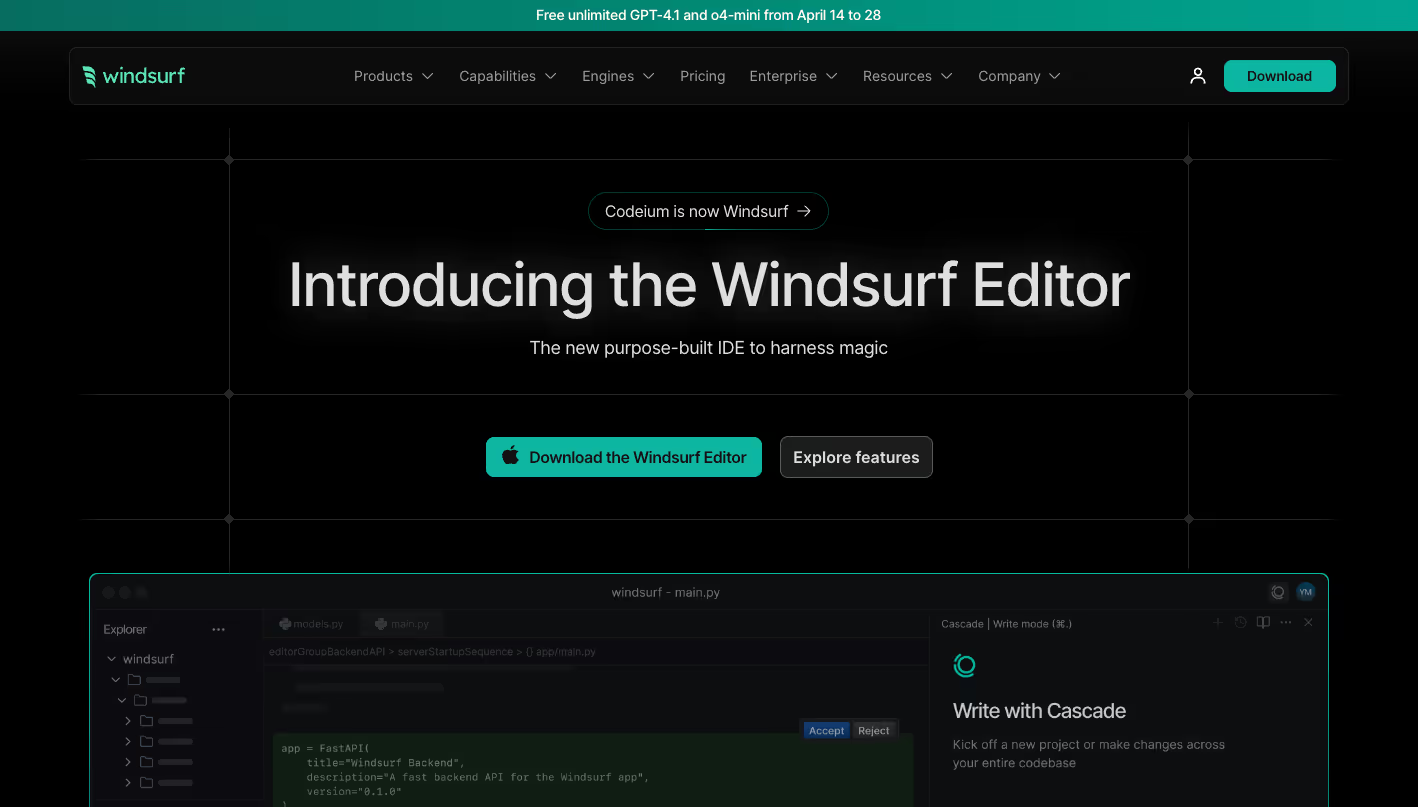
Overview
Devin Desktop is the active successor to the Windsurf editor. It remains a desktop IDE for macOS, Windows, and Linux, with code completion, inline edits, repository context, an integrated terminal, and agentic coding inside the editor.
The editor now offers Devin Local as its default local agent while retaining Cascade as another built-in agent. Cascade can search and analyze a codebase, edit files, run terminal commands, use web search and MCP servers, create plans, and revert changes with checkpoints.
Cognition moved self-serve customers from prompt credits to daily and weekly usage quotas in March 2026. Paid plans include access to more models and larger agent allowances, while extra usage is billed at model API rates.
Use cases
The strongest fit depends on the job you need the product to complete, not the size of its feature list.
Ask an agent to explore a repository, edit multiple files, run commands, and iterate without leaving the editor.
Import compatible settings and keybindings into a familiar editor-style workflow.
Use planning, todo lists, terminal tools, code search, checkpoints, and queued messages for longer tasks.
Add centralized billing, shared work, admin analytics, support, and enterprise identity controls.
Capabilities
Run Cognition's current local coding-agent harness directly on the developer's machine inside Devin Desktop.
Use Code and Chat modes for repository-aware edits, questions, terminal commands, web search, MCP tools, and other actions.
All listed self-serve plans include unlimited AI code completions while typing.
Transform selected code with natural-language instructions without consuming the included agent quota in the same way as agent tasks.
Break complex tasks into tracked steps, create named snapshots, and revert an agent's edits to an earlier checkpoint.
Search and reason across the current codebase, with memories, rules, AGENTS.md support, and configurable ignore files.
Let the coding agent run commands, connect approved MCP servers, and retrieve current documentation or web context.
Process
Step 1
Download the current app and sign in with a Devin account; existing Windsurf packages act as transition paths for updates.
Step 2
Import VS Code or Cursor settings if useful, then open the local folder, remote SSH target, or development container.
Step 3
Add repository rules, AGENTS.md guidance, memories, and ignore patterns before granting an agent access to the codebase.
Step 4
Use Devin Local or Cascade and select a model that balances task difficulty, latency, and quota consumption.
Step 5
Describe the desired outcome and verification criteria, then review file edits, terminal commands, and generated results as they occur.
Step 6
Inspect the diff, run relevant tests, check security-sensitive changes, and keep a checkpoint before accepting or deploying agent work.
Cost
Cognition's current pricing combines Devin Desktop with the broader Devin platform. Free is $0, Pro is $20 per month, Max is $200 per month, and Teams costs $80 per month for the team plan plus $40 per month for each full developer seat. Paid plans include daily and weekly usage quotas; extra usage is available at API pricing.
$0
Individual plan for lightweight agent use and core editor assistance.
$20/month
Individual plan with larger quotas and the full model catalog.
$200/month
Power-user individual plan with significantly higher usage quotas.
$80/month + $40/full seat
Organization plan with collaboration, administration, and per-developer quotas.
Contact sales
Custom deployment and governance for larger organizations.
Pricing checked . Check current pricing at the source ↗
Assessment
Compare
The right alternative depends on the specific output, workflow, controls and budget your project requires.
Coding
Choose Cursor when you want another agent-first desktop editor with a large developer community and its own coding models.
Explore Cursor →Coding
Choose Claude Code when a terminal-first Anthropic coding agent fits your existing editor and command-line workflow better.
Explore Claude Code →Coding
Choose Replit Agent when browser-based building, managed infrastructure, collaboration, and deployment are more important than a local IDE.
Explore Replit Agent →Questions
Yes. Cognition's current documentation identifies the former Windsurf editor as Devin Desktop. Existing Windsurf packages continue updating through a transitional path, but the current app and account use Devin branding.
Codeium became Windsurf, and after Cognition acquired the company the editor was integrated into the Devin platform. Its active successor is Devin Desktop.
Current individual plans are Free at $0, Pro at $20 per month, and Max at $200 per month. Teams is $80 per month for the team plan plus $40 per month for each full developer seat.
Yes. Cascade remains a built-in agent with Code and Chat modes, although Devin Local is now the other local agent and the default for new tabs unless the user selects a preference.
The editor supports importing VS Code and Cursor settings and uses familiar editor conventions, but some proprietary or competing AI extensions are incompatible and a general extension marketplace is not available inside the app.
Bottom line
Devin Desktop is the current choice for developers who liked Windsurf's agentic editor and want deeper integration with Cognition's local and cloud agents. It offers a capable free tier and strong in-editor automation, but buyers should compare its quota-based pricing and extension limits with Cursor, Claude Code, and Replit before standardizing a team workflow.
Visit Devin Desktop (formerly Windsurf) website ↗%20(1).png)
Devstral 2 - Mistral's next-gen family of coding-specific models

GPT-5.2-Codex - Agentic coding model for professional software engineering and defensive cybersecurity.
Mistral Vibe CLI - Mistral's new open-source CLI coding assistant powered by its Devstral models

MiniMax 2.1 - New model with powerful capabilities across a variety of programming languages and for mobile and web app development

Get access to all our AI courses, hundreds of real-world AI use cases, live expert-led workshops, an exclusive network of AI early adopters, and more.
Get unlimited access to all of our current & upcoming industry-specific AI courses for the duration of your subscription.
To keep up with the rapid pace of AI, our team publishes AI implementation guides daily. Our library contains 300+ practical use cases to automate real-world work.
Join weekly, live, interactive sessions with industry leaders who are at the forefront of AI for hands-on implementation guidance and exclusive insights.
Network with an exclusive community of AI-first professionals who are working smarter with AI. Learn how early adopters are using AI in their work and businesses.