Repository-level implementation
Developers who want an agent to inspect a codebase, edit files, run tests and present a reviewable diff.
Independent tool overview
Codex is OpenAI's agentic work and coding experience for running local and cloud tasks, reviewing file changes and coordinating parallel projects from the ChatGPT desktop app.
Visit the official Codex App site ↗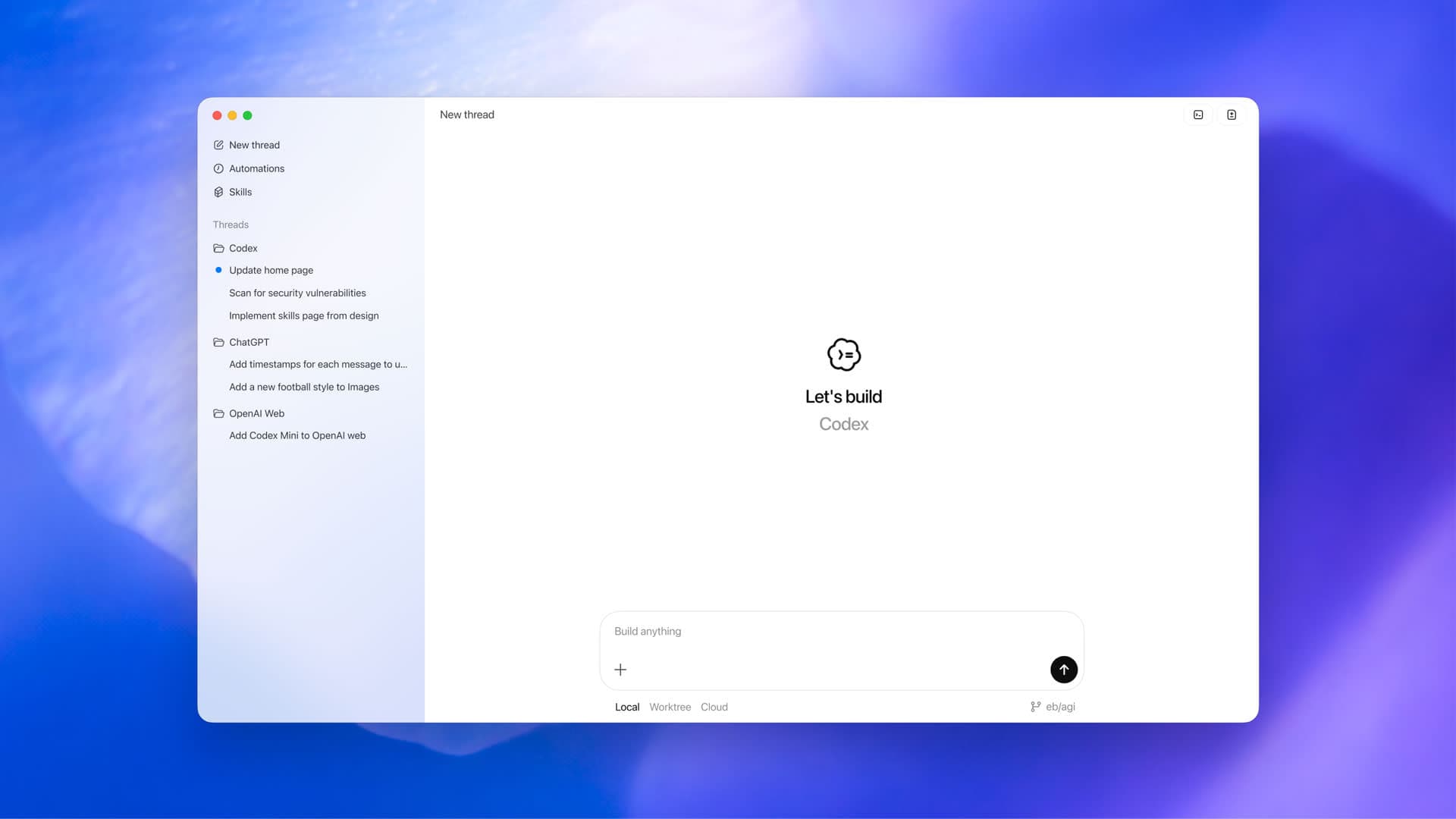
Overview
The product introduced as the Codex App has expanded into the broader ChatGPT desktop app. OpenAI's current documentation presents one desktop workspace where users can choose Codex, open a folder or project, work with local files and tools, and keep several long-running chats visible.
For software projects, Codex can inspect and edit repositories, run commands, review diffs and use isolated Git worktrees for parallel tasks. It can also delegate work to Codex cloud, then return a reviewable summary and code changes. The desktop app is available for macOS, Windows and Linux, while Codex also has web, CLI, IDE and cloud surfaces.
Use cases
The strongest fit depends on the job you need the product to complete, not the size of its feature list.
Developers who want an agent to inspect a codebase, edit files, run tests and present a reviewable diff.
Teams and individuals coordinating several independent tasks without losing the context or state of each chat.
Users who want to start work locally, isolate it in a worktree or delegate a longer task to a cloud environment.
Capabilities
Keeps projects, chats, files and long-running work visible in one app instead of limiting Codex to a terminal session.
Works with chosen folders and files, runs commands through an integrated terminal and presents code changes for review.
Creates isolated worktrees so independent chats can work on the same repository without competing for one checkout.
Moves a chat and its code between the main checkout and an isolated worktree while handling the required Git operations.
Runs longer tasks in configured cloud environments and returns summaries, diffs and pull-request-ready work for review.
Supports project instructions, skills, plugins, MCP connections and scheduled tasks according to the user's plan and configuration.
Process
Step 1
Open the repository and decide whether the task should use the local checkout, an isolated worktree or a cloud environment.
Step 2
Describe the desired behavior, constraints, relevant files and checks that must pass rather than asking only for code generation.
Step 3
Allow only the permissions and tools the task needs while Codex reads, edits, runs commands and reports intermediate findings.
Step 4
Inspect the summary, diff, terminal results and rendered behavior before committing, pushing, deploying or merging changes.
Cost
Codex is included with current ChatGPT Free, Go, Plus, Pro, Business, Edu and Enterprise plans. Usage depends on the model, task complexity and whether work runs locally or in the cloud; API-key use is billed separately by tokens and does not include cloud integrations.
$0 / $8 monthly
Entry access for quick or lightweight Codex tasks.
$20 monthly
Regular individual access for focused coding sessions.
From $100 monthly
Higher individual Codex limits for more intensive use.
$20/user monthly annually
Managed workspace access for teams of two or more.
Contact sales
Organizational deployment with expanded governance controls.
Pricing checked . Check current pricing at the source ↗
Assessment
Compare
The right alternative depends on the specific output, workflow, controls and budget your project requires.
Coding
Choose Claude Code for Anthropic's terminal-centered coding agent and its model ecosystem.
Explore Claude Code →Coding
Choose Cursor when an AI-first code editor and inline IDE workflow are more important than a separate agent workspace.
Explore Cursor →Coding
Choose Devin Desktop, formerly Windsurf, to compare another agent-oriented desktop and editor workflow.
Explore Devin Desktop (formerly Windsurf) →Questions
The Codex App is OpenAI's desktop agent experience for working with repositories, files, commands and long-running tasks. Current official documentation presents Codex within the broader ChatGPT desktop app.
Yes. Codex remains an active mode and product surface in the ChatGPT desktop app, which OpenAI currently offers for macOS, Windows and Linux.
Codex is included with ChatGPT Free and other current ChatGPT plans, but usage limits and available features vary. Go is $8 per month, Plus is $20 per month and Pro starts at $100 per month as of this review.
Worktrees are isolated Git checkouts that let separate Codex chats work on the same repository in parallel without sharing one working directory.
ChatGPT-plan usage and OpenAI API billing are separate. An API key can be used with Codex CLI, SDK or IDE workflows on usage-based token pricing, but it does not include plan-based cloud integrations.
Bottom line
Codex is strongest for developers who want more than inline completion: it can own a scoped implementation loop across repository inspection, edits, commands, verification and review. The desktop workspace and worktree model are particularly useful for parallel projects, but the value of higher plans depends on sustained usage and every consequential change still needs human verification.
Visit Codex App website ↗
SERA - AI2's open-source coding agents able to be cheaply trained on private codebases with native support for Claude Code.
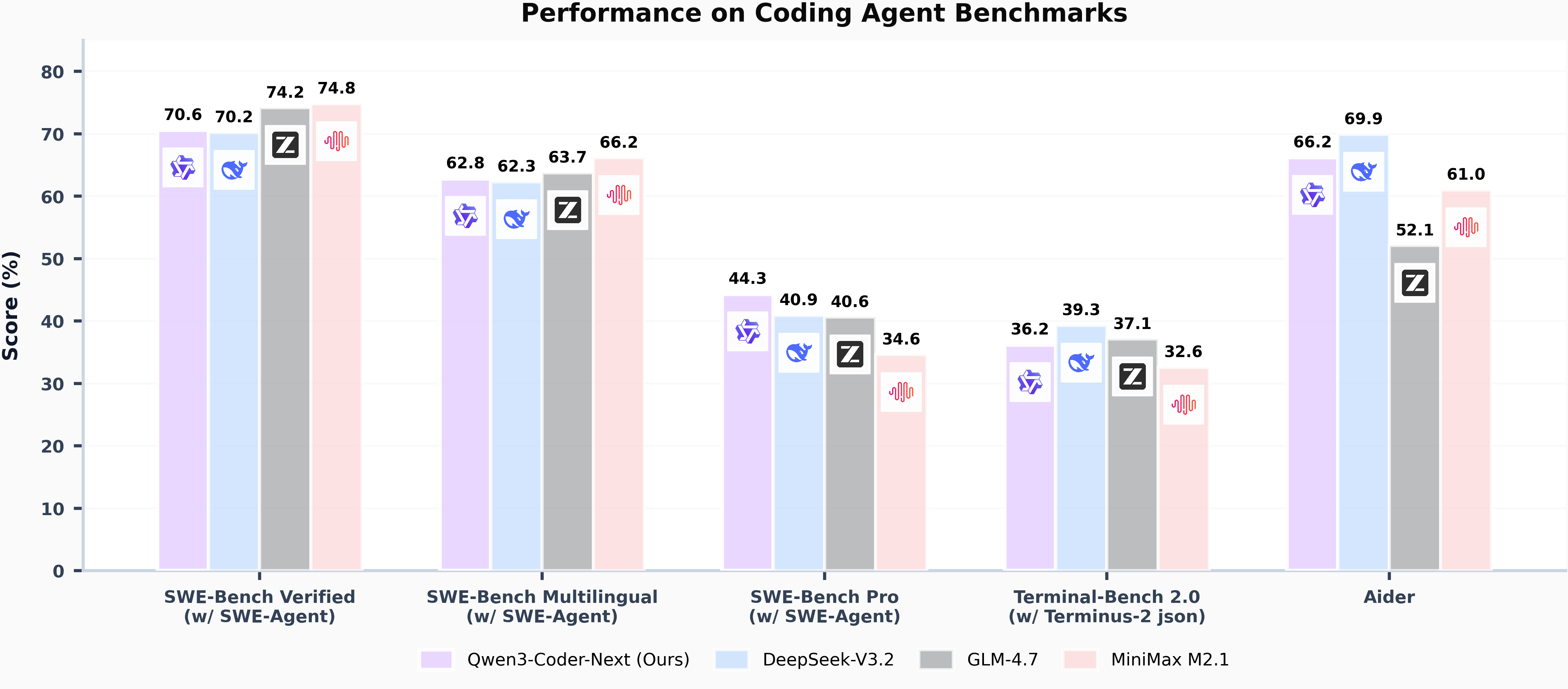
Qwen3-Coder-Next - Alibaba's open-weight, small hybrid model for agentic coding

NousCoder-14B - Nous Research's competitive olympiad programming model

GPT-5.3-Codex - OpenAI's new SOTA agentic coding model

Get access to all our AI courses, hundreds of real-world AI use cases, live expert-led workshops, an exclusive network of AI early adopters, and more.
Get unlimited access to all of our current & upcoming industry-specific AI courses for the duration of your subscription.
To keep up with the rapid pace of AI, our team publishes AI implementation guides daily. Our library contains 300+ practical use cases to automate real-world work.
Join weekly, live, interactive sessions with industry leaders who are at the forefront of AI for hands-on implementation guidance and exclusive insights.
Network with an exclusive community of AI-first professionals who are working smarter with AI. Learn how early adopters are using AI in their work and businesses.