Lead research and enrichment
Trigger on a new lead, search public information, consult internal qualification rules, update the CRM, and alert the right owner.
Independent tool overview
Zapier Agents is an active no-code platform for building AI workers that use company knowledge, search or browse the web, and take actions across Zapier's 9,000+ app ecosystem. Agents can run from chat, Chrome, their own triggers, or Zap workflows. The free plan includes 400 activities per month; Pro includes 1,500 for $33.33 per month billed annually, while Enterprise offers custom volume, sharing, and audit controls.
Visit the official Zapier Agents site ↗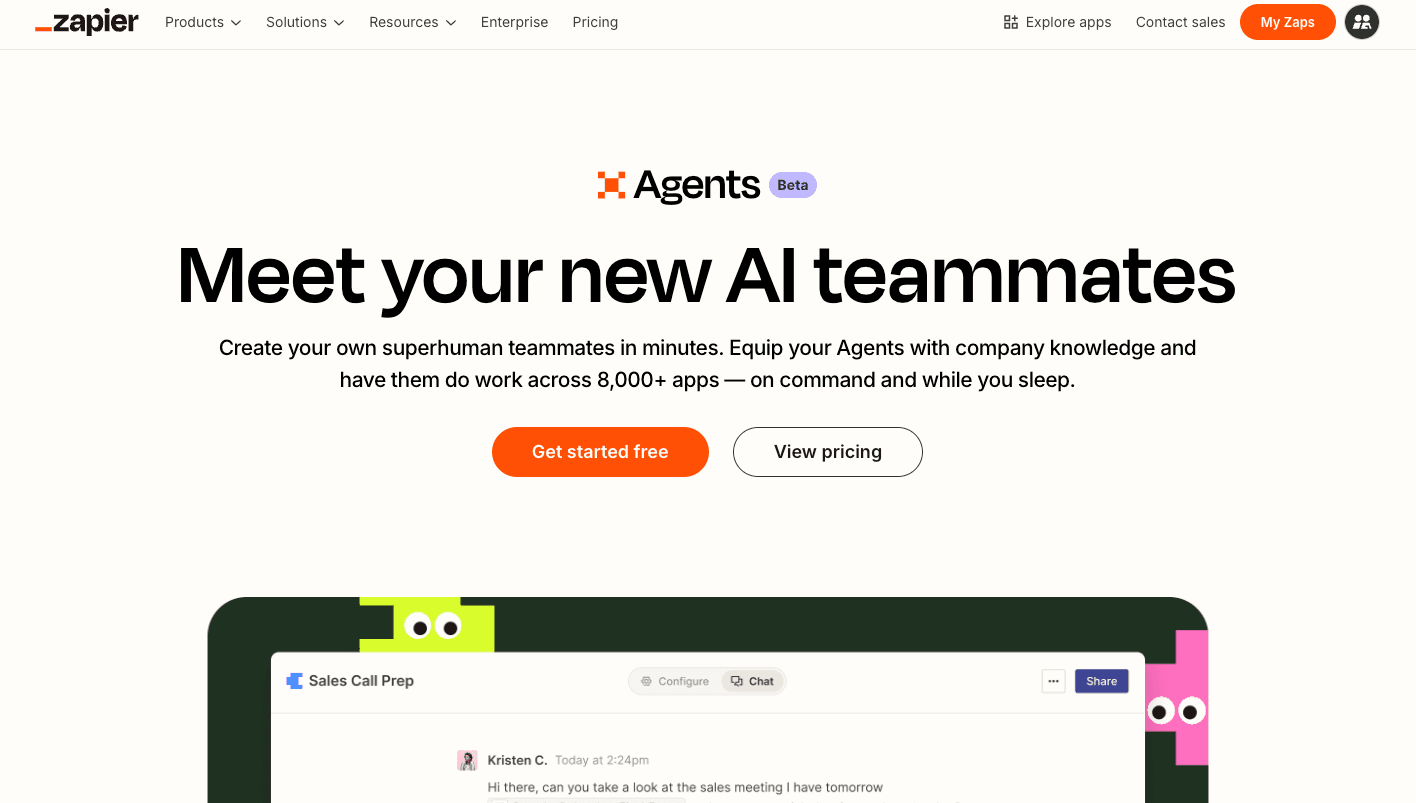
Overview
Zapier Agents turns natural-language instructions into focused agents with approved triggers, app actions, knowledge sources, web search, and public-page browsing. It is best suited to repeatable business tasks such as lead research, inbox triage, CRM enrichment, reporting, and cross-app follow-up rather than open-ended general conversation.
An agent can start from a template or custom brief, use Copilot to refine its configuration, and run independently after publishing. Knowledge can come from uploaded files or supported connected apps, while search actions retrieve live records and Zap workflows can send data into an agent and wait for structured output.
The key purchasing detail is the activity meter. A trigger, knowledge lookup, app action, web search, browsing request, or Chrome-extension message can each consume a separate Agents activity. Agents is an add-on to the main Zapier account, and its activity usage is distinct from the task quota used by normal Zap workflows.
Use cases
The strongest fit depends on the job you need the product to complete, not the size of its feature list.
Trigger on a new lead, search public information, consult internal qualification rules, update the CRM, and alert the right owner.
Classify messages, consult policies, create or update tickets, draft responses, and escalate exceptions through connected apps.
Watch app events or Zap triggers, analyze changes, and distribute summaries or follow-up tasks without a manual prompt.
Answer operational questions from synchronized documents and tables, then take a permitted action when the evidence supports it.
Extend familiar connections and automation assets with agent decisions instead of adopting an entirely separate integration stack.
Capabilities
Describe the trigger, job, rules, apps, and desired result; Zapier Copilot helps convert the brief into an editable configuration.
Give an agent specific search or write tools from connected Zapier apps rather than unrestricted access to an entire account.
Start an agent from supported events, chat, the Chrome extension, or any Zap trigger through a Run Agent step.
Attach supported app documents or CSV, PDF, ODT, PPTX, DOCX, and TXT files up to 100 MB for retrieval and analysis.
Every agent includes tools to search the web and retrieve public webpages without configuring another app connection.
A Zap can call an agent, optionally wait for completion, and expose named output fields to later workflow steps.
Inspect activity consumption, receive notices at 80% and 100%, and use per-run caps to prevent one execution from exhausting the account.
Custom plans add organization sharing, audit logs, custom activity volume, and enterprise controls described on Zapier's pricing page.
Process
Step 1
Define a narrow trigger, exact inputs, approved sources, required output, and conditions that must stop or escalate the run.
Step 2
Connect only the accounts and actions the agent needs, prefer read tools first, and avoid broad write permissions during evaluation.
Step 3
Use synced knowledge for stable documents and a search action for current records that must be found at run time.
Step 4
Check missing fields, duplicates, stale records, bad source data, app failures, prompt injection, and ambiguous matches before publishing.
Step 5
Require review for consequential writes, mark processed records, filter agent outputs, and prevent a Zap from retriggering the same agent indefinitely.
Step 6
Count triggers, lookups, searches, browsing, and app actions across real runs, then model monthly cost from the observed distribution rather than run count alone.
Step 7
Review logs, activity spikes, knowledge freshness, connected-account permissions, failures, and unexpected external changes on an ongoing basis.
Cost
Zapier Agents is metered in activities, not ordinary Zapier tasks. Each trigger, knowledge-source lookup, app action, web search, browsing request, or Chrome-extension message can count. Allowances reset monthly. Free tests consume activities; tests on paid plans do not. Agents is billed as an add-on to the underlying Zapier account.
$0
A durable free tier for building and running small personal agents.
$33.33/month billed annually ($400/year)
Higher-volume individual plan with more room per run.
Contact sales
Custom plan for shared and governed organizational deployment.
Pricing checked . Check current pricing at the source ↗
Assessment
Compare
The right alternative depends on the specific output, workflow, controls and budget your project requires.
Agents
Choose WRITER Agent when enterprise research, content, brand governance, and reusable playbooks matter more than Zapier's integration breadth.
Explore Action Agent →Agents
Consider Manus for a more general autonomous agent that creates artifacts and completes open-ended tasks outside a predefined business workflow.
Explore Manus →Business Operations
Use Microsoft Copilot when Microsoft 365 data, identity, approvals, and administration are the center of the automation environment.
Explore Microsoft Copilot →Questions
Zapier Agents is a no-code product for creating AI workers that use instructions, knowledge, web tools, triggers, and approved actions across Zapier's app ecosystem.
Free includes 400 activities per month. Pro costs $400 per year, displayed as $33.33 per month, for 1,500 activities. Enterprise has custom pricing and volume.
Triggers, knowledge-source answers, app actions, web browsing, web searches, and messages sent through the Chrome extension can each count as one activity.
No. Zapier Agents is an add-on with its own activity allowance. Agent activity usage does not reduce the task quota used by Zap workflows, although a workflow calling an agent may have its own Zap task usage.
Yes. Agents can search the web and retrieve public pages, but the default browser cannot log in to websites. Use a configured app action for authenticated systems.
Yes. Agents can sync supported app documents or use uploaded CSV, PDF, ODT, PPTX, DOCX, and TXT files up to 100 MB, subject to record and source limits.
Yes. An agent can use a supported trigger or be launched from a Zap. It must be tested and published before it can run live.
New triggers, actions, searches, browsing, knowledge retrieval, and Chrome-extension use stop. Chat remains available, and execution resumes after the monthly reset or an upgrade.
Bottom line
Zapier Agents is strongest when the job is clear, the tools can be narrowly scoped, and Zapier already connects the systems involved. The free tier is generous enough to validate a small workflow, but Pro's 1,500 activities can disappear quickly when each run uses several lookups and actions. The right evaluation metric is cost per successfully completed business outcome, with approval gates and loop protection—not the headline number of monthly agent runs.
Visit Zapier Agents website ↗
Get access to all our AI courses, hundreds of real-world AI use cases, live expert-led workshops, an exclusive network of AI early adopters, and more.
Get unlimited access to all of our current & upcoming industry-specific AI courses for the duration of your subscription.
To keep up with the rapid pace of AI, our team publishes AI implementation guides daily. Our library contains 300+ practical use cases to automate real-world work.
Join weekly, live, interactive sessions with industry leaders who are at the forefront of AI for hands-on implementation guidance and exclusive insights.
Network with an exclusive community of AI-first professionals who are working smarter with AI. Learn how early adopters are using AI in their work and businesses.

.avif)