Repeatable team workflows
Turn a documented process such as weekly reporting, request triage or lead qualification into a shared agent.
Independent tool overview
ChatGPT Workspace Agents are Codex-powered team agents that run repeatable, multi-step workflows using approved apps, tools, files and organizational controls.
Visit the official Workspace Agents site ↗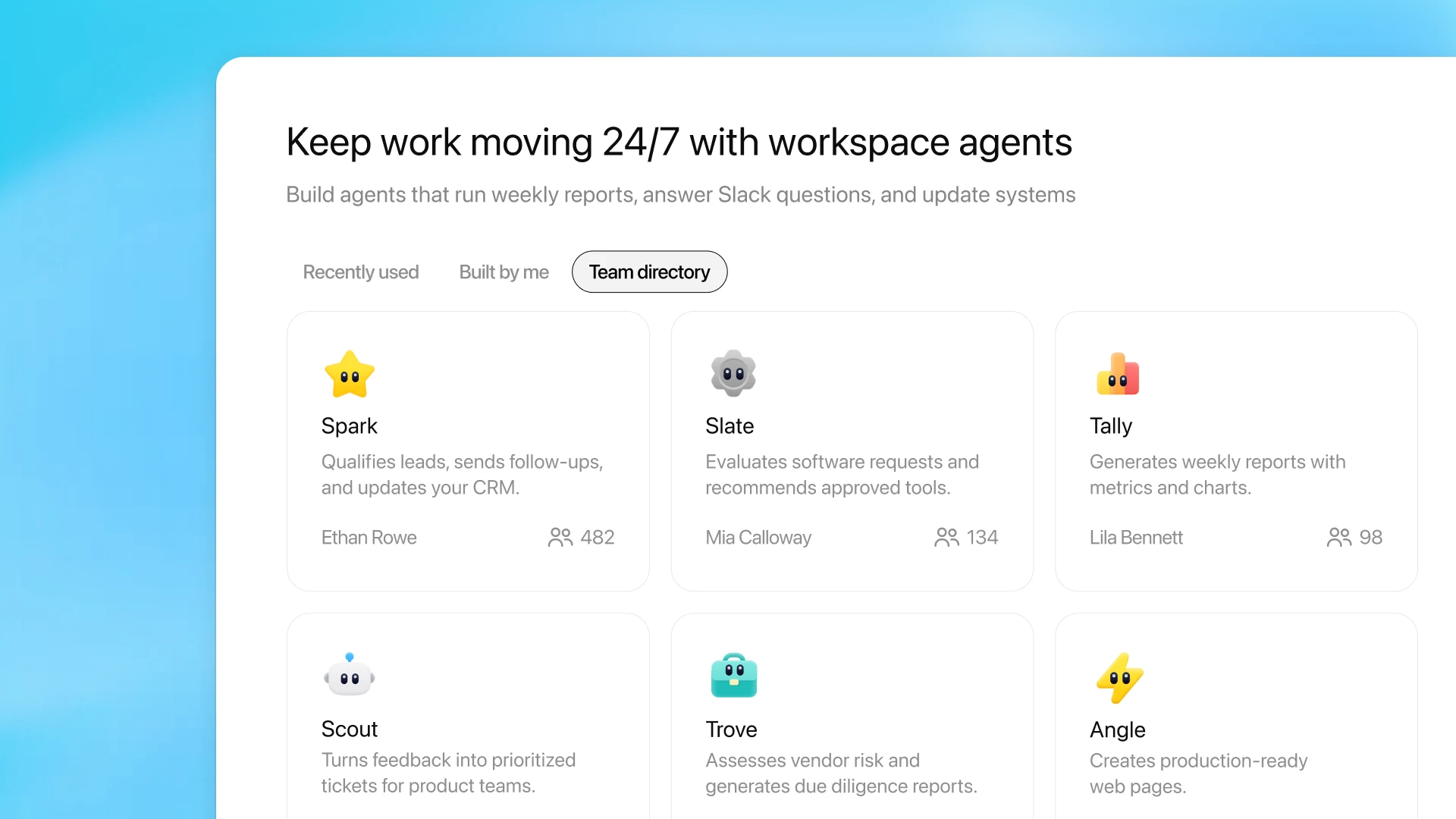
Overview
Workspace Agents move beyond a personal chatbot by packaging a repeatable process into an agent that a team can share. A builder describes the job, adds instructions and tools, tests the workflow and publishes a controlled version to the organization.
Agents run in the cloud and can use files, skills, apps, custom MCP connections and memory. They can be launched in ChatGPT, run on a schedule, triggered through an API or deployed to Slack channels, subject to plan, workspace and administrator settings.
The most important implementation work is governance, not prompting. Teams need scoped connections, test cases, approval rules, named owners and monitoring—especially when an agent can send messages, update records or use an agent-owned account on behalf of many people.
Use cases
The strongest fit depends on the job you need the product to complete, not the size of its feature list.
Turn a documented process such as weekly reporting, request triage or lead qualification into a shared agent.
Gather context from approved systems, transform it and deliver an output without manual copy-and-paste.
Make a governed agent available in a team channel for questions, scheduled updates or supported actions.
Capabilities
Uses ChatGPT to define instructions, steps, models, reasoning effort and starter prompts.
Adds enabled apps, custom MCPs, files, skills, web search and other permitted capabilities.
Keeps an agent private, shares it by link or publishes it to the organization's directory.
Runs agents interactively, on schedules, through API triggers or in connected Slack channels.
Supports end-user connections or agent-owned shared connections plus action and parameter constraints.
Provides role-based controls, agent activity visibility and the ability to suspend agents where supported.
Process
Step 1
Start with a frequent, measurable workflow that has clear inputs, outputs and an accountable owner.
Step 2
Connect only required apps and limit repositories, actions, parameters and shared credentials.
Step 3
Use normal, adversarial and failure examples to check output quality and prevent unsafe actions.
Step 4
Release to the smallest necessary audience, inspect usage and revise or suspend the agent when behavior drifts.
Cost
Workspace Agents require an eligible ChatGPT workspace. Runs use the same agentic usage and credit pool as supported Codex and ChatGPT Work activity. OpenAI's current Business and Enterprise/Edu rate card prices runs by tokens rather than a fixed amount; a typical GPT-5.6 run is estimated at 5–25 credits.
Plan fee + included usage
Eligible Business seats include Workspace Agents and draw initial activity from the shared agentic usage allowance.
Token-based
GPT-5.6 agent runs currently consume credits by input, cached input and output tokens.
Contract pricing
Workspace access, included usage and billing terms depend on the organization's agreement.
Pricing checked . Check current pricing at the source ↗
Assessment
Compare
The right alternative depends on the specific output, workflow, controls and budget your project requires.
Agents
A cross-app agent platform centered on Zapier's large automation ecosystem.
Explore Zapier Agents →Business Operations
A visual no-code builder for AI workflows with explicit nodes and data movement.
Explore Gumloop →Business Operations
A Microsoft-centered assistant option for organizations standardized on Microsoft 365 and Copilot tooling.
Explore Microsoft Copilot →Questions
They are shared, Codex-powered agents for repeatable organizational workflows. They can use approved tools and run in ChatGPT, Slack, on a schedule or through an API trigger.
OpenAI lists Workspace Agents for eligible ChatGPT Business, Enterprise and Edu workspaces. Availability and building permissions depend on administrator settings and roles.
There is no fixed per-run charge. Current credit use depends on model tokens and complexity; OpenAI estimates a typical end-to-end GPT-5.6 run at roughly 5–25 credits.
Yes. The organization must complete ChatGPT and Slack admin setup, use a paid Slack plan and configure agent-owned shared connections for the agent's apps.
It can use supported app actions when those apps, credentials and permissions are explicitly configured. Teams should constrain access and require confirmation for consequential changes.
No. In the Codex plugin, Codex acts as a builder that edits and publishes the configuration. Running and previewing the agent still happens through supported Workspace Agent surfaces.
Bottom line
Workspace Agents are strongest when a team already has a stable process and wants one governed implementation across ChatGPT and Slack. They are not a shortcut around process design: connection scope, evaluations, approvals, ownership and cost monitoring determine whether the automation is safe and economical.
Visit Workspace Agents website ↗
Perplexity Personal Computer - Perplexity's local orchestrator working across your files, native apps, and the web

Gemini Enterprise Agent Platform - Google's successor to Vertex AI and platform for building, scaling, and governing enterprise agents across 200+ models

Holo 3 - H Company's open-weight computer-use agent that navigates enterprise desktops with SOTA accuracy on 10B active params
Grok Voice Think Fast 1.0 - xAI's new voice agent with background reasoning and tool calling for complex support workflows

Get access to all our AI courses, hundreds of real-world AI use cases, live expert-led workshops, an exclusive network of AI early adopters, and more.
Get unlimited access to all of our current & upcoming industry-specific AI courses for the duration of your subscription.
To keep up with the rapid pace of AI, our team publishes AI implementation guides daily. Our library contains 300+ practical use cases to automate real-world work.
Join weekly, live, interactive sessions with industry leaders who are at the forefront of AI for hands-on implementation guidance and exclusive insights.
Network with an exclusive community of AI-first professionals who are working smarter with AI. Learn how early adopters are using AI in their work and businesses.