Business-process automation
Connecting inboxes, spreadsheets, CRMs, databases, forms, messaging, and documents into a governed recurring process.
Independent tool overview
Gumloop is a no-code platform for building AI agents and deterministic workflows that use business apps, company data, web tools, models, code, and APIs. It supports conversational agents, subagents, reusable skills, scheduled and event triggers, visual workflows, 300-plus connectors, MCP servers, REST APIs, and SDKs. The platform can move from prototype to real operations quickly, but its agents and custom MCP tools can also take consequential actions. Production use needs least-privilege credentials, narrow tool rules, approval steps, idempotent workflows, failure alerts, cost caps, and independent output checks.
Visit the official Gumloop site ↗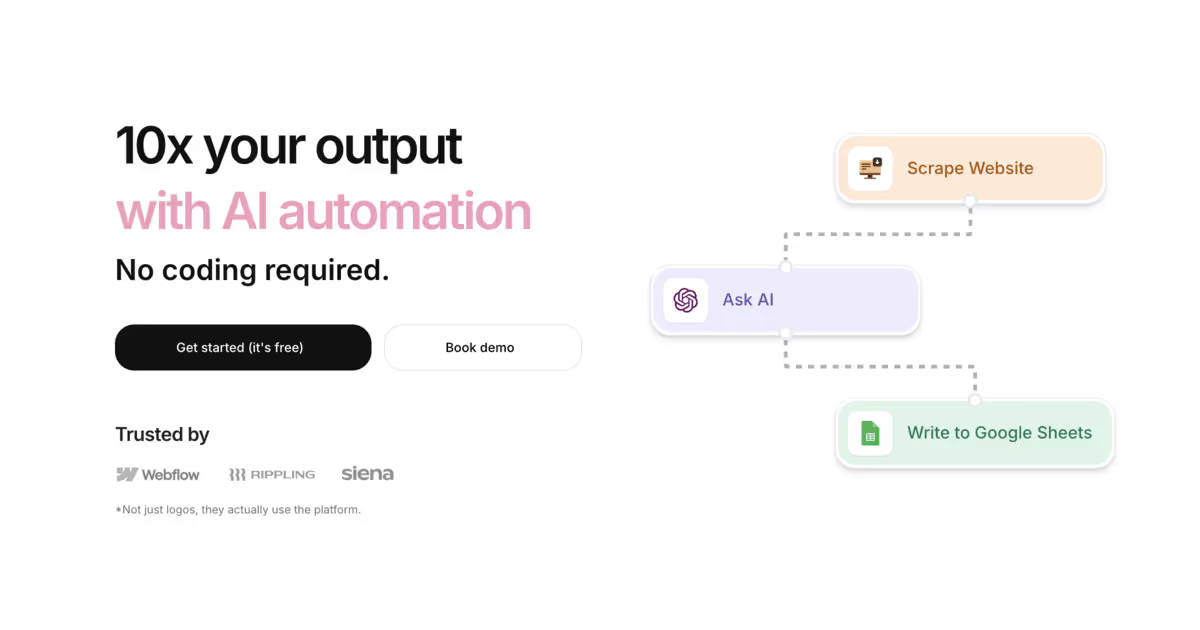
Overview
Gumloop has evolved from a visual AI-workflow builder into a broader agent platform. Teams can create role-specific agents that reason across tools and data, or build structured node-based workflows when the sequence and cost need to be predictable.
Agents can use app integrations, web search and browsing, a code and file sandbox, image generation, workflows as tools, custom or hosted MCP servers, and approved subagents. They can run interactively, on schedules, after external events, or inside workflows through an Agent node.
The visual workflow layer remains useful for repeatable transformations, enrichment, scraping, routing, notifications, and API-style pipelines. Native logic and many app nodes cost no extra credits, while AI, enrichment, web, custom-code, MCP, and agent work consume credits.
The current Pro plan starts at $37 per month with 20,000 credits, unlimited seats and agents, an 8% orchestration fee, 25 concurrent agent chats, five concurrent workflow runs, BYOK, collaboration, and agent-scoped connector guardrails. Enterprise adds negotiated capacity and organization-wide governance.
Gumloop is best viewed as an automation runtime, not a magic employee. Models can hallucinate, websites and documents can inject instructions, third-party schemas can change, and a technically successful run can still create the wrong external outcome.
Use cases
The strongest fit depends on the job you need the product to complete, not the size of its feature list.
Connecting inboxes, spreadsheets, CRMs, databases, forms, messaging, and documents into a governed recurring process.
Creating narrowly scoped research, sales, marketing, support, recruiting, operations, or analysis agents with defined tools and boundaries.
Using fixed workflow steps for retrieval, validation, and writes while reserving model judgment for classification, drafting, or exception handling.
Letting subject-matter experts model workflows visually and test them without building an orchestration service from scratch.
Triggering workflows from external products and retrieving structured outputs through webhooks, REST APIs, or the JavaScript and Python SDKs.
Selecting among many hosted models or supplying provider API keys on paid plans to balance capability, cost, and governance.
Capabilities
Configure a role, instructions, model, knowledge, tools, credentials, skills, triggers, and sharing policy for a reusable AI teammate.
A parent agent can clone itself for parallel work or invoke explicitly allowed specialist agents in the same project.
Agents can use business apps, web and X search, browsing, files, code, images, workflows, and MCP servers according to configuration.
Teams can capture reusable playbooks and connect shared company knowledge for agents and humans.
Connect input, logic, loops, AI, scraping, enrichment, code, integrations, and output nodes on a canvas.
Start agents or workflows on schedules, webhooks, email, Slack, Teams, forms, database changes, calendar events, or other supported signals.
Run a configured agent inside a structured workflow and continue its conversation when the workflow provides a conversation ID.
Use prebuilt, hosted, proxied, or custom Model Context Protocol servers to expose additional tools to agents and AI nodes.
Choose among hosted models and, on Pro or Enterprise, connect supported provider keys to reduce Gumloop's AI credit charge.
Agents normally use the runner's personal credentials, with configuration options for personal, pinned, team, or organization accounts where allowed.
Pro and Enterprise users can block or tag matching agent tool calls; Pro supports up to three rules per agent and Enterprise adds organization-wide controls.
Workflow history exposes status, node timing, credit cost, and the inputs and outputs for each executed node.
Pro supports failure email alerts, while time triggers can be configured with a maximum failure count.
Share agents and workflows with editor, viewer, use-only, organization, or link-based access according to the item's options and plan.
Adds custom roles, app policies, AI model controls, audit logs, SSO and SCIM, data exports, custom retention, and optional private infrastructure.
Process
Step 1
Define the owner, trigger, source systems, expected artifact or state change, service level, failure cost, and success metric before choosing an agent or workflow.
Step 2
Model retrieval, filtering, joins, validation, routing, and writes as explicit workflow nodes. Add an AI or agent step only where judgment or unstructured input is genuinely needed.
Step 3
Use dedicated accounts and the narrowest OAuth scopes. Separate read, draft, approve, and execute authority, and do not give a general agent personal admin or production-owner credentials.
Step 4
Start with two or three tools, precise instructions, structured inputs and outputs, forbidden actions, a cost and step budget, and an explicit list of operations that require human approval.
Step 5
Email, Slack, websites, files, CRM notes, tickets, and MCP output can contain prompt injection. Never let retrieved content add tools, reveal secrets, change policies, or authorize an external action.
Step 6
Keep sending, publishing, purchasing, deletion, permission changes, financial commitments, customer contact, employment decisions, and production changes behind a deterministic review step.
Step 7
Use stable event IDs, deduplication, upserts, existing-state checks, locks where needed, and a record of the intended change so retries cannot create duplicate messages, records, charges, or tickets.
Step 8
Verify credentials and every tool or workflow independently, then test the integrated flow with normal, missing, malformed, duplicate, stale, adversarial, high-volume, timeout, and provider-error inputs.
Step 9
Confirm which nodes and tools ran, their inputs and outputs, external side effects, latency, credit cost, failures, and final result rather than trusting the agent's summary.
Step 10
Run a representative sample, compare budget and advanced models, reduce unnecessary tools and context, batch deterministic work, and set usage notifications and overage limits.
Step 11
Begin with read-only recommendations or drafts, shadow the human process, approve each result, then expand autonomy only after measured accuracy and failure handling are acceptable.
Step 12
Add failure alerts, freshness checks, retry limits, dead-letter review, audit evidence, dashboards, an emergency disable path, credential rotation, versioned prompts and workflows, and a documented human fallback.
Cost
Gumloop uses subscription credits plus an orchestration fee. Pro starts at $37 per month with 20,000 credits and an 8% orchestration fee; additional plan sizes are available. Credits pay for model, tool, enrichment, web, custom-code, MCP, and workflow execution according to the node or agent path. Overage is documented at $0.007 per credit up to twice the monthly allocation. Enterprise pricing and discounts are negotiated.
$0/month
A limited account is still referenced throughout current documentation; Gumloop's last public allocation announcement listed 5,000 credits per month.
Starts at $37/month
Individual and collaborative paid plan with 20,000 included credits at the entry level.
$0.007/credit
Optional usage beyond the included monthly credit balance.
Provider charges plus Gumloop credits
Connect a supported model-provider key to reduce Gumloop's AI-model credit component.
Custom pricing
Negotiated capacity, support, security, governance, retention, and infrastructure.
Pricing checked . Check current pricing at the source ↗
Assessment
Compare
The right alternative depends on the specific output, workflow, controls and budget your project requires.
Agents
Choose Zapier Agents when Zapier's large automation ecosystem and agent experience better match existing business workflows.
Explore Zapier Agents →Business Operations
Choose classic Zapier when deterministic trigger-action automation and broad app coverage matter more than multi-step autonomous agents.
Explore Zapier →Business Operations
Choose n8n when technical teams want more deployment control, code-level flexibility, and self-hosting options.
Explore n8n →Business Operations
Choose Lindy when the priority is quickly configuring business-facing AI assistants and recurring operational tasks.
Explore Lindy →Business Operations
Choose Bardeen when browser-centered productivity and sales workflows are more important than a general agent and workflow runtime.
Explore Bardeen →Questions
Gumloop is a no-code platform for building AI agents and visual workflows that use business apps, data, models, web tools, code, triggers, APIs, and MCP servers.
Yes. Its current positioning emphasizes agents, but the node-based workflow builder remains available for structured, repeatable automations and for tools an agent can call.
Pro currently starts at $37 per month with 20,000 credits and an 8% orchestration fee. Enterprise is custom priced. Current docs also reference a limited Free account, although the live pricing table does not display its allowance.
Credits are Gumloop's usage currency. Workflow base runs, AI models, tools, enrichment, web operations, custom code, MCP, agent reasoning, and invoked workflows can each contribute to the total.
Yes, on Pro or Enterprise. Current docs say BYOK reduces workflow AI nodes to one Gumloop credit and cuts agent AI-model credits by 50%, while the provider bills its own usage.
Yes. Agents can use schedules and supported external events, and an Agent node can run inside a workflow triggered by a schedule, webhook, app event, API, or SDK.
Yes. It supports prebuilt and custom MCP servers, with hosted and proxied MCP capabilities for eligible organizations.
The current custom-MCP guide says approval prompts are not available for agent or Ask AI use. Expose only narrow tools and credentials, and place consequential actions behind a separate deterministic approval workflow.
By default, agents use the credentials of the person running them. Builders can also configure pinned, team, or organization credentials where permitted, which requires careful authority review.
Yes. An agent can clone itself for parallel work and can call specifically added custom agents in the same project as subagents.
Limit tools and credentials, write explicit approval rules, use agent-level App Rules on Pro, use organization governance on Enterprise, and route consequential writes through deterministic reviewed workflows.
The run log shows the failing node and its inputs and outputs. Gumloop charges for nodes that ran before the failure, so production flows also need retry limits, idempotency, alerts, and a recovery queue.
It can be evaluated for sensitive work, but the answer depends on plan, contracts, retention, connected model providers, credentials, logs, regions, roles, and required controls. Enterprise offers the broadest governance set.
It can automate bounded repeatable work, but human owners are still required for policy, exceptions, high-impact decisions, quality review, incidents, and vendor or source-system changes.
Bottom line
Gumloop is one of the more complete no-code options for teams that want both AI agents and conventional workflows. Its connector reach, subagents, triggers, MCP support, model choice, detailed run logs, and low entry Pro price are compelling. The deciding question is governance, not whether a demo works. Use deterministic nodes for business rules, give agents only narrow tools and identities, build explicit approval gates around writes, test retries and hostile inputs, and model all three cost layers—subscription, credits or orchestration, and external providers—before scaling.
Visit Gumloop website ↗
Get access to all our AI courses, hundreds of real-world AI use cases, live expert-led workshops, an exclusive network of AI early adopters, and more.
Get unlimited access to all of our current & upcoming industry-specific AI courses for the duration of your subscription.
To keep up with the rapid pace of AI, our team publishes AI implementation guides daily. Our library contains 300+ practical use cases to automate real-world work.
Join weekly, live, interactive sessions with industry leaders who are at the forefront of AI for hands-on implementation guidance and exclusive insights.
Network with an exclusive community of AI-first professionals who are working smarter with AI. Learn how early adopters are using AI in their work and businesses.


