Terminal-first developers
Keep shell commands, agent conversations, code changes, and operational debugging in one keyboard-oriented application.
Independent tool overview
Warp 2.0 was the 2025 launch that repositioned Warp from a modern terminal into an agentic development environment. The product remains active and now combines local and cloud coding agents, a terminal, code editing and review, shared Warp Drive knowledge, multi-model access, and the Oz cloud orchestration platform.
Visit the official Warp 2.0 site ↗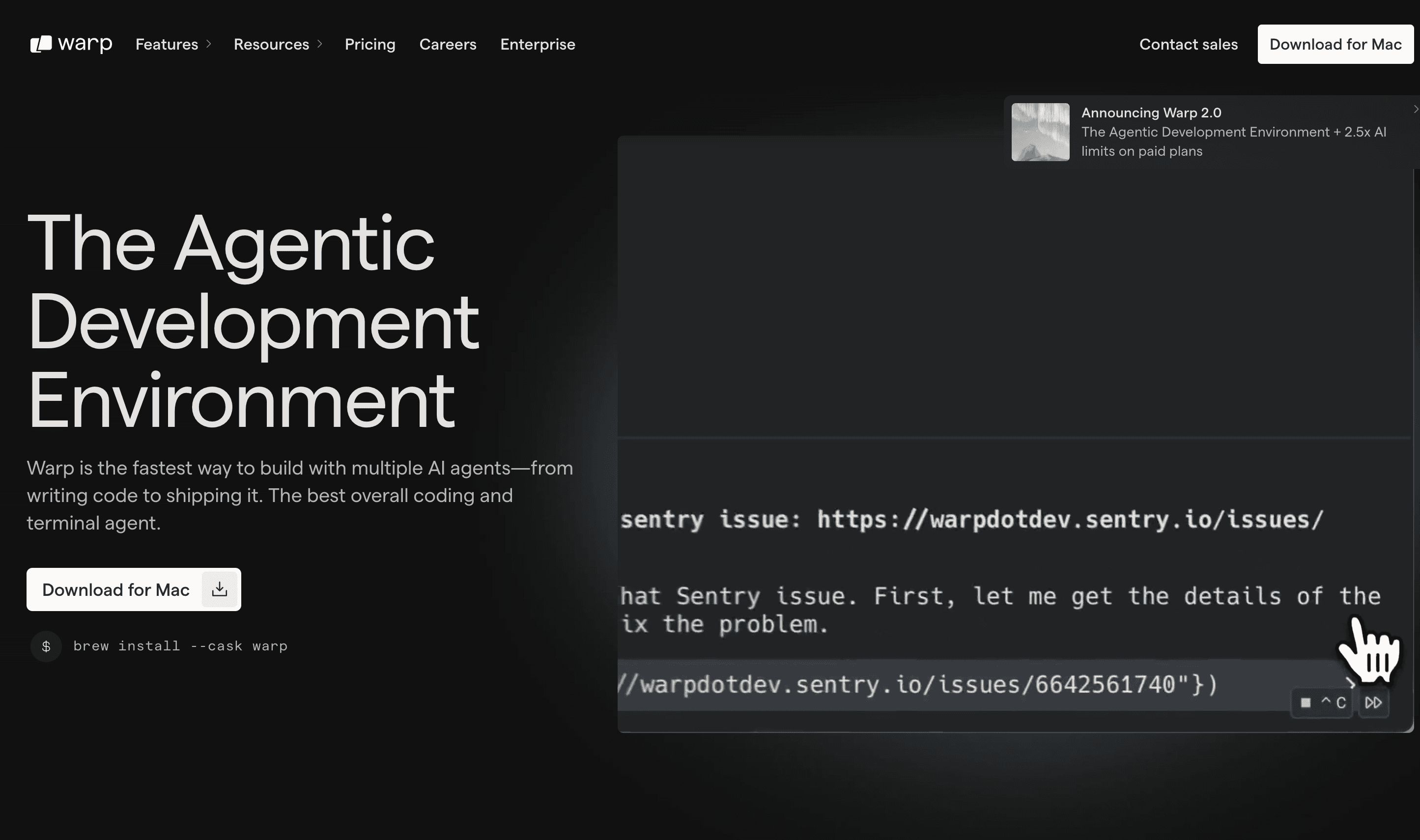
Overview
Warp starts with a terminal but is designed around agent-driven development. Developers can type commands or natural-language tasks into one interface, give agents repository context and project rules, run multiple tasks in parallel, review generated diffs, make manual edits, and keep terminal output alongside the work.
Since the Warp 2.0 launch, the product has expanded beyond the original four-part Code, Agents, Terminal, and Drive concept. The current Warp client is open source under AGPL, supports macOS, Windows, and Linux, and connects to Oz for cloud agents, integrations, schedules, webhooks, and emerging software-factory workflows.
Warp is most compelling for developers who want agent work to stay close to terminals, Git, and operational tooling. Its native editor is intentionally lighter than a mature IDE, usage is metered after plan allowances, and autonomous changes still need careful diff review and testing.
Use cases
The strongest fit depends on the job you need the product to complete, not the size of its feature list.
Keep shell commands, agent conversations, code changes, and operational debugging in one keyboard-oriented application.
Run and monitor several local or cloud agent tasks without opening separate terminals and dashboards for each one.
Move from repository setup and implementation through testing, Git review, deployment, and production diagnosis.
Share commands and project knowledge in Warp Drive or use Oz environments, schedules, GitHub, Slack, Linear, and webhooks for cloud runs.
Capabilities
A coding and development agent that can inspect repositories, run commands, edit files, debug failures, and use supported frontier or open-source models.
Launch multiple tasks, monitor their status, steer work, and move suitable jobs to cloud environments that continue beyond the local session.
Retains structured command blocks, completions, command history, panes, and a universal input for shell commands and agent prompts.
Provides syntax highlighting, tabs, file tree, find and replace, Vim keybindings, and language-server support for common languages.
Inspect and edit Git diffs, attach changes as agent context, comment on agent output, revert hunks, and compare branches without leaving Warp.
Indexes Git-tracked local repositories, applies project instructions through AGENTS.md, and lets developers attach files, selections, or diffs.
Share reusable workflows, prompts, notebooks, and environment variables, then automate cloud agents through integrations, schedules, APIs, and configured environments.
Process
Step 1
Open or clone a project, let Warp index the codebase, and record repository-specific instructions in AGENTS.md.
Step 2
Describe the task, attach relevant context, choose a model, and decide whether the agent should request approval or run more independently.
Step 3
Watch commands and edits, interrupt wrong assumptions early, and use separate conversations or cloud agents for independent workstreams.
Step 4
Inspect every changed file, add inline feedback, run tests and linters, and verify behavior outside the agent's own explanation.
Step 5
Land accepted changes through normal Git review, or move stable recurring work into Warp Drive, Oz environments, schedules, and integrations.
Cost
Warp uses usage-based plans with credits valued at underlying API rates. Monthly pricing is Free at $0, Build from $20 with 1,500 credits, Max from $200 with 18,000 credits, and Business from $50 per user with 1,500 credits per seat. Annual billing is 10% lower: $18, $180, and $45 respectively. Extra agent usage can be purchased, so the subscription is not necessarily the final monthly cost.
$0/month
For the core terminal, limited hosted features, or developers bringing their own inference.
$20/month or $18 annually
For individual developers who want full Warp Agent access and flexible paid usage.
$200/month or $180 annually
For heavy individual users who need a larger included usage pool.
$50/user/month or $45 annually
For teams of up to 25 seats needing administration and data controls.
Custom
For larger organizations and governed cloud-agent deployments.
Pricing checked . Check current pricing at the source ↗
Assessment
Compare
The right alternative depends on the specific output, workflow, controls and budget your project requires.
Coding
A fuller editor-first AI development experience for teams that prefer an IDE over a terminal-centered workflow.
Explore Cursor →Coding
A terminal-native coding agent for developers who want a lighter interface and close integration with Anthropic models.
Explore Claude Code →Coding
An open-source terminal agent with a generous Google-backed entry point and a more conventional CLI workflow.
Explore Gemini CLI →Questions
Warp 2.0 was the June 2025 release that turned Warp from a modern terminal into an agentic development environment combining Code, Agents, Terminal, and Warp Drive. The active product has continued evolving since that launch.
Yes. The Free plan includes the core terminal, Warp Agent CLI, bring-your-own inference, and limited cloud and collaboration features. Hosted AI usage beyond its allowance can be purchased.
Monthly plans start at $20 for Build, $200 for Max, and $50 per user for Business. Annual billing is $18, $180, and $45 respectively, while Enterprise is custom. Additional AI usage may increase the total.
Yes. Warp announced in April 2026 that its client source code is available under the AGPL license. Hosted agents, model inference, collaboration, and enterprise services still follow Warp's plans and commercial terms.
It can handle many prompt-driven coding, terminal, review, and focused editing tasks. Developers who depend on a large extension ecosystem or specialized IDE tooling may still use Warp alongside another editor.
Warp says contracted model providers operate under zero-data-retention terms and do not train on customer data. Product analytics and cloud conversation storage have separate plan and feature controls that teams should review before adoption.
Bottom line
Warp is a strong choice for developers who want coding agents embedded in a fast terminal and need one place to run, inspect, and coordinate local and cloud work. Its value rises with repeatable operational workflows, but teams should model variable usage cost and retain normal Git review, testing, permissions, and production controls.
Visit Warp 2.0 website ↗
Google Firebase: Firebase helps developers build and scale apps with backend infrastructure, analytics, and real-time databases.

Bolt.new: Lets you spin up AI-powered web apps instantly using natural language.

Ollama: Lets you run open-source llms locally for privacy-friendly and high-performance ai experiences.

Cursor Agents - Work with a powerful coding assistant anywhere with the Cursor Agent on web and mobile

Get access to all our AI courses, hundreds of real-world AI use cases, live expert-led workshops, an exclusive network of AI early adopters, and more.
Get unlimited access to all of our current & upcoming industry-specific AI courses for the duration of your subscription.
To keep up with the rapid pace of AI, our team publishes AI implementation guides daily. Our library contains 300+ practical use cases to automate real-world work.
Join weekly, live, interactive sessions with industry leaders who are at the forefront of AI for hands-on implementation guidance and exclusive insights.
Network with an exclusive community of AI-first professionals who are working smarter with AI. Learn how early adopters are using AI in their work and businesses.