Everyday software development
Navigate unfamiliar code, implement scoped changes, refactor, debug, write tests, and review diffs from one editor.
Independent tool overview
Cursor is an AI-first code editor and coding-agent platform that can inspect repositories, propose and apply edits, run commands and tests, review pull requests, and move longer tasks to cloud agents across desktop, terminal, web, mobile, and connected developer tools.
Visit the official Cursor site ↗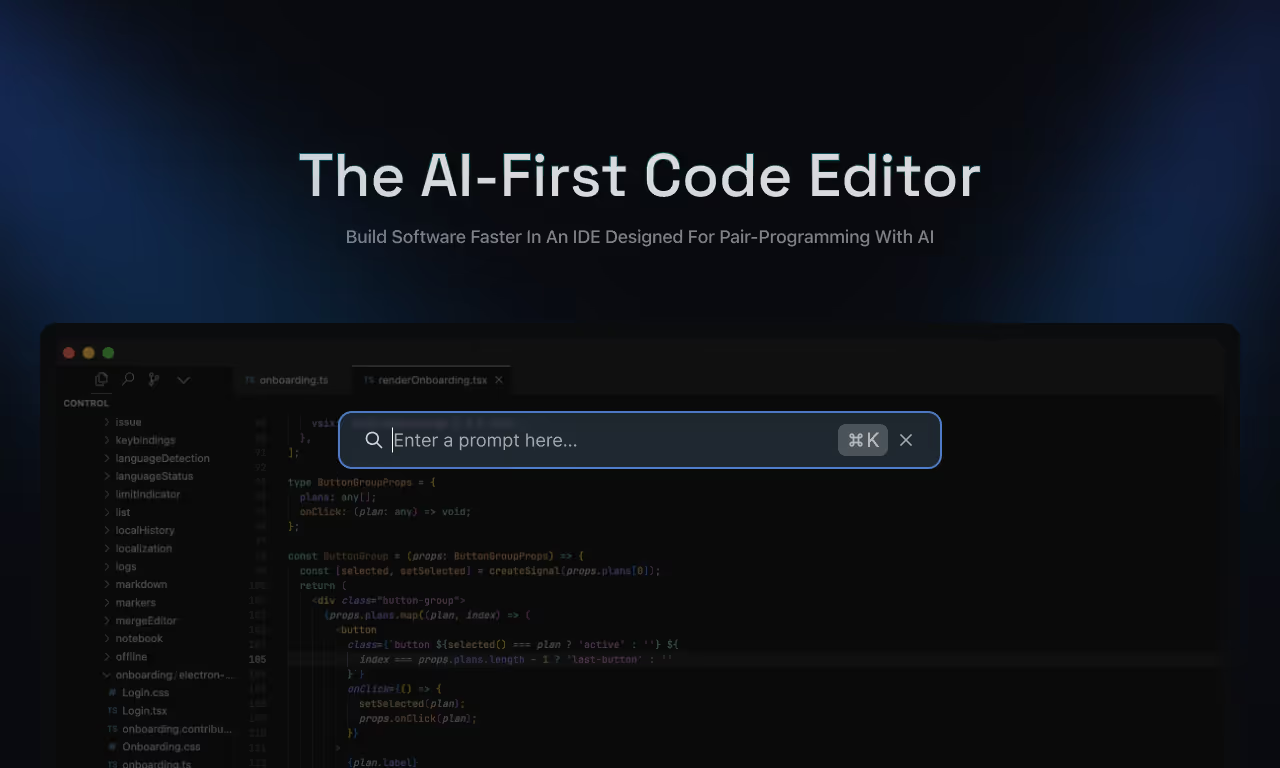
Overview
Cursor has grown beyond code completion into a broad software-development agent. Its desktop Agent can search a codebase, read files, edit code, run terminal commands, browse the web, and test an application. Tab handles inline completions, while rules, skills, MCP servers, plugins, subagents, and hooks let individuals and teams shape how the system works.
For longer tasks, Cursor Cloud Agents run in isolated remote machines and can work from desktop, web, iOS, Slack, source-control comments, Linear, automations, or an API. That reach is powerful, but it also expands the security and billing surface: code and credentials may enter remote environments, autonomous agents can execute commands and access networks, and model usage can continue through on-demand billing after included limits are consumed.
Use cases
The strongest fit depends on the job you need the product to complete, not the size of its feature list.
Navigate unfamiliar code, implement scoped changes, refactor, debug, write tests, and review diffs from one editor.
Use Pro+ or Ultra when coding agents are a daily or high-volume part of the workflow.
Delegate bounded work to cloud agents that can keep running after the local computer is closed.
Standardize rules, plugins, privacy settings, usage controls, code review, SSO, and shared automation.
Connect external tools through MCP, package workflows as skills, and enforce controls with hooks.
Capabilities
Searches repositories and the web, reads and edits files, runs commands, and uses browser tools to complete coding tasks.
Provides context-aware inline code suggestions and multi-line edits during normal typing.
Cursor's own model family is included in a dedicated usage pool alongside access to third-party frontier models on eligible plans.
Run asynchronous tasks in isolated remote environments with repository, dependency, network, and selected secret access.
Reviews pull requests for bugs, security concerns, and code-quality issues, with optional agentic autofix workflows.
Offers interactive and non-interactive agent sessions for terminal work, scripts, and CI pipelines.
Start and monitor cloud agents from the web or iOS and hand work back to desktop.
Loads version-controlled project guidance, user rules, team rules, and repository instruction files.
Packages specialized workflows and delegates focused work into separate agent contexts.
Connects outside services, APIs, and data sources through installable extensions and Model Context Protocol servers.
Runs scripts around agent, shell, file, MCP, subagent, and application lifecycle events to observe, block, or extend behavior.
Starts or resumes agents from schedules, Slack, GitHub, GitLab, Bitbucket, Azure DevOps, Linear, and supported APIs.
Adds pre-push and pull-request review workflows, but findings still require human validation.
Cursor began rolling out its own repository and pull-request hosting in early beta in August 2026.
Process
Step 1
Use Tab for small completions, local Agent for interactive work, CLI for terminal workflows, and Cloud Agents for bounded asynchronous tasks.
Step 2
Add AGENTS.md, scoped rules, commands, and relevant skills so the agent understands architecture, testing, style, and safety constraints.
Step 3
Exclude sensitive files, grant the minimum repository and secret access, review MCP/plugin permissions, and configure network and command controls.
Step 4
Give the expected behavior, permitted scope, non-goals, relevant files, validation commands, and definition of done.
Step 5
Inspect plans, diffs, commands, logs, screenshots, test results, and pull-request artifacts rather than judging only the final summary.
Step 6
Run tests, type checks, linters, security review, and realistic product checks in a trusted environment before merging or deploying.
Step 7
Track model mix, included pools, on-demand usage, accepted changes, defect escape rate, review time, and developer productivity.
Cost
Cursor combines subscription tiers with model-dependent usage pools and optional on-demand billing. Model choice affects how quickly included usage is consumed. Prices below are current monthly list prices before applicable tax unless noted; Enterprise contracts and annual terms may differ.
Free
Entry plan for trying core editor and agent features.
₹649/month in India
India-only plan focused on Cursor's own model pool.
$20/month
Individual plan for regular coding assistance.
$60/month
Recommended by Cursor for daily agent users.
$200/month
Individual plan for agent power users.
$40/user/month
Team management and governance for lighter agent usage.
$120/user/month
Higher-usage seat for team agent power users.
Custom
Contract plan for larger organizations and advanced controls.
Pricing checked . Check current pricing at the source ↗
Assessment
Compare
The right alternative depends on the specific output, workflow, controls and budget your project requires.
Coding
Claude Code is a strong terminal-first alternative for deep repository work and agentic software engineering.
Explore Claude Code →Coding
OpenAI Codex is a close alternative for parallel coding agents across app, CLI, IDE, and cloud workflows.
Explore Codex →Coding
Devin Desktop, formerly Windsurf, is the closest alternative for developers who want another agent-focused IDE and cloud-agent workflow.
Explore Devin Desktop (formerly Windsurf) →Questions
Cursor is an AI code editor and agent platform that can understand repositories, write and edit code, run commands and tests, review changes, and delegate longer work to cloud agents.
Yes. Hobby is free with limited Agent usage and access to core features. Paid individual plans start at $20 per month.
Current monthly individual pricing is $20 for Pro, $60 for Pro+, and $200 for Ultra. Teams Standard is $40 per user and Teams Premium is $120 per user; Enterprise is custom.
All include paid individual features, but Pro+ has three times Pro's Agent limits and Ultra has twenty times Pro's limits plus the highest individual usage and priority feature access.
It can. Every plan includes model usage, and eligible users can enable on-demand usage billed after the included amount is consumed. Bugbot and some cloud workflows also use usage-based billing.
With Privacy Mode enabled, Cursor says code data is not used for training by Cursor or model providers. Some features still send context to providers or store code and environment data temporarily in cloud infrastructure, so review the exact mode and feature.
They are remote coding agents that run in isolated virtual machines with a repository, dependencies, selected secrets, and controlled network access. They can work for longer periods and open pull requests when finished.
Local agents use approval controls for sensitive actions, while cloud agents can auto-run commands to iterate. Keep guardrails enabled, restrict access, and use version control.
No. Cursor and Bugbot can add useful review passes, but humans still need to validate behavior, architecture, security, data handling, tests, and deployment impact.
Bottom line
Cursor is one of the most complete agentic development environments available: it supports small inline edits, full repository tasks, cloud execution, pull-request review, automation, and deep customization. That breadth is the advantage and the risk. It is most effective in a disciplined engineering system with version control, scoped permissions, representative tests, cost controls, and mandatory human review. Start on Hobby or Pro with real tasks, then upgrade only after measuring accepted output and total model spend.
Visit Cursor website ↗
Get access to all our AI courses, hundreds of real-world AI use cases, live expert-led workshops, an exclusive network of AI early adopters, and more.
Get unlimited access to all of our current & upcoming industry-specific AI courses for the duration of your subscription.
To keep up with the rapid pace of AI, our team publishes AI implementation guides daily. Our library contains 300+ practical use cases to automate real-world work.
Join weekly, live, interactive sessions with industry leaders who are at the forefront of AI for hands-on implementation guidance and exclusive insights.
Network with an exclusive community of AI-first professionals who are working smarter with AI. Learn how early adopters are using AI in their work and businesses.