Founders and entrepreneurs
Turn a defined product idea into a testable web app or business site before committing to a larger engineering build.
Independent tool overview
Bolt.new is StackBlitz's browser-based AI app builder for creating websites, JavaScript full-stack web apps, prototypes, and Expo mobile apps through natural-language prompts, direct code editing, and integrated cloud services.
Visit the official Bolt.new site ↗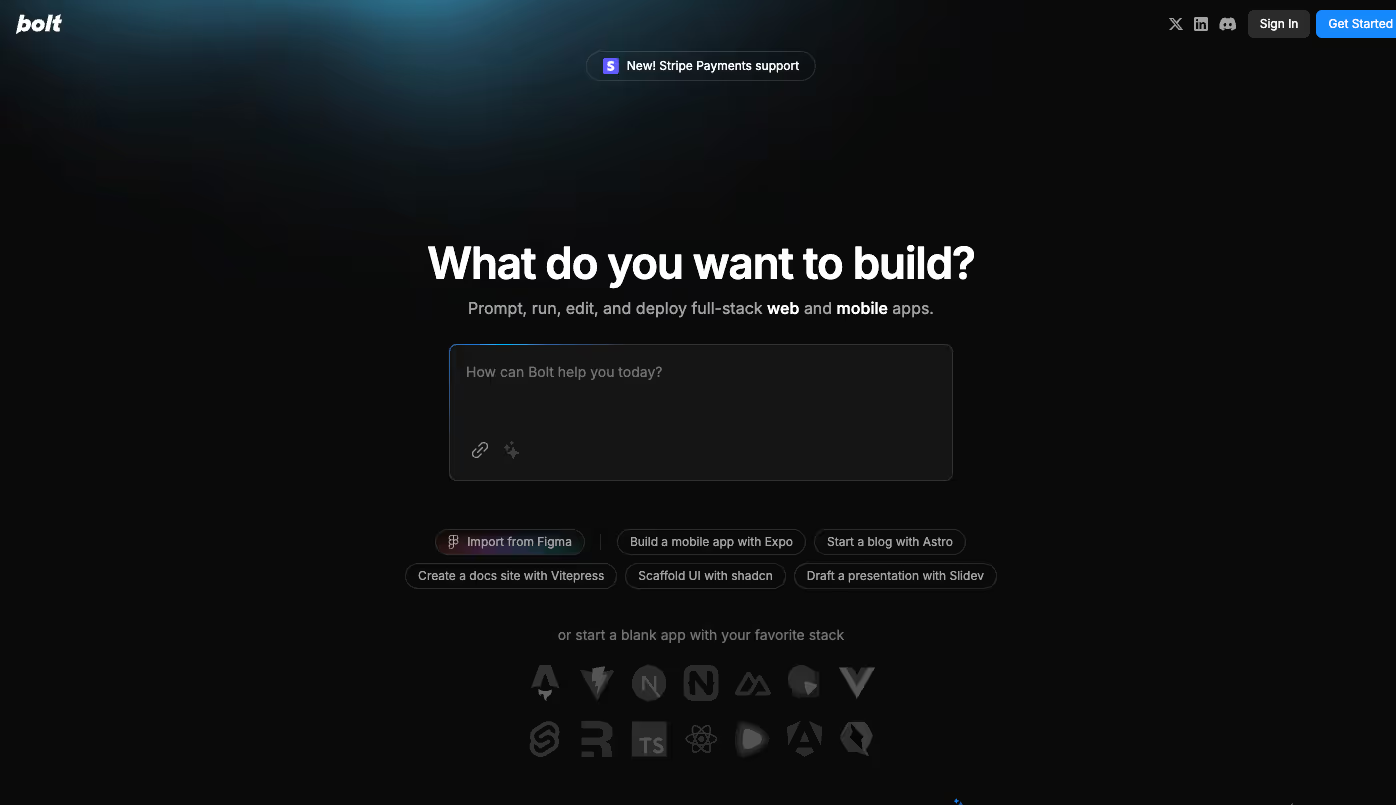
Overview
Bolt.new turns a written product brief into a working codebase inside the browser. It can start from a prompt, Figma design, Google Stitch design, GitHub repository, template, or imported Lovable project, then lets users iterate through chat or edit files in Code View. The clearest fit is rapid prototyping and JavaScript-based product development where a team wants code, preview, infrastructure, and publishing in one workspace.
Bolt Cloud bundles hosting, databases, authentication, file storage, server functions, analytics, and domain management, while integrations cover GitHub, Netlify, Supabase, Stripe, Expo, Figma, Google SSO, and MCP servers. This reduces setup work, but it does not remove normal software-engineering responsibilities: generated applications still need requirements review, version control, automated testing, accessibility checks, security validation, data-governance decisions, cost monitoring, and an accountable production owner.
Use cases
The strongest fit depends on the job you need the product to complete, not the size of its feature list.
Turn a defined product idea into a testable web app or business site before committing to a larger engineering build.
Create working prototypes from prompts or Figma designs and validate flows with users and stakeholders.
Build landing pages, campaign sites, directories, forms, and lightweight internal tools with integrated hosting.
Accelerate scaffolding and iteration while retaining code access, GitHub synchronization, branches, and external deployment options.
Learn by producing a visible application in the browser without first configuring a local development environment.
Capabilities
Builds websites and applications from natural-language requirements and supports iterative changes through chat.
Starts from scratch, templates, Figma, Google Stitch, GitHub, or imported Lovable projects.
Offers Standard and paid Max agent options, with model routing designed to balance quality, speed, and token cost.
Lets technical users inspect and edit the generated project files directly in supported desktop browsers.
Builds with browser-native JavaScript frameworks and Node.js backends inside StackBlitz WebContainers.
Publishes projects to a bolt.host subdomain and gives paid users custom-domain and additional publishing options.
Creates and manages databases inside the project, with an option to use or claim a Supabase-backed database.
Supports app signups, logins, password resets, roles, and user permissions through the built-in cloud workflow.
Includes file storage and edge functions for uploads, forms, data processing, and custom backend logic.
Imports repositories, creates new private repositories, syncs commits, and supports branch-based work.
Official guides cover Expo, Figma, GitHub, Google SSO, Google Stitch, Netlify, Stripe, Supabase, Lovable imports, and MCP servers.
Supports project sharing and multiplayer work; Teams adds organization controls, team templates, and design-system knowledge.
All plans can run database security checks, while paid plans include a broader project audit that flags or fixes supported issues.
Bolt Cloud reports traffic basics, and paid plans list SEO boosting alongside hosting and custom-domain support.
Process
Step 1
Write the audience, core job, user roles, data model, required screens, acceptance criteria, non-goals, and production constraints.
Step 2
Start from a prompt or template, or import only the Figma frame or GitHub repository that the project actually needs.
Step 3
Build one complete user flow first instead of asking for the entire product, every integration, and all edge cases at once.
Step 4
Sync the project to a private GitHub repository, use branches for risky work, and make recoverable checkpoints before major changes.
Step 5
Define the database schema, authorization rules, secret handling, storage boundaries, and external-service permissions before loading real data.
Step 6
Exercise success, failure, empty, loading, mobile, keyboard, and authorization paths; add automated tests for business-critical behavior.
Step 7
Run Bolt's security checks, then independently review code, dependencies, database policies, privacy, accessibility, performance, observability, and backups.
Step 8
Choose Bolt hosting or an external deployment path, verify the live build, monitor usage and cost, and assign a person responsible for incidents and maintenance.
Cost
Bolt prices paid access around monthly AI-token allowances, project features, and cloud limits. The prices below are the vendor's monthly-billing rates; annual billing may be lower, and higher Pro token tiers may cost more.
$0
A limited plan for trying the builder and publishing smaller projects.
$25/month billed monthly
The individual paid plan, starting at 10 million tokens per month.
$30/member/month billed monthly
Adds shared administration and organization features to the Pro capabilities.
Custom
For larger organizations needing negotiated security, support, governance, and scale.
Pricing checked . Check current pricing at the source ↗
Assessment
Compare
The right alternative depends on the specific output, workflow, controls and budget your project requires.
Coding
A close prompt-to-app alternative with a strong visual product-building workflow and GitHub-oriented handoff.
Explore Lovable →Coding
Better suited to teams that want an AI agent inside a broader hosted development environment with runtime and deployment tooling.
Explore Replit Agent →Design
A strong option for generating and iterating on polished web interfaces, especially for React and Vercel-centered workflows.
Explore Vercel v0 →Questions
Bolt.new is a browser-based AI builder from StackBlitz. It creates websites, JavaScript full-stack web apps, prototypes, and Expo-compatible mobile apps from prompts and imported designs or repositories.
No coding is required to start and iterate through chat. Coding knowledge becomes increasingly valuable for reviewing architecture, debugging complex behavior, testing security, and maintaining a production application.
Yes. The Free plan lists 1 million monthly tokens, a 300,000-token daily limit, hosting, and unlimited databases, with Bolt branding and lower upload and request limits.
Bolt lists Pro starting at $25 per month when billed monthly, including 10 million monthly tokens. Higher token levels and annual billing can change the effective price.
It can build content websites, landing pages, e-commerce front ends, dashboards, CRMs, SaaS products, booking tools, prototypes, and mobile apps through its Expo integration.
Not as the application backend. Bolt's official documentation says it supports Node.js and browser-based JavaScript frameworks and does not support Python or PHP backends.
Yes. Bolt says users own generated code for legal uses. Projects can connect to GitHub, be downloaded, and be deployed through Bolt, Netlify, GitHub-based CI/CD, or another compatible service.
Not automatically. Treat it as generated software: verify requirements, review code and dependencies, test authorization and data handling, add automated coverage, check accessibility and performance, and establish monitoring, backups, rollback, and incident ownership.
Yes. Bolt Cloud includes hosting and database creation, plus authentication, file storage, functions, analytics, and domains. Teams can also use integrations such as Supabase and Netlify.
Bottom line
Bolt.new is one of the most complete prompt-to-product workspaces for JavaScript applications because it connects generation, code access, cloud infrastructure, GitHub, and publishing without requiring local setup. It is excellent for prototypes and can support real products, but the difference between a convincing demo and dependable production software remains engineering discipline: scope the build, commit early, test permissions and failure modes, review security independently, and retain clear ownership after launch.
Visit Bolt.new website ↗
Gemini CLI - Google's open-source terminal agent with high free usage limits

Cursor Agents - Work with a powerful coding assistant anywhere with the Cursor Agent on web and mobile

Warp 2.0: All-in-one agentic development platform

Deep SWE - An open-source, SOTA software engineering agent from Together AI

Get access to all our AI courses, hundreds of real-world AI use cases, live expert-led workshops, an exclusive network of AI early adopters, and more.
Get unlimited access to all of our current & upcoming industry-specific AI courses for the duration of your subscription.
To keep up with the rapid pace of AI, our team publishes AI implementation guides daily. Our library contains 300+ practical use cases to automate real-world work.
Join weekly, live, interactive sessions with industry leaders who are at the forefront of AI for hands-on implementation guidance and exclusive insights.
Network with an exclusive community of AI-first professionals who are working smarter with AI. Learn how early adopters are using AI in their work and businesses.