Visual concept exploration
Turn a small set of facts or observations into several possible visual directions before production.
Independent tool overview
Visual Synthesizer is an existing public custom GPT that turns user-provided or web-sourced data points into visual representation concepts inside ChatGPT.
Visit the official Visual Synthesizer site ↗
Overview
Visual Synthesizer is a lightweight custom GPT by integrait.solutions. Its public listing describes it as a data interpreter that creates striking visual representations from data supplied by the user or found online. It is better suited to exploratory concepts and communication drafts than to audited business intelligence.
The GPT still opens in ChatGPT and requires sign-in to start a conversation. Its public page does not document a proprietary visualization engine, supported export formats, validation method, or guaranteed chart types, so the practical value comes from the underlying ChatGPT capabilities and the builder's configuration rather than a separate analytics platform.
Use cases
The strongest fit depends on the job you need the product to complete, not the size of its feature list.
Turn a small set of facts or observations into several possible visual directions before production.
Explore how a trend, comparison, sequence, or relationship might be communicated to an audience.
Ask for a narrative angle, visual hierarchy, labels, and explanatory copy around supplied data.
Use quantitative or qualitative inputs as inspiration for a more expressive image concept.
Capabilities
The builder has configured ChatGPT around interpreting data points and expressing them visually.
You can paste values, findings, categories, or a compact table and describe the audience and goal.
Its public description says it can work with information found online, subject to the GPT's current enabled capabilities and ChatGPT limits.
Use the conversation to compare chart, diagram, infographic, or abstract-image approaches.
Follow up with requests to simplify the message, change the audience, emphasize one relationship, or try another style.
ChatGPT plans can support file analysis and image creation, but feature availability and rate limits vary by plan.
The GPT runs within the normal ChatGPT interface through its public link.
Process
Step 1
State what the viewer should understand or do after seeing the visual.
Step 2
Paste a labeled table or concise data summary, including units, time period, source, and missing-value notes.
Step 3
Explain whether the output is for executives, customers, students, social media, or another group.
Step 4
Ask for a few distinct visual structures and the tradeoff of each before choosing one.
Step 5
Recalculate values and compare labels, dates, scales, and citations against the original source.
Step 6
Create the production version in a charting, design, or analytics tool when exact values and reproducibility matter.
Cost
Visual Synthesizer does not advertise its own subscription or usage fee. Access follows the user's ChatGPT plan and the plan's current GPT, file-analysis, web, and image-generation limits.
$0
Can use existing public GPTs with plan-level limits.
$20/month
Provides higher limits and expanded ChatGPT capabilities.
Pricing checked . Check current pricing at the source ↗
Assessment
Compare
The right alternative depends on the specific output, workflow, controls and budget your project requires.
Data Analysis
Choose Julius AI for deeper conversational analysis and charting from uploaded datasets.
Explore Julius AI →Data Analysis
Choose Rows when you need spreadsheet calculations, connected data, and editable tables behind the visualization.
Explore Rows →Data Analysis
Consider Graphy for a more dedicated workflow for presenting and communicating data.
Explore Graphy →Content Creator
Choose Napkin AI when the source is mostly text and the goal is a presentation-ready explanatory visual.
Explore Napkin AI →Questions
Visual Synthesizer is a public custom GPT by integrait.solutions that is configured to interpret supplied or web-sourced data points and create visual representation concepts.
Yes. Its public ChatGPT page is available and prompts the user to sign in before starting a conversation.
There is no separate fee listed for the GPT. Existing public GPTs can be used on ChatGPT Free, subject to plan and tool limits; paid ChatGPT plans provide higher limits.
It can help propose or generate visual representations, but users should independently verify every value, label, scale, source, and calculation before publishing.
ChatGPT supports file analysis on eligible plans and within current limits. The public Visual Synthesizer page does not publish a detailed supported-file specification.
No. OpenAI says GPTs do not use saved memory, custom instructions, or previous conversations; each conversation starts fresh.
For consumer ChatGPT plans, conversations may be used to improve models depending on whether the user has opted out. Business, Enterprise, and Edu data is not used for training by default.
Provide the data with units and dates, name the source, state the audience and desired takeaway, and request a visual structure before asking for a final asset.
Bottom line
Visual Synthesizer is worth trying as a free, low-friction brainstorming assistant for turning a small dataset or finding into a visual story. Use it to develop a direction or brief, then move exact, consequential work into a reproducible analytics or design tool and verify every number.
Visit Visual Synthesizer website ↗
Freeflo: Unleash your creativity with hundreds of AI art styles.
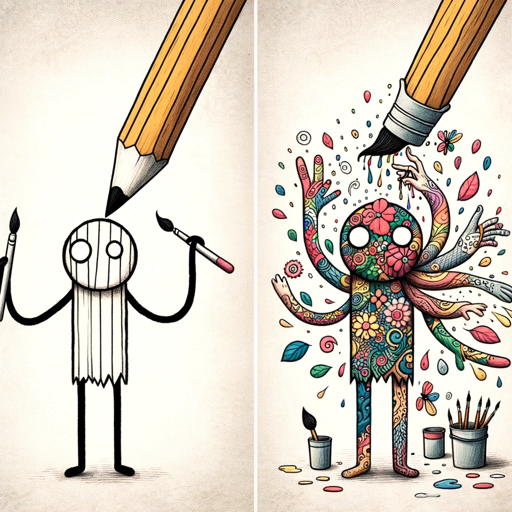
Transform simple drawings into detailed artistic masterpieces.

DALL·E 3 helps unleash your creativity with AI-generated visual concepts.

The Stock Image Generator creates custom images.

Get access to all our AI courses, hundreds of real-world AI use cases, live expert-led workshops, an exclusive network of AI early adopters, and more.
Get unlimited access to all of our current & upcoming industry-specific AI courses for the duration of your subscription.
To keep up with the rapid pace of AI, our team publishes AI implementation guides daily. Our library contains 300+ practical use cases to automate real-world work.
Join weekly, live, interactive sessions with industry leaders who are at the forefront of AI for hands-on implementation guidance and exclusive insights.
Network with an exclusive community of AI-first professionals who are working smarter with AI. Learn how early adopters are using AI in their work and businesses.