Turning frameworks into diagrams
Convert a process, hierarchy, comparison, timeline, or set of ideas into a visual without manually drawing every element.
Independent tool overview
Napkin AI turns written ideas into editable diagrams, infographics, charts, and presentation slides. It is unusually good at getting business concepts out of plain text and into a usable visual quickly, but users still need to choose the right structure, check factual claims, and polish the result for their audience.
Visit the official Napkin AI site ↗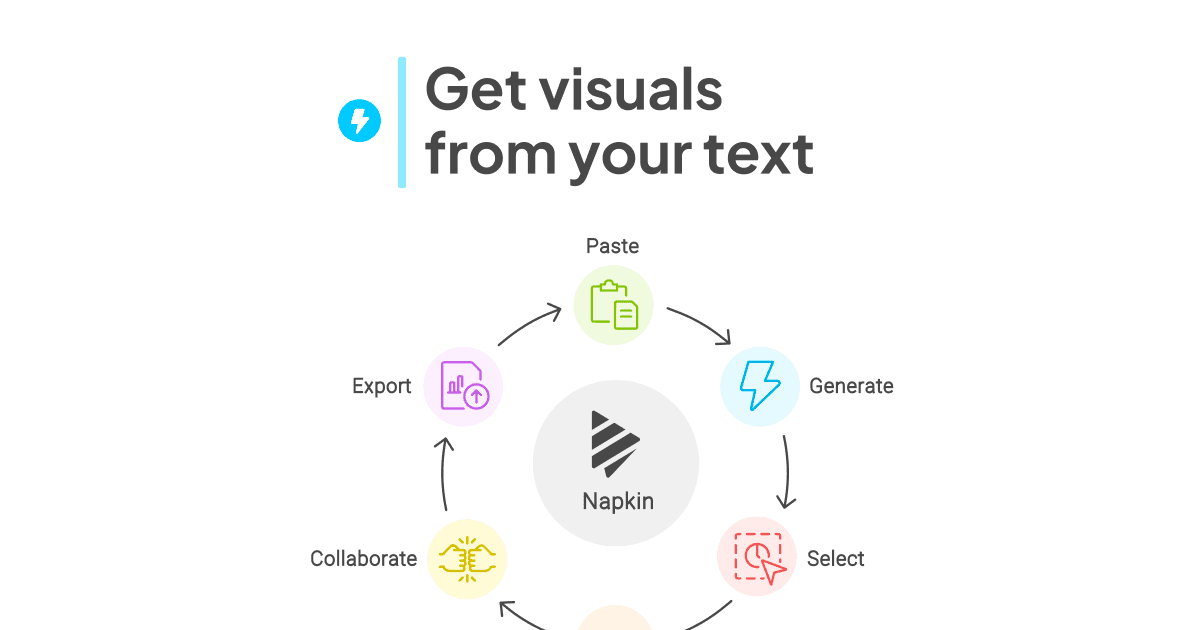
Overview
Napkin AI is a browser-based visual communication tool with two related products under one subscription. Napkin Visuals converts selected text into editable diagrams, flowcharts, mind maps, infographics, and data charts. Napkin Slides develops an idea into a complete deck, then lets the user edit individual layouts, text, colors, fonts, icons, and images.
The workflow is intentionally lighter than a conventional design editor: write, paste, or import content; select the passage to visualize; compare generated options; and edit the chosen result. Files can be imported from PPT, DOC, PDF, HTML, and Markdown, while finished work can be exported as PNG, PDF, PPT, or SVG depending on the plan and usage limits.
Napkin is most useful for explaining processes, frameworks, comparisons, and conceptual relationships. It is not a substitute for data verification or an unrestricted illustration model. The service currently chooses a visual type from the text's context rather than giving users a strict visual-type selector, although a descriptive hint such as “Chart:” can steer the result.
Use cases
The strongest fit depends on the job you need the product to complete, not the size of its feature list.
Convert a process, hierarchy, comparison, timeline, or set of ideas into a visual without manually drawing every element.
Create editable supporting visuals for reports, lessons, blog posts, proposals, and internal documentation.
Napkin Slides can generate a complete deck and expose the result as editable slide layouts rather than a fixed image.
Paid plans remove Napkin branding and add custom styles, brand colors, fonts, SVG, and unrestricted PPT exports.
Capabilities
Napkin analyzes selected text and proposes diagrams, flowcharts, mind maps, infographics, charts, and other visual structures without requiring a long image prompt.
Napkin Slides collaborates on the direction, generates a deck, and supports continued editing; Slides is included across Free, Plus, and Pro.
Users can change text, layout, colors, fonts, icons, and component placement, or ungroup a slide to edit individual pieces.
The service accepts PPT, DOC, PDF, HTML, and Markdown files in addition to pasted or newly written text.
PNG and PDF export are unlimited on every plan. PPT and SVG are available with limits on Free and without those limits on paid plans.
Shared Teamspaces support real-time editing, comments, highlighting, centralized billing, and plan-dependent brand styles and fonts.
Process
Step 1
Paste concise source material or import a document. For a deck, explain the audience, purpose, and desired outcome before generation.
Step 2
Select the text that should become a visual, or generate the slide deck. Add a short structural hint when the intended format matters.
Step 3
Choose the best option, correct the wording and hierarchy, swap layouts or icons, and apply the appropriate brand style.
Step 4
Verify every number, relationship, and claim against the source, then export in the format needed by the destination app.
Cost
Napkin has a permanent Free tier plus Plus at $9 per person per month and Pro at $22 per person per month on monthly billing. Annual billing is advertised at 25% less. Generation uses credits; editing existing work does not consume credits, and subscription credits do not roll over.
$0
For testing the core visual and slide workflows with recurring weekly credits and branded output.
$9/person/month
For regular individual or team use with more generation and brand control.
$22/person/month
For frequent professional output that needs higher limits and deeper brand customization.
Contact sales
For organizations that need a negotiated deployment and procurement process.
Pricing checked . Check current pricing at the source ↗
Assessment
Compare
The right alternative depends on the specific output, workflow, controls and budget your project requires.
Consulting
A stronger option when the primary goal is generating and sharing polished web-native presentations or documents.
Explore Gamma →Design
Better for broad design production across presentations, social graphics, video, print, and reusable brand templates.
Explore Canva AI →Design
Worth considering when AI generation needs to sit inside a larger, established visual-design editor.
Explore Canva AI (Magic Studio) →Questions
Napkin AI converts text into editable diagrams, flowcharts, mind maps, infographics, charts, and presentations. Its Visuals and Slides products are included under the same subscription.
Yes. The Free plan includes 500 AI credits per week, unlimited editing and supported file imports, unlimited PNG and PDF export, and limited PPT and SVG export. Free visuals retain Napkin branding.
As reviewed on August 28, 2026, Plus is $9 per person per month and Pro is $22 per person per month on monthly billing. Napkin advertises a 25% discount for annual billing. Enterprise pricing is available through sales.
Credits are consumed when new content is generated, not while editing. Visual generation uses approximately one credit per selected word, while generating a slide costs 100 credits. Included credits reset and do not roll over; purchased Pro top-up credits do roll over.
Yes. Napkin can export PPT as well as PNG, PDF, and SVG. Free users have limited PPT and SVG exports, while paid plans list unlimited PPT and SVG export.
Napkin says content may be used in anonymized form for product improvement by default, and users can opt out in Account Settings; Teamspace admins control that setting for their Teamspace. Its data-processing agreement says customer personal data is not used for model training and that its AI inference providers operate under zero-data-retention terms.
Not through a strict visual-type selector today. Napkin chooses a structure from the text, but users can add a descriptive hint such as “Chart:” or “Graph showing…” to steer generation.
Bottom line
Napkin AI is a focused and genuinely useful shortcut from prose to an editable business visual. Its strongest advantage is not raw image generation; it is structural translation—turning an explanation into something a reader can scan. The free tier makes it easy to test, while Plus is the sensible upgrade for unbranded, presentation-ready output. Treat the generated design as a strong first draft and verify any data or causal relationship before publishing.
Visit Napkin AI website ↗
Get access to all our AI courses, hundreds of real-world AI use cases, live expert-led workshops, an exclusive network of AI early adopters, and more.
Get unlimited access to all of our current & upcoming industry-specific AI courses for the duration of your subscription.
To keep up with the rapid pace of AI, our team publishes AI implementation guides daily. Our library contains 300+ practical use cases to automate real-world work.
Join weekly, live, interactive sessions with industry leaders who are at the forefront of AI for hands-on implementation guidance and exclusive insights.
Network with an exclusive community of AI-first professionals who are working smarter with AI. Learn how early adopters are using AI in their work and businesses.


