Non-designers with a visual idea
Use a quick doodle to communicate composition and turn it into a more presentable concept.
Independent tool overview
Ugly Draw to Masterpiece is a custom GPT for turning a rough drawing or doodle into a more polished visual while offering creative direction on style, color and composition.
Visit the official Ugly Draw to Masterpiece site ↗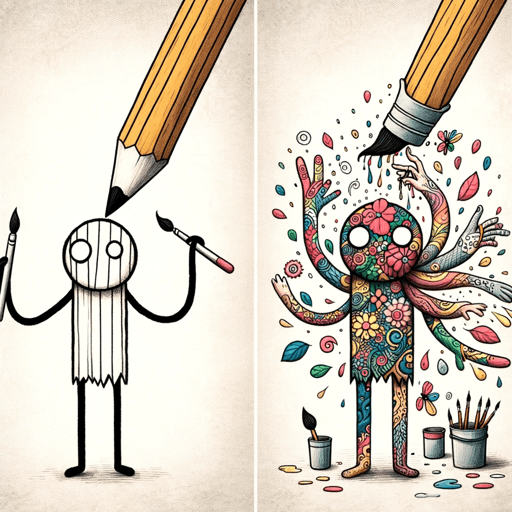
Overview
Ugly Draw to Masterpiece is designed for people who have a visual idea but do not need—or want—to begin with a detailed prompt. Uploading a sketch gives the GPT a starting composition, and a short description can guide the subject, medium, mood and level of detail.
The most useful way to treat it is as an ideation and concept-rendering tool. It can quickly explore how a doodle might look as an illustration, painting, poster or more realistic scene, then refine the result through follow-up instructions.
It is not a precision tracing or production-design system. Generated details can move, disappear or change between versions, so logos, measured layouts, character consistency and client-ready artwork still need careful review and often a dedicated editor.
Use cases
The strongest fit depends on the job you need the product to complete, not the size of its feature list.
Use a quick doodle to communicate composition and turn it into a more presentable concept.
Explore styles, palettes and scene treatments before committing time to a finished piece.
Reimagine simple drawings as playful illustrations while discussing the choices that changed the result.
Capabilities
Uses an uploaded drawing as visual context for a more detailed AI-generated interpretation.
Accepts natural-language guidance for medium, mood, palette, lighting and level of realism.
Can suggest ways to improve composition, depth, color and focal emphasis.
Lets you request revisions and explore alternate treatments in the same ChatGPT conversation.
Process
Step 1
Photograph or export a clear drawing, ideally with the important shapes and composition easy to see.
Step 2
Add the image and specify the intended subject, style, mood, colors and output format.
Step 3
Generate a few directions and identify which composition and visual language work best.
Step 4
Request targeted changes, then inspect details and use a dedicated editor for precise production work.
Cost
The custom GPT does not list a separate subscription. Image access and limits follow the user's ChatGPT plan.
$0
Free access to GPTs and ChatGPT Images within plan-specific limits.
$20/month
Individual paid plan with higher usage limits and expanded ChatGPT access.
Pricing checked . Check current pricing at the source ↗
Assessment
Compare
The right alternative depends on the specific output, workflow, controls and budget your project requires.
Design
A focused choice for producing clean black-and-white sketch imagery.
Explore Sketchy →Design
Better suited to conversational copying, merging and targeted image-editing tasks.
Explore Image Edit and img2img →Design
An open-source model for teams that want a more technical, self-directed image-editing workflow.
Explore FireRed-Image-Edit →Questions
The GPT does not list a separate fee. ChatGPT Free users can use GPTs and image features within plan limits; ChatGPT Plus is $20 per month for higher access limits.
No. The point is to start with a simple visual idea. A clear sketch and a specific description of the desired result usually matter more than polished draftsmanship.
Not always. The sketch guides the generation, but shapes, proportions and details can change. Treat the result as a concept and verify anything that must remain precise.
It can help explore logo directions, but final marks need manual cleanup, originality checks, scalable vector construction and trademark review before commercial use.
State what the sketch represents, the desired medium or style, mood, palette, aspect ratio and which parts of the drawing must remain recognizable.
Bottom line
Ugly Draw to Masterpiece is a friendly shortcut from doodle to visual concept. It works best for inspiration and fast style exploration, not for exact tracing, repeatable production assets or final brand artwork.
Visit Ugly Draw to Masterpiece website ↗
Get access to all our AI courses, hundreds of real-world AI use cases, live expert-led workshops, an exclusive network of AI early adopters, and more.
Get unlimited access to all of our current & upcoming industry-specific AI courses for the duration of your subscription.
To keep up with the rapid pace of AI, our team publishes AI implementation guides daily. Our library contains 300+ practical use cases to automate real-world work.
Join weekly, live, interactive sessions with industry leaders who are at the forefront of AI for hands-on implementation guidance and exclusive insights.
Network with an exclusive community of AI-first professionals who are working smarter with AI. Learn how early adopters are using AI in their work and businesses.


