Personal voice capture
Record ideas, reflections, reminders, or rough plans and turn them into readable notes without starting at a keyboard.
Independent tool overview
TalkNotes is a web and mobile voice-to-text app that turns recordings or uploaded audio into transcripts, notes, task lists, emails, articles, and other reusable formats.
Visit the official TalkNotes site ↗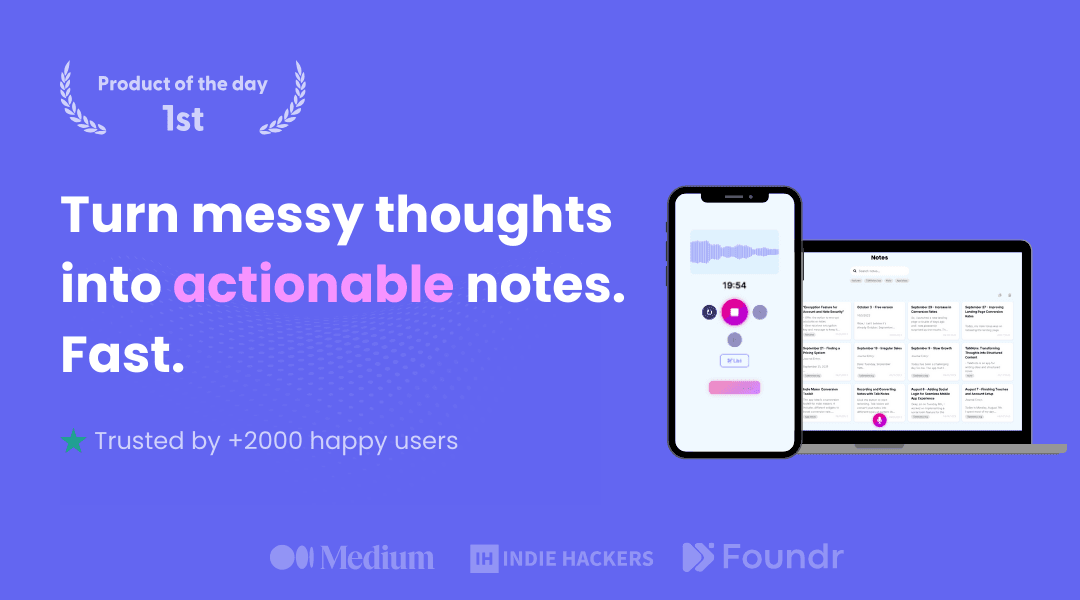
Overview
TalkNotes is designed for people who think faster than they type. You can record a voice note or upload audio, receive a transcript, and ask the app to reshape that material into a cleaner note or another written format.
Its differentiator is the range of output styles rather than deep meeting administration. TalkNotes advertises more than 100 formats, including task lists, emails, journal entries, flashcards, blog posts, newsletters, and social posts, plus custom styles built from a user's own prompt.
The app can be useful for personal capture, drafting, and consented interviews or lectures. It should not be treated as an authoritative record without checking the transcript against the audio, particularly when names, numbers, technical language, multiple speakers, or important decisions are involved.
Use cases
The strongest fit depends on the job you need the product to complete, not the size of its feature list.
Record ideas, reflections, reminders, or rough plans and turn them into readable notes without starting at a keyboard.
Convert a spoken outline into a blog draft, newsletter, script, social post, or other starting point that can be edited before publishing.
Create a searchable first-pass transcript and summary when recording is permitted by every relevant person, organization, and law.
Use dictation-style capture as an accessibility or productivity aid, while reviewing the result for transcription mistakes.
Capabilities
Capture audio inside TalkNotes or import an existing recording for transcription and rewriting.
The company advertises transcription in more than 50 languages, although accuracy will vary with language, accent, audio quality, and subject matter.
Turn the same recording into a cleaned transcript, note, task list, email, flashcards, article draft, script, or social content.
Create reusable instructions for a preferred structure, tone, or document type instead of relying only on preset templates.
Edit transcripts and generated text, then organize saved work with folders and tags.
Download work as PDF, plain text, or Markdown, or create a public link when sharing is appropriate.
Send results to other systems through Zapier or webhooks for lightweight automation.
Forward voice messages through the advertised WhatsApp workflow to receive a transcript and structured output.
Process
Step 1
Get the required consent before capturing meetings, interviews, classes, medical conversations, legal calls, or anyone else's voice.
Step 2
Record close to the speaker in a quiet environment or upload the clearest available source file.
Step 3
Select a built-in style or a narrowly written custom prompt that matches the document you actually need.
Step 4
Check names, figures, quotations, dates, speakers, technical terms, and action items against the original audio before relying on them.
Step 5
Use an appropriate private export, avoid public links for sensitive material, and remove recordings or notes you no longer need.
Cost
TalkNotes advertises a seven-day trial and paid monthly or annual access. Its current main pricing page says paid access includes unlimited notes and recordings up to two hours per note, but older official pages still mention shorter limits, so confirm the limit shown at checkout for your account.
Free
Limited browser demos for trying transcription without a paid plan.
7 days free
Temporary access for evaluating the full product before a paid renewal.
$19.97 per month
Month-to-month paid access at the public price shown during this review.
$197 per year
Annual billing, displayed by TalkNotes as roughly $16 per month.
Pricing checked . Check current pricing at the source ↗
Assessment
Compare
The right alternative depends on the specific output, workflow, controls and budget your project requires.
Content Creator
Consider Voicenotes for a voice-first personal memory system with cross-platform capture, search, and reuse of past notes.
Explore Voicenotes →Project Management
Consider Otter.ai for live meeting transcription, speaker-aware collaboration, meeting bots, and team conversation workflows.
Explore Otter.ai →Project Management
Consider Granola for bot-free meeting notes that combine a live transcript with notes you type during the conversation.
Explore Granola →Questions
TalkNotes is a voice-to-text app that transcribes recordings or uploaded audio and reshapes the result into notes, tasks, emails, articles, scripts, and other editable formats.
On September 1, 2026, TalkNotes displayed a seven-day trial, a $19.97 monthly plan, and a $197 annual plan. Confirm the final price, taxes, currency, limits, and renewal terms at checkout.
TalkNotes offers limited free browser tools and a seven-day trial, but ongoing full use requires a paid subscription.
The current main pricing page advertises recordings up to two hours per note. Some older official pages still mention 20-minute limits, so verify the limit shown in your account or checkout before buying for long recordings.
Yes, through the web app or a Chrome-installed progressive web app. TalkNotes says installation is not supported from Safari or Firefox, and it does not advertise a native desktop app on its download page.
Yes. Paid product pages advertise audio upload, and a limited free upload tool is also available. File size and duration limits can differ by tool or plan.
TalkNotes says audio files are deleted after transcription and that notes are not used to train its AI. However, its public privacy notice does not provide detailed retention, subprocessor, storage-location, or security documentation, so organizations should verify those terms directly before sending sensitive material.
It can transcribe recorded or uploaded conversations, but you must obtain any legally and organizationally required consent. Review the transcript against the audio before using it as a record of decisions or quotations.
Accuracy depends on the recording, speakers, language, accent, background noise, and terminology. Treat the transcript and every generated summary as a draft that needs human review.
Voicenotes is a strong personal voice-memory alternative, Otter.ai is more meeting-focused, and Granola emphasizes bot-free meeting notes that combine your typed notes with a transcript.
Bottom line
TalkNotes is a practical choice for turning spoken ideas into many kinds of editable text without building a complicated workflow. Its strongest use case is fast personal capture and first-draft creation. Buyers with long recordings or sensitive organizational data should confirm the applicable duration limit and obtain more specific privacy and security answers before committing.
Visit TalkNotes website ↗
Get access to all our AI courses, hundreds of real-world AI use cases, live expert-led workshops, an exclusive network of AI early adopters, and more.
Get unlimited access to all of our current & upcoming industry-specific AI courses for the duration of your subscription.
To keep up with the rapid pace of AI, our team publishes AI implementation guides daily. Our library contains 300+ practical use cases to automate real-world work.
Join weekly, live, interactive sessions with industry leaders who are at the forefront of AI for hands-on implementation guidance and exclusive insights.
Network with an exclusive community of AI-first professionals who are working smarter with AI. Learn how early adopters are using AI in their work and businesses.


