Teams already running work in Asana
The agents gain the most useful context when projects, ownership, decisions, goals, and supporting files are already well maintained.
Independent tool overview
Asana AI Teammates are prebuilt and customizable AI agents that can be assigned work inside Asana, use approved project and integration context, retain team-guided memories, and collaborate through checkpoints and governed actions.
Visit the official Asana AI Teammates site ↗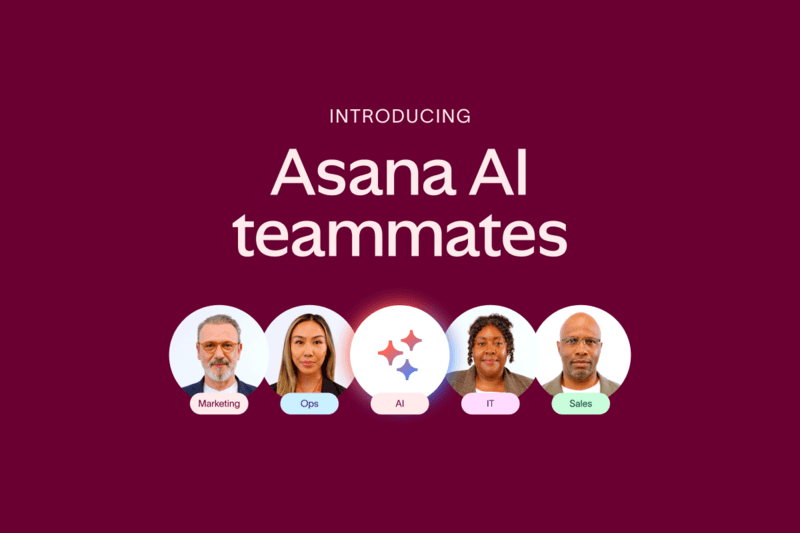
Overview
Asana AI Teammates are designed for collaborative work rather than isolated chat. Teams can choose from prebuilt agents for marketing, operations, IT, and product work or define a custom role, give it instructions and examples, grant specific access, and assign it tasks alongside people. The agent can use Asana's Work Graph and approved connected tools to draft, analyze, organize, flag risks, and move multi-step work forward.
The strongest reason to use an AI Teammate is that context, permissions, work, and oversight live in the same system. That also raises the stakes: access errors, weak instructions, stale memories, unreliable outputs, and overbroad actions can propagate through shared projects. Every deployment needs a clear owner, least-privilege access, approval boundaries, tests, monitoring, and a rollback path.
Use cases
The strongest fit depends on the job you need the product to complete, not the size of its feature list.
The agents gain the most useful context when projects, ownership, decisions, goals, and supporting files are already well maintained.
Draft briefs and specs, review work against guidelines, localize content, and assemble market insights with human approval.
Analyze project health, identify bottlenecks, prepare portfolio updates, clean structured data, and track decisions.
Answer recurring questions from approved knowledge, triage requests, review vendor material, and surface recurring issues.
Review specifications, organize bug reports, track sprint signals, and support retrospectives without replacing technical judgment.
Capabilities
Asana advertises 30 ready-to-use AI Teammates spanning marketing, operations, IT, and product or engineering work.
Describe a role in plain language, add responsibilities, instructions, examples, and role-specific knowledge without writing code.
AI Teammates can be assigned work in projects and tasks similarly to a human collaborator.
Uses approved work, ownership, goals, dependencies, and organizational context already captured in Asana.
Can retain approved decisions and corrections so later work reflects how the team operates.
Prebuilt teammates arrive with editable skills and can be given attachments and guidance for a particular role.
The agent follows Asana permissions and must be explicitly added before accessing private projects or tasks.
Documented examples use Google Drive, SharePoint, Microsoft Office, Google Workspace, and other approved integrations.
Teams can keep people in the loop before sensitive or consequential output changes shared work.
Asana says agent actions are auditable and reversible for governance and investigation.
Organizations can control who may create, modify, share, collaborate with, and teach AI Teammates.
AI Studio can automate repeatable workflow steps while AI Teammates handle more collaborative, context-heavy assignments.
Successful agent work consumes a shared monthly organization pool, with usage packs or on-demand capacity where enabled.
Asana states that it and its AI partners do not use customer data to train their models and that partners delete interaction data after each interaction.
Process
Step 1
Start with a bounded, reversible job such as drafting a brief or checking required fields, with a named business owner and success criteria.
Step 2
Fix project access, stale tasks, conflicting guidance, duplicate documents, and sensitive information before the agent learns from the workspace.
Step 3
Invite the teammate only to required projects, tasks, files, and integrations, and separate testing from production work.
Step 4
Provide a concise role, explicit boundaries, representative good outputs, prohibited actions, escalation rules, and an owner for corrections.
Step 5
Keep human approval before external communication, financial or legal conclusions, record deletion, access changes, publishing, or material status changes.
Step 6
Compare quality, cycle time, rework, errors, AI Request consumption, and missed escalations against the existing process.
Step 7
Review actions and memories, remove stale guidance, monitor permissions and usage, retest after changes, and preserve a quick disable and rollback path.
Cost
AI Teammates require an eligible paid Asana plan. Asana's product and pricing pages describe them as available on Starter, Advanced, Enterprise, and Enterprise+ and direct buyers to sales. Starting in August 2026, Asana is also rolling advanced AI access into eligible subscriptions through pooled monthly AI Requests; included amounts, packs, on-demand rates, and add-on terms can depend on the contract. AI Requests are distinct from AI Studio credits.
$10.99/user/month annually; $13.49 monthly
The lowest eligible base plan for AI Teammates.
$24.99/user/month annually; $30.49 monthly
Adds portfolio, goals, workload, approvals, proofing, time tracking, and scaled controls.
Contact sales
For organizations requiring enterprise identity, provisioning, capacity, compliance, and service controls.
Contact sales or check account allocation
Access is sold or allocated at the organization level rather than as a standalone consumer plan.
Pricing checked . Check current pricing at the source ↗
Assessment
Compare
The right alternative depends on the specific output, workflow, controls and budget your project requires.
Agents
A strong alternative for always-on agents grounded in a Notion workspace and connected knowledge workflows.
Explore Notion Custom Agents →Business Operations
Better suited to organizations whose core work and governance center on Microsoft 365 rather than Asana.
Explore Microsoft Copilot →Project Management
A lighter option for search, writing, meeting context, and workspace assistance without deploying role-based project agents.
Explore Notion AI →Questions
They are collaborative AI agents inside Asana. Teams can assign them tasks, give them approved workspace and integration context, teach role-specific guidance, and review work through checkpoints and an audit trail.
Yes. Asana's 2026 product materials say prebuilt and custom AI Teammates are available, while purchasing and included usage may still depend on sales, rollout, and contract terms.
Starter, Advanced, Enterprise, and Enterprise+ are eligible. The free Personal plan is not listed as eligible.
An eligible paid Asana plan is required. Asana directs buyers to sales for AI Teammates, while August 2026 documentation also describes monthly AI Requests included with eligible subscriptions. Confirm the account's included pool, packs, on-demand rates, and contract before rollout.
It is Asana's usage unit for a successful unit of work completed by an AI agent. Requests are pooled across the organization, refresh monthly, and can be supplemented with packs or on-demand billing where available.
No. AI Teammates and Dash use pooled AI Requests. AI Studio workflows use a separate credit system based on model choice, data volume, output, and execution frequency.
Asana says teammates follow existing permissions and must be explicitly added to private projects and tasks. Admins should still inspect inherited access, connected tools, and sharing rules before deployment.
Asana states that neither Asana nor its AI partners use customer data to train their models and that AI partners delete customer data after each interaction. Organizations should still review current contractual and security documentation.
AI Studio builds repeatable, rule-based workflows. AI Teammates are role-based agents intended to collaborate on more complex work using project context, memories, and checkpoints. They can be used together.
Bottom line
Asana AI Teammates are most compelling for mature Asana organizations that want agents to participate in governed project work with real context. Start with a narrow, reviewable role; the same connected context and memory that make the agent useful also make permission mistakes, stale guidance, and unchecked actions more consequential.
Visit Asana AI Teammates website ↗
Get access to all our AI courses, hundreds of real-world AI use cases, live expert-led workshops, an exclusive network of AI early adopters, and more.
Get unlimited access to all of our current & upcoming industry-specific AI courses for the duration of your subscription.
To keep up with the rapid pace of AI, our team publishes AI implementation guides daily. Our library contains 300+ practical use cases to automate real-world work.
Join weekly, live, interactive sessions with industry leaders who are at the forefront of AI for hands-on implementation guidance and exclusive insights.
Network with an exclusive community of AI-first professionals who are working smarter with AI. Learn how early adopters are using AI in their work and businesses.


