Early product exploration
Turn a product brief into several interface directions before investing in high-fidelity manual design.
Independent tool overview
Google Stitch is an experimental AI-native design canvas for generating and refining web and mobile interfaces from natural language, images, code, and voice. It can create interactive flows, carry design-system context, and hand work to tools such as Google AI Studio, Antigravity, Netlify, Figma, or an MCP client. It is excellent for fast exploration, but generated interfaces and code still need accessibility, security, responsiveness, and engineering review before production.
Visit the official Stitch site ↗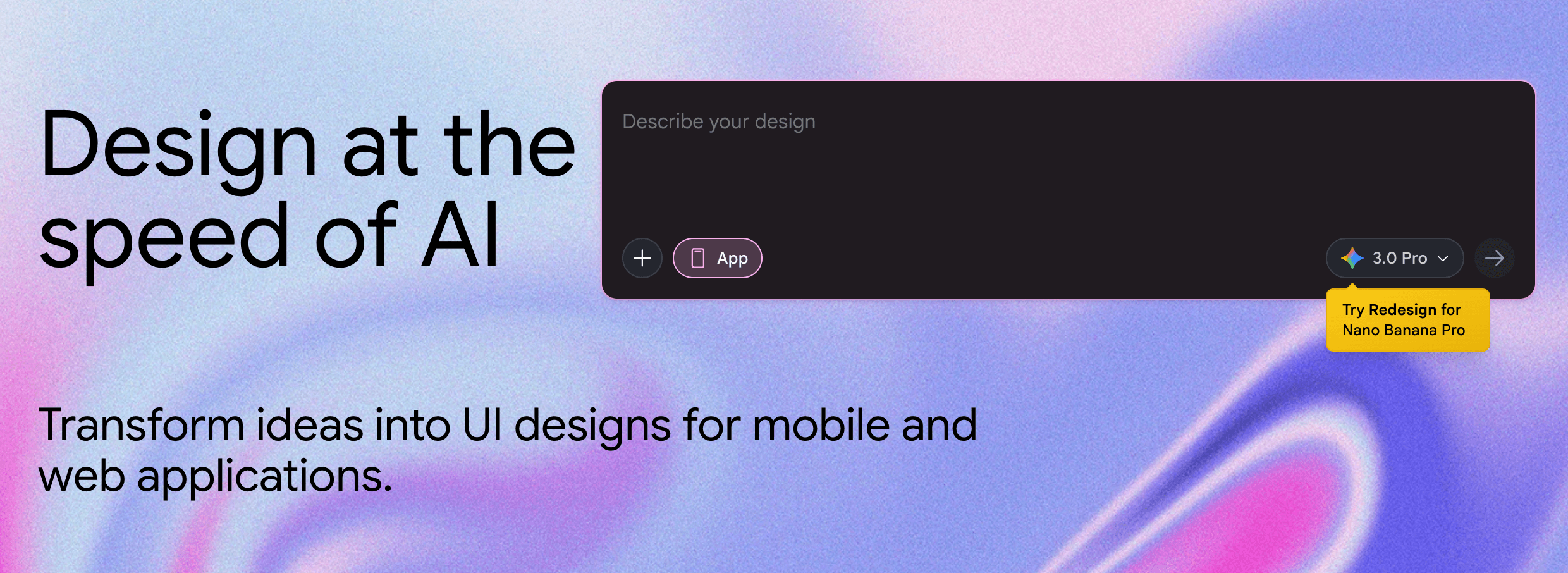
Overview
Stitch began as a Google Labs experiment for converting prompts and wireframes into UI designs and frontend code. Google expanded it in 2026 into an infinite canvas with a design agent that reasons across the evolution of a project rather than treating every screen as an isolated generation.
Creators can place text, images, and code directly on the canvas, describe the product objective or desired feeling, and generate multiple directions. Voice interaction supports live critique and revisions, while an Agent Manager helps organize parallel concepts.
For consistency, Stitch can extract a design system from a URL or exchange an agent-friendly DESIGN.md file with other tools. Screens can be connected into clickable prototypes, and Stitch can infer logical next screens to make flow exploration faster.
The handoff surface now spans shareable AI Studio links, Antigravity export, Netlify publishing, downloadable screen assets and HTML through Stitch MCP, and the earlier paste-to-Figma workflow. These bridges accelerate a prototype; they do not validate business logic, data handling, dependency safety, semantic HTML, accessibility, browser support, performance, or maintainability.
Use cases
The strongest fit depends on the job you need the product to complete, not the size of its feature list.
Turn a product brief into several interface directions before investing in high-fidelity manual design.
Use screenshots, sketches, or rough wireframes as context for a more polished screen.
Connect generated screens and preview a user journey without first building the full application.
Move visual context, HTML, assets, or design rules into Figma, AI Studio, Antigravity, Netlify, or MCP-compatible tools.
Capabilities
Combines text, images, code, and generated screens in a flexible workspace for divergent and convergent exploration.
Reasons across project context and tracks multiple design directions in parallel.
Streams changes to the canvas and accepts spoken critique or revision requests while ideas are developing.
Can extract rules from a URL and import or export DESIGN.md for reuse across projects and coding tools.
Links screens into clickable journeys and can propose logical next screens from interactions.
Supports downstream handoff to developer and design environments, including HTML and image retrieval through MCP.
Lets agents list projects and screens, generate screens, and retrieve assets through authenticated integrations.
Process
Step 1
Define the audience, primary task, business objective, information hierarchy, target devices, accessibility needs, and existing brand constraints.
Step 2
Bring a wireframe, design file, approved URL, codebase, or DESIGN.md into the canvas without exposing secrets or confidential customer data.
Step 3
Generate contrasting layouts and use the design agent or voice critique to challenge hierarchy, density, navigation, and interaction assumptions.
Step 4
Connect screens, preview the journey, and run realistic content through loading, empty, error, permission, and destructive-action states.
Step 5
Transfer the selected work to Figma for design refinement or to AI Studio, Antigravity, Netlify, or an MCP workflow for implementation.
Step 6
Review every generated asset and line of code, rebuild insecure or brittle pieces, add real backend logic, and test accessibility, security, performance, analytics, and responsive behavior.
Cost
Google does not advertise a standalone paid Stitch subscription on the public product or announcement pages. The web experiment is accessible with a Google account and subject to in-product availability and generation limits. Google's official Stitch extension says MCP use is free of charge; Google Cloud, model, hosting, Figma, Netlify, or other downstream services may create separate costs.
No standalone fee advertised
Use the Google Labs design canvas with a signed-in Google account and the limits shown in the product.
Free of charge
Connect supported agent tools to Stitch projects and screen-generation capabilities.
Varies
Hosting, cloud projects, AI Studio, Antigravity, Figma, Netlify, and other production tools have their own terms and possible charges.
Pricing checked . Check current pricing at the source ↗
Assessment
Compare
The right alternative depends on the specific output, workflow, controls and budget your project requires.
Design
Best when the team already works in Figma and needs AI assistance inside a mature collaborative design environment.
Explore Figma AI →Design
A strong alternative for prompt-to-interface work that moves directly toward React and deployable web application code.
Explore Vercel v0 →Coding
Better suited to users who want the AI builder to assemble more of a full-stack application rather than focus first on design exploration.
Explore Lovable →Questions
Stitch is Google's experimental AI design canvas for creating, refining, prototyping, and exporting web and mobile interfaces from text, images, code, design files, URLs, and voice.
Google does not advertise a standalone paid Stitch subscription on its public pages. The web app is accessible with a Google account and in-product limits, and the official Stitch MCP extension says MCP use is free of charge. Connected cloud, hosting, and design services may cost extra.
Yes. Stitch can generate frontend code and its MCP tooling can retrieve screen HTML and assets. Treat that output as a starting point: engineers still need to review, adapt, secure, test, and maintain it.
Google's original Stitch launch documented paste-to-Figma. The newer product also emphasizes AI Studio, Antigravity, Netlify, DESIGN.md, MCP, and SDK handoffs. Check the current project menu because export options can change during Labs development.
Not by itself. It can create a sophisticated interface and prototype, but production software also requires verified backend logic, authentication, authorization, data design, security, accessibility, testing, monitoring, and ongoing maintenance.
Yes. Google says it can extract a design system from a URL and import or export DESIGN.md. Teams should verify generated tokens and components against the canonical design system before merging them.
It is an authenticated Model Context Protocol interface that lets compatible agents list Stitch projects and screens, generate screens, and download HTML or image assets. It can use a Stitch API key or Google Cloud credentials.
Only after reviewing the current Stitch Privacy Notice and your organization's data policy. Remove credentials, customer data, internal URLs, and unnecessary proprietary material, and use the least sensitive context that can produce the result.
At minimum, a product owner, designer, engineer, and accessibility reviewer should validate the result. Add security, legal, privacy, and domain specialists when the application handles sensitive data, regulated decisions, payments, or public publishing.
Bottom line
Google Stitch is a compelling design accelerator because it now covers exploration, critique, prototyping, design-system context, and several development handoffs in one AI-native canvas. Use it to expand and narrow ideas quickly, then deliberately switch modes: the selected design needs normal product validation and the generated implementation needs full engineering review before it earns production trust.
Visit Stitch website ↗.jpeg)
Nano Banana Pro - Google's image generation model with unprecedented control, improved text rendering and enhanced world knowledge.
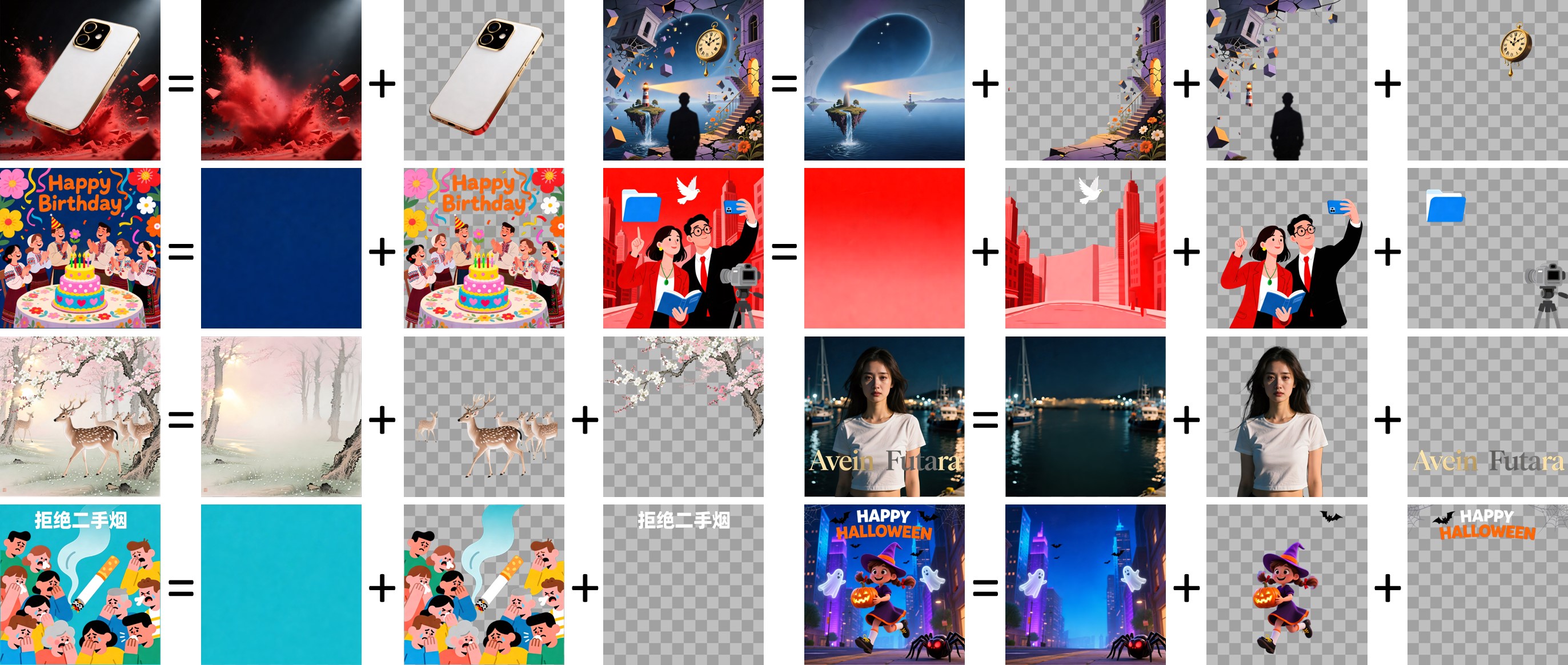
Qwen Image Layered - AI image model variant that breaks outputs into layers for edibility

Seed 3D - Bytedance's image to 3D model for simulation-ready assets
![FLUX.2 [klein]](https://cdn.prod.website-files.com/67ab272a36622522cbb3bac1/696d3ab90fa358b40187952c_Screenshot%202026-01-18%20at%201.55.31%E2%80%AFPM.png)
FLUX.2 Klein - BFL's new ultra-fast AI image editing model

Get access to all our AI courses, hundreds of real-world AI use cases, live expert-led workshops, an exclusive network of AI early adopters, and more.
Get unlimited access to all of our current & upcoming industry-specific AI courses for the duration of your subscription.
To keep up with the rapid pace of AI, our team publishes AI implementation guides daily. Our library contains 300+ practical use cases to automate real-world work.
Join weekly, live, interactive sessions with industry leaders who are at the forefront of AI for hands-on implementation guidance and exclusive insights.
Network with an exclusive community of AI-first professionals who are working smarter with AI. Learn how early adopters are using AI in their work and businesses.