GUI-agent researchers
Reproduce grounding and mobile-navigation experiments with official code, checkpoints, evaluation material and a technical report.
Independent tool overview
MAI-UI is Alibaba's research-oriented family of vision-language models for understanding and operating mobile interfaces. The open release provides 2B and 8B weights plus agent code for GUI grounding and Android navigation. It is a developer foundation—not a consumer phone assistant—and Alibaba now identifies Qwen-UI-Agent as its next-generation successor.
Visit the official MAI-UI site ↗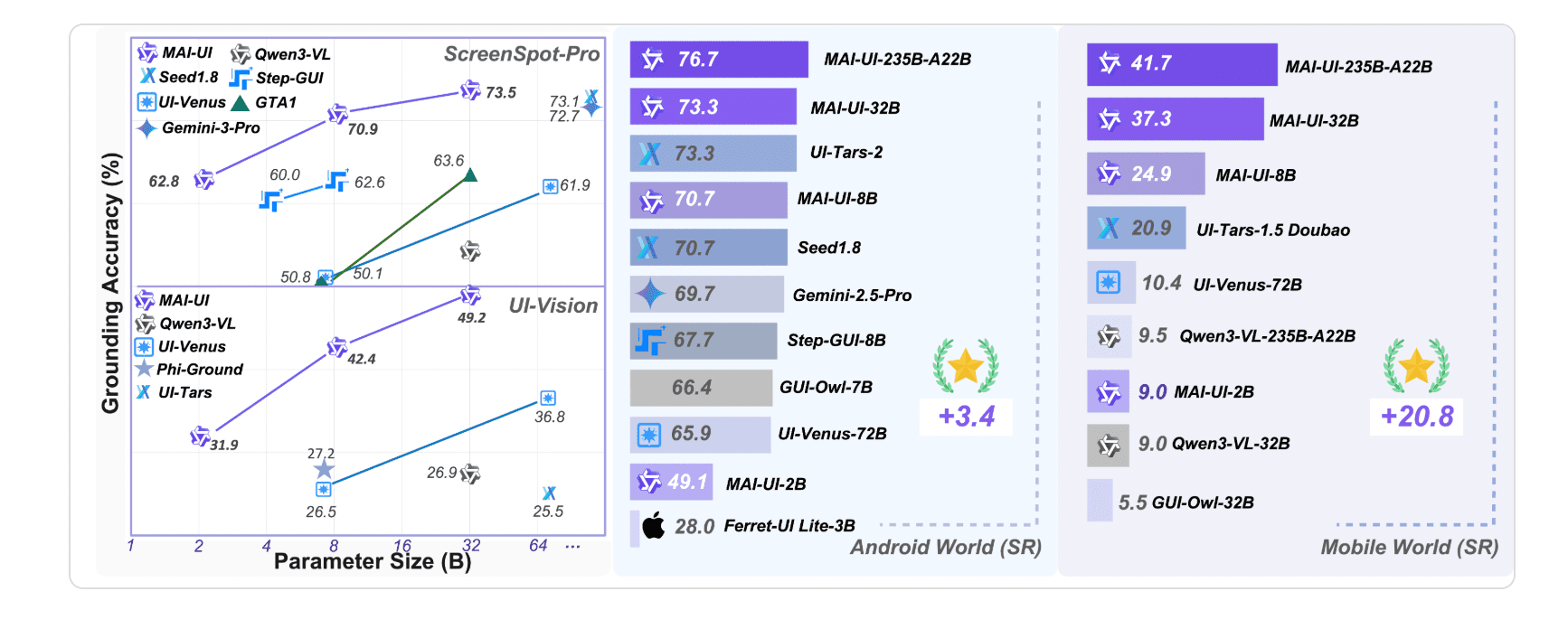
Overview
MAI-UI takes screenshots and natural-language instructions, identifies interface elements and returns actions such as click, swipe, type, long-press, drag, wait or press a system button. Its extended action space can also ask the user for missing information and call MCP tools when an API is more reliable than a long sequence of taps.
The research family spans 2B, 8B, 32B and 235B-A22B variants, but the public quick start links downloadable weights only for MAI-UI-2B and MAI-UI-8B. Developers serve a model through vLLM, run the supplied grounding or navigation notebooks and connect it to a controlled device environment.
MAI-UI remains useful for reproducing mobile-agent research and building experiments, but it is no longer the team's leading model. In July 2026, the same repository introduced Qwen-UI-Agent, extending the work across phones, computers, browsers and DeepSearch. New production-oriented evaluations should compare the successor before standardizing on MAI-UI.
Use cases
The strongest fit depends on the job you need the product to complete, not the size of its feature list.
Reproduce grounding and mobile-navigation experiments with official code, checkpoints, evaluation material and a technical report.
Test screenshot-driven task execution across apps when normal APIs are unavailable or incomplete.
Evaluate the 2B checkpoint and the paper's device-cloud routing ideas under explicit hardware and privacy constraints.
Study an action space that can switch between interface control, user clarification and structured external tools.
Capabilities
Locate interface elements from a screenshot and a natural-language instruction without requiring an accessibility tree.
Generate sequences of taps, swipes, typing and system actions for tasks that cross screens or applications.
Use an ask-user action to request missing information or confirmation instead of guessing silently.
Call structured tools when an API can replace brittle or inaccessible interface operations.
Route work between a smaller local model and a more capable cloud model based on state and data sensitivity.
Run the Apache-2.0 repository and download the public 2B or 8B model weights from Hugging Face.
Process
Step 1
Use MAI-UI for reproduction and mobile-only work; compare Qwen-UI-Agent for a newer cross-device project.
Step 2
Use emulators or dedicated test phones with synthetic accounts, restricted permissions and no personal payment or message data.
Step 3
Deploy MAI-UI-2B or 8B through the repository's supported vLLM configuration and expose the local OpenAI-compatible endpoint.
Step 4
Validate grounding first, then navigation, before connecting the model to a broader action executor.
Step 5
Require explicit approval for purchases, messages, account changes, destructive actions and any step involving secrets.
Step 6
Test across app versions, screen sizes, pop-ups, network failures and ambiguous instructions instead of relying only on benchmark scores.
Cost
MAI-UI is an open-source research release rather than a hosted subscription. The repository and public 2B and 8B checkpoints can be downloaded without a license fee, but users pay for their own GPU inference, device lab, engineering, storage and any cloud or MCP services. The project does not publish a managed commercial price.
Free
Alibaba's MAI-UI agent implementation, cookbooks and evaluation code.
Free weights; infrastructure extra
The smaller public checkpoint for constrained and on-device-oriented experiments.
Free weights; infrastructure extra
The larger public checkpoint used by the official quick-start examples.
No public hosted price
Research variants described and benchmarked in the technical report.
Pricing checked . Check current pricing at the source ↗
Assessment
Compare
The right alternative depends on the specific output, workflow, controls and budget your project requires.
Agents
A managed computer-use model for teams that prefer a hosted API over self-serving mobile GUI checkpoints.
Explore Gemini Computer Use →Consumer
A user-facing AI browser for web tasks when mobile-app control and model research are not required.
Explore ChatGPT Atlas →Agents
A broader hosted agent for delegated research and productivity work without building a custom device-control stack.
Explore Manus →Questions
MAI-UI is Alibaba's family of vision-language GUI agent models for interface grounding and multi-step mobile navigation.
Yes, when developers connect the model to an action executor and device environment. It can propose clicks, swipes, typing, drags and system-button actions from screenshots.
No. It is an open research repository and model release that developers must deploy and integrate themselves.
The official quick start links public Hugging Face checkpoints for MAI-UI-2B and MAI-UI-8B.
They are described and benchmarked in the technical report, but the public quick start does not link downloadable checkpoints for them.
The code and public checkpoints have no subscription price. Users supply and pay for their own inference hardware, device environment, engineering and external services.
MCP lets the agent call structured external tools when that is more reliable or capable than manipulating every step through the phone interface.
The MAI-UI Mobile repository states that it is licensed under Apache License 2.0, with separate licenses applying to included third-party components.
The maintainers describe Qwen-UI-Agent as the follow-up generation, extending the work to mobile, desktop, browser and DeepSearch scenarios.
Bottom line
MAI-UI is a useful open baseline for teams studying mobile GUI grounding, navigation, user clarification and MCP-augmented actions. Its public checkpoints and notebooks make it practical for experiments, but it is not a turnkey automation product and should never be connected directly to valuable accounts without hard controls. For a new cross-device research program, evaluate the newer Qwen-UI-Agent alongside it.
Visit MAI-UI website ↗
Claude in Chrome - Agentic browser extension to use Anthropic's Claude directly in Google Chrome
Grok Voice Agent - Build voice agents that speak dozens of languages, call tools, and search realtime data.

Nemotron 3 - Nvidia's new family of open-source AI models in three sizes designed to help developers build multi-agent systems more efficiently
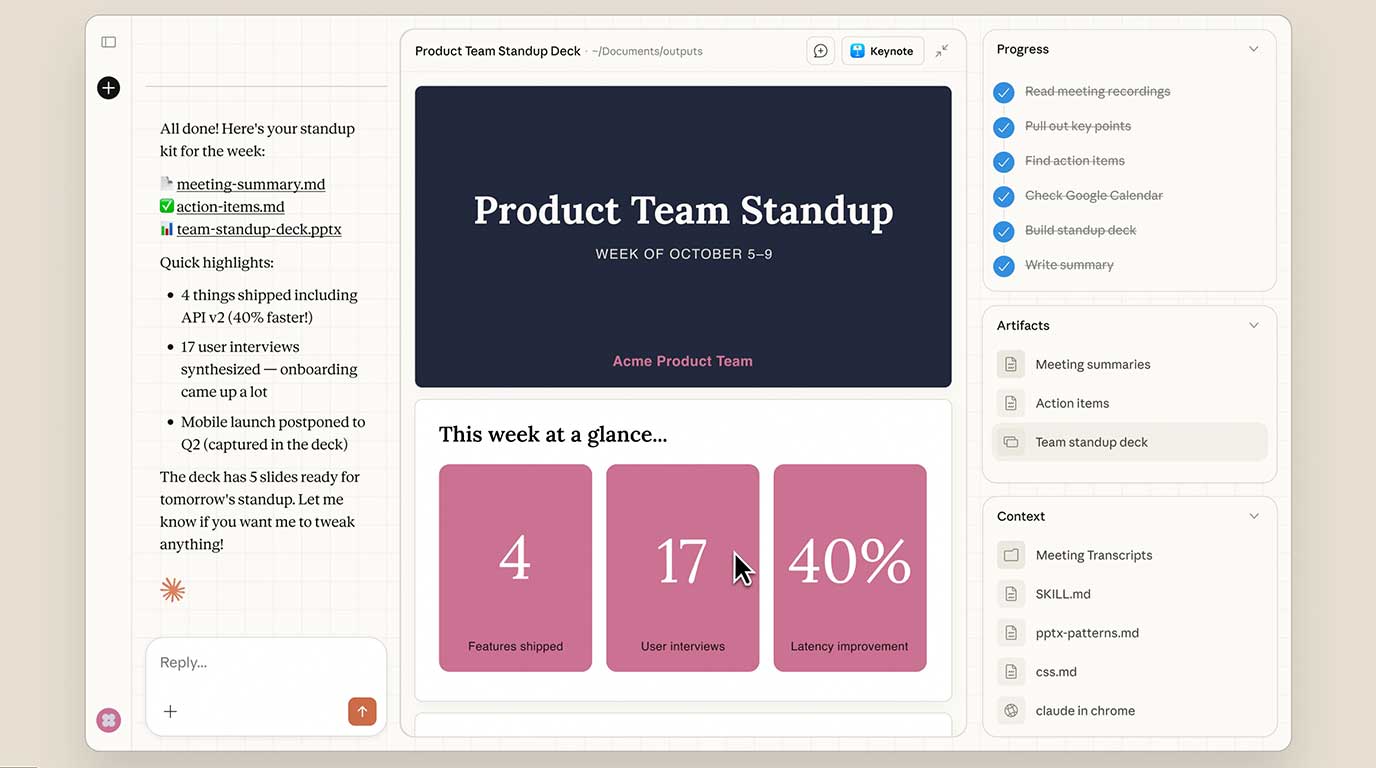
Claude Cowork - Anthropic's new MacOS tool that brings Claude Code's agentic capabilities to everyday tasks

Get access to all our AI courses, hundreds of real-world AI use cases, live expert-led workshops, an exclusive network of AI early adopters, and more.
Get unlimited access to all of our current & upcoming industry-specific AI courses for the duration of your subscription.
To keep up with the rapid pace of AI, our team publishes AI implementation guides daily. Our library contains 300+ practical use cases to automate real-world work.
Join weekly, live, interactive sessions with industry leaders who are at the forefront of AI for hands-on implementation guidance and exclusive insights.
Network with an exclusive community of AI-first professionals who are working smarter with AI. Learn how early adopters are using AI in their work and businesses.