Restyling existing footage
Ray3.2 is designed to change the world, look, characters, or materials in a clip while retaining useful source motion and shot structure.
Independent tool overview
Luma AI is a creative workspace for generating, transforming, and finishing images, video, and audio. Its current lineup centers on Ray3.2 video-to-video transformation, UNI-1.1 image creation, agent-guided workflows, and access to selected third-party models.
Visit the official Luma Labs site ↗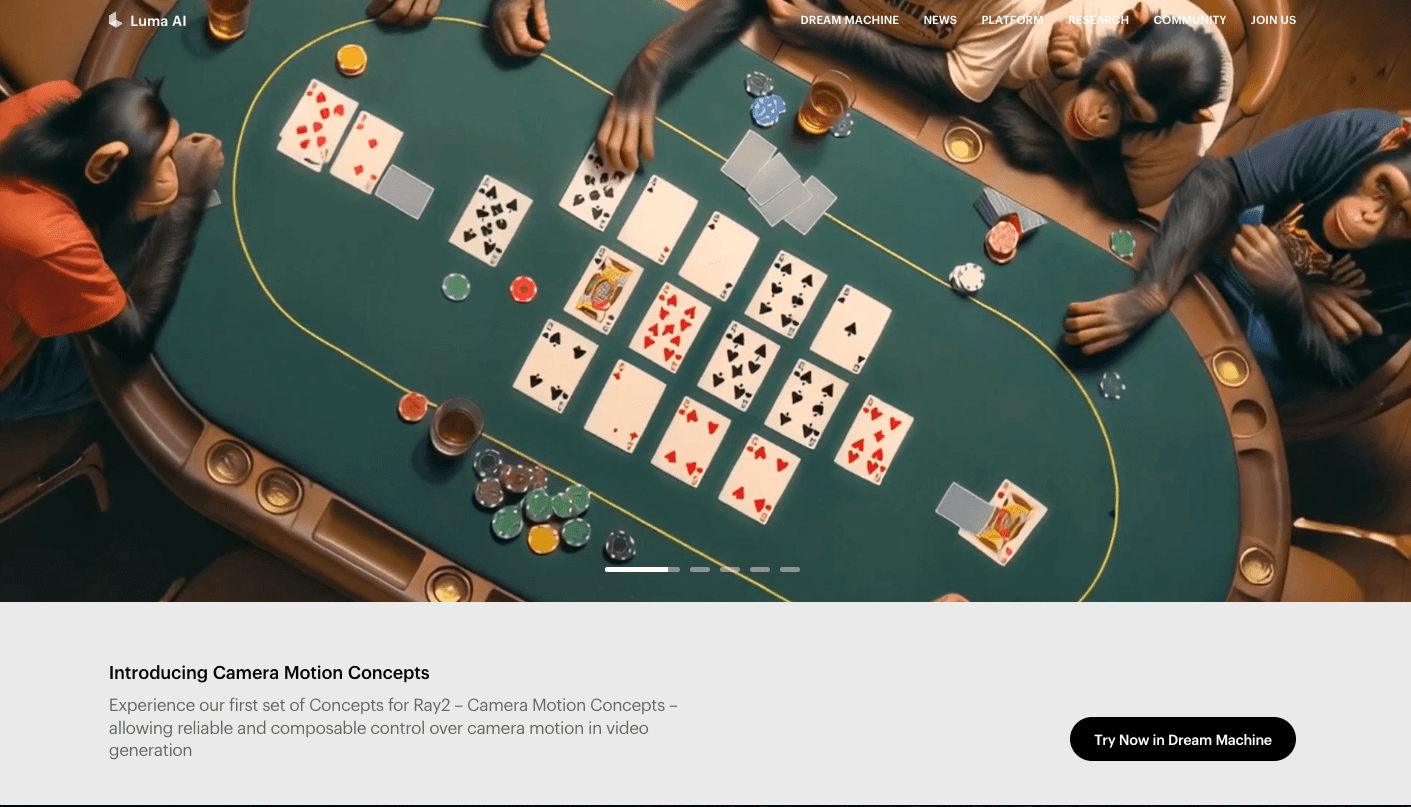
Overview
Luma AI has evolved beyond the older Dream Machine, Ray2, Photon, and phone-based 3D-capture framing that still appears in many descriptions. The current Luma App combines Luma's own models with agent-guided creation, editing, audio tools, project boards, and selected third-party image and video models.
The most important distinction is that Ray3.2 is a video-to-video model: it transforms existing footage while preserving useful motion, framing, and timing. It requires a source video and can use prompts or frame-specific keyframes; creators who need text-to-video or image-to-video should select another available model instead.
Use cases
The strongest fit depends on the job you need the product to complete, not the size of its feature list.
Ray3.2 is designed to change the world, look, characters, or materials in a clip while retaining useful source motion and shot structure.
Teams can create alternate visual treatments and localized versions from a controlled source rather than regenerating every shot from scratch.
The Luma App exposes Luma models alongside selected third-party models, making it useful for teams that want to compare routes inside one workspace.
Creators can develop images with UNI-1.1, organize them on Boards, and use an appropriate in-app video model to animate or extend the concept.
Agent-guided generation, editing, reframing, audio, and upscale tools can shorten the path from an idea to a reviewable short-form draft.
Capabilities
Transforms a supplied video into a new visual treatment while using the original clip as the timing and motion foundation.
A transformation can be guided with natural-language direction, frame-specific keyframes, or both.
Controls balance preservation of source motion, structure, faces, bodies, and poses against the degree of visual reinvention.
Luma's current multimodal image model supports image generation and visual development inside the same creative workspace.
A conversational interface can help plan generations, coordinate longer sequences, select tools, and iterate on creative instructions.
The app also integrates selected models from other providers, expanding the available image and video generation routes.
Available operations include trimming, extending, modifying, reframing, extracting frames, and upscaling supported outputs.
The workspace can create music, sound effects, and voiceovers through integrated audio providers.
Boards organize references, outputs, and related creative work so iterations remain attached to a project.
Reference inputs help steer identity, aesthetic direction, composition, and visual continuity across supported workflows.
The wider Ray family includes HDR and higher-bit-depth output options for teams whose finishing workflow can use them.
Luma provides API access with separate keys, credits, model availability, documentation, and billing from the consumer app subscription.
Process
Step 1
Set the shot list, aspect ratios, duration, rights requirements, approval standard, and budget before generating.
Step 2
Use Ray3.2 when transforming an existing clip, UNI-1.1 for images, and a suitable text-to-video or image-to-video model when no source footage exists.
Step 3
Use clean source footage, licensed references, concise prompts, and exact keyframes at moments where composition or character direction matters.
Step 4
Run short or economical variations first, then adjust adherence and transformation strength before committing more credits.
Step 5
Review every frame and audio element for identity drift, continuity errors, unwanted objects, unsafe content, and rights issues.
Step 6
Complete editorial timing, color, sound mix, captions, legal review, disclosure, and final export in the appropriate production tools.
Cost
Luma's individual plans are Plus, Pro, and Ultra. The app uses credits and agent-usage allowances; monthly subscription credits generally reset rather than rolling over. API keys and API billing are separate from the app subscription, and exact model costs can change.
$0 with limited access
A limited way to try the app before subscribing.
$30/month or $300/year
Entry paid plan for individual creative use.
$90/month or $900/year
Higher-usage individual plan.
$300/month or $3,000/year
Highest listed individual plan.
Contact sales
Business plans for shared administration, governance, and custom needs.
Pricing checked . Check current pricing at the source ↗
Assessment
Compare
The right alternative depends on the specific output, workflow, controls and budget your project requires.
Content Creator
Consider Runway for a broader video-production platform with a different model and editing ecosystem.
Explore Runway Gen-4.5 →Content Creator
Consider LTX Studio when storyboard, shot planning, and longer narrative development are central.
Explore LTX Studio →Content Creator
Consider Flow for Google's filmmaking workflow and access to Google's generative video stack.
Explore Flow →Content Creator
Consider Krea for rapid visual exploration, enhancement, and a different multi-model creative interface.
Explore Krea →Questions
Luma AI is a creative workspace for generating and transforming images, video, and audio with Luma's own models, Luma Agents, editing tools, and selected third-party models.
No. Ray3.2 is designed for video-to-video transformation and requires a source clip. Choose another supported model when starting from text or a still image.
Ray3.2 output follows the source clip's duration, up to 20 seconds, according to Luma's current model guide.
They describe earlier generations of Luma's product and models. The current Luma App centers on Luma Agents, Ray3.2 for video transformation, and UNI-1.1 for images, while older documentation may remain online.
Current individual plans are Plus at $30 per month, Pro at $90 per month, and Ultra at $300 per month, with discounted annual billing. Team and Enterprise pricing is sales-assisted.
The current pricing page includes commercial use with Plus and higher plans. Teams should still review the applicable terms and clear all rights in their prompts, source footage, references, voices, music, and outputs.
No. The app subscription and developer API use separate access, credits, model catalogs, and billing. Verify current API documentation before planning an integration.
Luma's Genie and Capture 3D products remain available through a separate product surface with separate accounts and assets. They are no longer the main focus of the current Luma App.
Bottom line
Luma AI is strongest when a creator wants to transform existing footage with Ray3.2 or move among image, video, audio, and agent-guided tools in one workspace. The current product is substantially broader than its older 3D-capture and Dream Machine identity. It is less suitable when a team needs deterministic frame-level control, a full post-production suite, or one consistent model and policy boundary across every generation.
Visit Luma Labs website ↗
Midjourney: Is a leading ai art generator that creates stunning visuals from imaginative prompts.

Gemini: Is google’s advanced ai model for search, productivity, coding, and creative tasks.

Argil: Generate pre-edited video shorts using your AI-clone.

Flux: Is an ai design and collaboration tool that turns ideas into high-fidelity visual content.

Get access to all our AI courses, hundreds of real-world AI use cases, live expert-led workshops, an exclusive network of AI early adopters, and more.
Get unlimited access to all of our current & upcoming industry-specific AI courses for the duration of your subscription.
To keep up with the rapid pace of AI, our team publishes AI implementation guides daily. Our library contains 300+ practical use cases to automate real-world work.
Join weekly, live, interactive sessions with industry leaders who are at the forefront of AI for hands-on implementation guidance and exclusive insights.
Network with an exclusive community of AI-first professionals who are working smarter with AI. Learn how early adopters are using AI in their work and businesses.