Creative and marketing teams
Develop campaign concepts, images, video variations and supporting assets in a shared project context.
Independent tool overview
Luma AI is the current creative workspace that evolved from Dream Machine, combining AI agents with image, video and audio models for projects from brief and storyboards through generation, editing and delivery.
Visit the official Luma AI (formerly Dream Machine) site ↗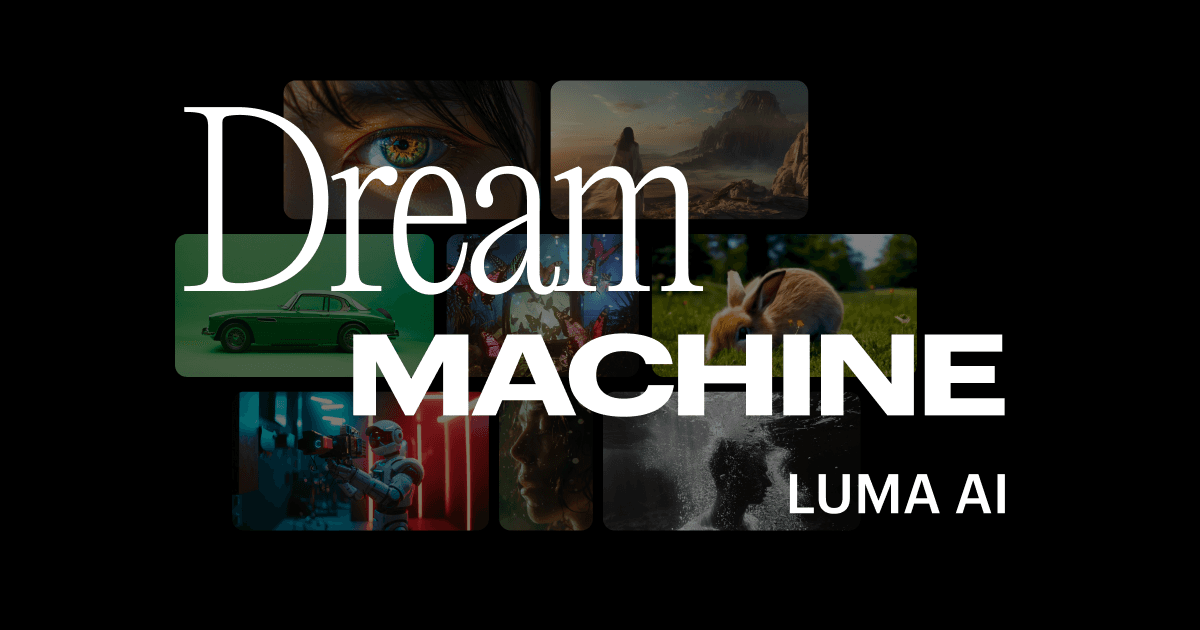
Overview
Dream Machine was Luma's earlier consumer creation product. Luma now directs users to the Luma App and says the Dream Machine name and earlier Ray generations are deprecated, so this page covers the current Luma AI workspace while preserving the historical name people still search for.
The current product is broader than a one-shot text-to-video generator. Luma Agents can plan and iterate across shared boards, route work through Luma and third-party models, and maintain project context across image, video, audio and editing tasks.
For video production, Luma's current flagship model is Ray3.2. It focuses on transforming existing footage with controllable keyframes, motion and structure adherence, character controls, reframing, HDR and EXR output. That makes it strongest when a team has source footage and wants art-directed variations rather than an entirely prompt-only clip.
Use cases
The strongest fit depends on the job you need the product to complete, not the size of its feature list.
Develop campaign concepts, images, video variations and supporting assets in a shared project context.
Transform source footage, preserve performances and deliver reframed or restyled variants for multiple markets.
Use agents and boards to advance parallel creative routes without rebuilding context for every asset.
Capabilities
Coordinates multi-step creative work through natural language while retaining context across an initiative.
Brings Luma Ray and UNI together with supported third-party image, video and audio models.
Restyles or alters source footage while preserving selected motion, structure, framing and character performance.
Uses visual anchors at points in a clip to control how a transformed shot develops over time.
Ray3.2 supports up to 20-second 1080p video-to-video work, HDR generation and 16-bit EXR export.
Organizes assets, iterations and shared context in project boards with guest or team collaboration depending on plan.
Process
Step 1
Start with a brief, brand references, source assets and the specific deliverables the campaign needs.
Step 2
Use an agent for broader orchestration or select a specific image, video or audio model for direct control.
Step 3
Generate several routes, then refine with prompts, edited frames, model controls and targeted feedback.
Step 4
Export approved assets for final compositing, color, audio, legal review and delivery in the team's production stack.
Cost
Luma's current individual plans are Plus, Pro and Ultra, with lower effective monthly pricing on annual billing. Team and Enterprise pricing is customized.
$30/month or $300/year
Entry individual plan with Luma and third-party image and video models.
$90/month or $900/year
For individuals who need substantially more Luma Agent usage.
$300/month or $3,000/year
High-volume individual tier.
Contact sales
Adds centralized workspace, member and usage management.
Contact sales
For organizations needing enterprise commitments, training and customization.
Pricing checked . Check current pricing at the source ↗
Assessment
Compare
The right alternative depends on the specific output, workflow, controls and budget your project requires.
Content Creator
A broad professional AI media suite with strong generation and video-editing workflows.
Explore Runway Creative →Content Creator
A creator-facing image and video platform with a different model lineup and consumer workflow.
Explore Kling AI →Content Creator
Google's video model is a strong option for teams already creating through the Google ecosystem.
Explore Veo 3.1 →Questions
Luma AI is active, but Luma describes Dream Machine as an older deprecated product name. The current consumer workspace is the Luma App, and the current video model is Ray3.2.
Individual plans start at $30 monthly for Plus. Pro is $90 monthly and Ultra is $300 monthly; annual billing is $300, $900 and $3,000 respectively. Team and Enterprise plans require sales contact.
The current public pricing page lists Plus, Pro and Ultra as the individual plans and does not show a Free tier.
Ray3.2 is designed to transform existing footage while preserving chosen motion, structure and performance. It is useful for restyling shots, changing environments, producing campaign variants and preparing material for post-production.
Yes. The current Luma App coordinates image, video, audio and editing models in shared creative projects, including Luma's UNI image model and supported third-party models.
No. Luma documents the App subscription and developer API as separate products with separate usage systems.
Bottom line
Luma AI has grown well beyond the original Dream Machine pitch. It is now most compelling as a coordinated creative-production workspace, especially for teams transforming real footage with Ray3.2. Buyers should evaluate the current Luma App and pricing—not old Dream Machine plan comparisons.
Visit Luma AI (formerly Dream Machine) website ↗
Get access to all our AI courses, hundreds of real-world AI use cases, live expert-led workshops, an exclusive network of AI early adopters, and more.
Get unlimited access to all of our current & upcoming industry-specific AI courses for the duration of your subscription.
To keep up with the rapid pace of AI, our team publishes AI implementation guides daily. Our library contains 300+ practical use cases to automate real-world work.
Join weekly, live, interactive sessions with industry leaders who are at the forefront of AI for hands-on implementation guidance and exclusive insights.
Network with an exclusive community of AI-first professionals who are working smarter with AI. Learn how early adopters are using AI in their work and businesses.


