Directed narration and voiceover
Create scripted audio where tone, pacing, accent and performance need more control than a basic text reader provides.
Independent tool overview
Gemini 3.1 Flash TTS is Google's preview text-to-speech model for low-latency, controllable single- and multi-speaker audio in more than 70 languages.
Visit the official Gemini 3.1 Flash TTS site ↗
Overview
Gemini 3.1 Flash TTS is a developer-focused speech model that turns a written script into natural, directed audio. It supports more than 70 languages, single- and multi-speaker output, natural-language voice direction and inline audio tags that can change delivery within a sentence.
This is a preview API model, not a full voiceover editor or a real-time conversational agent. It is strongest when a team needs scripted narration with precise control over style, accent, pace and tone. Developers can test it in Google AI Studio, call it through the Gemini API, stream audio from the 3.1 model or submit high-volume jobs through the Batch API.
Use cases
The strongest fit depends on the job you need the product to complete, not the size of its feature list.
Create scripted audio where tone, pacing, accent and performance need more control than a basic text reader provides.
Generate localized speech across more than 70 languages while keeping the same API-centered production workflow.
Produce podcast-style exchanges, training scenarios and character dialogue with distinct speaker assignments.
Stream generated audio into an application when users should hear playback before the entire response finishes.
Render larger libraries of prerecorded narration at the lower Batch API rate when immediate delivery is unnecessary.
Capabilities
Place modifiers such as [whispers], [laughs], [sighs] or [shouting] inside a transcript to change a passage's delivery or add supported non-verbal sounds.
Describe the desired style, accent, pace, tone and emotional energy in ordinary language instead of relying only on fixed sliders.
Define a speaker archetype, the surrounding scene and director's notes so the model has coherent performance context.
Select a prebuilt voice and generate one continuous performance from a written transcript.
Assign voices to multiple named speakers for dialogue, interviews and other scripted exchanges.
Generate speech across more than 70 languages, with Google's guidance recommending English-language audio tags even when the transcript is not English.
Gemini 3.1 Flash TTS can stream audio chunks as they are generated, a capability not supported by the earlier Gemini TTS versions.
Submit non-urgent generation jobs at half the standard input and output token rates.
Experiment with voices and performance controls in a browser, then export matching Gemini API parameters for implementation.
Google embeds an imperceptible SynthID watermark in all audio produced by Gemini 3.1 Flash TTS.
Process
Step 1
Prepare the exact words to be spoken and split long narration into sections of a few minutes to reduce voice and quality drift.
Step 2
Select a supported prebuilt voice for one speaker or map separate voices to each character in a dialogue.
Step 3
Add an audio profile, scene context and director's notes covering style, accent, pacing and emotional tone.
Step 4
Use inline tags only where delivery should change, and keep the directions consistent with the script and selected voice.
Step 5
Generate samples in AI Studio or the API, then check pronunciation, speaker consistency, pacing, names, numbers and required disclosures.
Step 6
Use streaming for responsive playback, standard requests for immediate files or Batch API jobs for lower-cost offline production.
Cost
Gemini Developer API pricing is token-based. Google counts generated audio at 25 tokens per second, making the paid Standard output rate approximately $0.03 per minute and Batch approximately $0.015 per minute, before the separate text-input charge. Free-tier requests are subject to rate limits and may be used to improve Google products; Google says paid-tier data is not.
Free
Limited Gemini Developer API access for testing.
$1 input / $20 audio output per 1M tokens
On-demand production pricing for the Gemini Developer API.
$0.50 input / $10 audio output per 1M tokens
Lower-cost asynchronous generation for work that does not need an immediate response.
Pricing checked . Check current pricing at the source ↗
Assessment
Compare
The right alternative depends on the specific output, workflow, controls and budget your project requires.
Marketing
Choose ElevenLabs for a mature end-to-end voice platform with broader creator tooling, voice management and deployment options.
Explore ElevenLabs →Content Creator
Consider Inworld Realtime TTS when interactive character and game-oriented low-latency speech is the primary use case.
Explore Inworld Realtime TTS →Content Creator
Use Qwen3-TTS when an open-source model and greater control over self-hosted infrastructure matter more than a managed API.
Explore Qwen3-TTS →Business Operations
Compare Voxtral TTS for another developer API focused on multilingual speech and voice-agent applications.
Explore Voxtral TTS →Questions
It is Google's preview text-to-speech model for turning exact written scripts into controllable audio. The model supports natural-language performance direction, inline audio tags, more than 70 languages and single- or multi-speaker generation.
Google offers a rate-limited free tier for Gemini Developer API testing. Paid Standard requests cost $1 per million text-input tokens and $20 per million audio-output tokens. Batch costs half those rates.
Google counts audio at 25 tokens per second. At the current paid output rate, that works out to about $0.03 per generated minute for Standard requests or $0.015 per minute through Batch, plus the much smaller text-input charge.
Yes. Version 3.1 supports streaming generated audio chunks by setting the API request to stream. Earlier Gemini TTS models do not support TTS streaming.
Yes. The Gemini TTS API can generate both single-speaker and multi-speaker audio, with a selected voice assigned to each named speaker.
Audio tags are inline directions such as [whispers], [laughs] or [sighs]. They can change the delivery of a line or add supported non-verbal sounds. Google says there is no exhaustive list, so results should be tested.
No. Flash TTS is for controlled recitation of a supplied script. Gemini 3.1 Flash Live is a separate audio-to-audio model built for interactive, real-time dialogue.
It can be integrated into applications, but it is still labeled Preview. Production teams should pin the intended model ID, split long scripts, review every public-facing result and implement retries and monitoring.
Bottom line
Gemini 3.1 Flash TTS is a compelling API choice for teams that want expressive, multilingual scripted speech without paying dedicated voice-platform prices. Inline tags, multi-speaker output, streaming and unusually low published rates make it especially attractive for application developers. Its Preview status and documented consistency issues mean it still needs careful prompt design, short generation segments, automated retries and human quality control.
Visit Gemini 3.1 Flash TTS website ↗
Lyra 2.0 - NVIDIA's new model that turns text and camera paths into explorable 3D scenes
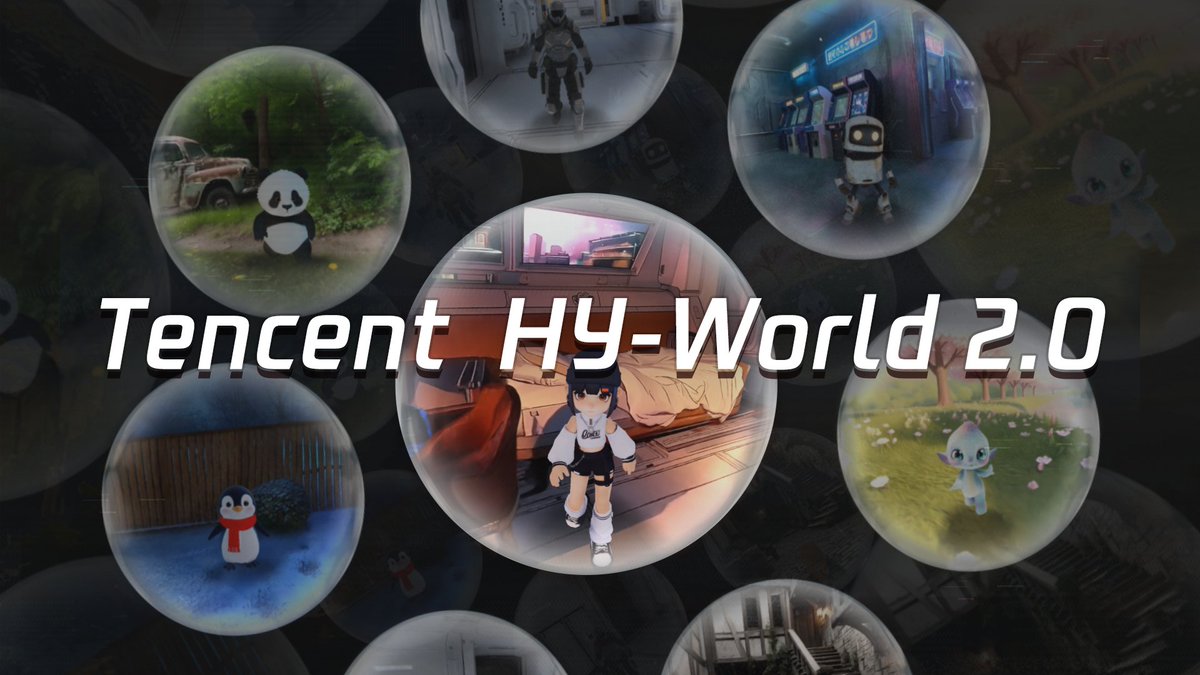
HY-World 2.0 - Tencent's open-source world model that turns text, images, or video into interactive 3D scenes

Harrier - Microsoft Bing’s SOTA, open-source embedding model for search and RAG grounding
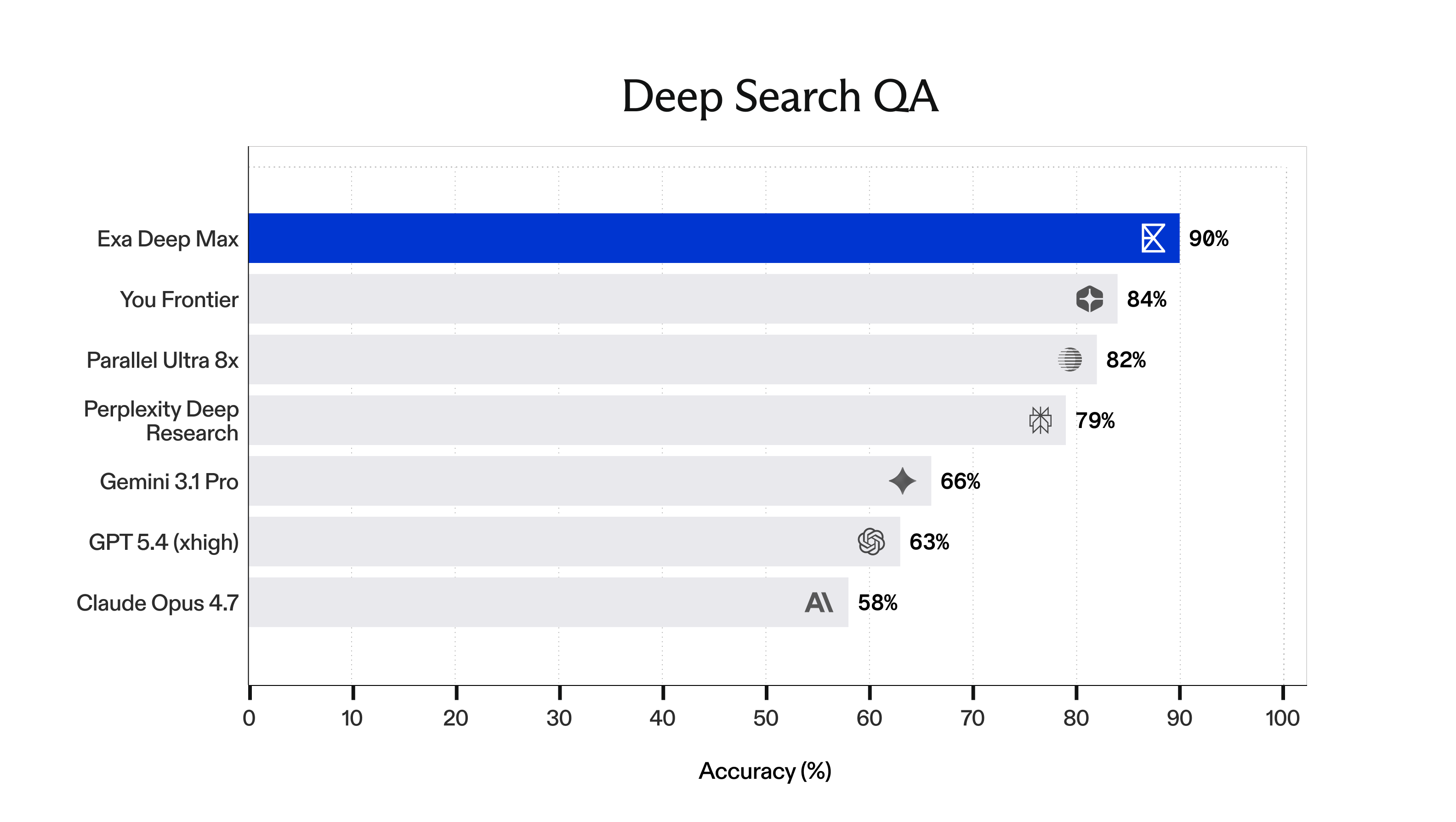
Deep Max - Exa's new SOTA agentic search tool

Get access to all our AI courses, hundreds of real-world AI use cases, live expert-led workshops, an exclusive network of AI early adopters, and more.
Get unlimited access to all of our current & upcoming industry-specific AI courses for the duration of your subscription.
To keep up with the rapid pace of AI, our team publishes AI implementation guides daily. Our library contains 300+ practical use cases to automate real-world work.
Join weekly, live, interactive sessions with industry leaders who are at the forefront of AI for hands-on implementation guidance and exclusive insights.
Network with an exclusive community of AI-first professionals who are working smarter with AI. Learn how early adopters are using AI in their work and businesses.