Conversational image editing
Change a subject, setting, style, color, or isolated detail with follow-up instructions instead of rebuilding the image from scratch.
Independent tool overview
Gemini 2.5 Flash Image, better known as the original Nano Banana, is Google's low-latency model for generating and editing 1024px images through natural-language conversations. It remains available in the Gemini API, but Google now classifies it as a legacy model and recommends Nano Banana 2 Lite for new speed- and cost-focused deployments.
Visit the official Gemini 2.5 Flash Image site ↗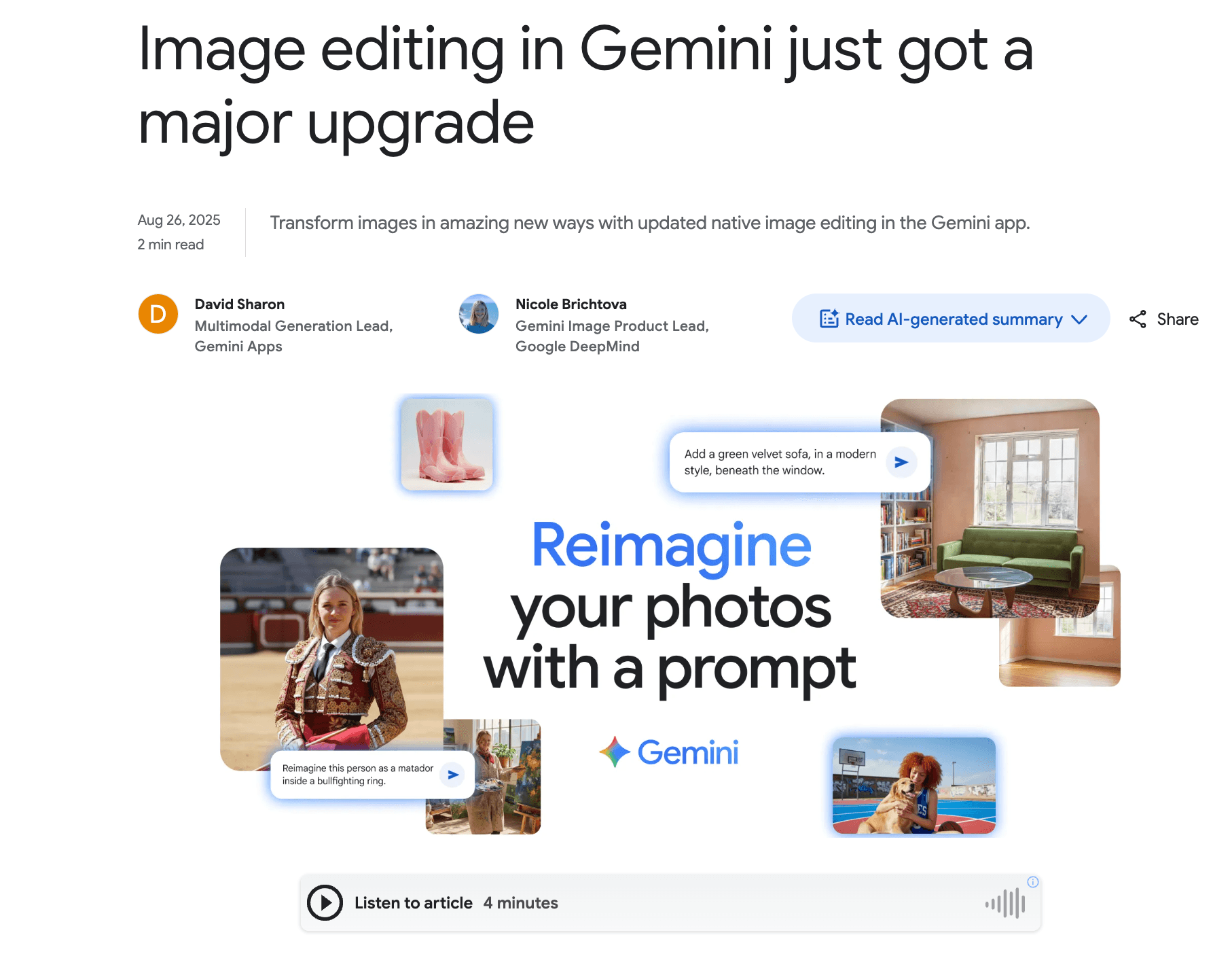
Overview
Gemini 2.5 Flash Image is a native multimodal image model: it can take text and images as input, then return text, generated images, or edited images in the same conversational workflow. Its strongest use cases are rapid visual ideation, targeted edits, combining references, and maintaining a recognizable subject across multiple variations.
The model launched in August 2025 under the technical name Gemini 2.5 Flash Image and became widely known as Nano Banana. Google still exposes the stable model code gemini-2.5-flash-image, while the earlier preview alias is deprecated.
This is now the original, legacy member of Google's Nano Banana family. Google recommends Nano Banana 2 Lite (Gemini 3.1 Flash Lite Image) as the direct replacement for better quality, lower latency, and lower per-image cost. Nano Banana 2 and Nano Banana Pro are the more capable options when 4K output, stronger text rendering, grounding, or complex professional control matter more than minimum cost.
Use cases
The strongest fit depends on the job you need the product to complete, not the size of its feature list.
Change a subject, setting, style, color, or isolated detail with follow-up instructions instead of rebuilding the image from scratch.
Generate and revise 1024px concepts quickly for storyboards, social drafts, mockups, and early campaign exploration.
Blend multiple source images into one scene or carry a character or object into a new setting.
Keep a production workflow on the stable 2.5 model code while testing a migration to the newer Nano Banana family.
Capabilities
Creates images from natural-language prompts through the Gemini API and Google AI Studio.
Accepts an existing image plus an instruction for localized changes, style transfers, background swaps, and other transformations.
Combines elements from several image inputs into a new composition; Google says the 2.5 model works best with up to three input images.
Preserves recognizable subjects across a sequence more reliably than a basic one-shot image generator, useful for recurring characters and product concepts.
Keeps visual context across a conversation so users can iteratively adjust an output rather than restarting with every prompt.
Supports square, portrait, landscape, vertical-video, widescreen, and 21:9 output formats, with each image billed as 1,290 output tokens.
Process
Step 1
Use gemini-2.5-flash-image only when maintaining an existing workflow or when its output already meets the need. For a new integration, compare Nano Banana 2 Lite first.
Step 2
Describe the subject, composition, setting, camera or illustration style, lighting, aspect ratio, and any text that must appear.
Step 3
Attach the minimum useful image set and specify which identity, object, palette, or layout should be preserved from each source.
Step 4
Request one or two targeted changes per turn so the model can preserve the parts that already work.
Step 5
Check faces, hands, logos, small text, factual details, and brand consistency, then retain human approval for any customer-facing asset.
Cost
Gemini 2.5 Flash Image is a paid Gemini API model with no free API tier. Standard output costs $0.039 per 1024px-class image, while Batch and Flex reduce that to $0.0195. Google recommends the newer Nano Banana 2 Lite, priced at $0.034 per 1K image, for new high-volume workloads.
$0.039 per image
On-demand Gemini API access for 1024px-class image generation.
$0.0195 per image
Lower-cost processing for workloads that can use batch jobs or flexible capacity.
$0.034 per 1K image
Google's recommended replacement for new speed- and scale-focused implementations.
Pricing checked . Check current pricing at the source ↗
Assessment
Compare
The right alternative depends on the specific output, workflow, controls and budget your project requires.
Design
A current conversational image-generation option inside the OpenAI ecosystem, with a strong emphasis on instruction following and text rendering.
Explore ChatGPT Images 2.0 →Design
Worth comparing when typography, posters, logos, and other text-heavy visual concepts are the priority.
Explore Ideogram →Content Creator
A Black Forest Labs image model family for teams that want a separate visual-generation stack and flexible deployment options.
Explore FLUX.2 →Content Creator
A creator-oriented interface that brings multiple image workflows, live generation, editing, and enhancement into one workspace.
Explore Krea →Questions
Yes. Nano Banana is the public name for Google's Gemini 2.5 Flash Image model, whose stable API identifier is gemini-2.5-flash-image.
Yes. Google still lists the stable model in the Gemini API, but now describes it as the legacy pioneer of the Nano Banana family and recommends moving new workloads to Nano Banana 2 Lite.
Google recommends Nano Banana 2 Lite, model code gemini-3.1-flash-lite-image, as the direct speed- and cost-focused replacement. Nano Banana 2, gemini-3.1-flash-image, is the more capable general-purpose option.
As of August 28, 2026, standard Gemini API output is $0.039 per supported 1024px-class image, plus $0.30 per 1 million text or image input tokens. Batch and Flex output is $0.0195 per image.
Yes. It accepts image and text inputs for targeted edits, restyling, multi-image composition, and conversational follow-up changes.
No. The 2.5 model produces 1024px-class images. Google's newer Nano Banana 2 and Nano Banana Pro models support higher-resolution output, including 4K.
Yes. Google says all images generated by Gemini's Nano Banana models include an invisible SynthID watermark.
Bottom line
Gemini 2.5 Flash Image remains a capable, inexpensive model for conversational editing and fast 1024px creative work, especially where an existing integration is already stable. It is no longer the best default for a new build: Google has made Nano Banana 2 Lite the direct replacement, while Nano Banana 2 is the stronger general-purpose choice for teams that need higher resolution and newer capabilities.
Visit Gemini 2.5 Flash Image website ↗
Magic Animator - Animate Figma designs in seconds with AI
Tripo AI - Turn text or images into production-ready 3D assets

Hunyuan 3D-PolyGen - Tencent's 3D AI model designed for professional art-grade outputs for game development and artist modeling.

Reve - Free, high-quality AI image generator

Get access to all our AI courses, hundreds of real-world AI use cases, live expert-led workshops, an exclusive network of AI early adopters, and more.
Get unlimited access to all of our current & upcoming industry-specific AI courses for the duration of your subscription.
To keep up with the rapid pace of AI, our team publishes AI implementation guides daily. Our library contains 300+ practical use cases to automate real-world work.
Join weekly, live, interactive sessions with industry leaders who are at the forefront of AI for hands-on implementation guidance and exclusive insights.
Network with an exclusive community of AI-first professionals who are working smarter with AI. Learn how early adopters are using AI in their work and businesses.