Professional post-production
Useful for editors and finishing teams that need AI assistance alongside deep color, effects, and audio controls.
Independent tool overview
DaVinci Resolve combines editing, color, visual effects, motion graphics, audio post-production, and photo editing. The Studio edition adds DaVinci AI Neural Engine features such as voice isolation, dialogue separation, SuperScale, and AI noise reduction.
Visit the official DaVinci Resolve site ↗
Overview
Resolve is a full post-production environment rather than a one-click generator. AI features sit inside a professional workflow where editors can inspect the timeline, tune effects, preserve camera originals, and finish audio and color in the same project.
The free edition is unusually capable, but several advanced AI features are reserved for Studio. Hardware requirements and the breadth of the interface can make it demanding for occasional creators.
Use cases
The strongest fit depends on the job you need the product to complete, not the size of its feature list.
Useful for editors and finishing teams that need AI assistance alongside deep color, effects, and audio controls.
The free edition supports serious work before a team commits to Studio-only AI capabilities.
Capabilities
Studio includes AI-assisted audio, scaling, noise reduction, and other advanced processing.
Editing, color, effects, motion graphics, audio, and photo tools live in one application.
Studio adds higher-resolution, higher-frame-rate, multi-GPU, HDR, and codec capabilities.
Process
Step 1
Bring source media into a project and establish the timeline, color-management, and audio setup.
Step 2
Use Neural Engine features where they solve a defined cleanup, isolation, scaling, or editing task.
Step 3
Check artifacts, sync, color, audio, captions, and delivery specifications before rendering.
Cost
Blackmagic Design offers a free edition and lists DaVinci Resolve Studio as a one-time $295 purchase.
Free; Studio $295
Blackmagic Design offers a free edition and lists DaVinci Resolve Studio as a one-time $295 purchase.
Pricing checked . Check current pricing at the source ↗
Assessment
Compare
The right alternative depends on the specific output, workflow, controls and budget your project requires.
Design
Adobe Firefly is an enriched alternative for direct generative media creation.
Explore Adobe Firefly →Content Creator
VideoProc Converter AI is an enriched alternative for AI-assisted media enhancement and conversion.
Explore VideoProc Converter AI →Questions
Yes. DaVinci Resolve Studio includes a first-party AI Neural Engine and multiple AI-assisted audio, image, and editing features.
Use it to organize source media, apply AI for targeted post-production tasks, then review artifacts and finish the project with professional controls.
Blackmagic Design offers a free edition and lists DaVinci Resolve Studio as a one-time $295 purchase.
Bottom line
Resolve is a strong choice for creators who want AI inside a full professional post-production system. Simpler generators may be faster for one-off social clips.
Visit DaVinci Resolve website ↗
Node-based creative canvas for chaining image, video, voice, lip-sync, music, and sound generation into reusable workflows.
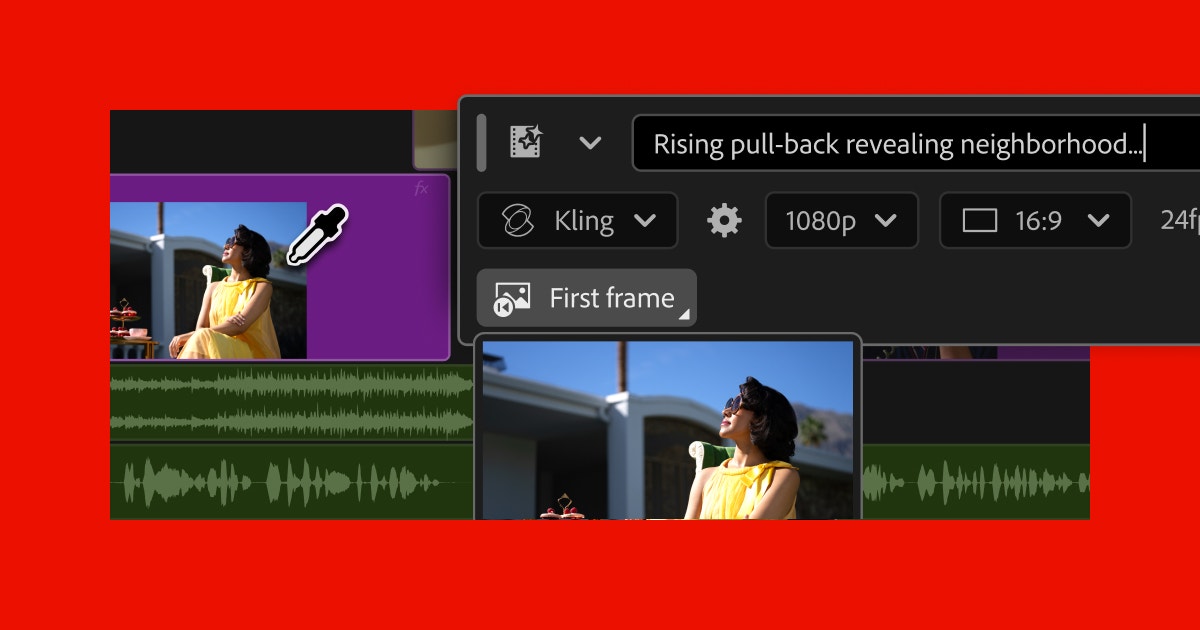
Professional video editor with native AI tools for search, cleanup, generation, and timeline work.

FFmpeg is an open-source media toolkit for converting, trimming, extracting, and preparing audio and video around AI transcription and generation workflows.

Create websites effortlessly with instant page loads.

Get access to all our AI courses, hundreds of real-world AI use cases, live expert-led workshops, an exclusive network of AI early adopters, and more.
Get unlimited access to all of our current & upcoming industry-specific AI courses for the duration of your subscription.
To keep up with the rapid pace of AI, our team publishes AI implementation guides daily. Our library contains 300+ practical use cases to automate real-world work.
Join weekly, live, interactive sessions with industry leaders who are at the forefront of AI for hands-on implementation guidance and exclusive insights.
Network with an exclusive community of AI-first professionals who are working smarter with AI. Learn how early adopters are using AI in their work and businesses.