AI media preprocessing
Prepare files for transcription or generation tools.
Independent tool overview
FFmpeg is an open-source media toolkit for converting, trimming, extracting, and preparing audio and video around AI transcription and generation workflows.
Visit the official ffmpeg site ↗
Overview
FFmpeg provides command-line tools and libraries for recording, converting, streaming, and inspecting media. It is useful before and after an AI model: extracting audio for transcription, preparing supported input formats, or assembling approved generated outputs.
For a first workflow, check codecs, duration, streams, and the model’s input requirements. Extract or transform only the needed media while preserving the original. Play the result and verify duration, sync, quality, and file compatibility.
Use cases
The strongest fit depends on the job you need the product to complete, not the size of its feature list.
Prepare files for transcription or generation tools.
Automate consistent conversions and extraction.
Capabilities
Convert supported audio and video formats.
Apply supported media transformations and filters.
Use ffprobe and related tools to inspect streams and metadata.
Process
Step 1
Check codecs, duration, streams, and the model’s input requirements.
Step 2
Extract or transform only the needed media while preserving the original.
Step 3
Play the result and verify duration, sync, quality, and file compatibility.
Cost
Free and open source. Build licensing and codec considerations vary; compute and downstream AI services may cost extra.
Free software
Free and open source. Build licensing and codec considerations vary; compute and downstream AI services may cost extra.
Pricing checked . Check current pricing at the source ↗
Assessment
Compare
The right alternative depends on the specific output, workflow, controls and budget your project requires.
Content Creator
Consider Auphonic for a managed audio post-production workflow rather than assembling command-line processing.
Explore Auphonic →Questions
FFmpeg is an open-source media toolkit for converting, trimming, extracting, and preparing audio and video around AI transcription and generation workflows.
FFmpeg provides command-line tools and libraries for recording, converting, streaming, and inspecting media. It is useful before and after an AI model: extracting audio for transcription, preparing supported input formats, or assembling approved generated outputs.
Codec support depends on the build and its libraries. Transcoding can lose quality, and supported formats do not imply permission to use the media.
Bottom line
ffmpeg is useful for AI media preprocessing. Transcoding can lose quality, and supported formats do not imply permission to use the media.
Visit ffmpeg website ↗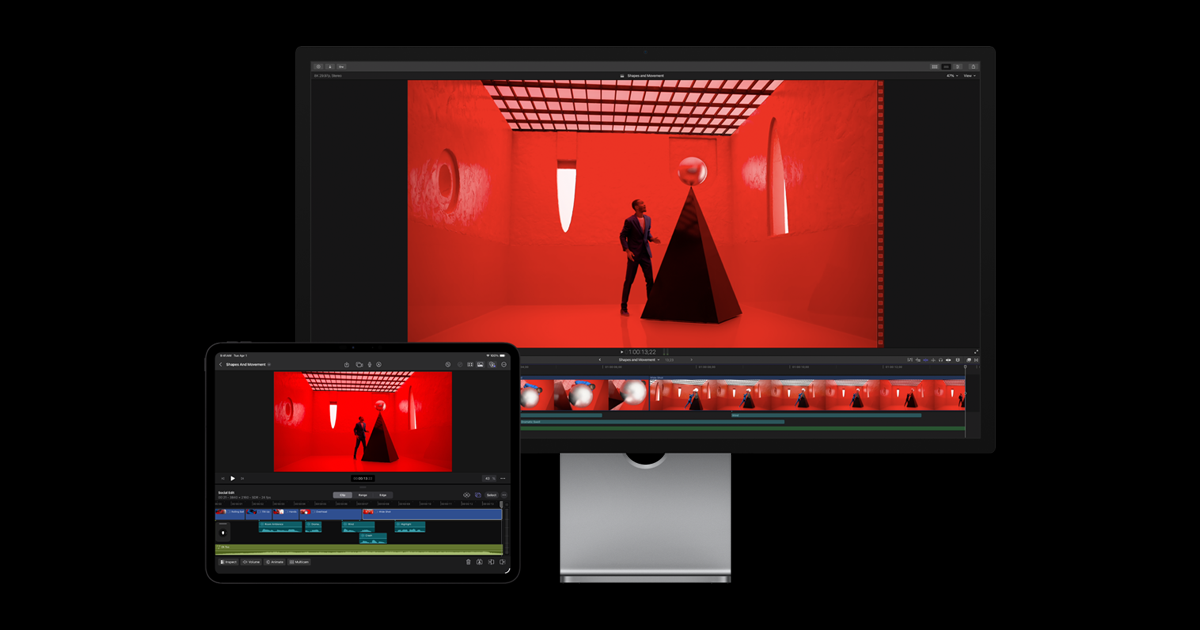
Apple's professional video editor with first-party intelligence features for search, editing, tracking, captions, and media cleanup.
Node-based creative canvas for chaining image, video, voice, lip-sync, music, and sound generation into reusable workflows.

Higgsfield video editor for replacing objects or transferring motion in existing clips while preserving the source composition and timing.

Professional editing, color, effects, audio, and photo system with a Neural Engine and AI-assisted post-production tools.

Get access to all our AI courses, hundreds of real-world AI use cases, live expert-led workshops, an exclusive network of AI early adopters, and more.
Get unlimited access to all of our current & upcoming industry-specific AI courses for the duration of your subscription.
To keep up with the rapid pace of AI, our team publishes AI implementation guides daily. Our library contains 300+ practical use cases to automate real-world work.
Join weekly, live, interactive sessions with industry leaders who are at the forefront of AI for hands-on implementation guidance and exclusive insights.
Network with an exclusive community of AI-first professionals who are working smarter with AI. Learn how early adopters are using AI in their work and businesses.