Notion-first publishers
Keep content editing in a familiar Notion workspace while presenting a more polished public site.
Independent tool overview
Super is a hosted website layer that turns public Notion pages into faster, more customizable sites with themes, clean URLs, SEO controls, custom domains, and optional analytics. It is a strong fit for documentation, portfolios, directories, resources, and lightweight marketing sites when Notion is already the content system. It is not an AI site generator, and the public-Notion dependency, per-site pricing, sync behavior, and limited application features matter for production use.
Visit the official Super site ↗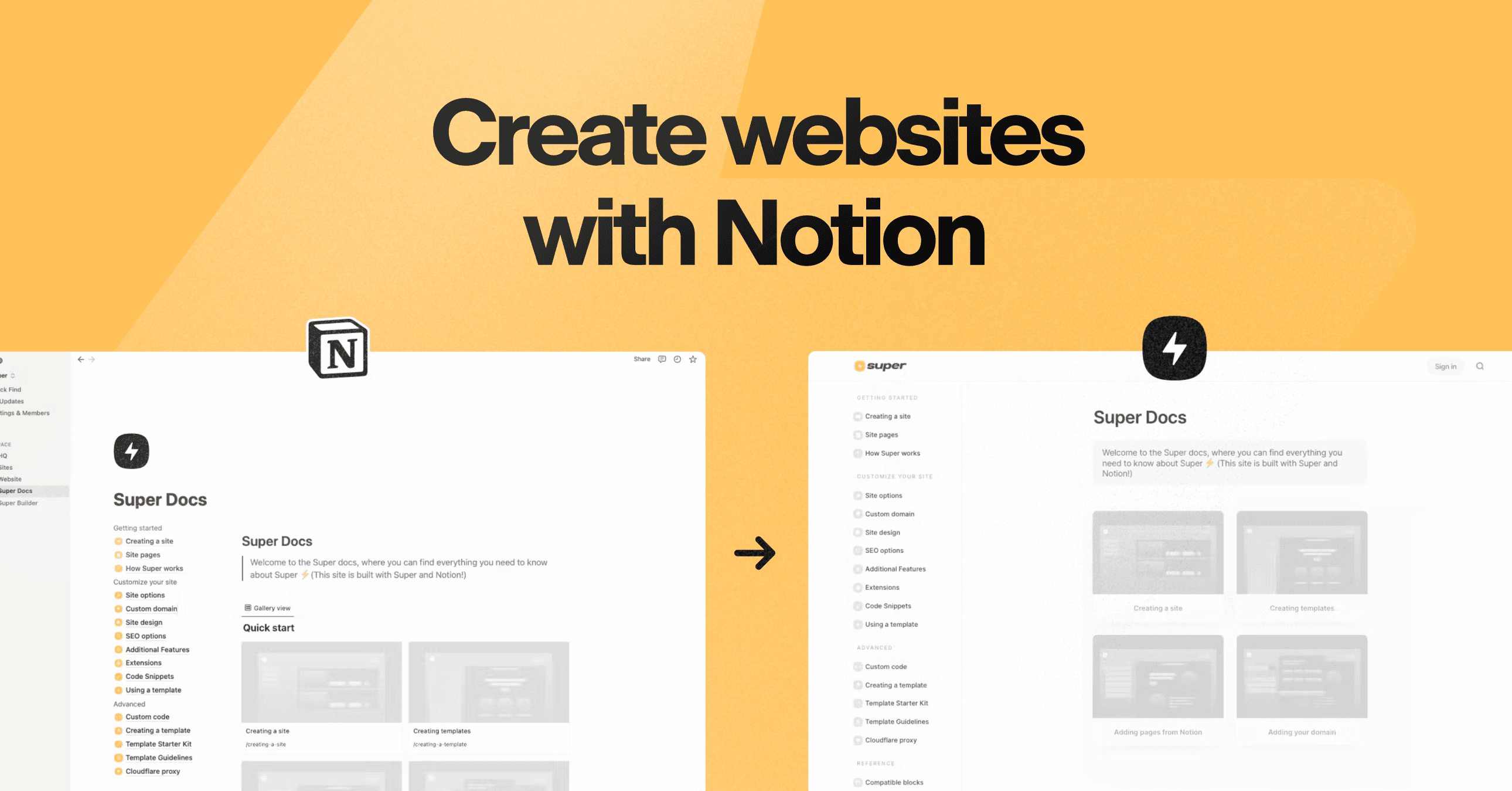
Overview
Super uses Notion as the content-management system and builds a cached, CDN-delivered website around a connected public page and its subpages. Editors keep writing in Notion while site design, domains, navigation, URLs, SEO settings, and publishing controls live in Super.
The free plan is useful for validating the workflow on a super.site subdomain. Personal adds a custom domain, custom code and fonts, password protection, RSS or Atom feeds, and removes Super branding. Pro adds manual publishing, advanced full-content search, file uploads, redirects, hidden pages, multilingual sites, and priority support.
Super provides default sitemaps, titles, descriptions, cover-image metadata, language settings, and social tags, with page-level overrides on paid plans. Those conveniences do not create an SEO strategy: teams still need unique page intent, strong titles and descriptions, internal links, canonical decisions, structured data where appropriate, performance monitoring, and Search Console.
The architecture has an important privacy boundary. Connected Notion pages must be published publicly for Super to read them, even when Super adds password protection. Super also states that it is not independently SOC 2 certified. Sensitive portals, account-based products, regulated data, and applications with granular authorization deserve a platform designed for those requirements.
Use cases
The strongest fit depends on the job you need the product to complete, not the size of its feature list.
Keep content editing in a familiar Notion workspace while presenting a more polished public site.
Publish nested articles, help content, databases, search, and RSS without maintaining a conventional CMS.
Launch branded pages with a custom domain, fast delivery, and lightweight theme controls.
Validate a directory, knowledge hub, or landing-page structure before investing in a custom stack.
Capabilities
Uses a connected Notion homepage and its subpages as the site structure and editorial source of truth.
Supports layouts, navigation, colors, fonts, logos, database styling, dark mode, and custom code.
Paid sites can connect a domain and receive managed HTTPS.
Generates sitemaps, titles, descriptions, cover-image metadata, language settings, and Open Graph tags with override controls.
Creates clean URLs and, on Pro, supports hiding pages, redirects, and manual publication control.
Provides title search by default and full-content advanced search plus multilingual features on Pro.
Paid plans can protect a whole site or page tree with a shared password and configurable timeout.
Offers a separate cookie-free, anonymous analytics dashboard priced by combined monthly traffic across enabled sites.
Adds roles, transfers, shared billing, and paid custom work such as sub-path hosting, SSO, or design help.
Process
Step 1
Use Super only for information suitable to exist in a publicly published Notion page; keep confidential and regulated data elsewhere.
Step 2
Place every intended page and database beneath one connected homepage and remove properties, people fields, or blocks that should not appear publicly.
Step 3
Connect the homepage, choose a theme, configure navigation and footer, and decide whether Personal or Pro controls are required.
Step 4
Create human-readable paths, write page-specific titles and descriptions, add covers and alt text, and preserve redirects when changing URLs.
Step 5
Connect DNS, verify SSL, select automatic or manual publishing, and install the recommended sync extension when reliable updates matter.
Step 6
Check nested pages, databases, search, forms, passwords, error states, analytics, keyboard access, mobile layout, metadata, sitemap, and indexing settings.
Step 7
Verify important Notion edits on the live site, audit page visibility regularly, watch traffic billing, and keep a recovery plan for the Notion and Super dependency.
Cost
Core plans are billed per site. One free site can remain active; paid sites are unlimited but each carries its own subscription. Annual Personal and Pro rates save against monthly billing. Super Analytics and team membership are separate charges, and custom services begin at $50 plus modification fees.
$0
One active branded site on a super.site domain.
$16/month or $144/year
A branded site with custom domain and common publishing controls.
$28/month or $264/year
Adds operational controls for larger or more complex content sites.
From $10/month or $100/year
Separate cookie-free analytics priced by combined traffic across enabled sites.
$5/member/month or $50/member/year
Collaboration layer for shared site management.
From $50 plus modification fees
Quoted services for requirements outside standard plans.
Pricing checked . Check current pricing at the source ↗
Assessment
Compare
The right alternative depends on the specific output, workflow, controls and budget your project requires.
Consumer
Better for teams that want a more flexible visual canvas, animation, responsive control, and AI-assisted site construction without a Notion dependency.
Explore Framer 3.0 →Design
Better for highly visual, animated landing pages where design freedom matters more than Notion-based content operations.
Explore Dora →Coding
Better when the goal is an interactive full-stack web application rather than a content site powered by Notion.
Explore Lovable →Questions
Super is a website publishing and hosting layer for Notion. It transforms a public Notion page tree into a faster, themed site with cleaner URLs and optional domains, SEO controls, search, protection, and analytics.
No. Its core product is deterministic Notion-to-site publishing and customization. You can use AI elsewhere to draft Notion content or custom code, but Super itself is not primarily a prompt-to-website generator.
Yes. You can keep one active free site with unlimited pages on a super.site subdomain. It carries Super branding and does not include a custom domain, custom code, or paid controls.
Personal is $16 per site monthly or $144 yearly. Pro is $28 monthly or $264 yearly. Each paid site has its own subscription; analytics and team seats are extra.
It provides a sound baseline with fast delivery, sitemaps, metadata, social tags, clean paths, and page overrides. Results still depend on content quality, search intent, links, technical validation, structured data, and measurement.
Not always. Super explains that Notion does not send real-time update notifications. It checks for changes when a page is accessed or manually triggered, and recommends its sync extension for faster, more reliable updates.
Do not rely on it for confidential content. Super says the Notion page must still be published publicly so it can sync, even when Super puts a password on the rendered site. Use a true authenticated access-control system for sensitive material.
No. Super's current help documentation says it is not independently SOC 2 certified and has no downloadable Super attestation. Notion has its own certifications, but they do not become a Super certification.
It starts at $10 per month for up to 10,000 combined monthly page views across all analytics-enabled Super sites. Pricing rises automatically as combined traffic enters higher tiers; annual billing starts at $100.
Choose Pro when you need controlled releases, full-content search, redirects or hidden pages, direct file uploads, multilingual features, or priority support. Personal covers most branded portfolio and lightweight marketing sites.
Bottom line
Super is one of the cleanest ways to make Notion behave like a lightweight public CMS. It can be an excellent operational choice for a content site when speed of editing matters more than application flexibility. Treat the Notion source as public, price every site and add-on, and use Pro's release controls for consequential publishing. Choose a true CMS or application platform when access control, compliance, complex data, or custom behavior is central.
Visit Super website ↗
Ideogram's new AI image editing model that holds up through repeated changes

storly ai helps you effortlessly document your life stories.
Five-model audio suite for voice agents, transcription, and music

Screen Studio empowers you to effortlessly create captivating screen recordings.

Get access to all our AI courses, hundreds of real-world AI use cases, live expert-led workshops, an exclusive network of AI early adopters, and more.
Get unlimited access to all of our current & upcoming industry-specific AI courses for the duration of your subscription.
To keep up with the rapid pace of AI, our team publishes AI implementation guides daily. Our library contains 300+ practical use cases to automate real-world work.
Join weekly, live, interactive sessions with industry leaders who are at the forefront of AI for hands-on implementation guidance and exclusive insights.
Network with an exclusive community of AI-first professionals who are working smarter with AI. Learn how early adopters are using AI in their work and businesses.