Marketing teams
Create campaign assets, emails, social posts, videos, ads, and simple websites while keeping work in a shared brand system.
Independent tool overview
Canva Creative Operating System is the umbrella Canva introduced for its connected Visual Suite, design-aware AI, marketing tools, brand controls, and professional creative apps. It is not a separate download or subscription.
Visit the official Canva Creative Operating System site ↗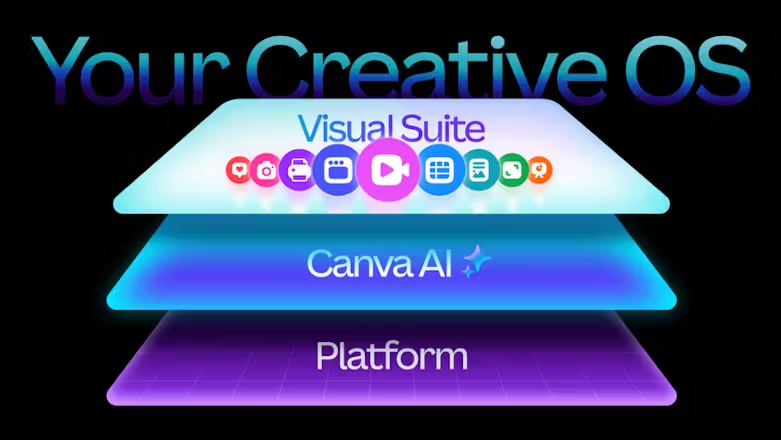
Overview
Canva's Creative Operating System describes the company's move from a template editor to an integrated platform for design, video, documents, data, websites, email, brand management, marketing, and AI-assisted creation.
The 2025 launch centered on the Canva Design Model and editable AI-generated layouts, plus Video 2.0, Forms, Canva Code and Sheets connections, Email Design, Canva Grow, a new Brand system, and the free Affinity professional suite.
Canva has since extended that direction with Canva AI 2.0, conversational and agentic editing, connectors, scheduling, web research, brand intelligence, Sheets AI, and Canva Code 2.0. Access and AI allowances vary by plan, so the Creative OS is best understood as the platform strategy rather than one feature.
Use cases
The strongest fit depends on the job you need the product to complete, not the size of its feature list.
Create campaign assets, emails, social posts, videos, ads, and simple websites while keeping work in a shared brand system.
Combine content creation, brand management, collaboration, ad insights, and publishing without buying a separate tool for every format.
Start from templates or conversational prompts, then edit the result with a familiar drag-and-drop interface.
Use approvals, templates, Brand Kits, permissions, identity controls, and enterprise governance to scale visual communication.
Capabilities
Create presentations, social content, videos, websites, docs, whiteboards, sheets, email designs, print assets, and more in one collaborative workspace.
Generate layered, editable designs that account for layout, hierarchy, and brand, then refine them conversationally or manually.
Edit with a more capable timeline, sync and layer footage, use social-ready templates, or ask Magic Video to assemble uploaded clips.
Collect responses into Canva Sheets and use data in interactive Canva Code experiences that can be edited and published as websites.
Generate branded ad variants, publish to supported ad platforms, connect performance data, and receive AI-assisted creative recommendations.
Organize logos, colors, fonts, photography, tone, guidelines, templates, and approvals while surfacing brand guidance in the editor.
Move between Canva collaboration and Affinity's photo, vector, and page-layout tools; Canva has continued expanding this ecosystem with professional design integrations.
Canva AI 2.0 adds connected context, scheduled work, web research, brand intelligence, memory, and coordinated multi-step creation, with rollout and plan limits.
Process
Step 1
Set up Brand Kits, approved templates, fonts, colors, imagery, and tone before asking AI or teammates to generate campaign work.
Step 2
Start from a brief, template, or Canva AI conversation and produce the required presentation, social, video, email, web, and ad formats.
Step 3
Edit individual objects, replace generated copy and imagery, collaborate in comments, and route work through the appropriate approval process.
Step 4
Schedule or export content, publish through supported channels, connect performance data where available, and feed the results into the next iteration.
Cost
Creative Operating System features are distributed across Canva Free, Pro, Business, and Enterprise. Canva uses regional pricing; the U.S. annual prices shown here were the current published rates at review time, while checkout can vary by country and billing term.
$0
For individuals trying Canva's core editor, templates, Affinity, and a limited AI allowance.
$144/year for one person
For solo creators who need premium content, editing tools, scheduling, and more AI.
$250/year per person
For marketers and small teams needing collaboration, brand scale, ad insights, and higher AI limits.
Custom
For large organizations requiring advanced governance, security, and support.
Pricing checked . Check current pricing at the source ↗
Assessment
Compare
The right alternative depends on the specific output, workflow, controls and budget your project requires.
Design
Choose Figma when interface design, component systems, prototyping, and developer handoff matter more than Canva's marketing breadth.
Explore Figma AI →Consulting
Choose Gamma for a more focused AI-first workflow for presentations, documents, and lightweight web pages.
Explore Gamma →Design
Choose Adobe Firefly and Creative Cloud when generative media needs to sit inside deeper professional photo, video, and design production.
Explore Adobe Firefly →Questions
It is Canva's name for the connected platform spanning the Visual Suite, design-aware AI, marketing, brand management, data, publishing, and professional creative tools. It is not a separate operating system you install.
Many parts are available on Canva Free, but premium assets, higher AI limits, more Brand Kits, collaboration, approvals, marketing analytics, and enterprise controls require paid plans.
The launch introduced Video 2.0, Forms, Email Design, tighter Sheets and Canva Code workflows, Canva Grow, a redesigned Brand system, Canva's Design Model, editable AI-generated designs, and the free all-new Affinity.
Canva AI 2.0 extends the Creative OS direction with conversational design, agentic editing, layered object intelligence, memory, connectors, scheduling, web research, Brand Intelligence, Sheets AI, and Canva Code 2.0.
Canva's current U.S. pricing page lists Business at $250 per person per year. Canva also publishes regional pricing, so verify the price and billing term shown at your checkout.
It can consolidate many everyday marketing and visual communication workflows, but specialized interface design, motion, photo, video, and print-production work may still benefit from dedicated professional tools.
Bottom line
Canva Creative Operating System is most compelling as consolidation: one approachable workspace for everyday design, content, brand, data, collaboration, and marketing output. It will not eliminate every specialized creative tool, but it can dramatically reduce handoffs for teams producing high volumes of on-brand content. Evaluate the specific AI allowances, governance needs, and publishing integrations rather than buying based on the umbrella name alone.
Visit Canva Creative Operating System website ↗
LTX-2-Fast
Inworld TTS - Voice AI with cloning, multilingual support, real-time streaming, and emotion
Sonic 3 - Cartesia's realistic text-to-speech model for voice agents
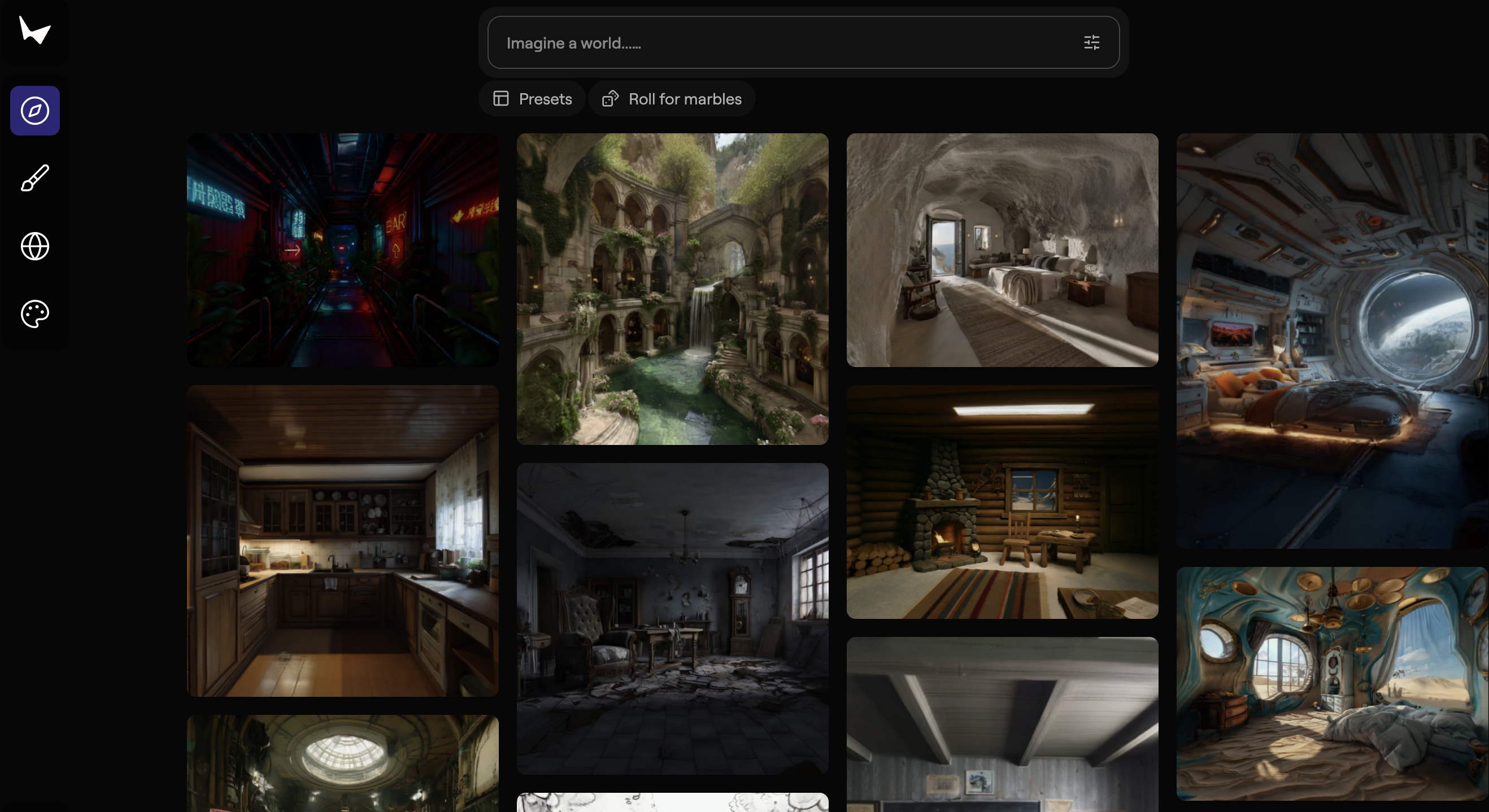
Marble - World Labs' model for creating persistent, high-fidelity 3D worlds from images, videos, and text prompts.

Get access to all our AI courses, hundreds of real-world AI use cases, live expert-led workshops, an exclusive network of AI early adopters, and more.
Get unlimited access to all of our current & upcoming industry-specific AI courses for the duration of your subscription.
To keep up with the rapid pace of AI, our team publishes AI implementation guides daily. Our library contains 300+ practical use cases to automate real-world work.
Join weekly, live, interactive sessions with industry leaders who are at the forefront of AI for hands-on implementation guidance and exclusive insights.
Network with an exclusive community of AI-first professionals who are working smarter with AI. Learn how early adopters are using AI in their work and businesses.