Zoom Workplace teams
Turn meeting notes and chat context into follow-up tasks and drafts.
Independent tool overview
Zoom’s AI work companion, now branded ZoomMate, for meeting context, search, follow-up, and workflows.
Visit the official Zoom AI Companion (now ZoomMate) site ↗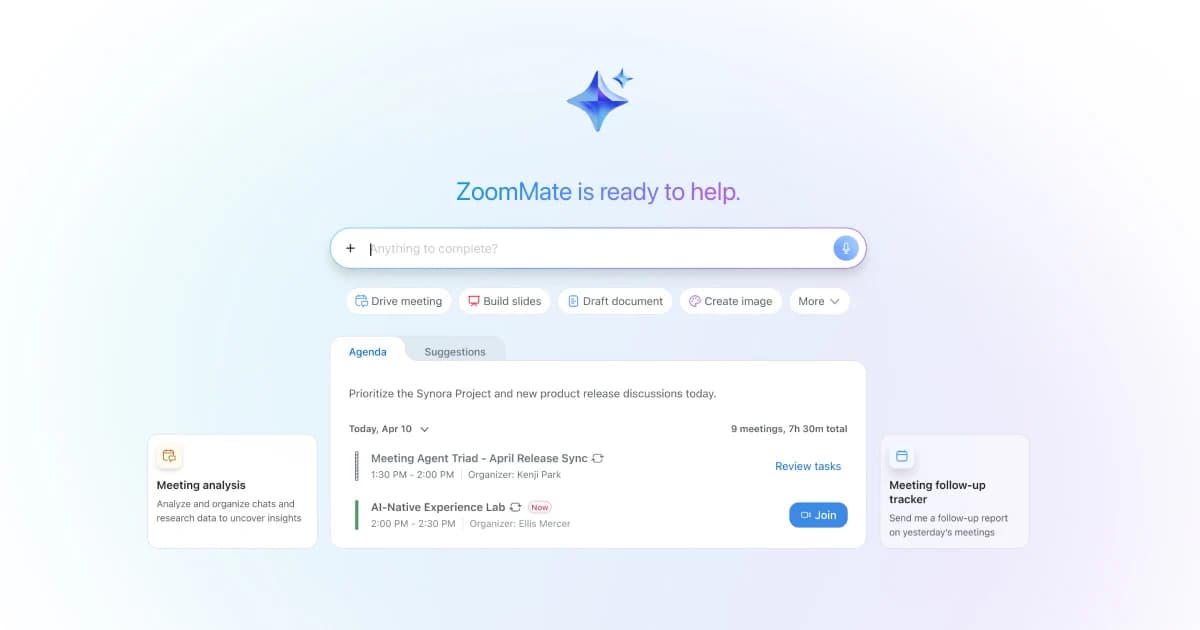
Overview
The URL previously associated with Zoom AI Companion now presents ZoomMate, an AI teammate in Zoom Workplace. Its scope extends beyond meeting summaries: it can search approved Zoom and connected app context, draft agendas and follow-ups, prepare documents or slides, and run configured workflows or agents. Zoom’s release notes introduced ZoomMate in June 2026.
Availability is layered across Zoom plans, account controls, credits, and connected apps. Before promising a task to colleagues, an admin should check the organization’s entitlements, what content the assistant may search, which actions require approval, and how AI credits are metered. Meeting-generated facts and automated updates still need a human check for ownership, dates, and confidential context.
Use cases
The strongest fit depends on the job you need the product to complete, not the size of its feature list.
Turn meeting notes and chat context into follow-up tasks and drafts.
Search decisions and build status summaries from authorized Zoom and connected sources.
Configure bounded automations and agents around recurring work.
Capabilities
Use My Notes and conversation history to prepare agendas and follow-ups.
Search transcripts, chats, documents, contacts, web content, and authorized connected apps.
Create routines and triggered actions from templates or natural-language instructions.
Attach instructions, sources, and app connectors for a specific team task.
Generate presentation, spreadsheet, document, and Canvas artifacts from work context.
Process
Step 1
Confirm the current ZoomMate plan, AI credits, admin settings, and supported regions.
Step 2
Scope meetings, chats, drives, CRM, and project tools to the intended users.
Step 3
Specify an agenda, follow-up, or status draft and limit external write actions.
Step 4
Verify citations, attendees, due dates, and destination records before distribution or execution.
Cost
Zoom’s current product page names ZoomMate plans but does not render a reliable numeric starting amount in the reviewed public text. Some AI Companion features may be included with eligible Workplace plans, while ZoomMate trials and credit pools have separate terms; check Zoom’s live plan selector.
Plan-dependent
Some assistant functions follow existing Zoom entitlement and admin settings.
Public starting price not confirmed
Expanded agentic work and productivity functions.
Eligibility-dependent
Official help lists a limited US trial for qualifying users.
Pricing checked . The previously reviewed pricing source is no longer available.
Assessment
Compare
The right alternative depends on the specific output, workflow, controls and budget your project requires.
Business Operations
Choose for a cross-platform meeting assistant with published per-seat tiers.
Explore Read AI →Project Management
Choose for a focused meeting-notes workflow.
Explore Fathom →Business Operations
Choose when search across many enterprise apps is the main requirement.
Explore Glean →Questions
The official AI-assistant URL presents ZoomMate, and Zoom release notes introduced the new experience in 2026.
No. The current page describes search, agents, workflows, and productivity artifacts as well as meeting follow-up.
No universal entitlement was confirmed. Check the current license, admin settings, trial eligibility, and AI credits.
The product page lists third-party connections such as Salesforce, Jira, Google Drive, and OneDrive.
Bottom line
ZoomMate is a natural evaluation for teams whose work already starts in Zoom meetings and chat. The practical buying test is whether current entitlements and permissions support the exact search and action flow the team needs, with a credible credit budget.
Visit Zoom AI Companion (now ZoomMate) website ↗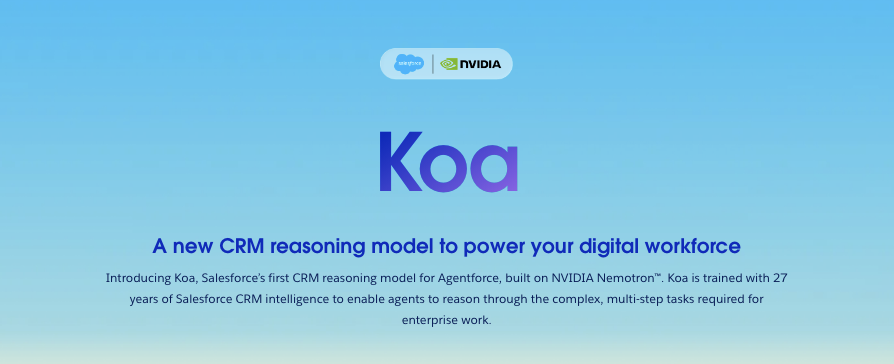
Salesforce’s CRM reasoning model built for enterprise work
Enterprise integration and automation platform for recipes, APIs, data movement, and AI agents.

Low-cost model converting complex documents into machine-readable data
Capture meetings, connect team knowledge and turn proposed follow-ups into reviewed actions with Tana.

Get access to all our AI courses, hundreds of real-world AI use cases, live expert-led workshops, an exclusive network of AI early adopters, and more.
Get unlimited access to all of our current & upcoming industry-specific AI courses for the duration of your subscription.
To keep up with the rapid pace of AI, our team publishes AI implementation guides daily. Our library contains 300+ practical use cases to automate real-world work.
Join weekly, live, interactive sessions with industry leaders who are at the forefront of AI for hands-on implementation guidance and exclusive insights.
Network with an exclusive community of AI-first professionals who are working smarter with AI. Learn how early adopters are using AI in their work and businesses.