Executives and operators with heavy inboxes
Triage a large daily message volume, answer high-priority threads quickly and keep follow-ups from slipping.
Independent tool overview
Superhuman Mail is a keyboard-first AI email client for Gmail and Microsoft 365 that combines inbox triage, personalized drafts, search, scheduling and team collaboration.
Visit the official Superhuman site ↗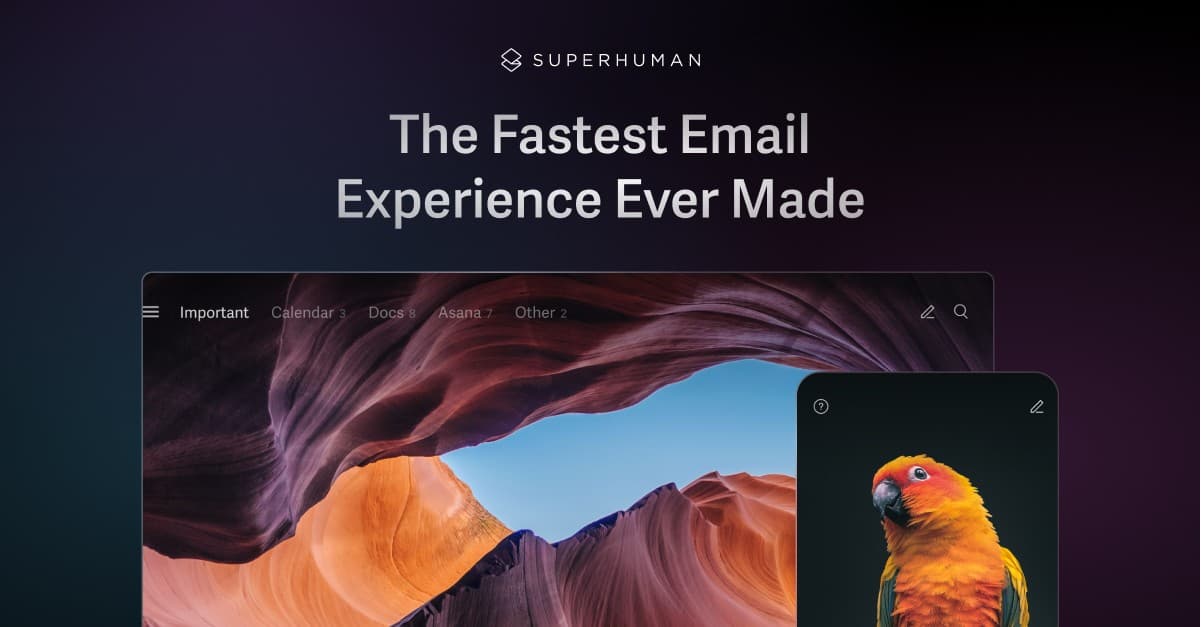
Overview
Superhuman is now called Superhuman Mail, distinguishing the email product from the broader Superhuman company and suite. The app connects to a Google- or Microsoft 365-hosted mailbox and replaces the everyday Gmail or Outlook interface with a faster, shortcut-driven workflow across web, Mac, Windows, iOS and Android.
Its strongest value is not a single AI writing feature. Superhuman combines Split Inbox, automatic labels and archiving, reply and follow-up drafts, natural-language inbox search, calendar actions, read statuses and team comments into one tightly designed email workflow. It is best suited to people who spend enough time in email to justify a per-member subscription and who are willing to learn its keyboard-first habits.
Use cases
The strongest fit depends on the job you need the product to complete, not the size of its feature list.
Triage a large daily message volume, answer high-priority threads quickly and keep follow-ups from slipping.
Use read statuses, CRM integrations, follow-up reminders and personalized AI drafts around relationship-driven work.
Move through email, search, scheduling and commands without repeatedly reaching for a mouse.
Share conversations, leave internal comments and see when a teammate is already replying.
Add and switch among multiple Gmail and Microsoft 365 accounts in the same application.
Capabilities
Separate messages by team, VIP, tool, response need or a custom AI-defined category so the most important work remains visible.
Move recurring marketing, social and low-priority messages out of the main inbox according to configured rules.
Turn short notes or dictated ideas into polished emails that use patterns from the user's existing sent messages.
Prepare contextual responses before or while a message is opened, with the user reviewing the result before sending.
Ask natural-language questions across the inbox, calendar and web instead of relying only on sender names and exact keywords.
Show a concise, updating summary above a conversation so a user can recover context without rereading every message.
Resurface sent messages when no reply arrives and, where enabled, prepare the next follow-up draft.
Share availability, find team meeting times and turn a message into a calendar event without leaving the email workflow.
Discuss an email internally, share context and avoid duplicate replies without forwarding screenshots or copying a thread elsewhere.
Reuse approved text, schedule messages, snooze conversations and track when supported recipients open an email.
Business plans connect with HubSpot and Salesforce so customer-facing teams can work with email and CRM context.
Business users can connect supported AI assistants to Gmail and Outlook context for search, summaries, drafts and approved email or calendar actions.
Process
Step 1
Sign in with a Google or Microsoft 365 account and grant the email, calendar and contact permissions required by the app.
Step 2
Use the Chrome-based web experience, native Mac or Windows app and the iOS or Android app as needed.
Step 3
Set up Split Inbox, Auto Labels and Auto Archive rules around VIPs, response needs and recurring low-value mail.
Step 4
Practice search, reply, archive, snooze, follow-up and command-palette shortcuts until the faster workflow becomes automatic.
Step 5
Turn on summaries, personalized writing, Auto Drafts, Ask AI and knowledge sources according to the team's privacy and plan requirements.
Step 6
Check suggested labels, summaries and drafts, correct mistakes, and keep human approval in front of external messages and calendar actions.
Cost
Superhuman Mail lists per-member Starter, Business and Enterprise plans. Annual billing lowers Starter from $30 to $25 per month and Business from $40 to $33 per month. Superhuman also sells a wider suite that includes Mail alongside Grammarly, Docs and Go; confirm the checkout's exact product entitlements before migrating an existing team.
$25/member/month annually or $30 monthly
Core Superhuman Mail productivity, AI, collaboration, calendar and coaching features.
$33/member/month annually or $40 monthly
Advanced AI and integrations for teams using email as a central operating surface.
Custom
Business features plus enterprise administration, security and support.
Pricing checked . Check current pricing at the source ↗
Assessment
Compare
The right alternative depends on the specific output, workflow, controls and budget your project requires.
Consumer
Stay with Gmail when a lower-cost native Google Workspace experience and built-in Gemini features are sufficient.
Explore Gmail →Business Operations
Choose Microsoft Copilot when the organization already standardizes on Outlook and wants AI integrated across the full Microsoft 365 environment.
Explore Microsoft Copilot →Project Management
Consider Missive when shared team inboxes, chat and collaborative customer communication matter more than individual keyboard speed.
Explore Missive →Questions
Superhuman Mail is the current name of the Superhuman email app. It connects to Gmail or Microsoft 365 and provides a faster email interface with AI triage, drafting, search, scheduling, follow-up and team collaboration.
Starter costs $25 per member per month with annual billing or $30 monthly. Business costs $33 annually or $40 monthly. Enterprise pricing is custom.
The current a la carte Mail pricing page does not list an ongoing free Mail tier. The broader Superhuman suite has a Free tier, but Mail is a paid product entitlement; check the current checkout for the exact bundle.
It supports accounts hosted by Google and Microsoft 365. Superhuman says self-hosted Exchange and other mailbox types are not currently supported.
The former Grammarly parent company adopted the Superhuman name in October 2025. The email app became Superhuman Mail and now sits alongside Grammarly, Superhuman Docs and Superhuman Go in the wider suite.
Yes. Users can add and switch among multiple supported Gmail and Microsoft 365 accounts. It does not currently combine them into one unified inbox.
Starter includes core Superhuman AI features such as writing, organization, summaries and reminders. Business adds advanced features including Auto Drafts, Ask AI, AI Custom Auto Labels, Mail MCP and CRM integrations.
Superhuman states that Mail is SOC 2 Type 2 and GDPR compliant, encrypts data and prohibits AI providers from training on customer email data. Teams should still review permissions, subprocessors, retention and plan-specific controls against their own requirements.
Bottom line
Superhuman Mail is most valuable when email is a genuine operational bottleneck. Its shortcut-driven interface, proactive AI and follow-up discipline can create a meaningfully faster daily workflow, especially for executives, salespeople and customer-facing teams. The main decision is economic: occasional email users will struggle to justify $25-$40 per member each month, while heavy users may find the integrated speed and control worth more than another collection of disconnected email add-ons.
Visit Superhuman website ↗
Get access to all our AI courses, hundreds of real-world AI use cases, live expert-led workshops, an exclusive network of AI early adopters, and more.
Get unlimited access to all of our current & upcoming industry-specific AI courses for the duration of your subscription.
To keep up with the rapid pace of AI, our team publishes AI implementation guides daily. Our library contains 300+ practical use cases to automate real-world work.
Join weekly, live, interactive sessions with industry leaders who are at the forefront of AI for hands-on implementation guidance and exclusive insights.
Network with an exclusive community of AI-first professionals who are working smarter with AI. Learn how early adopters are using AI in their work and businesses.