Apple-device users
Useful for people who want writing and conversation assistance inside the messaging app they already use.
Independent tool overview
Apple Messages is a communication app that can use Apple Intelligence features on supported devices. AI assistance can help users draft or revise text, understand conversations, and create expressive media while keeping the work inside the system messaging experience.
Visit the official Apple Messages site ↗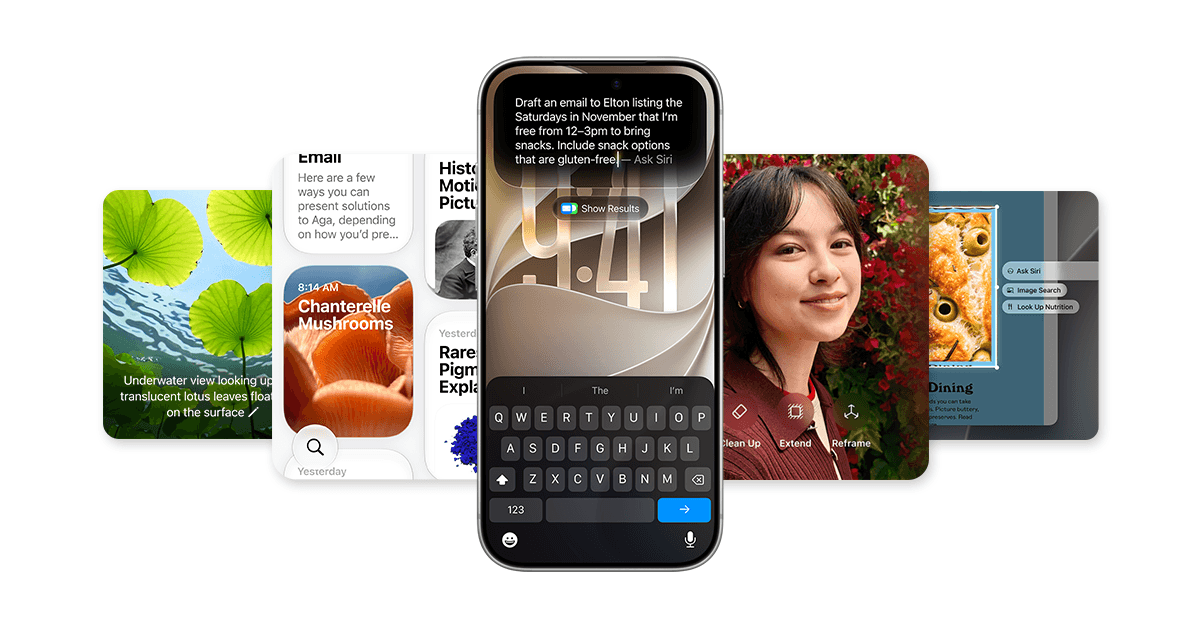
Overview
Messages is not a standalone AI product; it is a first-party communication surface where Apple Intelligence appears in context. That makes it useful for personal and team communication when supported hardware, language, region, and OS requirements are met.
The strongest value is low-friction assistance in an existing conversation. It is less suitable for structured business automation because access and behavior are bounded by Apple's platform, device eligibility, and messaging permissions.
Use cases
The strongest fit depends on the job you need the product to complete, not the size of its feature list.
Useful for people who want writing and conversation assistance inside the messaging app they already use.
Fits short-form replies and revisions where keeping the workflow on-device or within Apple's privacy architecture matters.
Capabilities
Apple Intelligence can help rewrite, proofread, or summarize text in supported app contexts.
Supported system features can surface summaries or suggested replies without moving a thread into another app.
Apple Intelligence includes image and emoji generation features that can be shared in conversations.
Process
Step 1
Use Messages on an eligible device with Apple Intelligence enabled.
Step 2
Invoke the available writing, reply, summary, or expressive-media control for the task.
Step 3
Check meaning, recipients, tone, and any generated media before sending the message.
Cost
Messages is included with Apple devices; Apple Intelligence availability depends on compatible hardware, OS, language, and region.
No separate Messages fee
Messages is included with Apple devices; Apple Intelligence availability depends on compatible hardware, OS, language, and region.
Pricing checked . Check current pricing at the source ↗
Assessment
Compare
The right alternative depends on the specific output, workflow, controls and budget your project requires.
Business Operations
Zapier is an enriched alternative for connecting work apps and automating repeatable steps.
Explore Zapier →Business Operations
Workato is an enriched alternative for larger-scale business automation and agent workflows.
Explore Workato →Questions
Messages is an AI-assisted communication surface rather than a standalone AI product. Supported Apple Intelligence features operate inside or alongside the app.
Use it for drafting, rewriting, summarizing, and reviewing short conversational content on supported Apple devices.
Messages is included with Apple devices; Apple Intelligence availability depends on compatible hardware, OS, language, and region.
Bottom line
Apple Messages belongs in the directory because it is a meaningful Apple Intelligence surface. It is best treated as contextual personal productivity, not as a programmable agent platform.
Visit Apple Messages website ↗
Apple Shortcuts connects actions across apps and services, making repeatable automations around AI tools on supported Apple devices.

The fastest email experience for ultimate productivity.

Built-in macOS workflow tool that can connect files, scripts, and applications around local AI tasks.

An AI automation platform for streamlining tasks.

Get access to all our AI courses, hundreds of real-world AI use cases, live expert-led workshops, an exclusive network of AI early adopters, and more.
Get unlimited access to all of our current & upcoming industry-specific AI courses for the duration of your subscription.
To keep up with the rapid pace of AI, our team publishes AI implementation guides daily. Our library contains 300+ practical use cases to automate real-world work.
Join weekly, live, interactive sessions with industry leaders who are at the forefront of AI for hands-on implementation guidance and exclusive insights.
Network with an exclusive community of AI-first professionals who are working smarter with AI. Learn how early adopters are using AI in their work and businesses.