Personal cartoon portraits
Turn a clear selfie or portrait into a playful illustrated profile image, keepsake, or character concept.
Independent tool overview
Storybook Vision now redirects to Cartoonize Yourself, an existing custom GPT that uses ChatGPT's image tools to transform uploaded photos into stylized cartoon portraits.
Visit the official Storybook Vision site ↗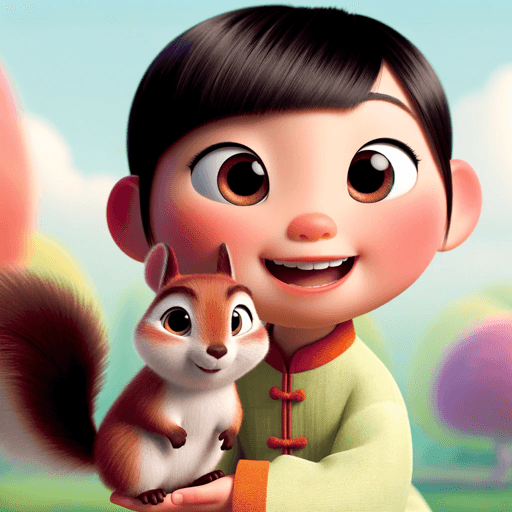
Overview
The custom GPT originally listed as Storybook Vision is now named Cartoonize Yourself. Its current ChatGPT link remains active and redirects to the renamed GPT. The basic workflow is simple: upload a photo, describe the desired illustrated treatment, generate a result, and refine it through follow-up instructions.
This is a lightweight configuration of ChatGPT rather than a standalone image editor or proprietary model. Output quality and limits inherit the user's ChatGPT image capabilities, while the GPT's instructions provide the purpose-specific starting experience. Generated portraits can be charming, but faces, hands, clothing, text, backgrounds, and the identity of multiple people may drift, so users should inspect each result and avoid treating it as a faithful record of the source photo.
Use cases
The strongest fit depends on the job you need the product to complete, not the size of its feature list.
Turn a clear selfie or portrait into a playful illustrated profile image, keepsake, or character concept.
Create draft artwork for invitations, cards, framed prints, or personal gifts after checking consent and output quality.
Use a real photo as loose visual inspiration for a fictional character, scene, or storybook concept.
Compare several broad visual directions before moving a chosen concept into a more controllable design workflow.
Capabilities
Users can attach a supported image to the ChatGPT conversation as the visual reference for the transformation.
The GPT is configured to begin from a portrait-to-cartoon use case instead of a blank general-purpose image conversation.
Follow-up requests can change clothing, palette, background, expression, framing, props, or overall illustration direction.
ChatGPT Images can edit a described or selected area, although changes may extend beyond the selected region.
Current ChatGPT image tools can regenerate in different aspect ratios for avatars, cards, posts, or wider scenes.
Generated images are saved in ChatGPT's Images area and can be revisited, copied, downloaded, or shared.
ChatGPT Images is available on the web and supported iOS and Android apps, subject to account and plan limits.
Process
Step 1
Use a sharp, well-lit image with the subject clearly visible; get permission from every identifiable person before uploading.
Step 2
Specify the composition, mood, color palette, clothing, background, aspect ratio, and broad visual traits instead of relying on a trademark name alone.
Step 3
Try a few distinct directions and compare which one best preserves the subject's recognizable features and intended tone.
Step 4
Request one or two changes at a time and restate the elements that should remain consistent, such as face, pose, clothing, or background.
Step 5
Check identity, anatomy, text, logos, and background details at full size before downloading or using the image.
Cost
Cartoonize Yourself does not list a separate fee. It uses ChatGPT image generation, which OpenAI currently offers across ChatGPT tiers with plan-specific limits. Free users can use existing GPTs and create images, but GPT, upload, and image limits can pause access until they reset.
$0
Use existing GPTs and ChatGPT Images with stricter usage limits.
Varies by plan and region
Higher limits and additional image capabilities depend on the selected ChatGPT plan.
Pricing checked . Check current pricing at the source ↗
Assessment
Compare
The right alternative depends on the specific output, workflow, controls and budget your project requires.
Business Operations
Use ChatGPT Images directly for the same upload-and-edit workflow with full control over your own prompt and revision strategy.
Explore ChatGPT →Content Creator
Choose Midjourney for broader visual style exploration and polished image generation when reference consistency is not the only priority.
Explore Midjourney →Design
Choose Adobe Firefly for image generation and editing inside a broader professional creative workflow.
Explore Adobe Firefly →Design
Choose Canva Magic Studio when the portrait needs to become a finished card, invitation, social post, or other editable design.
Explore Canva AI (Magic Studio) →Questions
Its ChatGPT URL now redirects to a custom GPT named Cartoonize Yourself. The old Rundown slug remains useful for preserving existing links.
It provides a purpose-specific ChatGPT workflow for uploading a photo and generating a stylized cartoon portrait, followed by conversational revisions.
The GPT has no separately listed price. ChatGPT Free users can currently use existing GPTs and generate images, subject to stricter GPT, upload, and image limits.
Yes. OpenAI requires users to sign in before starting a conversation with an existing custom GPT.
No. It can create a recognizable interpretation, but facial features, body details, clothing, and other elements may drift. Review every result before use.
Only with appropriate permission and a lawful purpose. Be especially careful with children, private individuals, sensitive settings, and photos you do not own.
That depends on rights in the source photo, consent from depicted people, the intended use, and any brands, characters, or protected elements included. A generated image does not automatically clear those rights.
Bottom line
Cartoonize Yourself is a convenient, low-friction way to turn a portrait into playful illustrated variations, and the redirect keeps the old Storybook Vision listing useful. Its value comes from a focused prompt experience on top of ChatGPT Images rather than unique underlying technology. Use it for personal experimentation and early creative drafts, then review likeness, anatomy, rights, and privacy carefully before publishing or printing the result.
Visit Storybook Vision website ↗
Get access to all our AI courses, hundreds of real-world AI use cases, live expert-led workshops, an exclusive network of AI early adopters, and more.
Get unlimited access to all of our current & upcoming industry-specific AI courses for the duration of your subscription.
To keep up with the rapid pace of AI, our team publishes AI implementation guides daily. Our library contains 300+ practical use cases to automate real-world work.
Join weekly, live, interactive sessions with industry leaders who are at the forefront of AI for hands-on implementation guidance and exclusive insights.
Network with an exclusive community of AI-first professionals who are working smarter with AI. Learn how early adopters are using AI in their work and businesses.


