Personal and family photo repair
Users can improve blur, noise, lighting, or expressions while assigning trained identities to the faces that should remain recognizable.
Independent tool overview
Phota Studio trains private profiles of people or pets, then uses those profiles to preserve identity while enhancing, editing, composing, or generating photos. Its unusually clear credit pricing is appealing, but uploading faces and biometric identifiers deserves a careful consent and privacy review.
Visit the official Phota Studio site ↗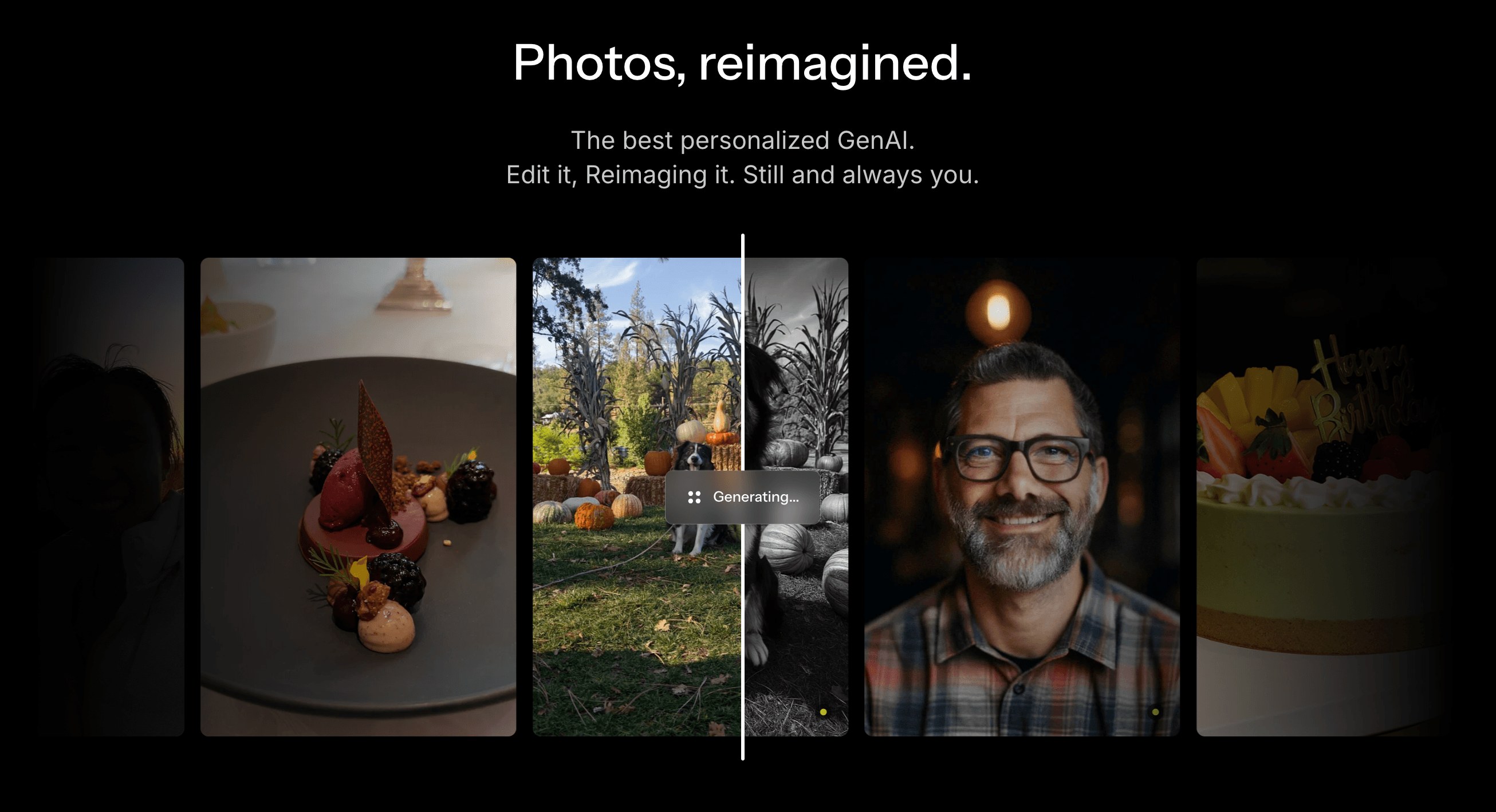
Overview
Phota Studio is a personalized AI photo editor and generator built around trained subject profiles. A profile learns the appearance of one person, dog, or cat from a set of uploaded photos. The subject can then be tagged in a prompt or assigned to a detected face so edits and new images are anchored to that identity instead of a generic lookalike.
The product has three main workspaces. Booth creates a new photo from a prompt, Editor changes an existing photo and can accept up to ten attachments, and Actions provides one-click tools for repair, professional polish, adding a trained person or pet, and transferring a reference style. A user can fix an existing memory, reorganize a group photo, or generate a new portrait without training a separate model for every base generator.
Phota says its profile layer works across four Studio base models: Nano Banana 2, GPT Image 2, Seedream 5.0 Pro, and FLUX.2 Pro. Model choice affects available resolution and automatic aspect ratio, but Studio currently charges by output resolution rather than model: two credits for 1K, three for 2K, and four for 4K.
The privacy tradeoff is substantial because the service processes faces and creates identity representations. Phota's terms say users retain their input and output, personal models are associated with the user's account, and third-party model providers are contractually prohibited from using submitted photos for their own training. The same terms also describe processing biometric identifiers, metadata, and accessible camera-roll content when that access is granted, so users should upload only consented material and choose the narrowest access possible.
Use cases
The strongest fit depends on the job you need the product to complete, not the size of its feature list.
Users can improve blur, noise, lighting, or expressions while assigning trained identities to the faces that should remain recognizable.
Editor and the Add people action can merge or regroup consented family members and pets across several source images.
A reusable profile is useful for creating headshots, lifestyle portraits, cards, and social images without retraining for every session.
The Max plan and additional subject tokens suit a workflow that needs several separately trained client identities.
One identity layer works across multiple base models, allowing visual-style comparisons without rebuilding the subject profile.
Capabilities
A trained profile represents one person or supported pet and is saved to the user's account for later edits and generations.
An @mention tells Booth or Editor which trained profile a name refers to, reducing ambiguity in multi-person prompts.
Detected faces in an uploaded photo can be mapped to the correct profile before editing; unknown faces can still render but lack profile-based preservation.
Users describe a new photo from scratch and tag trained subjects who should appear in the scene.
Editor starts from an existing image, accepts a written change, and supports up to ten attached images for context or composition.
A one-click repair workflow targets softness, noise, poor lighting, and lost detail.
A preset workflow turns an ordinary photo into a more polished professional-style image.
A trained person or pet can be inserted into a photo they were not originally in.
A reference image supplies the visual treatment while the user's trained identity anchors the result.
Studio currently offers Nano Banana 2, GPT Image 2, Seedream 5.0 Pro, and FLUX.2 Pro with different resolution and aspect-ratio support.
Credit cost depends on 1K, 2K, or 4K output rather than the selected Studio base model.
Training images can be added as files or through supported Google Photos and phone upload flows.
Process
Step 1
Obtain permission from every identifiable person and from a parent or guardian where required; do not train profiles from scraped, private, or unauthorized images.
Step 2
Prefer selecting only the necessary images instead of granting broad camera-roll or library access, especially when the library contains other people's faces or location metadata.
Step 3
Use clear close-ups, upper-body photos, and some full-length images across angles, lighting, expressions, hairstyles, accessories, clothing, and years.
Step 4
Exclude burst duplicates, heavy filters, motion blur, tiny faces, and misleading reference photos before training.
Step 5
Give each person or pet a short unique name so @mentions and face assignments map to the intended profile.
Step 6
Inspect detected faces and correct any mistaken or unknown assignment before editing; changing the prompt will not repair an incorrect identity mapping.
Step 7
Use Nano Banana 2 as the documented starting point, then compare another model only when the desired style, resolution, or aspect-ratio behavior calls for it.
Step 8
Iterate at 1K before paying for 2K or 4K, and change one instruction or source image at a time.
Step 9
Check facial identity, age, body, skin texture, hands, clothing, relationships, background, embedded text, and whether the result misrepresents a real event.
Cost
Phota Studio has a free plan with two subject tokens and 40 monthly credits. Pro is $19.99 per month with six first-sign-up subject tokens and 600 monthly credits; Max is $59.99 per month with twelve first-sign-up tokens and 1,800 monthly credits. Images cost two credits at 1K, three at 2K, or four at 4K. Monthly credits expire, while purchased top-up credits and subject tokens do not.
$0/month
A no-card trial tier for training initial subjects and testing Studio.
$19.99/month
The primary personal and family plan.
$59.99/month
A larger plan for photographers, recurring clients, or many trained identities.
$8.99 for 200 credits
Additional generation credits that do not expire.
$2.99 each
A one-time token for training one additional person, dog, or cat profile.
Pricing checked . Check current pricing at the source ↗
Assessment
Compare
The right alternative depends on the specific output, workflow, controls and budget your project requires.
Recruiting / HR
A more narrowly focused option for individuals and teams that mainly need professional AI headshots.
Explore HeadshotPro →Design
A general conversational image generator and editor for users who value broad creative editing over a dedicated reusable identity-profile system.
Explore ChatGPT Images 2.0 →Content Creator
Google's image model is one of Phota Studio's base-model options and can be used directly when a separate trained identity layer is unnecessary.
Explore Nano Banana 2 →Questions
Phota Studio is an AI photo editor and generator that trains reusable profiles of people, dogs, or cats, then uses those profiles to preserve identity in edits and new images.
A subject profile is trained from varied photos. Users then tag that profile in prompts or assign it to a detected face so Studio knows which identity to retain.
Phota recommends 30 to 50 varied photos across angles, lighting, expressions, hairstyles, accessories, clothing, and framing.
Yes. The current pricing FAQ says subject profiles support people, dogs, and cats.
Booth generates a new photo from a prompt, Editor changes an existing photo with instructions and attachments, and Actions provides one-click repair, professional polish, add-person, and style-transfer workflows.
The current Studio guide lists Nano Banana 2, GPT Image 2, Seedream 5.0 Pro, and FLUX.2 Pro. Resolution and automatic aspect-ratio support vary by model.
Free is $0, Pro is $19.99 per month, and Max is $59.99 per month. Extra subject tokens cost $2.99 and a 200-credit top-up costs $8.99.
Every Booth, Editor, or Action result costs two credits at 1K, three at 2K, or four at 4K, regardless of the selected Studio base model.
Monthly plan credits expire at the end of the billing cycle. Purchased top-up credits never expire, and the monthly balance is used before the top-up balance.
Phota says personal profiles are private and associated with the user's account. Its terms say photos sent to third-party AI providers are covered by agreements prohibiting those providers from using them to train their own models.
Yes. Phota's terms describe extracting biometric identifiers and creating digital representations of subjects in photos. Users should read the current privacy and service terms and obtain consent before uploading another person.
The pricing FAQ says the subscription remains active through the paid period, billing stops, and trained subjects stay saved to the account. Annual plans are not refunded for unused months under the current policy.
Bottom line
Phota Studio is unusually practical for people who repeatedly edit or generate photos of the same family members, pets, or clients. Its profile tags, face assignment, multiple base models, and transparent credit costs solve real workflow problems. The decision hinges on privacy: use only consented images, limit library access, understand the biometric and third-party processing terms, and treat every output as a synthetic image that needs human review.
Visit Phota Studio website ↗
LTX-2.3 - Lightricks' open-source video engine upgrade with sharper detail, native vertical, and cleaner audio
Veo 3.1 Lite - Google's new budget-friendly video generation mode
Higgsfield Soul 2.0 - New creative model built for aesthetics, realism, and culture-native generations

VOID - Neflix's open-source AI video editing model that erases objects while rewriting the physics associated with them

Get access to all our AI courses, hundreds of real-world AI use cases, live expert-led workshops, an exclusive network of AI early adopters, and more.
Get unlimited access to all of our current & upcoming industry-specific AI courses for the duration of your subscription.
To keep up with the rapid pace of AI, our team publishes AI implementation guides daily. Our library contains 300+ practical use cases to automate real-world work.
Join weekly, live, interactive sessions with industry leaders who are at the forefront of AI for hands-on implementation guidance and exclusive insights.
Network with an exclusive community of AI-first professionals who are working smarter with AI. Learn how early adopters are using AI in their work and businesses.