Operations teams
Route requests, create tasks, assign owners and keep structured databases updated without manually handling every submission.
Independent tool overview
Notion Custom Agents are shared AI teammates that run recurring workflows in the background using selected Notion content and connected tools. They are built for Business and Enterprise workspaces and add usage-based Notion credit charges on top of the workspace plan.
Visit the official Notion Custom Agents site ↗.jpeg&w=3840&q=75)
Overview
Notion Custom Agents automate repeatable work that already depends on a team's Notion workspace. A team can describe a job in natural language, give the agent access to relevant pages and databases, choose triggers and publish it as a shared resource that continues running when its creator is offline.
Common use cases include answering internal questions in Slack, routing new requests, updating databases, preparing scheduled status reports, triaging mail and handing parts of a workflow to other Custom Agents. Agents can use Notion, selected Slack channels, Mail, Calendar, the web and configured MCP connections, depending on workspace settings.
Custom Agents differ from the on-demand Notion Agent. A Custom Agent has its own permissions rather than inheriting the invoking user's permissions. That makes cross-team workflows possible, but it also means a poorly shared agent can expose or change information that an individual user could not access directly.
Use cases
The strongest fit depends on the job you need the product to complete, not the size of its feature list.
Route requests, create tasks, assign owners and keep structured databases updated without manually handling every submission.
Answer recurring policy, onboarding or product questions using a controlled set of current Notion pages and connected channels.
Collect project updates and publish daily, weekly or monthly summaries on a consistent schedule.
Gain automation without moving core knowledge and databases into a separate workflow platform.
Capabilities
Describe a desired job in chat, start from a template or configure instructions, tools and triggers from scratch.
Run agents on recurring schedules or in response to Notion page, database, comment, meeting-note and Slack events.
Agents can read selected pages and databases, create or update content and use structured workspace context.
Agents can work with authorized Slack channels, Notion Mail, Notion Calendar, web access and custom MCP connections.
A primary agent can call other Custom Agents for specialized research, preparation or review steps before completing a workflow.
Teams can inspect runs, review or restore configurations, disable agents and monitor credit consumption.
Process
Step 1
Start with a frequent, bounded workflow such as routing feedback or drafting a weekly status report, with a clear success condition.
Step 2
Specify the steps, approved sources, required fields, destination, tone, exceptions and examples of correct results.
Step 3
Add only the pages, databases, channels and connections required for the job, and keep write access narrower than read access.
Step 4
Use schedules, event filters, database views or keywords so the agent runs only when useful and avoids unnecessary credit consumption.
Step 5
Run representative and adversarial cases, review every proposed action and retain human approval for high-impact decisions.
Step 6
Share the agent with the minimum audience, watch its activity and credit dashboard and revise instructions when errors or drift appear.
Cost
Custom Agents require a Notion Business or Enterprise workspace plus Notion credits. Notion's US pricing page currently shows Business at $20 per member per month with yearly billing selected; monthly billing is also available and can cost more. Monthly credits cost $10 per 1,000, are pooled across the workspace, reset each month and do not roll over. Actual cost per run varies with reading volume, steps, frequency and model choice.
$20/member/month with yearly billing
Required self-serve workspace tier for creating and running Custom Agents.
$10 per 1,000 monthly credits
Recurring usage add-on shared by all Custom Agents in the workspace.
Custom pricing
Organization plan with advanced governance, security and support.
Pricing checked . Check current pricing at the source ↗
Assessment
Compare
The right alternative depends on the specific output, workflow, controls and budget your project requires.
Business Operations
A broader no-code AI automation canvas for workflows that are not centered on a Notion workspace.
Explore Gumloop →Business Operations
A strong alternative for building business agents across email, meetings, sales and operations tools.
Explore Lindy →Business Operations
A better fit for technical teams that want deeper workflow control, self-hosting options and a large integration ecosystem.
Explore n8n →Questions
They are shared AI agents that use selected workspace content and connected tools to run repeatable tasks automatically on schedules or events.
Notion Agent is an on-demand personal assistant that acts with the user's permissions. Custom Agents run autonomously and have their own explicitly granted resources and permissions.
Custom Agents are available to Business and Enterprise workspaces. Running them also consumes separately purchased Notion credits.
Notion credits cost $10 per 1,000 per month on top of a qualifying workspace plan. Business is currently shown at $20 per member per month with yearly billing selected. Actual agent usage varies by task.
Agents can run on recurring schedules, Notion events such as database or comment changes, and supported Slack events including messages, reactions and mentions.
Yes. Depending on configuration and admin approval, agents can use selected Slack channels, Notion Mail, Notion Calendar, web access and MCP connections.
Yes. Agents act with their own permissions, not the invoking user's permissions. Someone who can interact with an agent may receive information from resources the agent can see even if that person cannot open those resources directly.
Notion says Custom Agents pause automatically until the credit balance resets or an admin adds more credits.
Bottom line
Notion Custom Agents are a strong option for teams whose recurring workflows already live in Notion and Slack. They lower the setup barrier for useful internal Q&A, routing and reporting agents, but they should be treated like service accounts with spending authority: scope each job narrowly, grant the minimum data and write access, add selective triggers and monitor both run logs and credit usage.
Visit Notion Custom Agents website ↗
Kimi Claw- Moonshot's browser-based AI assistant that deploys integrated OpenClaw agents in the cloud with 5,000+ community skills
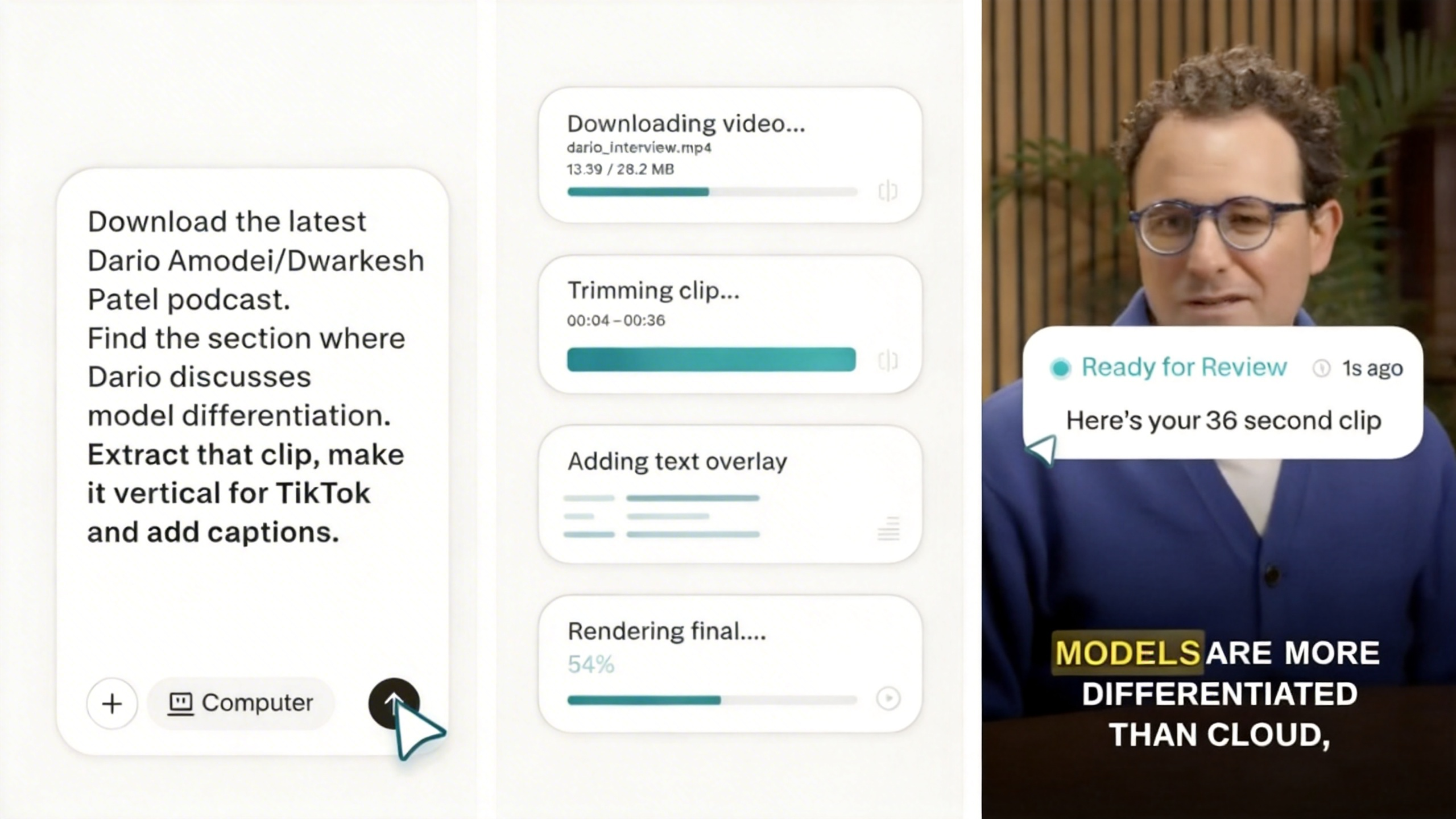
Perplexity Computer - Perplexity's multi-model agent system orchestrating 19 AI models for long-running tasks
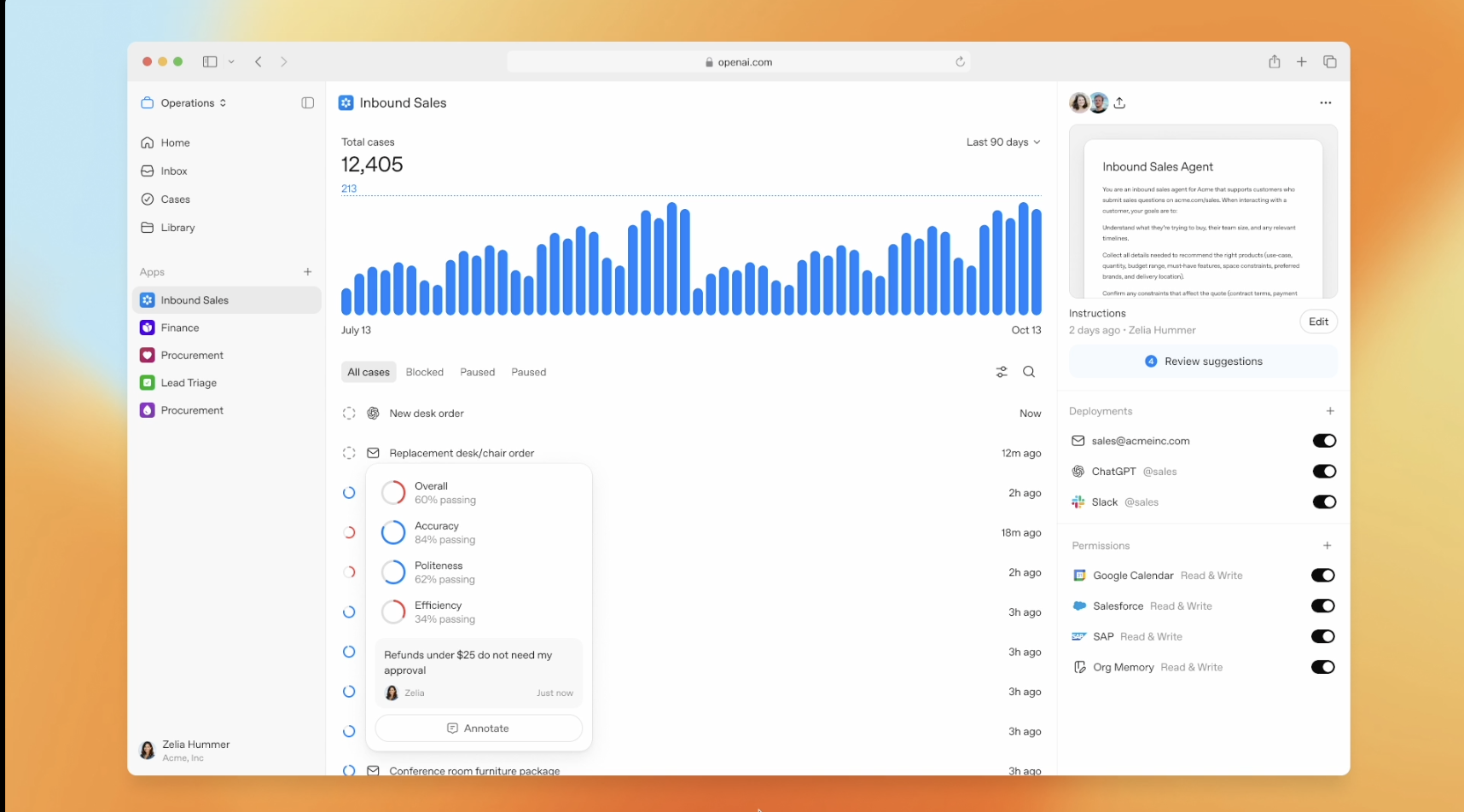
OpenAI Frontier - enterprise platform for creating, deploying, and managing AI agents

Hermes Agent - Nous Research's open-source autonomous agent with persistent memory and cross-platform messaging

Get access to all our AI courses, hundreds of real-world AI use cases, live expert-led workshops, an exclusive network of AI early adopters, and more.
Get unlimited access to all of our current & upcoming industry-specific AI courses for the duration of your subscription.
To keep up with the rapid pace of AI, our team publishes AI implementation guides daily. Our library contains 300+ practical use cases to automate real-world work.
Join weekly, live, interactive sessions with industry leaders who are at the forefront of AI for hands-on implementation guidance and exclusive insights.
Network with an exclusive community of AI-first professionals who are working smarter with AI. Learn how early adopters are using AI in their work and businesses.