Voice-first writers
People who think more naturally aloud and want rough speech shaped into an editable email, note, article, post, journal entry, or outline.
Independent tool overview
Letterly is a cross-platform voice-to-text app that records or imports speech, transcribes it, and uses AI rewrite styles to turn rough thoughts into notes, messages, emails, posts, and meeting recaps.
Visit the official Letterly site ↗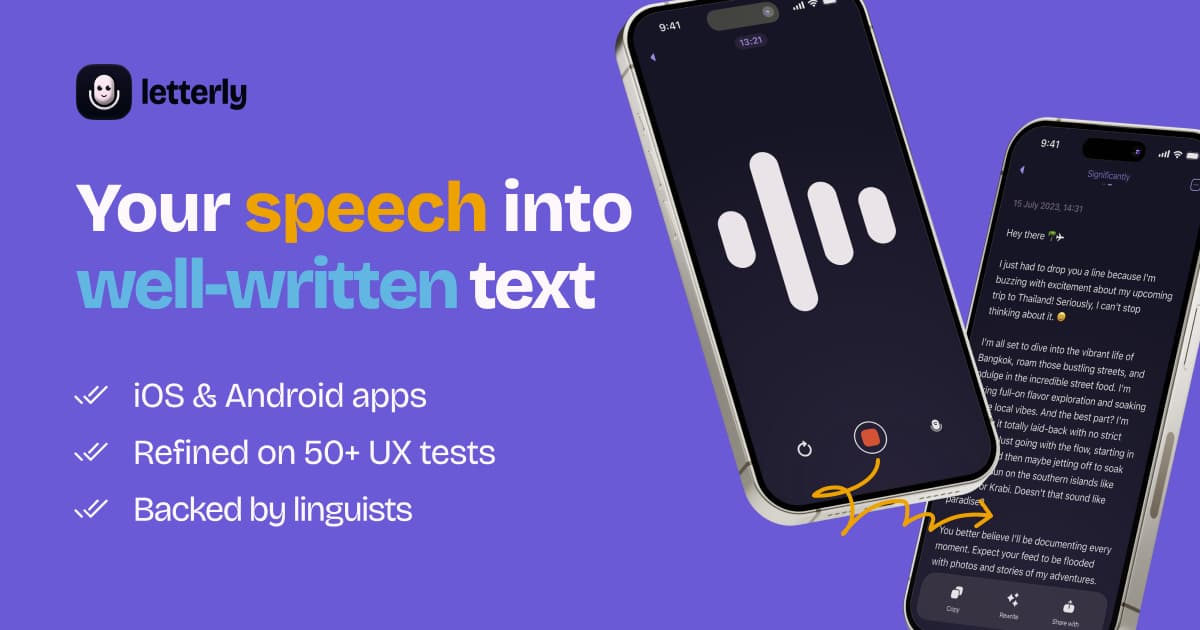
Overview
Letterly is built for people who would rather speak than type. It combines three related workflows: direct dictation inside other apps, a synced voice-note library, and transcription for meetings, lectures, interviews, or uploaded audio and video. After transcription, users can keep the raw text or apply premade and custom rewrite instructions for a more concise, structured, or purpose-specific result.
The product is available on iPhone, Android, Mac, Windows, the web, and Apple Watch, with feature availability varying by platform. Letterly says recordings and rewrites are unlimited and supports recordings up to 90 minutes, but some sessions and features have plan-specific limits. Because recordings and text may contain confidential conversations or personal thoughts and are processed by cloud and AI providers, users should obtain recording consent and review the privacy, retention, and integration settings before using it for sensitive material.
Use cases
The strongest fit depends on the job you need the product to complete, not the size of its feature list.
People who think more naturally aloud and want rough speech shaped into an editable email, note, article, post, journal entry, or outline.
Users who want to dictate polished text directly into messages, email, documents, productivity apps, and AI chats.
People collecting ideas, reflections, lists, and memos across phone and desktop devices.
Users who need a transcript with speaker separation and an editable recap from a conversation lasting up to 90 minutes.
People who dictate, switch languages, or translate notes across Letterly's supported language set.
Capabilities
Record an idea or conversation and receive a saved transcript that can be searched, edited, tagged, archived, merged, and revisited.
Mobile keyboard or bubble and desktop dictation tools can insert cleaned-up speech where users would normally type.
Premade and custom prompts can convert a transcript into formats such as an email, message, summary, list, post, or journal entry.
Recordings can run for up to 90 minutes, supporting longer meetings, lectures, interviews, and thinking sessions.
Multi-speaker mode divides supported transcripts by speaker labels and can be adjusted after recording.
Existing media files can be imported for transcription instead of being recorded live in Letterly.
Letterly advertises automatic language detection, mid-sentence switching, and translation across more than 90 languages.
A personal dictionary improves names and specialist terms, while spoken shortcuts can expand into signatures, addresses, links, or other saved text.
Notes and recordings sync across supported phone, desktop, and web apps for continued editing and playback.
Users can record without an internet connection, with cloud transcription and AI processing completing when connectivity is available.
Notes can be sent into other workflows through Zapier, direct sharing, and configurable webhooks.
Supported AI clients can search, create, rewrite, and translate Letterly notes through Model Context Protocol access.
Process
Step 1
Use direct dictation for text needed immediately, a voice note for an idea, or meeting mode or upload for a longer conversation.
Step 2
Before recording other people, follow applicable consent rules and workplace policies; avoid collecting material that should not enter a cloud transcription system.
Step 3
Use a quiet environment, identify important names or terms, and enable multi-speaker handling where a conversation needs speaker labels.
Step 4
Check names, numbers, quotations, action items, and speaker labels against the audio before treating the text as authoritative.
Step 5
Pick or create a style that preserves the intended meaning, then compare it with the raw transcript so the AI does not add, omit, or overstate details.
Step 6
Tag the note, merge related material, share the result, or send it through Zapier, a webhook, or MCP using only the access needed.
Cost
Letterly is free to download with in-app purchases. Its US App Store listing shows several current and legacy Pro subscription SKUs, so the exact annual or lifetime offer displayed may vary by device, region, promotion, and account. Confirm the checkout screen before paying.
$0
Download and start using Letterly with limits shown inside the app.
$19.99 per month
The monthly Pro subscription listed in the US App Store.
$69.99–$99.99 per year
Multiple annual Pro SKUs are listed, likely reflecting current, promotional, or legacy offers.
$199.99–$249.99 one time
Lifetime Pro purchase SKUs appear in the US App Store listing but may not be offered to every user.
Pricing checked . Check current pricing at the source ↗
Assessment
Compare
The right alternative depends on the specific output, workflow, controls and budget your project requires.
Content Creator
Choose Wispr Flow when fast system-wide dictation is the main need and a long-term note library matters less.
Explore Wispr Flow →Project Management
Choose Otter.ai for a meeting-first workflow with automated meeting capture, transcripts, summaries, and collaboration.
Explore Otter.ai →Project Management
Choose Granola when you prefer an AI meeting notebook that enhances your own notes instead of a general dictation app.
Explore Granola →Business Operations
Choose Fireflies AI for team meeting recording, searchable conversation intelligence, and business integrations.
Explore Fireflies AI →Questions
The current product is Letterly. The Rundown's URL retains the older "letterfly" slug so existing links continue to work.
Letterly records or imports speech, transcribes it, and can rewrite the result into notes, messages, emails, summaries, posts, journal entries, and other formats. It also supports direct dictation inside other apps.
Letterly is free to download and start, with Pro purchases offered in the app. The company does not publish a reliable public quota table, so check the current limits inside your device's version.
As of August 30, 2026, the US App Store lists Pro at $19.99 per month, multiple annual offers from $69.99 to $99.99, and lifetime SKUs from $199.99 to $249.99. Your live checkout may show a different offer by region, platform, promotion, or account.
Letterly advertises recordings of up to 90 minutes per note. Direct dictation sessions can have different plan and platform limits.
Yes. It can record longer conversations, separate a transcript with generic speaker labels, and produce a recap. Verify the transcript and obtain any required recording consent.
Letterly supports offline recording. Cloud transcription, AI rewriting, syncing, and connected workflows require an internet connection.
Letterly's site says user words are never used to train AI. Its privacy notice also says AI inputs, outputs, and personal information are processed by service providers including OpenAI, so review the current policy and your organization's requirements before submitting sensitive content.
Bottom line
Letterly is a versatile choice for people whose workflow starts with speaking and ends with usable written text. Its combination of system-wide dictation, a searchable voice-note library, long recordings, rewrite styles, and cross-device access is broader than a simple transcription utility. The main buying cautions are uneven feature availability, an opaque public free-tier allowance, multiple store price SKUs, and the need to review every important transcript or rewrite before relying on it.
Visit Letterly website ↗
Get access to all our AI courses, hundreds of real-world AI use cases, live expert-led workshops, an exclusive network of AI early adopters, and more.
Get unlimited access to all of our current & upcoming industry-specific AI courses for the duration of your subscription.
To keep up with the rapid pace of AI, our team publishes AI implementation guides daily. Our library contains 300+ practical use cases to automate real-world work.
Join weekly, live, interactive sessions with industry leaders who are at the forefront of AI for hands-on implementation guidance and exclusive insights.
Network with an exclusive community of AI-first professionals who are working smarter with AI. Learn how early adopters are using AI in their work and businesses.


