Technical creative teams
Run an adaptable image editor on controlled infrastructure and connect it to an internal production pipeline.
Independent tool overview
FireRed Image Edit is an Apache-licensed, 20-billion-parameter image editing model from Xiaohongshu's FireRed Team. Version 1.1 focuses on identity consistency, multi-element fusion, portrait work, stylized text, and local deployment through Diffusers or ComfyUI.
Visit the official FireRed-Image-Edit site ↗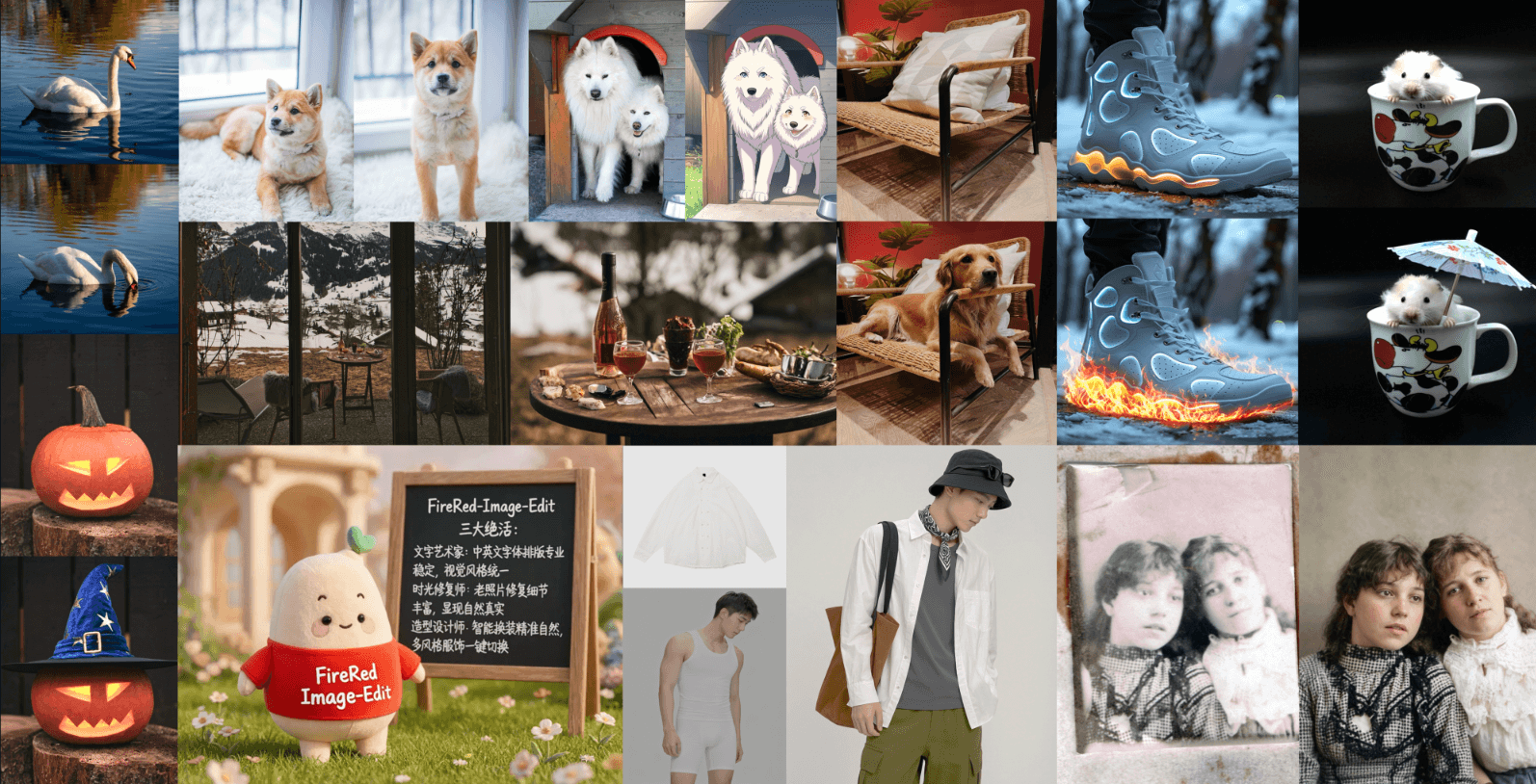
Overview
FireRed Image Edit is an open-weight model for changing existing images from natural-language instructions. It can add, remove, replace, restyle, restore, retouch, and combine visual elements while trying to preserve the parts of the source image that should remain consistent.
The current 1.1 release builds on the 1.0 technical report with improvements to portrait identity, multi-image conditioning, stylized-text reference, makeup, and other production-oriented edits. The official model card lists 20 billion parameters and BF16 weights.
This is primarily a model and developer toolkit, not a polished hosted design subscription. The code and weights are free under Apache 2.0, but practical use requires capable GPU infrastructure, a supported local workflow, or a third-party host.
Use cases
The strongest fit depends on the job you need the product to complete, not the size of its feature list.
Run an adaptable image editor on controlled infrastructure and connect it to an internal production pipeline.
Preserve recognizable subjects while changing makeup, clothing, styling, backgrounds, or other visual details.
Fuse people, apparel, props, products, and scenes from multiple source images into one directed composition.
Study the released benchmark and training code or build specialized LoRA adapters for repeatable domain-specific edits.
Capabilities
Make localized or broad edits with text instructions, including additions, removals, replacements, styling, retouching, and restoration.
Version 1.1 emphasizes keeping a person recognizable across changes to the surrounding scene, wardrobe, makeup, and composition.
Natively condition on one to three images, or use the companion Agent workflow to crop and stitch inputs when a composition contains more sources.
Carry typography and stylized text treatments from a reference into an edited output for posters and branded creative work.
Run with Diffusers, the repository's inference script, a native ComfyUI workflow, or community GGUF quantizations.
Use the released training code, offline feature extraction, distributed-training support, and LoRA ecosystem to adapt the model.
Process
Step 1
Start with version 1.1 for the latest quality improvements, or evaluate the distilled and quantized options when speed or memory is the constraint.
Step 2
Install the repository dependencies or a compatible Diffusers and ComfyUI stack, then download the official weights from Hugging Face or ModelScope.
Step 3
Provide one to three inputs directly. For larger multi-image jobs, configure the Agent preprocessing path that identifies regions, crops them, and stitches composite inputs.
Step 4
Identify the element to change, describe the intended result, and state which faces, products, poses, typography, lighting, or background details must stay fixed.
Step 5
Test seeds and model variants, inspect identity and composition, and compare the optimized path with the full model before standardizing a workflow.
Step 6
Review anatomy, text, likeness, product accuracy, manipulation disclosure, source-image rights, and privacy before distributing an edited image.
Cost
FireRed Image Edit's official code and model weights are free under Apache 2.0. There is no required FireRed subscription. The real cost is GPU hardware, cloud compute, storage, engineering time, and any optional language-model API used for Agent instruction rewriting.
Free
Download, modify, and self-host the official project under the Apache 2.0 license.
Compute costs vary
Run the full or optimized model on your own workstation or cloud GPU.
Optional API cost
Basic use does not require an LLM API, but automatic instruction rewriting can call a configured provider.
Pricing checked . Check current pricing at the source ↗
Assessment
Compare
The right alternative depends on the specific output, workflow, controls and budget your project requires.
Content Creator
Choose FLUX.2 when you want another open visual model family with image generation, editing, and a broader commercial API ecosystem.
Explore FLUX.2 →Content Creator
Choose Seedream 4.5 for a managed usage-based API with 4K output and up to 10 direct reference images.
Explore Seedream 4.5 →Content Creator
Choose Google's managed model when ease of access, fast generation, and Gemini integration matter more than self-hosting.
Explore Nano Banana 2 →Questions
FireRed Image Edit is an open-weight diffusion model for modifying existing images from text instructions. It supports general editing, portrait work, multi-image composition, stylized text, restoration, and specialized adapters.
Yes. The official code and weights are released under Apache 2.0. You still pay for the GPU, storage, engineering, and any optional third-party API used in your deployment.
The FireRed Team says its optimized inference path can run with about 30GB of VRAM and produce a sample in roughly 4.5 seconds. Requirements and speed vary with hardware, model build, resolution, and optimization settings.
Yes. The team publishes native ComfyUI packages and workflows for the model, alongside Diffusers and command-line inference options.
Version 1.1 improves portrait identity consistency, multi-image conditioning and fusion, stylized-text reference, portrait makeup, and other domain-specific editing tasks over the 1.0 foundation model.
Bottom line
FireRed Image Edit is compelling for technical teams that want a powerful, modifiable image editor with open code, open weights, strong identity preservation, and a serious training and deployment stack. Its main tradeoff is infrastructure: creators seeking a simple hosted editor will be better served by a managed alternative.
Visit FireRed-Image-Edit website ↗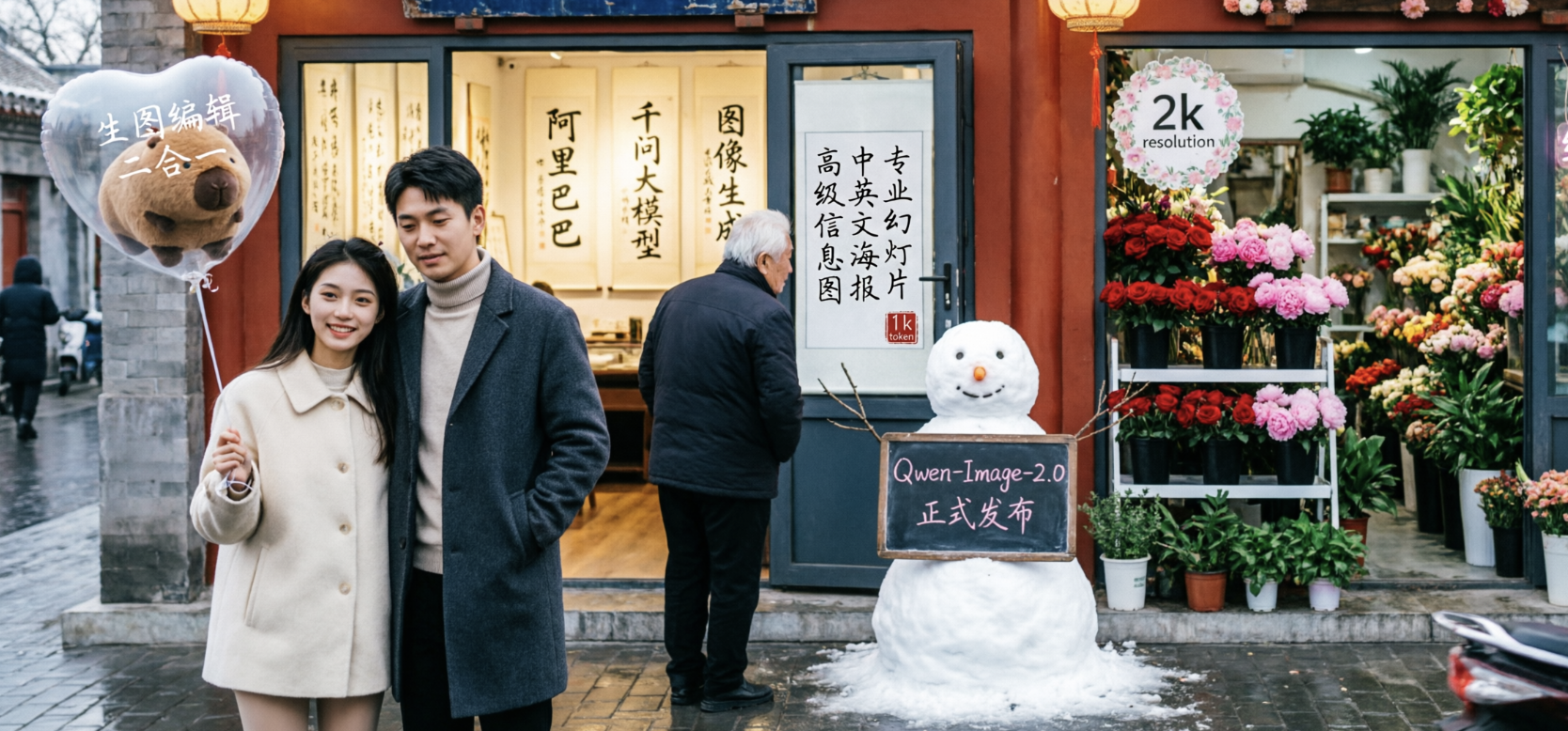
Qwen Image 2.0 - Alibaba's new unified image generation and editing model with native 2K resolution and 1K-token text rendering

Recraft V4 - New image model tuned for design taste, typography, and production-ready outputs

Riverflow 2.0 - Sourceful's new SOTA image editing model

Seedream 5.0 Lite - ByteDance's updated text-to-image model with style control and real-time trend generation

Get access to all our AI courses, hundreds of real-world AI use cases, live expert-led workshops, an exclusive network of AI early adopters, and more.
Get unlimited access to all of our current & upcoming industry-specific AI courses for the duration of your subscription.
To keep up with the rapid pace of AI, our team publishes AI implementation guides daily. Our library contains 300+ practical use cases to automate real-world work.
Join weekly, live, interactive sessions with industry leaders who are at the forefront of AI for hands-on implementation guidance and exclusive insights.
Network with an exclusive community of AI-first professionals who are working smarter with AI. Learn how early adopters are using AI in their work and businesses.